5 Best Paperpile Alternatives for Cross-Platform Research Writing in 2026


Paperpile is the modern, cloud-native reference manager that turned Google Docs into a credible academic writing surface. Built around tight Google Drive integration, Paperpile became the default tool for researchers who refused to write in Microsoft Word, with a clean web app, one-click PDF imports from PubMed and Google Scholar, and a Google Docs add-on that inserts citations and bibliographies in real time. The product remains the gold standard for Google Workspace researchers and ships with 9,000+ citation styles, a 50% academic discount, and shared workspaces for collaboration.
The reality for many researchers in 2026 is that Paperpile works beautifully inside Google Docs but starts to feel constrained the moment work moves outside that ecosystem. Three concerns surface repeatedly across academic forums and reference-manager review sites: there is no permanent free tier (only a 30-day trial, then a subscription), the workflow is tightly coupled to Google Drive and Google Docs (Microsoft Word users find it weaker), and Paperpile has shipped no native AI features (no academic search, Chat with PDF, Literature Review, or AI Paper Writer). Researchers running thesis chapters or systematic reviews in 2026 often want a more flexible, AI-first tool that works across Google Docs and Word equally.
This guide covers the 5 best Paperpile alternatives in 2026, free and paid, ranked by how each one closes the gaps Paperpile stops short on. Some specialize in open-source governance and permanent free use, others in Word-first workflows, and one pairs the best AI Reference Manager with academic search, structured literature reviews, custom extraction, and a manuscript-grade AI Paper Writer inside one workspace.
TL;DR
Paperguide is the best Paperpile alternative in 2026. It is the only platform that pairs a native AI reference manager (with BibTeX/RIS/DOI imports, Chrome extension, and 1,000+ citation styles) with academic search across 200M+ peer-reviewed papers, the structured 5-step Literature Review AI, custom-column data extraction, verified citations on every claim, and the full AI Paper Writer, all inside one workspace with a generous free plan and a 30% academic discount. The 5 alternatives in this guide each close one of Paperpile's gaps, but Paperguide is the only one that closes all of them at once.
Top Paperpile Alternative in 2026
| Feature | Paperguide | Zotero | Mendeley | EndNote | Sciwheel |
|---|---|---|---|---|---|
| AI Search | ✓ | ✗ | ✗ | ⚠ | ✗ |
| Chat with PDF | ✓ | ✗ | ✗ | ⚠ | ✗ |
| Literature Review AI | ✓ | ✗ | ✗ | ✗ | ✗ |
| AI Paper Writer | ✓ | ✗ | ✗ | ✗ | ⚠ |
| Extract Data | ✓ | ✗ | ✗ | ✗ | ✗ |
| Reference Manager | ✓ | ✓ | ✓ | ✓ | ✓ |
| Citation Styles | 1,000+ | 10,000+ | 7,000+ | 7,000+ | 7,000+ |
| Word Plugin | ✗ | ✓ | ✓ | ✓ | ✓ |
| Google Docs Plugin | ✗ | ✓ | ⚠ | ⚠ | ✓ |
| Free Plan | ✓ | ✓ | ✓ | ✗ | ⚠ |
| Student Discount | ✓ | ⚠ | ✗ | ✓ | ⚠ |
| Starting Price | $12/mo | Free | Free | $175 (one-time) | Quote |
The feature comparison table above maps the main reference-management and AI-research capabilities (rows) against all 5 top Paperpile alternatives in 2026 (columns). Use ✓ for full support, ⚠ for partial or limited support, and ✗ for missing capability.
Paperguide is the best Paperpile alternative in 2026 because it covers every job Paperpile handles (cloud-native reference manager, Word import and export, Chrome extension, 1,000+ citation styles, shared collaboration) and then adds the AI research layer Paperpile never built. A native reference library carries the same workspace forward into academic search across 200M+ peer-reviewed papers, the structured 5-step Literature Review AI, custom-column Extract Data, the AI Paper Writer, and Chat with PDF.
Quick read: Paperguide is the only tool that scores ✓ across both classic reference management and the full AI research layer. Zotero offers free, open-source governance with the deepest citation-style library but no AI features. Mendeley is free with 2GB storage but lacks AI features and carries Elsevier ownership concerns. EndNote 2025 added an AI Research Assistant but ships as a $275 one-time purchase. Sciwheel adds light AI summaries to a Google Docs-ready reference manager but pricing is gated behind login.
What is Paperpile?
Paperpile is a cloud-native reference manager built around tight Google Docs and Google Drive integration. The platform stores libraries inside Google Drive, captures references through a Chrome extension that detects metadata on publisher pages and Google Scholar results, and inserts citations and bibliographies into Google Docs in real time through a first-party add-on. Researchers also get a Microsoft Word plug-in, mobile apps for iOS and Android, shared workspaces for collaboration, and 9,000+ citation styles via the open CSL repository. Paperpile is featured in our broader roundup of the best AI reference manager tools for context, though Paperpile itself has not built native AI features.
Core Capabilities
- Cloud-native reference library stored inside Google Drive.
- Google Docs add-on for cite-while-you-write functionality.
- Microsoft Word plug-in.
- Chrome extension for capturing references from publisher pages.
- One-click import from PubMed, Google Scholar, and publisher pages.
- 9,000+ citation styles via CSL.
- Shared workspaces for team collaboration.
- Mobile companion apps for iOS and Android.
Pros
- Best-in-class Google Docs integration of any reference manager
- Cloud-native: no desktop installer, no sync drama
- Clean, modern UI built for the Google Workspace generation
- 9,000+ citation styles
- 50% academic discount for students, faculty, and researchers
- Shared workspaces for team collaboration
Cons
- No permanent free tier (only 30-day trial)
- Strong fit for Google Docs but weaker for Microsoft Word workflows
- No AI features (no academic search, Chat with PDF, Literature Review, AI Writer)
- No native desktop reader (cloud-only)
- All plans billed annually, no monthly option
- Tightly coupled to Google Drive (researchers outside Google Workspace find friction)
Why Choose a Paperpile Alternative in 2026?
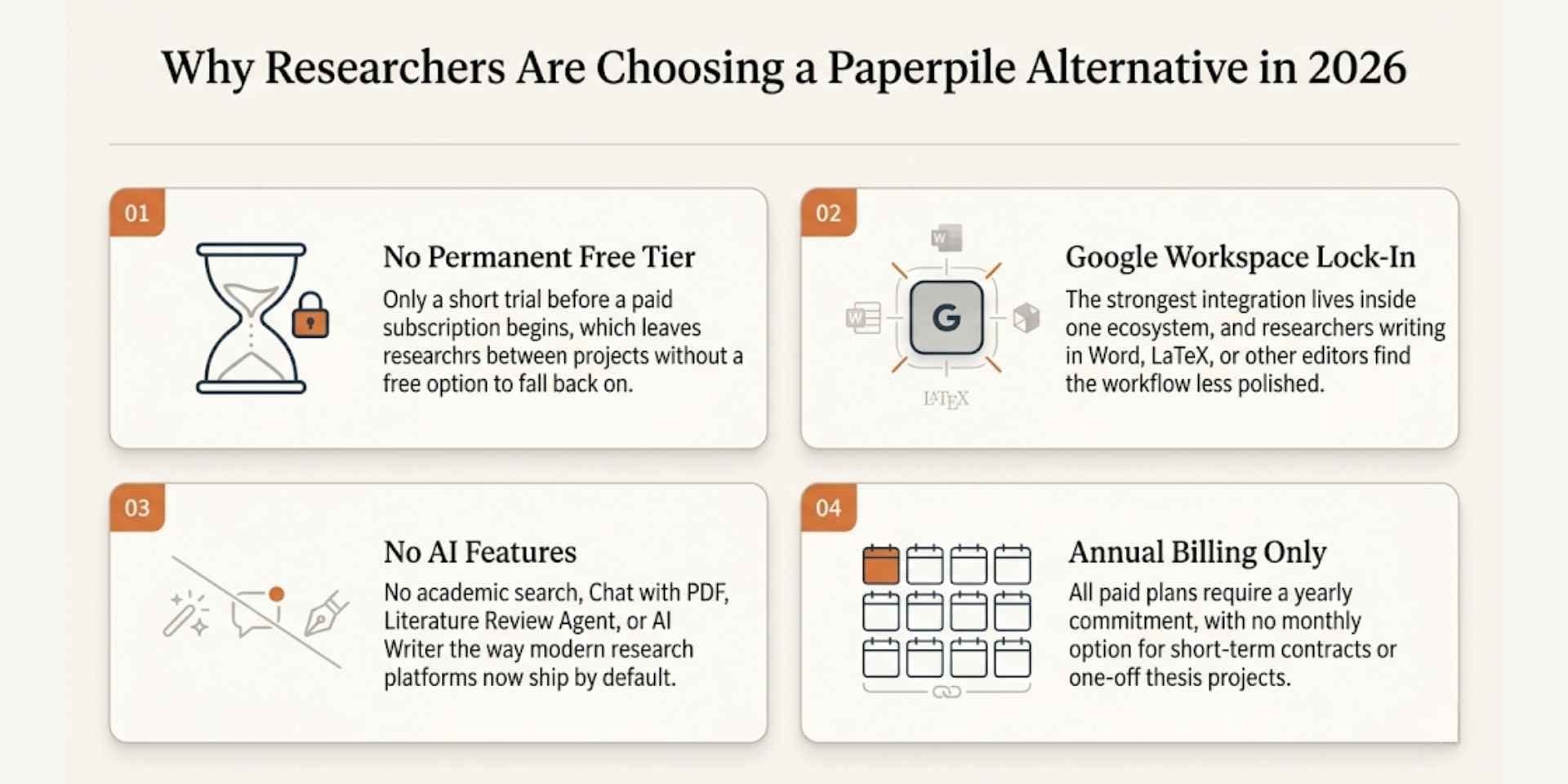
The decision to move off Paperpile usually comes down to four reasons that surface across academic forums, reference-manager review sites, and graduate-student communities:
1. No permanent free tier. Paperpile offers a 30-day trial, then requires a paid subscription. Researchers on tight budgets, occasional users, and graduate students between projects often prefer Zotero or Mendeley's free permanent tiers.
2. Google Workspace lock-in. Paperpile's strongest integration is Google Docs and Google Drive. Researchers who write in Microsoft Word or LaTeX find the workflow less polished, and institutions that have not standardized on Google find Paperpile harder to deploy.
3. No AI features. Paperpile has not added academic search, Chat with PDF, Literature Review, or an AI Writer the way modern research platforms now have. Researchers writing thesis chapters or running structured reviews keep Paperpile only for citation storage and run the actual research workflow somewhere else.
4. Annual billing only. All Paperpile paid plans are annual, with no monthly option. Researchers on short-term contracts or one-off thesis projects often find this commitment uncomfortable.
Best Paperpile Alternative in 2026
1. Paperguide
Paperguide Reference Manager
Paperguide is the cross-platform AI research workspace that takes the cloud-native reference-manager experience Paperpile pioneered and pairs it with the AI research layer Paperpile never built. Researchers get the same modern web app feel (clean library UI, instant PDF imports, Chrome extension, shared workspaces) without being locked into Google Workspace, because Paperguide supports both Word import and Google Docs alongside 1,000+ citation styles that work across either editor.
What separates Paperguide is the full research workflow that lives on top of the reference library. Academic search across 200M+ peer-reviewed papers from PubMed, arXiv, OpenAlex, and Semantic Scholar feeds the structured 5-step Literature Review AI, custom-column Extract Data tables, Chat with PDF for multi-paper interrogation, and a manuscript-grade AI Paper Writer with agentic in-document chat, Smart Continue, KaTeX math blocks, plagiarism checking, and grammar checking. Verified citations sit on every claim, and SJR and SNIP quality signals surface inline across every workflow stage.
Key Features
- AI Reference Manager: Native AI Reference Manager with folders, subfolders, tags, annotations, highlights, AI summaries, BibTeX/RIS/DOI imports, Zotero import, a Chrome extension for capturing papers from any browser, shared-library collaboration, and 1,000+ citation styles. Metadata and open-access PDFs are fetched automatically, an institutional proxy (EZproxy and others) opens paywalled papers, and Ask your library answers questions using only your saved papers.
- AI Search: Combines semantic and keyword retrieval across 200M+ peer-reviewed papers from PubMed, arXiv, OpenAlex, and Semantic Scholar, the discovery layer Paperpile does not offer.
- Literature Review AI: Literature Review AI follows a structured plan-search-screen-extract-synthesize flow; Extended Mode screens up to 200 papers and synthesizes the top 50.
- AI Paper Writer: Rebuilt with agentic in-document chat, Smart Continue (the AI picks up from your cursor and cites your selected sources), Math blocks (KaTeX rendering), inline equations, Word document import, 1,000+ citation styles, plus plagiarism and grammar checking. Widely considered the best AI Paper Writer for academic work in 2026.
- Chat with PDF: Chat with PDF handles multi-paper comparison with passage-level grounding; click any citation to view the source paper, page number, and supporting quote.
- Extract Data: Extract Data tables on paid plans support up to 50 custom columns across 100 papers per table, every cell linked back to its source.
- Deep Research Report: Deep Research Report gives researchers manual control over research questions, search scope, inclusion criteria, and extraction fields.
- Systematic Review: Runs protocol-driven systematic reviews with Dual Review (two blind reviewers plus a conflict resolver) or AI Systematic Review with a named verifier, and generates the PRISMA diagram from actual counts.
- Research Agent: Retrained in 2026 for sharper task understanding, fewer hallucinations, and leaner token use; runs search, screening, comparison, contradiction detection, gap analysis, extraction, and draft generation in a single connected session.
- Quality Signals: SJR rankings, SNIP scores, and citation metrics surfaced inline across AI Search, screening, and Literature Review workflows.
Pros
- End-to-end research workflow in one workspace: store references, search the literature, synthesize, extract, write
- Native reference manager with Zotero import, BibTeX/RIS/DOI imports, Chrome extension, and 1,000+ citation styles
- Imports from Word and exports to Word and PDF (no editor lock-in)
- Academic search across 200M+ peer-reviewed papers (Paperpile has no search)
- Structured 5-step Literature Review AI
- AI Paper Writer with agentic chat, Smart Continue, math blocks (KaTeX), Word import
- Verified citations on every claim, traceable down to the source paper and page
- 30% academic discount with a valid university email
- Generous free plan with 2,000 monthly AI credits
Cons
- Newer brand than Paperpile in Google Workspace research circles
- Citation-style library is smaller than Paperpile's 9,000+ (Paperguide ships 1,000+ styles covering the most common journal requirements)
- 200-paper screening cap on a single Literature Review (large reviews need themed batching)
Best For
Researchers who want a connected AI research workflow that works across Google Docs and Microsoft Word, particularly PhDs and lab teams running thesis chapters, systematic reviews, or grant proposals end to end, with verified citations on every claim and a native AI Reference Manager.
Pricing
Free plan with 2,000 AI credits per month. Plus: $12 per seat per month, billed annually ($144 a year), with 12,500 credits. Pro: $29 per seat per month, billed annually ($348 a year), with 50,000 credits. Evidence Teams: $89 per seat per month, billed annually ($1,068 a year), with 150,000 credits. Enterprise is custom. A 30% academic discount applies with a valid university email, and yearly billing saves up to 41%.
Verdict
Paperguide is the strongest overall Paperpile alternative in 2026 because it offers every job Paperpile handles (cloud-native library, Google Docs and Word workflows, Chrome extension, 1,000+ citation styles, shared collaboration) and adds the AI research layer Paperpile never built. For researchers who want the Paperpile UX modernity plus a permanent free tier and a connected AI workspace, Paperguide is the natural step up.
2. Zotero
Zotero Reference Manager
Zotero is a free, open-source reference manager developed by the Corporation for Digital Scholarship, a non-profit organization. Zotero is the open-source counterpart to commercial tools like Paperpile, with a deep CSL citation-style ecosystem (10,000+ styles), a powerful browser connector, an active plugin community, and a non-profit governance model that appeals to researchers worried about commercial lock-in or sudden price hikes. For Paperpile users specifically frustrated by the lack of a permanent free tier, Zotero is the most obvious open-source alternative.
Key Features
- Free, open-source reference manager with no vendor lock-in.
- 10,000+ citation styles via the open CSL repository.
- Browser connector (Chrome, Firefox, Safari, Edge) for capturing references.
- Word, LibreOffice, and Google Docs plug-ins.
- Group libraries for collaboration.
- Active plugin ecosystem (ZotFile, Better BibTeX, ZotMoov, and hundreds more).
- BibTeX, RIS, and JSON import/export.
Pros
- Free, open-source, and non-profit governance
- 10,000+ citation styles, the deepest CSL ecosystem of any reference manager
- Strong browser connector across most academic publisher sites
- Works in both Word and Google Docs through dedicated plug-ins
- Active plugin community extending the core product
- Trusted by most universities and library systems globally
Cons
- 300MB free storage cap (paid storage required for larger libraries)
- No AI features
- Dated desktop UI compared to Paperpile's polished cloud-native interface
- Plugin-dependent: serious workflows often require ZotFile, Better BibTeX, ZotMoov
- Mobile experience is more limited than Paperpile
- Requires more manual configuration than Paperpile's polished defaults
Best For
Researchers leaving Paperpile specifically over the lack of a permanent free tier or the Google Workspace lock-in, particularly those comfortable installing community plugins to customize the workflow and willing to manage open-source software directly.
Pricing
Free with 300MB cloud storage. Paid storage: 2GB at $20/year, 6GB at $60/year, Unlimited at $120/year.
Verdict
Zotero is the strongest free Paperpile alternative when open-source governance and permanent free access matter more than UI polish or AI features. The walls are the dated UI and the plugin-dependent workflow. Researchers who want a modern AI-first workspace alongside permanent free access pick Paperguide, which combines a generous free plan with a connected research workflow.
3. Mendeley
Mendeley
Mendeley is a free reference manager owned by Elsevier, with a 2GB free storage tier, polished cross-platform apps, Mendeley Cite plug-in for Microsoft Word, and a clean PDF reader. For Paperpile users who want a free alternative that focuses on Microsoft Word workflows (where Paperpile is weaker), Mendeley is the most direct like-for-like swap on the free side.
Key Features
- Free 2GB cloud storage.
- Cross-platform desktop, web, and mobile apps.
- Mendeley Web Importer browser extension.
- Mendeley Cite plug-in for Microsoft Word.
- PDF reader with annotation, highlights, and notes.
- Group libraries for collaboration.
- Watched Folders for automatic library import.
Pros
- Free 2GB cloud storage tier
- Polished cross-platform apps (desktop, web, mobile)
- Reliable Microsoft Word integration via Mendeley Cite
- PDF reader with annotation built into the core product
- Watched Folders for automatic library import
- Larger installed base than Paperpile in life sciences
Cons
- Elsevier ownership remains a community concern
- No AI features
- Citation style library is smaller than Paperpile's 9,000+
- Slower sync performance reported in 2025-2026 user feedback
- Google Docs integration is weaker than Paperpile
Best For
Researchers leaving Paperpile primarily for the free tier and Microsoft Word workflows, particularly those in life-sciences or medical fields where Mendeley already has institutional adoption.
Pricing
Free with 2GB storage. Plus at $4.99/mo ($55/yr, 5GB), Pro at $9.99/mo ($110/yr, 10GB), Max at $14.99/mo ($165/yr, 100GB).
Verdict
Mendeley is the strongest free Paperpile alternative for Word-first researchers. The walls are Elsevier ownership and the complete absence of AI features. Researchers who want a free AI-first alternative pick Paperguide, which combines a generous free plan with academic search, Chat with PDF, Literature Review, and AI Paper Writer.
4. EndNote
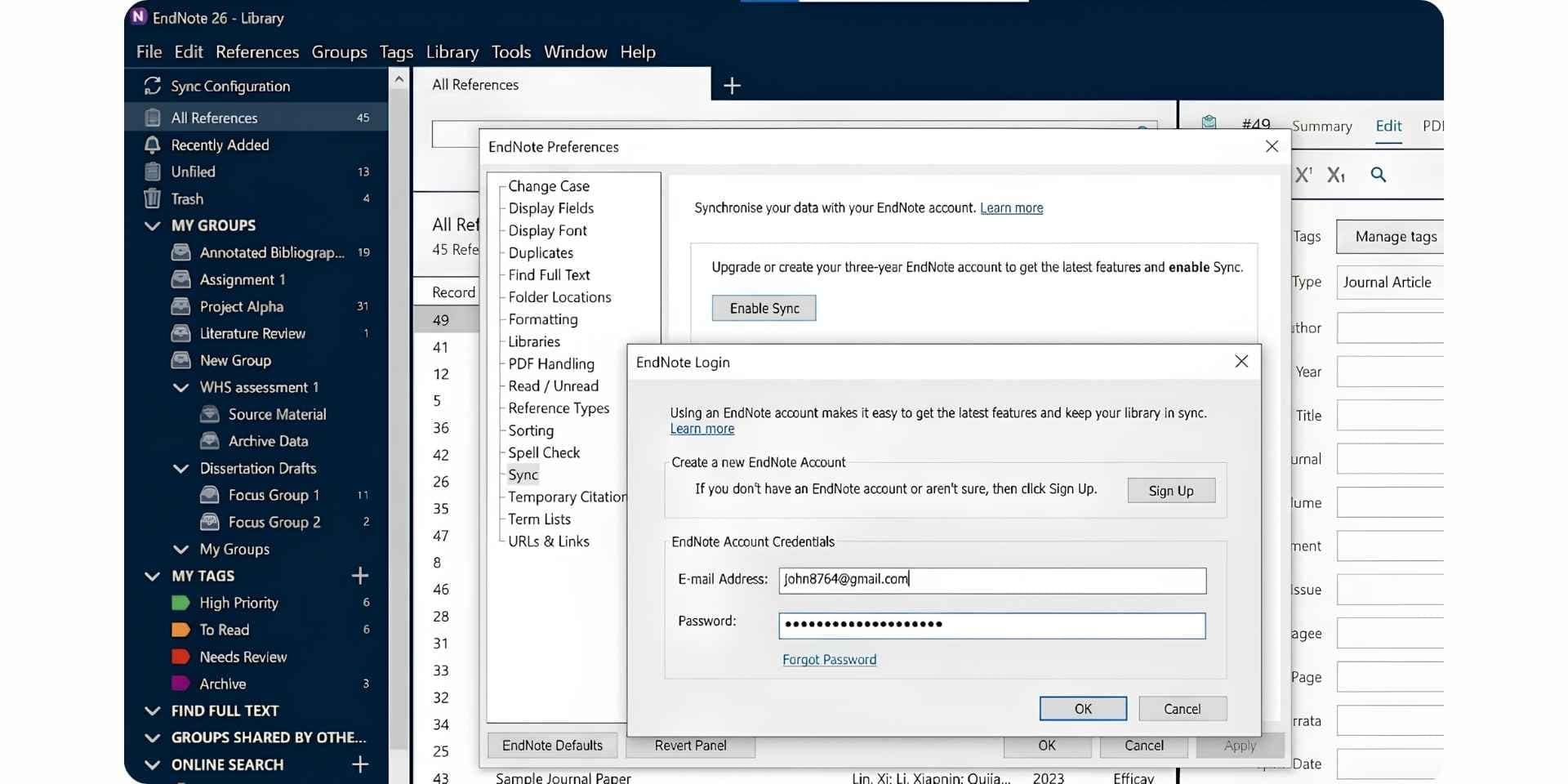
EndNote, owned by Clarivate, is the long-standing premium reference manager favoured by senior researchers, medical writers, and institutional library teams. The 2025 release introduced an AI Research Assistant for Chat-with-document Q&A, Cite from PDF, and Find a Journal. EndNote sells as a one-time purchase rather than a subscription, which contrasts with Paperpile's annual billing model. For Paperpile users frustrated by recurring subscription fees, EndNote offers a one-time alternative.
Key Features
- AI Research Assistant (new in EndNote 2025) for Chat with document, summaries, and translation.
- Cite from PDF: highlight a passage in a PDF and insert it as a citation.
- Find a Journal: machine-learning publishing tool that recommends journals.
- Cite While You Write plug-in for Microsoft Word.
- 7,000+ citation styles.
- Web of Science citing articles and related records.
- Retraction watch flags retracted papers.
Pros
- AI Research Assistant in 2025 release closes part of the AI gap
- 7,000+ citation styles and deep journal-style support
- Cite While You Write plug-in is the gold standard for Word workflows
- Retraction watch flags retracted references
- One-time purchase rather than recurring subscription
- Web of Science integration
Cons
- $275 one-time fee (Full License) is a high upfront barrier
- Student License at $175 still costs more than several Paperpile annual cycles
- No free permanent tier (only 30-day trial)
- Desktop-first design feels heavy compared to Paperpile's cloud-native UX
- AI Research Assistant is newer and less mature than Paperguide's connected agents
- Weaker Google Docs integration than Paperpile
Best For
Senior researchers and institutional teams who prefer a one-time-purchase desktop tool with deep Microsoft Word integration and the new AI Research Assistant, and who can absorb the $275 upfront cost.
Pricing
Full License $275 (one-time, first-time buyers). Upgrade License $150 (from EndNote 21 or earlier). Student License $175. 30-day free trial. iPad/iOS app free.
Verdict
EndNote is the strongest Paperpile alternative for Word-first researchers who want a one-time purchase rather than a subscription and value the new AI Research Assistant. The walls are pricing and the relative immaturity of EndNote's AI features compared to Paperguide's connected agents.
5. Sciwheel
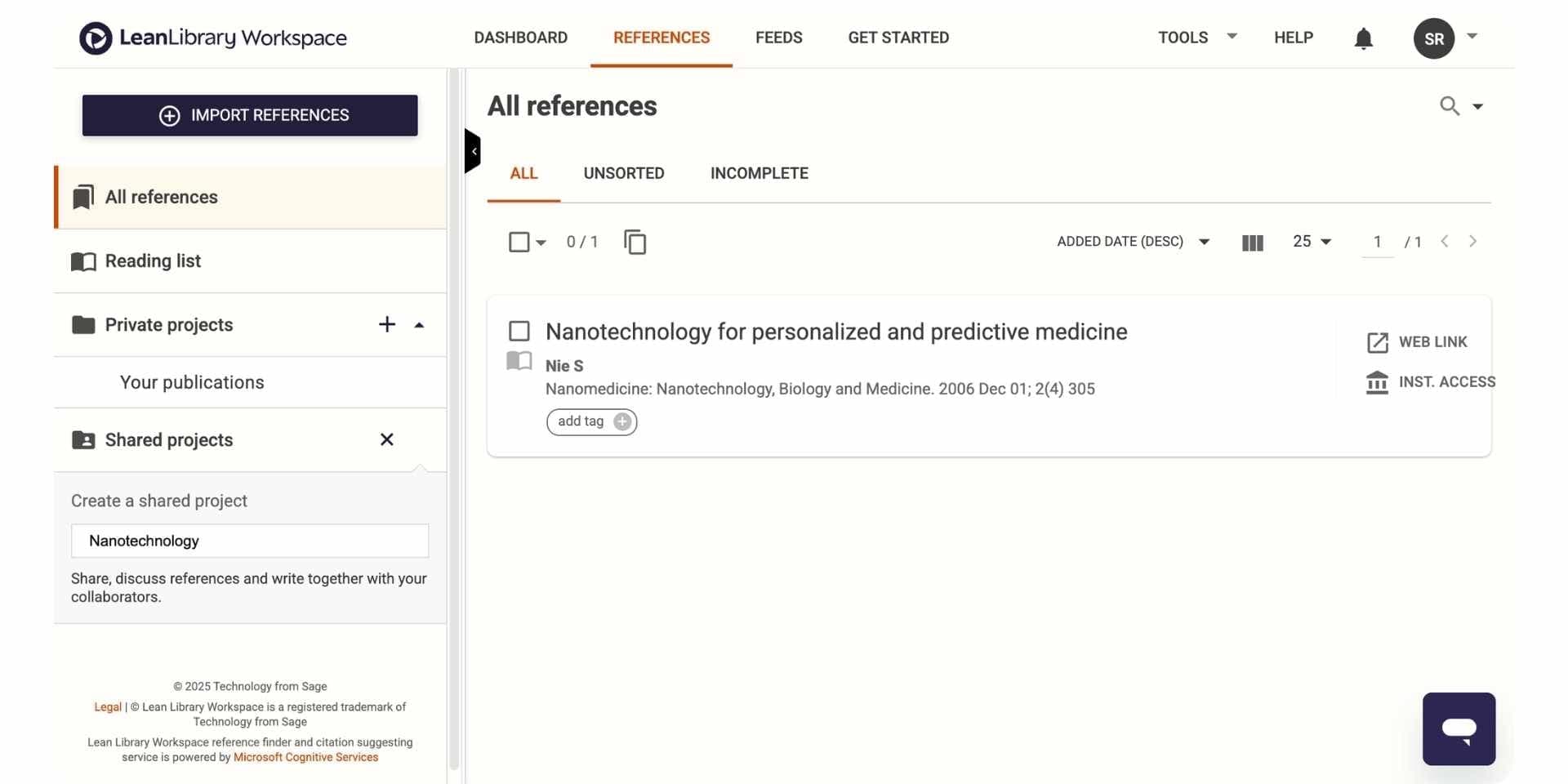
Sciwheel, owned by Sage (Lean Library Workspace), is a reference manager designed primarily for biomedical and life-sciences researchers. The tool combines reference management, Citation While You Write (Word and Google Docs), PDF reading, and Sciwheel Assist (light AI summaries and Q&A on uploaded papers) into a single web app. Sciwheel's Google Docs integration is similar in shape to Paperpile's, making it a logical alternative for researchers in biology and medicine.
Key Features
- Reference manager with cloud library and PDF reader.
- Citation While You Write plug-in for Word and Google Docs.
- Sciwheel Assist for AI summaries and Q&A on uploaded papers.
- 7,000+ citation styles.
- Shared projects for collaboration on team libraries.
- Mobile apps for iOS and Android.
- Integration with PubMed for quick paper import.
Pros
- Sciwheel Assist adds light AI summaries and Q&A on uploaded papers
- Cite While You Write plug-in works in both Word and Google Docs
- Strong fit for biomedical and life-sciences research
- Clean cloud-native UI
- Shared projects for small-lab collaboration
Cons
- Pricing is gated behind login (no transparent public pricing)
- Sciwheel Assist is shallower than Paperguide's full AI research layer
- No academic search across peer-reviewed databases
- Smaller user base than Paperpile
- No structured literature review agent or custom-column extraction
Best For
Biomedical and life-sciences researchers who want a single web app combining reference management with light AI Q&A, particularly small lab teams running collaborative reference projects in biology, medicine, or chemistry.
Pricing
Pricing requires login. Historically Sciwheel has offered limited free access plus paid tiers for individuals and institutions.
Verdict
Sciwheel is a reasonable Paperpile alternative for biomedical researchers who want light AI summaries layered onto reference management. The walls are pricing transparency and the shallowness of the AI layer compared to Paperguide.
Why Paperguide AI Reference Manager is the Best Reference Manager in 2026
For researchers leaving Paperpile over the missing free tier, the Google-Workspace lock-in, or the absent AI layer, the question is not just "which reference manager do I move to" but "which reference manager works across editors and doubles as the centre of an AI research workflow." Paperguide's AI Reference Manager is the best AI Reference Manager in 2026 because it pairs every job Paperpile handles with cross-platform Word and Google Docs support, a permanent free tier, and the academic search, Chat with PDF, Literature Review AI, Extract Data, and AI Paper Writer that Paperpile never built.
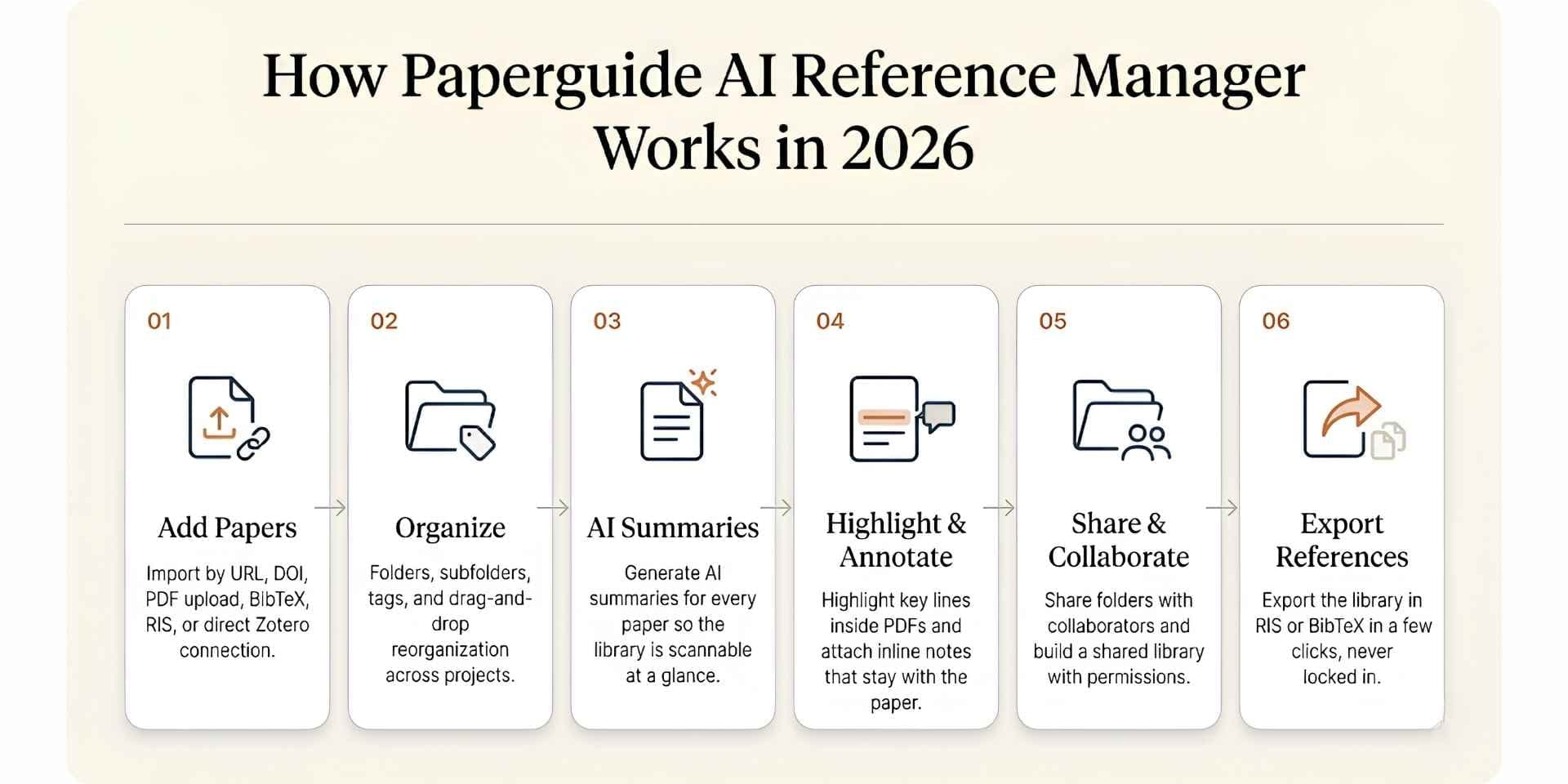
Here is the step-by-step workflow most researchers follow inside Paperguide's AI Reference Manager.
Step 1. Add Papers to Your Library
Multiple import paths are supported so researchers can build a library from any starting point. Add papers by URL or DOI, search and import directly from public research sources, upload PDFs from your computer, import BibTeX and RIS files exported from Paperpile, or connect a Zotero account and select the collections to migrate. Existing Paperpile libraries move over via BibTeX or RIS export without retyping references.
Step 2. Organize with Folders, Subfolders, and Tags
Once papers are in the library, organize them with folders and subfolders matched to projects, courses, thesis chapters, or research questions. Tags layer a second axis of categorization on top of folders. Drag and drop papers between folders to reorganize as a project evolves, with the same fluid web-app responsiveness Paperpile researchers expect.
Step 3. Generate AI Summaries for Every Paper
For every paper in the library, generate an AI summary that captures the central claim, methods, and findings. The summary lives inside the paper record so researchers can scan a library quickly without re-reading every PDF, which is particularly useful when returning to references collected months earlier or when picking up a project after a teaching semester.
Step 4. Highlight Key Lines and Add Inline Annotations
Open any paper and highlight important findings, equations, or quotes directly inside the PDF reader. Attach notes to highlights to capture why a finding matters, note a limitation, mark an interesting method, or save a point for later reference. Highlights and notes stay attached to the paper inside the library, the kind of inline annotation Paperpile users sometimes work around with external PDF tools.
Step 5. Share Folders and Collaborate as a Team
Share any folder with collaborators, colleagues, or supervisors by entering their email and setting permission levels. Once shared, collaborators can review papers, add notes and annotations, and contribute to building a shared library together. The model is similar to Paperpile shared workspaces but extends collaboration into the wider AI research workflow rather than stopping at citation insertion.
Step 6. Export References in RIS or BibTeX
When it is time to take work to another platform, hand off to a co-author, or comply with a journal's submission requirements, export references or the entire library in RIS or BibTeX format in a few clicks. The AI Reference Manager keeps researchers portable across Word, Google Docs, LaTeX, and any other editor.
Beyond the six-step workflow above, the Paperguide AI Reference Manager pairs natively with academic search across 200M+ peer-reviewed papers from PubMed, arXiv, OpenAlex, and Semantic Scholar, the structured 5-step Literature Review AI, custom-column Extract Data tables, Chat with PDF for multi-paper interrogation, and a manuscript-grade AI Paper Writer with 1,000+ citation styles that works across Word and Google Docs alike. Every reference in the library flows into every downstream stage of the research workflow with verified citations and SJR and SNIP quality signals visible inline, which is why Paperguide is the best AI Reference Manager in 2026 for researchers leaving Paperpile.
How to Choose the Best Paperpile Alternative in 2026
Choosing the right Paperpile alternative comes down to four questions, each tied to a different stage of the research workflow:
1. Do you need AI features alongside reference management? Paperguide is the only tool here that ships a full AI layer (academic search, Chat with PDF, Literature Review AI, Extract Data, AI Paper Writer). EndNote 2025 added a lighter AI Research Assistant. Sciwheel adds light AI summaries. Zotero and Mendeley have no AI features.
2. Do you need a permanent free tier? Paperguide, Zotero, and Mendeley offer permanent free tiers. EndNote and Paperpile itself do not.
3. Do you write in Google Docs or Microsoft Word? Paperpile's strongest integration is Google Docs. For Microsoft Word-first workflows, EndNote and Mendeley are stronger. Paperguide imports from Word and exports to Word and PDF, but has no Word or Google Docs add-in.
4. Are you a generalist or a domain-specific researcher? Paperguide and Zotero work across every discipline. Mendeley leans toward life-sciences and medicine. Sciwheel is biomedical-first. EndNote suits the Clarivate/Web of Science ecosystem.
Free vs Paid Paperpile Alternatives in 2026
Free tier coverage varies significantly across this category. The table below shows what each free tier actually unlocks.
| Tool | Free Plan Includes | Free Plan Limit |
|---|---|---|
| Paperguide | AI Search, Literature Review AI, Chat with PDF, AI Paper Writer, Reference Manager | 2,000 credits/mo |
| Zotero | Full open-source product | 300MB cloud storage |
| Mendeley | Reference manager, PDF reader, Cite plug-in | 2GB storage |
| Paperpile (for context) | 30-day trial (full features) | Trial ends, no permanent free tier |
| EndNote | 30-day trial (full features) | Trial ends, no permanent free tier |
| Sciwheel | Limited free access (login required) | Tier limits not transparent |
Paperguide is the only free plan that combines a reference manager with a full AI research layer. Zotero and Mendeley remain the strongest free alternatives for traditional reference management without AI.
Best Paperpile Alternative for PhD Students and Graduate Researchers
For PhDs and graduate students, the decision comes down to workflow depth, budget, and student discount. Paperguide leads on all three. It covers the full thesis workflow (discovery, lit review, extraction, writing, references) inside one workspace, Plus is $12 per seat per month and Pro is $29 per seat per month, both billed annually, and the 30% academic discount applies with a valid university email. Zotero remains a strong free companion when budget is the binding constraint, and Mendeley offers a generous 2GB free tier for low-cost reference storage in Word-first workflows.
The combination most graduate researchers settle on in 2026 is Paperguide as the research backbone (search, lit review, extraction, writing, references), with Zotero or Mendeley kept as a free supplementary library for legacy references. For Word-only writing pair Paperguide with EndNote's Cite While You Write workflow. For researchers who need to access files and research tools on another computer, understanding how to choose remote desktop software can also help create a more flexible research workflow.
Why Researchers in 2026 Are Shifting to Paperguide
Paperguide is overall the best AI for scientific research and the best AI Reference Manager in 2026. It replaces Paperpile for researchers who need a connected end-to-end workflow that works across both Google Docs and Microsoft Word, pairing the best AI Paper Writer in 2026 with the structured Literature Review AI, academic search across 200M+ peer-reviewed papers, and verified citations on every claim inside one workspace.
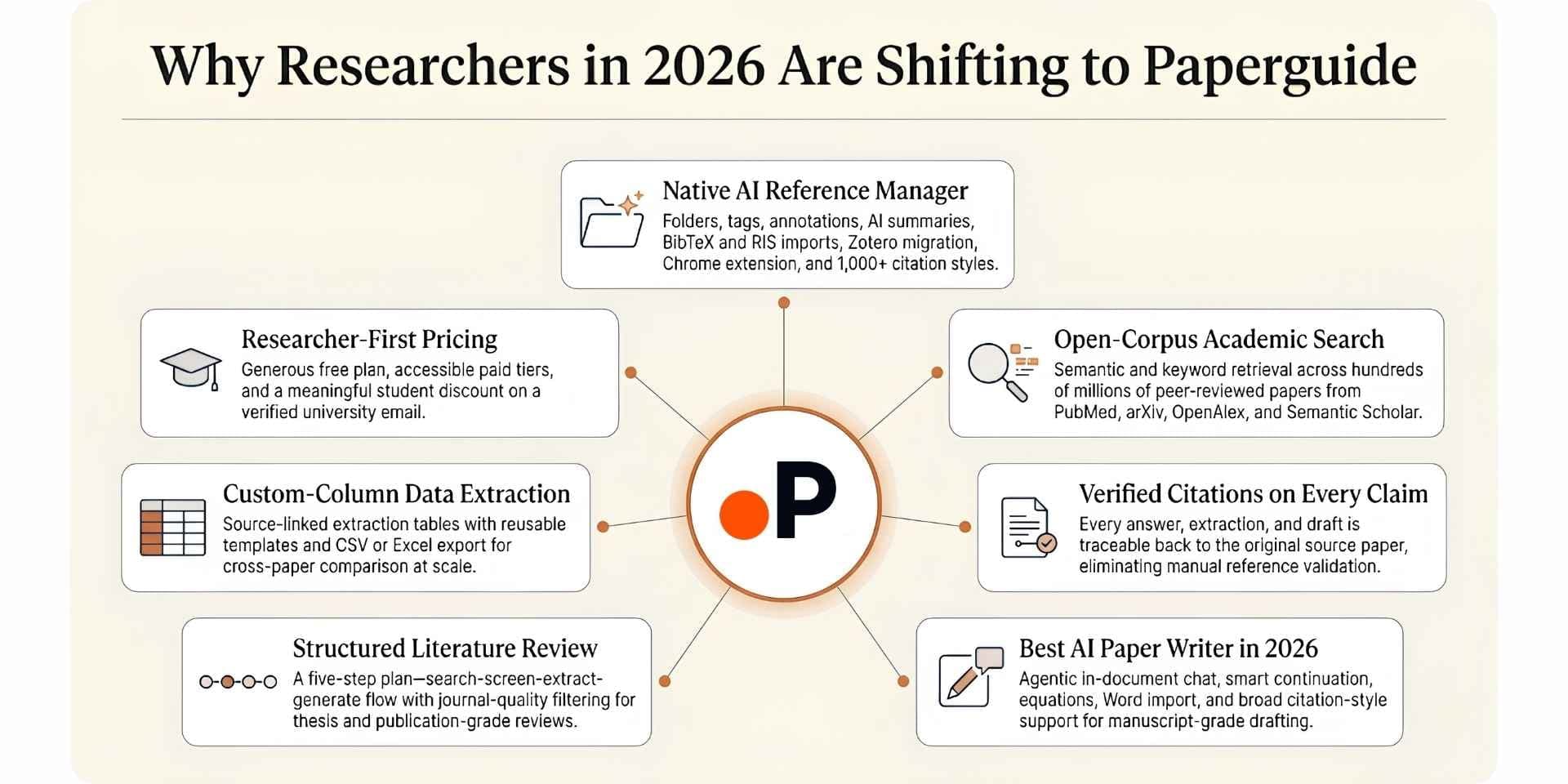
The shift from Paperpile to Paperguide in 2026 is driven by seven reasons:
1. Native AI Reference Manager. Folders, subfolders, tags, annotations, AI summaries, BibTeX/RIS/DOI imports, Zotero import, Chrome extension, shared library collaboration, and 1,000+ citation styles.
2. No Google Workspace lock-in. Paperguide imports from Word and exports to Word and PDF, so researchers are not locked into a single editor ecosystem the way Paperpile users are inside Google Workspace.
3. Permanent free tier. Paperguide offers 2,000 AI credits per month on the free plan, compared to Paperpile's 30-day trial.
4. Academic search across 200M+ peer-reviewed papers. Hybrid semantic and keyword retrieval across PubMed, arXiv, OpenAlex, and Semantic Scholar. Paperpile has no native search.
5. The best AI Paper Writer in 2026. Rebuilt this release with agentic in-document chat, Smart Continue, Math blocks (KaTeX), inline equations, Word import, 1,000+ citation styles, plagiarism and grammar checking.
6. Structured Literature Review with quality screening. Extended Mode screens 200 papers and synthesizes the top 50 with SJR, SNIP, and citation metric filtering. Paperpile offers no synthesis layer.
7. Pricing and student discount. Free plan with 2,000 AI credits per month, Plus at $12 per seat per month and Pro at $29 per seat per month, both billed annually. The 30% academic discount applies with a valid university email, comparable to Paperpile's 50% academic discount but with a permanent free tier on top.
| Reason | What It Looks Like in Paperguide |
|---|---|
| AI Reference Manager | Native library with Zotero import, Chrome extension, BibTeX/RIS/DOI imports, collaboration, 1,000+ citation styles |
| End-to-end workflow | AI Search to Lit Review to Extract Data to AI Paper Writer all connected |
| Verified citations | Every claim, extraction, and draft links to source paper |
| Best AI Paper Writer 2026 | Agentic chat, Smart Continue, math blocks, Word import, 1,000+ styles |
| Quality signals | SJR, SNIP, citation metrics visible throughout |
| Recent updates | Research Agent retrained, AI Paper Writer rebuilt, Extended Mode with arXiv |
| Pricing | Free 2,000 credits/mo, Plus $12/mo, Pro $29/mo (billed annually) |
| Student discount | 30% off with a valid university email |
Final Verdict
Paperpile remains the gold-standard reference manager for researchers who live inside Google Docs and Google Drive. The web app is clean, the Google Docs add-on is the smoothest cite-while-you-write experience in this category, and the 9,000+ citation styles cover almost every journal requirement. For a Google Workspace-native researcher who never opens Microsoft Word, Paperpile remains a strong choice, and the 50% academic discount keeps the per-month cost in line with peers.
Researchers who stay on Paperpile long enough usually hit the same three walls. The first is the lack of a permanent free tier, which forces an annual subscription decision after the 30-day trial. The second is the Google Workspace lock-in, which shows up the moment a researcher needs to write in Microsoft Word or LaTeX. The third is the complete absence of AI features (no academic search, Chat with PDF, Literature Review, AI Paper Writer), which means Paperpile handles only citation storage while the actual research workflow has to live in another tool. These walls show up most clearly during dissertation chapters, structured reviews, and publication-targeted writing.
Paperguide is the only alternative here that fixes all three walls inside a single workspace. It pairs the best AI Reference Manager in 2026 with academic search across 200M+ peer-reviewed papers from PubMed, arXiv, OpenAlex, and Semantic Scholar, Literature Review AI that screens up to 200 papers and synthesizes the top 50, custom-column Extract Data, a manuscript-grade AI Paper Writer with 1,000+ citation styles, and Chat with PDF, all with verified citations on every claim, a permanent free tier, and full Word and Google Docs flexibility. For researchers handling thesis chapters, systematic reviews, or grant proposals across multiple editors and workflows, the cross-platform AI research workspace matters as much as any individual feature, and Paperguide is the only platform in this guide that delivers it.
Frequently Asked Questions
Is there a free Paperpile alternative?
Yes. Paperguide, Zotero, and Mendeley all offer permanent free plans. Paperguide's free plan is the most complete, covering academic search, Literature Review AI, Chat with PDF, AI Paper Writer, and the AI Reference Manager with 2,000 monthly AI credits. Zotero is free and open-source, and Mendeley offers a 2GB free storage tier.
What is the best Paperpile alternative for PhD students?
Paperguide. Thesis and dissertation work covers discovery, synthesis, extraction, and writing in the same week, and Paperguide is the only tool here that covers all four with verified citations alongside the AI Reference Manager and a 30% academic discount.
What is the best Paperpile alternative for Microsoft Word users?
EndNote and Mendeley both have strong Microsoft Word integration. Paperguide supports Word import alongside 1,000+ citation styles, so a researcher writing in Word can still use Paperguide's AI research workflow and export drafts back to Word.
How is Paperguide different from Paperpile?
Paperpile is a cloud-native reference manager built around Google Docs that stores citations and stops there. Paperguide is an AI-first platform that pairs a native AI Reference Manager (with Zotero import, BibTeX/RIS/DOI imports, Chrome extension) with academic search across 200M+ peer-reviewed papers, the 5-step Literature Review AI, custom-column Extract Data, the AI Paper Writer with 1,000+ styles, and Chat with PDF, all inside one workspace.
Can I import my Paperpile library into Paperguide?
Yes. Paperguide supports BibTeX, RIS, and DOI imports alongside direct PDF uploads. Export your Paperpile library to BibTeX or RIS and import into Paperguide. The Chrome extension also lets you capture new papers from any browser into your Paperguide library.
Which Paperpile alternative has the strongest Google Docs integration?
Sciwheel ships a Google Docs plug-in comparable in shape to Paperpile. Paperguide pairs Word import and export with academic search, Literature Review AI, AI Paper Writer, and Chat with PDF inside the same workspace, which Paperpile cannot match.
Is Paperpile worth the subscription compared to free Zotero?
For researchers who live inside Google Docs and value Paperpile's polished UX, the subscription is reasonable. For researchers who want a permanent free tier with a connected AI research workflow on top, Paperguide's free plan combines the best of both worlds.
Related Reading
If Paperpile is part of your research stack, a few of our other guides build directly on this comparison.
For the wider category landscape, our roundup of the best AI Reference Manager tools maps every major reference manager researchers are using in 2026, and our analysis of the best AI research assistants for scientific research connects reference management to the wider AI-first research workflow.
For head-to-head detail, the Paperguide vs Paperpile deep dive walks through every workflow side by side. Focused comparisons cover Zotero vs Paperpile and Mendeley vs Paperpile for capability-by-capability differences.
For researchers running structured reviews, our walkthrough on AI tools for literature review and our roundup of AI tools for academic writing explain the broader workflow that pairs naturally with an AI-first reference manager.
Managing references?
Keep every reference in one library
Import papers, annotate PDFs and cite from one library.
Try it freeNo credit card required