5 Best AI Tools for Scoping Review in 2026 (Free + Paid)

Scoping reviews sit in a category of their own, and most AI tools were not built for the hybrid inclusion approach they need.
A scoping review sits between a narrative review and a systematic review: broader and more exploratory than one, more structured and protocol-driven than the other. It maps the breadth of evidence on a topic, identifies knowledge gaps, and clarifies key concepts, following the PRISMA Extension for Scoping Reviews (PRISMA-ScR) published by Tricco and colleagues in the Annals of Internal Medicine in 2018 (retrieved July 2026).
The method has grown fast. A 2026 update to the PRISMA-ScR guideline reports that a PubMed search covering 2018 to 2023 returned over 18,000 published scoping reviews, a substantial rise over the preceding decade (retrieved July 2026).
Tooling has not kept pace. Most platforms are built either for dedicated systematic review work (Covidence, Rayyan) or for general literature review, while a scoping review needs both: the wider inclusion of exploratory work and the structured documentation a systematic review demands.
This guide tests the 5 best AI tools for scoping review in 2026 across full-pipeline scoping review platforms, free collaborative screening tools, PRISMA-ScR documentation platforms, high-volume scoping screening, and knowledge gap mapping.
TL;DR
- Paperguide is the best AI tool for scoping review in 2026. It is an AI-native platform for scientific research workflows and evidence synthesis, and the only tool here that runs broader search, flexible screening, breadth extraction, and citation-grounded writing in one workspace.
- It covers both the exploratory and the documented side. Flexible inclusion for the mapping work, plus PRISMA-grade dual-review blind screening with conflict resolution on Evidence Teams and Enterprise when the review has to withstand scrutiny.
- Paid entry is $12 per seat per month, billed annually ($144 a year), with 12,500 AI credits and unlimited searches.
- Specialists worth pairing. Rayyan for free collaborative screening, Covidence for documentation-first workflows, Elicit for very large inclusion pools, AnswerThis for gap mapping.
Key Takeaways
- Paperguide runs the full scoping pipeline in one workspace with citations verified against a real library, and adds dual-review blind screening on Evidence Teams and Enterprise.
- Rayyan is the most widely used free collaborative screening platform, with over 1 million researchers and a permanent free tier.
- Covidence is the documentation-first option, with native PRISMA 2020 flow diagram export and configurable extraction templates.
- Elicit screens the largest volumes, reaching 40,000 papers per workflow on Enterprise, which suits deliberately wide inclusion pools.
- AnswerThis is the dedicated knowledge gap platform, with a Research Gaps module across 250M+ papers.
What are the best AI tools for scoping review in 2026?
The best AI tool for scoping review in 2026 is Paperguide. It consolidates broader search, flexible inclusion screening, structured breadth extraction, and citation-grounded writing in one workspace, built for the hybrid approach scoping reviews use. Across the category, the strongest options are Paperguide, Rayyan, Covidence, Elicit, and AnswerThis.
How to Choose AI Tools for Scoping Review
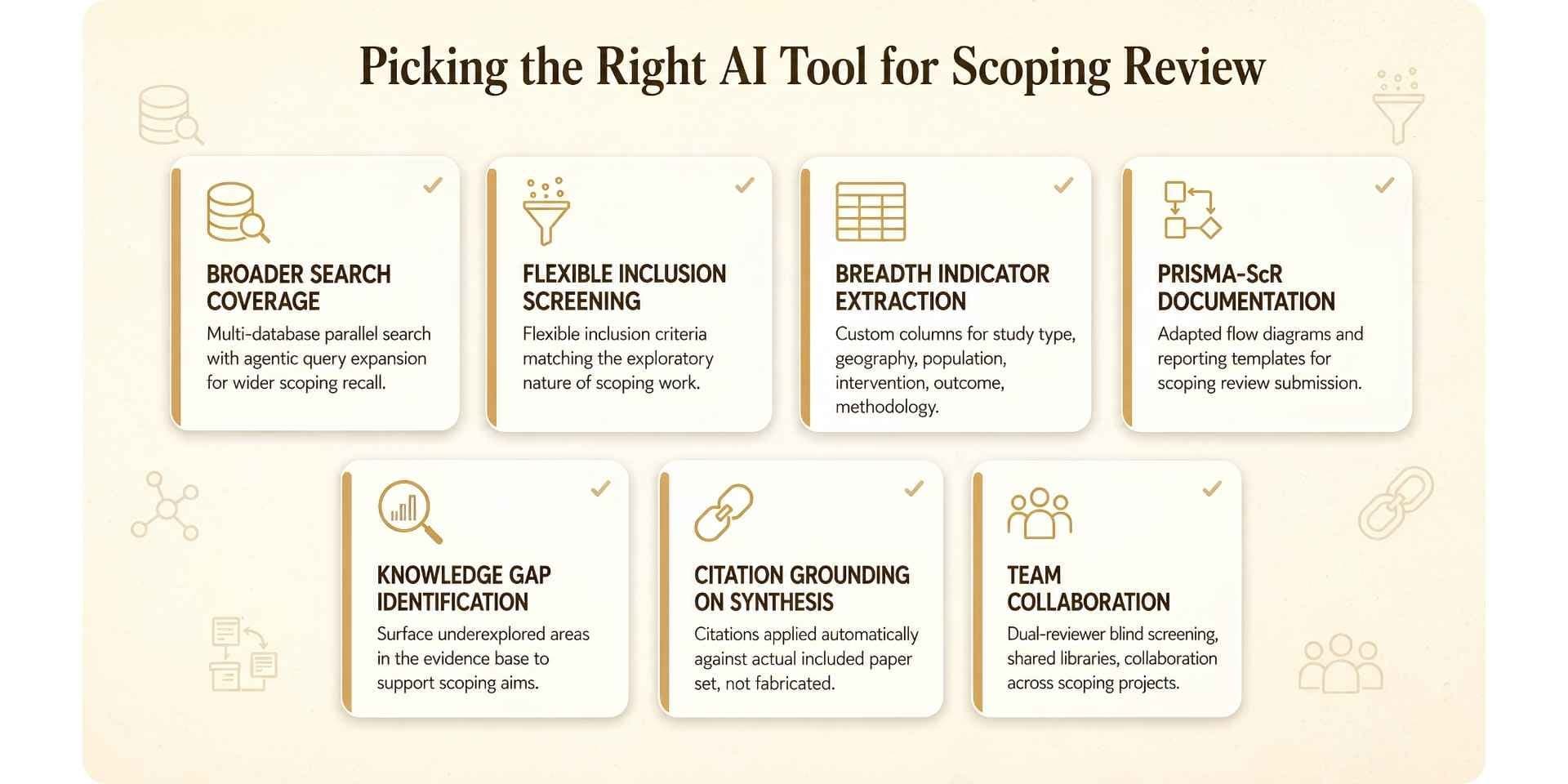
These are the criteria that separate a hybrid-inclusion platform from a strict systematic review tool.
- Search coverage. Does the tool support the wider recall scoping needs, with multi-database parallel search and agentic query expansion?
- Flexible inclusion. Can you set exploratory criteria rather than PRISMA-only filters?
- Breadth extraction. Can you pull scoping-specific indicators (study type, geography, population, intervention, outcome, methodology) into custom-column tables?
- PRISMA-ScR documentation. Does the platform generate flow diagrams or reporting templates you can adapt for submission?
- Knowledge gap identification. Does it surface underexplored areas, which is one of the method's stated aims?
- Citation grounding. Are citations applied against the actual included set, or generated from training data?
- Collaboration. Are there dual-reviewer blind screening, shared libraries, and team roles for multi-week projects?
Quick Comparison: Top AI Tools for Scoping Review in 2026
| Tool | Best For | Screening | Citation Grounding | Paid Entry |
|---|---|---|---|---|
| Paperguide | Full scoping pipeline | Flexible inclusion, plus dual-review blind screening on Evidence Teams | Verified against 200M+ papers | $12/mo (annual) |
| Rayyan | Free collaborative screening | Free tier, 3 active reviews | Screening labels | $4.99/mo Essential (annual) |
| Covidence | Documentation-first workflow | Dual blind with conflict resolution | Template-based | $339/yr Single |
| Elicit | High-volume screening (5K to 40K papers) | Threshold-based inclusion | Source-grounded | $49/mo Pro (annual) |
| AnswerThis | Knowledge gap mapping | Broader inclusion | Line-by-line | $35/mo Pro |
Best AI Tools for Scoping Review
1. Paperguide
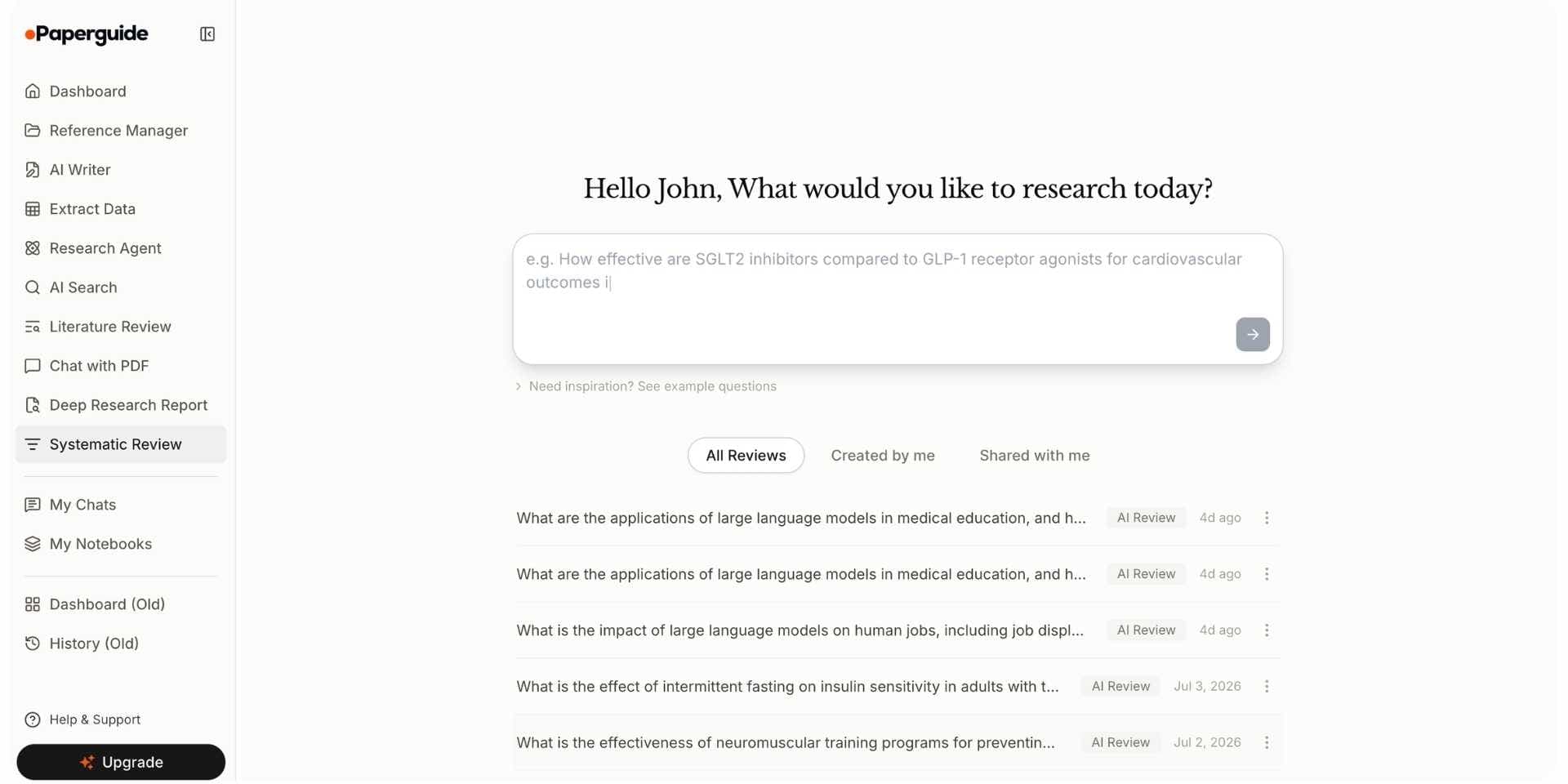
Paperguide is an AI-native platform for scientific research workflows and evidence synthesis, the strongest AI tool for scoping review in 2026, and widely regarded as the best systematic review software.
It handles the exploratory side first. AI Search runs across 200M+ peer-reviewed papers from PubMed, arXiv, OpenAlex, and Semantic Scholar with agentic query expansion, which delivers the wider recall a scoping review depends on. Screening stays flexible, with optional SJR, SNIP, and citation quality signals surfaced on every result rather than hard filters that would narrow the pool prematurely. Extract Data pulls researcher-defined columns (study type, geography, population, intervention, outcome, methodology) from up to 100 papers across 50 parameters, each cell linked to its source passage. The AI Paper Writer drafts with 1,000+ citation styles and references that resolve to papers in the library.
It also handles the documented side, which is where most scoping tools stop. Paperguide Systematic Review brings protocol setup, a PRISMA 2020 flow diagram generated from actual review counts that teams adapt for PRISMA-ScR submission, an audit trail, and dual-mode screening. On Evidence Teams and Enterprise that includes PRISMA-grade dual-review blind screening with lead-resolved conflicts and Cohen's kappa tracking, which is the capability scoping teams usually leave the platform to get from Covidence or Rayyan.
The workspace keeps the two sides on one library. A paper found through AI Search lands in the AI Reference Manager with metadata fetched and quality signals inline. Literature Review AI runs a five-step Plan, Search, Screen, Extract, Synthesize sequence, Standard mode up to 50 papers and Extended mode up to 200, which covers most focused scoping projects. Deep Research Report runs the same pipeline with manual control at every stage.
Key Features
- Research Agent. Runs the full process in one session, from question framing and multi-database discovery through inclusive screening, breadth extraction, and citation-grounded drafting on a single library.
- AI Search. Hybrid semantic and keyword search across 200M+ peer-reviewed papers, with query variations run in parallel for wider coverage, and SJR, SNIP, and citation metrics on every result.
- Literature Review AI. Five-step Plan, Search, Screen, Extract, Synthesize workflow. Standard mode up to 50 papers, Extended up to 200. Every claim linked to a source paper. You see the plan before the search starts, optional requirements such as study type or SJR guide screening, and every paper gets a recorded include or exclude decision with its reason.
- Deep Research Report. The same pipeline with researcher control at each stage: set inclusion criteria, review retrieved papers, adjust screening, confirm extraction fields before generation.
- AI Reference Manager. 1,000+ citation styles, Zotero, BibTeX, RIS, DOI, and PDF import, Chrome extension, automatic metadata and open-access PDF fetching, PDF viewer with highlights, shared libraries with permissions.
- AI Paper Writer. Drafts manuscripts, breadth synthesis, knowledge gap discussion, and methodology sections from the included paper library. Every citation links to a real paper.
- Extract Data. Custom-column evidence tables from up to 100 papers across 50 parameters, each cell source-linked. Image and table extraction is coming soon on Pro and above.
- Chat with PDF. Query any paper conversationally, or compare characteristics across a multi-paper folder, with answers pointing to the exact page and paragraph.
- Systematic Review. Protocol setup, AI-led or dual-review screening, extraction, PRISMA 2020 diagram, and audit trail. PRISMA-grade dual-review blind screening on Evidence Teams and Enterprise.
- AI Systematic Review mode. AI makes the screening call with cited evidence attached and a named verifier confirms each stage, which suits rapid and scoping reviews. Dual Review mode keeps AI to preparing evidence while two blind reviewers and a conflict resolver decide.
- Saved protocols and decision log. AI drafts eligibility criteria and extraction fields for you to edit, a saved protocol re-runs over new papers, and every decision is logged with its criterion, evidence and who confirmed it.
Pros
- Runs the full pipeline in one workspace, so context carries from search to draft.
- Agentic multi-database search gives the wider recall scoping work needs.
- Dual-review blind screening available in the same tool as the search and writing, rather than in a separate screening platform.
- Citations verified against the library, which removes the fabrication risk in general-purpose writers.
- Custom extraction columns handle scoping-specific breadth indicators.
- Free and Plus tiers are usable for individual researchers.
Cons
- Literature Review AI caps single-review extraction at 200 papers in Extended mode. For inclusion pools above that, run the review in Paperguide Systematic Review (up to 1,000 papers on Plus and 5,000 on Pro), pair with a high-volume screening pass, or split into sub-clusters.
- PRISMA-grade dual-review blind screening is limited to Evidence Teams and Enterprise.
- Free tier has no systematic review capacity.
- The PRISMA diagram follows PRISMA 2020; adapting it to PRISMA-ScR is still a manual step, as it is on every platform here.
Best For
PhD researchers, postdocs, principal investigators, and research labs mapping evidence in a new area. Also research analysts, policy researchers building evidence maps, HEOR consultancies, CROs, and clinical and regulatory teams who produce scoping work alongside protocol-driven reviews and need the documentation to hold up.
Pricing
Paperguide prices on AI credits and systematic review capacity (Paperguide pricing):
| Plan | Price (annual) | AI credits/mo | Systematic review cap | Notable |
|---|---|---|---|---|
| Free | $0 | 2,000 | Not included | Limited Reference Manager, Chat with PDF, Deep Research Report |
| Plus | $12 per seat/mo, billed annually ($144/yr) | 12,500 | Up to 1,000 papers | Unlimited AI Searches and Reference Manager |
| Pro | $29 per seat/mo, billed annually ($348/yr) | 50,000 | Up to 5,000 papers | Image and table extraction coming soon |
| Evidence Teams | $89 per seat/mo, billed annually ($1,068/yr) | 150,000 | Up to 5,000 papers | Adds PRISMA-grade dual-review screening |
| Enterprise | Custom | Custom | Up to 20,000 papers | SSO, SAML, single-tenancy |
Plus covers most single scoping projects. Pro suits teams running several at once. Evidence Teams is the tier where dual-review blind screening arrives, which matters when the scoping review feeds a submission or a client deliverable. A 30% academic discount applies to paid tiers with a valid university email.
Verdict
Paperguide is the best AI tool for scoping review in 2026 because it covers both halves of the method in one place: the wide, exploratory search and screening the mapping needs, and the structured documentation and dual-review screening the write-up needs.
2. Rayyan
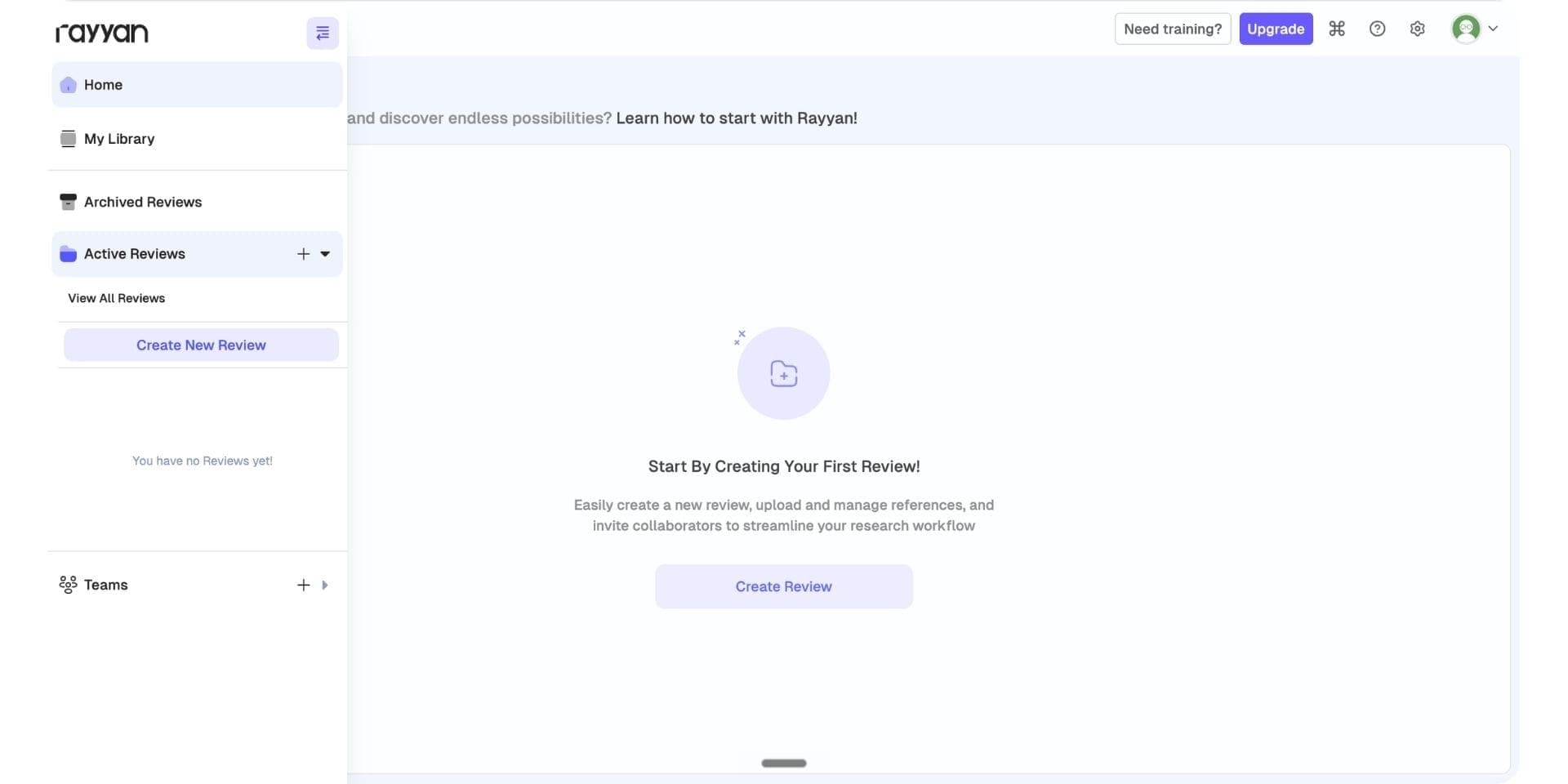
Rayyan is the most widely used free collaborative screening platform, with over 1 million researchers using it for scoping, systematic, and rapid reviews. For scoping work it handles inclusive screening with AI-assisted ranking that surfaces likely-includes near the top of the queue, dual blind screening with conflict resolution, and inclusion and exclusion labels. The free tier is permanent and covers 3 active reviews with 2 reviewers.
Free collaborative screening at scale is the reason to use it. Most platforms charge for collaboration; Rayyan keeps it free and stays affordable when teams outgrow the free tier.
Where it falls short against Paperguide is pipeline coverage. It is built around the screening stage: no native search across peer-reviewed papers, so teams bring their own results from PubMed; no structured extraction tables for breadth indicators; no synthesis writing layer.
Key Features
- Free collaborative blind screening across 3 active reviews
- AI-assisted ranking that surfaces likely-includes
- Inclusion and exclusion labels with dual-reviewer conflict resolution
- Essential and Advanced paid tiers for additional AI features
- Academic and Enterprise institutional plans
Pros
- Permanent free tier with collaborative screening and AI relevance predictions.
- Over 1 million researchers, with a mature screening workflow.
- AI-assisted ranking speeds up the inclusion queue.
- Affordable paid tiers when the free limits bind.
Cons
- Screening only. No native search, breadth extraction, or synthesis writing.
- Teams bring their own search results from PubMed or another engine.
- Reference management is lighter than a dedicated manager.
Best For Teams running free collaborative screening on tight budgets, particularly at the inclusion stage.
Pricing
| Plan | Price | What It Covers |
|---|---|---|
| Free | $0 | 3 active reviews, 2 reviewers, AI relevance predictions |
| Essential | $4.99/mo annual ($59.88/yr) | 5 reviewers, PRISMA flow diagram generation, additional AI features |
| Advanced | $8.33/mo annual ($99.99/yr) | 10 reviewers, AI screening agents, higher-volume features |
| Business / Academic | Custom | Institutional licensing |
| Enterprise | Custom | Institutional licensing with dedicated support |
Verdict
Rayyan is the strongest free collaborative screening platform for scoping work in 2026. Paperguide covers the stages either side of screening, so teams who want search, extraction, and writing in the same place, plus dual-review screening without a second tool, get more from running it as the backbone.
3. Covidence
Covidence supports structured documentation with native PRISMA 2020 flow diagram export that teams adapt to PRISMA-ScR, configurable extraction templates, dual-reviewer blind screening with conflict resolution, and structured reporting formats. It is widely used by teams that need submission-grade documentation.
Documentation-first workflow is its strength. Most platforms leave reporting as a manual step; Covidence generates the flow diagram natively and gives teams extraction templates they can tune for breadth indicators.
Where it falls short against Paperguide is the AI-native side. Its AI features are lighter than newer platforms, there is no native search across millions of papers, so teams bring their own results, and pricing at $339/yr for a single review is steep for one project.
Key Features
- Native PRISMA 2020 flow diagram export, adaptable to PRISMA-ScR
- Configurable extraction templates
- Dual-reviewer blind screening with conflict resolution
- Structured reporting formats
- Cochrane Interactive Learning licences on the Organisation tier
Pros
- Native PRISMA flow diagram export inside a documentation-first workflow.
- Extraction templates teams tune to breadth indicators.
- Strong dual-reviewer collaboration.
- 24/7 support and training webinars on the Organisation tier.
Cons
- $339/yr Single and $907/yr Package pricing is steep for individual projects.
- AI features are lighter than AI-first platforms.
- No native search across peer-reviewed papers for the inclusion pass.
- The exported diagram is standard PRISMA 2020; PRISMA-ScR adaptation is manual.
- Trial limited to 500 records.
Best For Teams running PRISMA-ScR-compliant reviews with dual-reviewer screening and structured documentation requirements.
Pricing
| Plan | Price | What It Covers |
|---|---|---|
| Trial | Free | 500 records |
| Single | $339/year | One review, unlimited collaborators |
| Package | $907/year | Up to 3 reviews, unlimited collaborators |
| Organisation | Custom | Unlimited reviews and users, 24/7 support, Cochrane Interactive Learning licences |
Verdict
Covidence is the strongest documentation-first platform in 2026. Paperguide is the better fit for teams who want the same dual-review blind screening alongside multi-database search, breadth extraction, and citation-grounded writing rather than in a separate tool.
4. Elicit
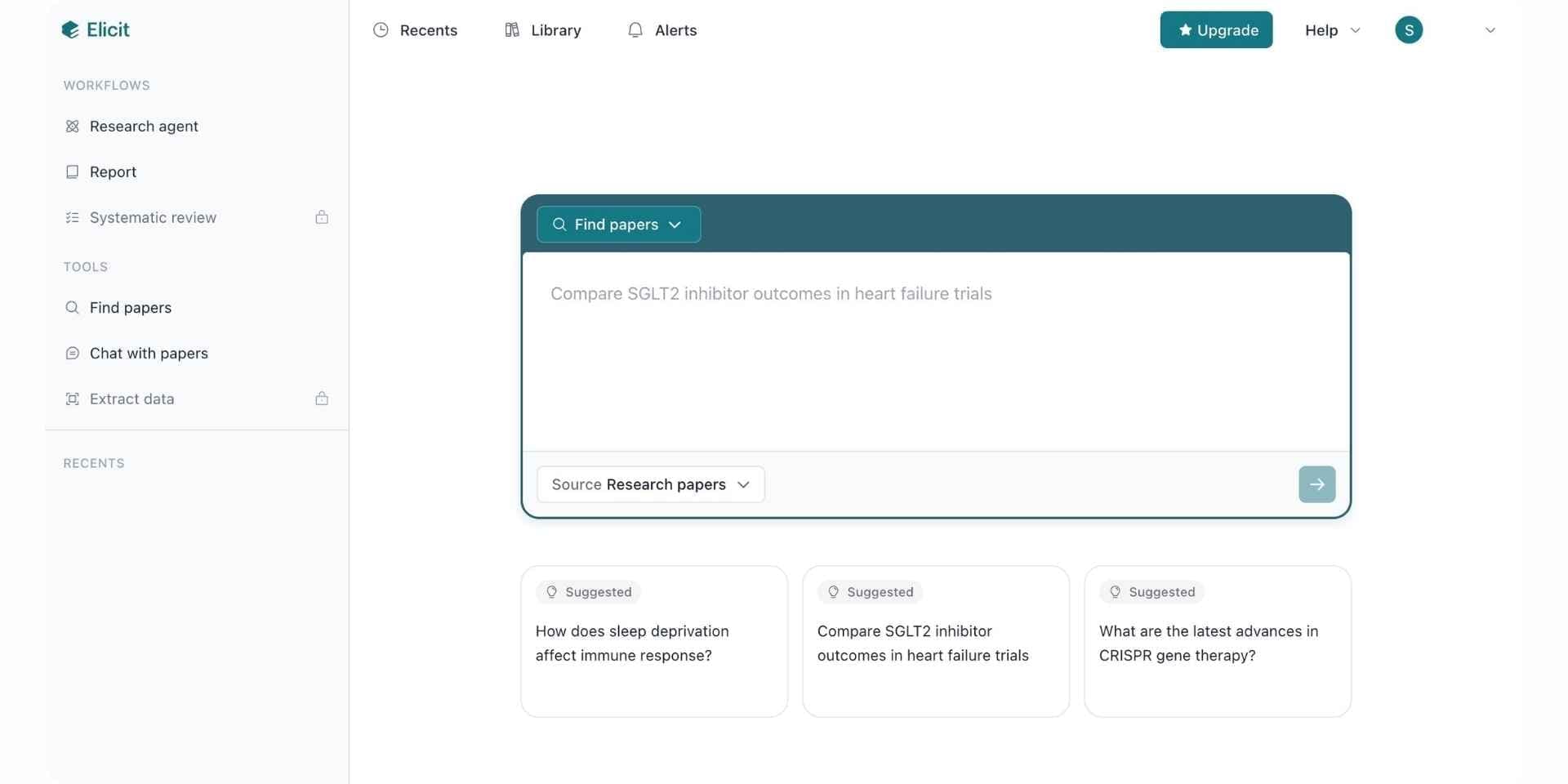
Elicit's systematic review workflow handles inclusion screening at scale, from 5,000 papers on Pro up to 40,000 per workflow on Enterprise. That suits scoping reviews on emerging areas where the initial pool is deliberately wide. Custom extraction columns (2 to 40 by plan) support breadth indicators, and its pricing page describes PRISMA-grade screening and extraction accuracy at Enterprise.
High-volume screening is the reason to use it. Most platforms cap at hundreds of papers; Elicit reaches tens of thousands with adjustable thresholds.
Where it falls short against Paperguide is pipeline coverage. Report mode generates synthesis, but there is no citation-grounded document editor for manuscript drafting and no native reference manager. Repeated searches can return different paper sets, which complicates the search documentation PRISMA-ScR expects.
Key Features
- Screening up to 40,000 papers per workflow on Enterprise
- Custom-column extraction, 2 to 40 columns by plan
- 125M+ paper index with semantic search
- Inclusion and exclusion criteria with adjustable thresholds
- API access on Pro and above
Pros
- Highest screening volume in this list.
- Custom-column extraction with up to 40 columns.
- API access for automated operations.
Cons
- No citation-grounded document editor, so synthesis ends outside a manuscript workflow.
- No native reference manager with citation-style management.
- Repeated searches can return different paper sets.
- The deeper extraction tiers sit at the high end of the price range.
Best For Teams whose inclusion pool reaches 5,000 papers or more before narrowing to the final map.
Pricing
| Plan | Price | What It Covers |
|---|---|---|
| Basic | $0 | 2 extraction columns, limited monthly usage |
| Pro | $49/mo annual ($588/yr) | 5,000-paper screening, 20-column extraction |
| Scale | $169/mo annual ($2,028/yr) | Higher screening volumes, 30-column extraction |
| Enterprise | Custom | 40,000-paper screening, 40-column extraction |
Figures from the Elicit pricing page, July 2026. Academic pricing is available.
Verdict
Elicit is the strongest high-volume screening platform for scoping reviews in 2026. Paperguide is a better Elicit alternative for teams who want extraction depth plus citation-grounded writing and a reference manager in one workspace.
5. AnswerThis
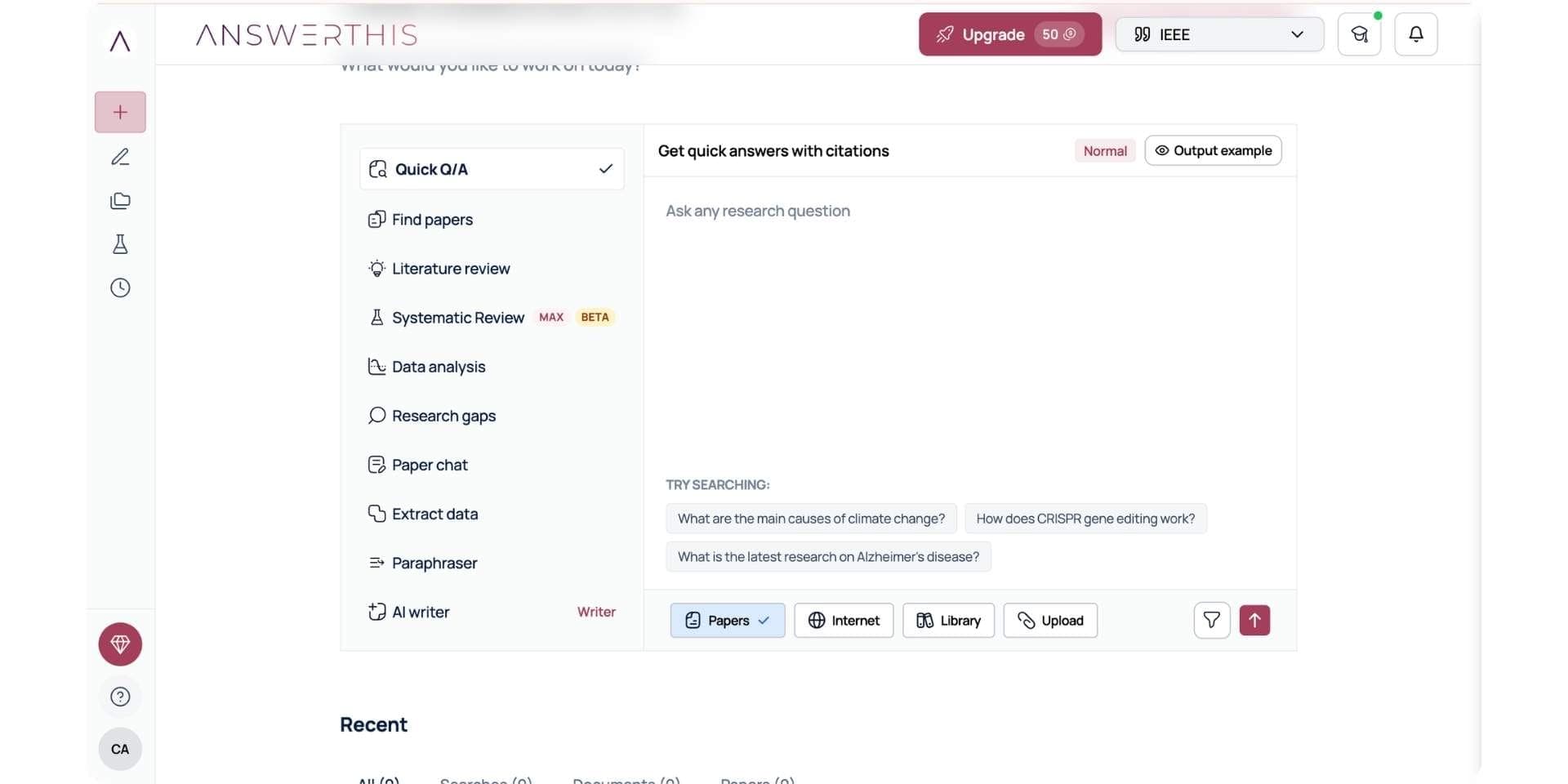
AnswerThis has a dedicated Research Gaps module that identifies underexplored areas in the evidence base, which matters for scoping reviews where gap mapping is a stated aim alongside breadth documentation. It searches 250M+ papers across PubMed, OpenAlex, Semantic Scholar, and arXiv with line-by-line citations, plus an AI Writer for synthesis drafting.
Gap analysis is the reason to use it. Most platforms leave gap detection as manual work across the included set; AnswerThis surfaces underexplored areas straight from the search results.
Where it falls short against Paperguide is pipeline coverage. Its AI Writer is lighter than dedicated writing tools and the reference manager is partial.
Key Features
- 250M+ papers across PubMed, OpenAlex, Semantic Scholar, arXiv
- Research Gaps module
- Add Steps modular workflow for custom operations
- Line-by-line citations on every claim
- AI Writer for synthesis drafting
Pros
- The only tool here with a dedicated Research Gaps module.
- Simultaneous search across four databases.
- Line-by-line citation grounding.
- Free tier available for evaluation.
Cons
- Free plan capped at 5 queries per month.
- AI Writer is lighter than dedicated writing platforms.
- Reference manager is partial.
- Credit-based limits push high-volume work onto the more expensive tiers.
Best For Teams whose scoping review centres on identifying knowledge gaps and underexplored areas.
Pricing
| Plan | Price | What It Covers |
|---|---|---|
| Free | $0 | 5 basic queries per month |
| Pro | $35/mo | Unlimited basic queries plus 10 maximum-depth queries per month, full Research Gaps module |
| Research | $75/mo | Higher credit volume, multi-database synthesis |
| Max | $250/mo | High-volume operations |
| Enterprise | Custom | Team plans, dedicated support |
AnswerThis revises its tiers periodically, so check its pricing page for current figures.
Verdict
AnswerThis is the strongest gap-mapping platform for scoping reviews in 2026. Paperguide is the better fit for teams who want gap mapping plus full pipeline coverage with breadth extraction, citation-grounded writing, and a reference manager.
How the Paperguide Scoping Review Workflow Works?
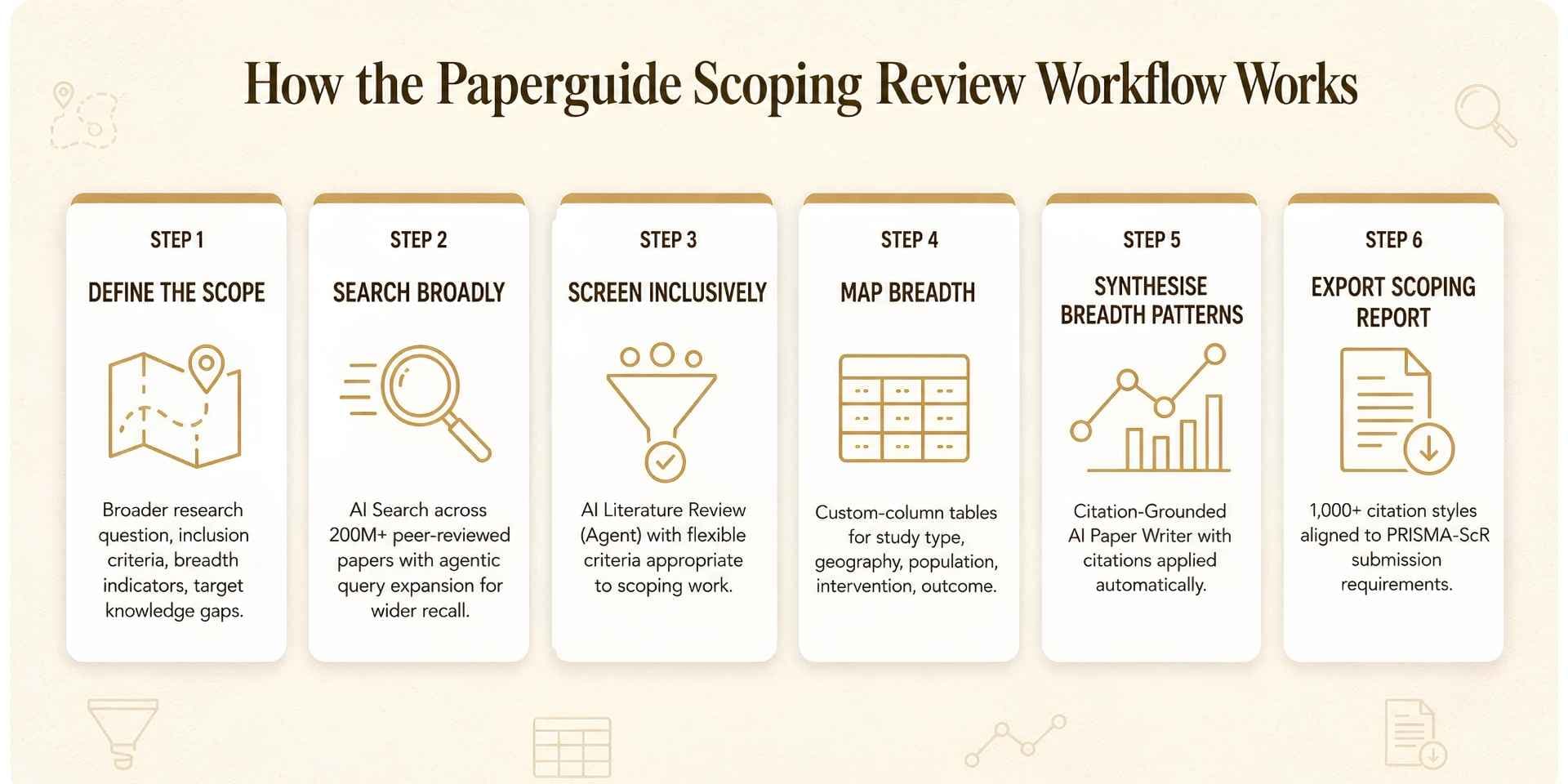
Paperguide runs scoping review as a continuous workflow across six stages. The same pattern applies to evidence synthesis and systematic review work. Researchers new to the method can start with the how to conduct a scoping review guide.
Step 1: Define the scope. Research question framing, inclusion and exclusion criteria appropriate to exploratory work, breadth indicators, target gaps. The Research Agent helps refine the question and document the protocol before search begins.
Step 2: Search broadly. Multi-database query across 200M+ peer-reviewed papers from PubMed, arXiv, OpenAlex, and Semantic Scholar through AI Search, with agentic query expansion for wider recall, and SJR, SNIP, and citation metrics on every result.
Step 3: Screen inclusively. Flexible criteria through Literature Review AI, with quality signals on every paper and shared libraries for team review. Standard mode up to 50 papers, Extended up to 200. On Evidence Teams and Enterprise, dual-review blind screening with lead-resolved conflicts and Cohen's kappa tracking is available for reviews that need it.
Step 4: Map breadth. Extract Data pulls custom-column tables with researcher-defined columns for study type, geography, population, intervention, outcome, and methodology. Every cell links back to its source passage. The literature review workflow covers the broader mapping patterns.
Step 5: Synthesise. The AI Paper Writer drafts the synthesis with citations applied against the included paper library. Every claim traces to a real source.
Step 6: Export. Word, PDF, BibTeX, RIS, CSV, or Excel export with 1,000+ citation styles, feeding into the reference management workflow. The PRISMA 2020 diagram exports as SVG, PNG, or PDF for adaptation to PRISMA-ScR.
Best AI Tools for Scoping Review by Use Case
| Use Case | Recommended Tool | Why |
|---|---|---|
| Scoping review overall | Paperguide | Full pipeline from broader search to synthesis writing with verified citations |
| Solo researchers and PhD candidates | Paperguide Free or Plus | Search, reference management, extraction, and writing without stitching tools together |
| Reviews needing dual-review blind screening | Paperguide Evidence Teams | Dual-review screening with conflict resolution on the same library as search and writing |
| Free collaborative screening | Rayyan | Permanent free tier with collaborative screening and AI relevance predictions |
| Documentation-first workflow | Covidence | Native PRISMA flow diagram export and configurable extraction templates |
| High-volume screening (5K to 40K papers) | Elicit | Enterprise screening up to 40,000 papers with 40-column extraction |
| Knowledge gap mapping | AnswerThis | Dedicated Research Gaps module across 250M+ papers |
| Free stack | Paperguide Free + Rayyan Free + AnswerThis Free | Search and writing, collaborative screening, and gap analysis at no cost |
Best AI Tools for Scoping Review: Final Comparison
| Feature | Paperguide | Rayyan | Covidence | Elicit | AnswerThis |
|---|---|---|---|---|---|
| Paper corpus | 200M+ peer-reviewed | Bring own | Bring own | 125M+ | 250M+ |
| Broader search | Yes (agentic expansion) | No | No | Yes (semantic) | Yes (multi-database) |
| Flexible inclusion | Yes | Yes | Yes | Yes (threshold) | Yes |
| Dual-review blind screening | Yes (Evidence Teams and Enterprise) | Yes (free tier) | Yes | No | No |
| Breadth extraction | Yes (custom columns) | No | Yes (templates) | Yes (up to 40 columns) | Yes |
| PRISMA diagram | Yes (PRISMA 2020, ScR adapted manually) | Yes (Essential and up) | Yes (PRISMA 2020, ScR adapted manually) | Via workflow | Via workflow |
| Knowledge gap mapping | Via Research Agent | No | No | No | Yes (strongest) |
| Citation-grounded writing | Yes | No | No | Partial (Report mode) | Partial |
| AI reference manager | Yes | No | No | No | Partial |
| Team collaboration | Yes | Yes (2 reviewers free) | Yes | Via API | Limited |
| Free plan | Yes | Yes (3 active reviews) | Trial, 500 records | Yes | Yes |
| Starting paid | $12/mo annual | $4.99/mo annual | $339/yr Single | $49/mo Pro annual | $35/mo Pro |
Common Mistakes When Using AI Tools for Scoping Review in 2026
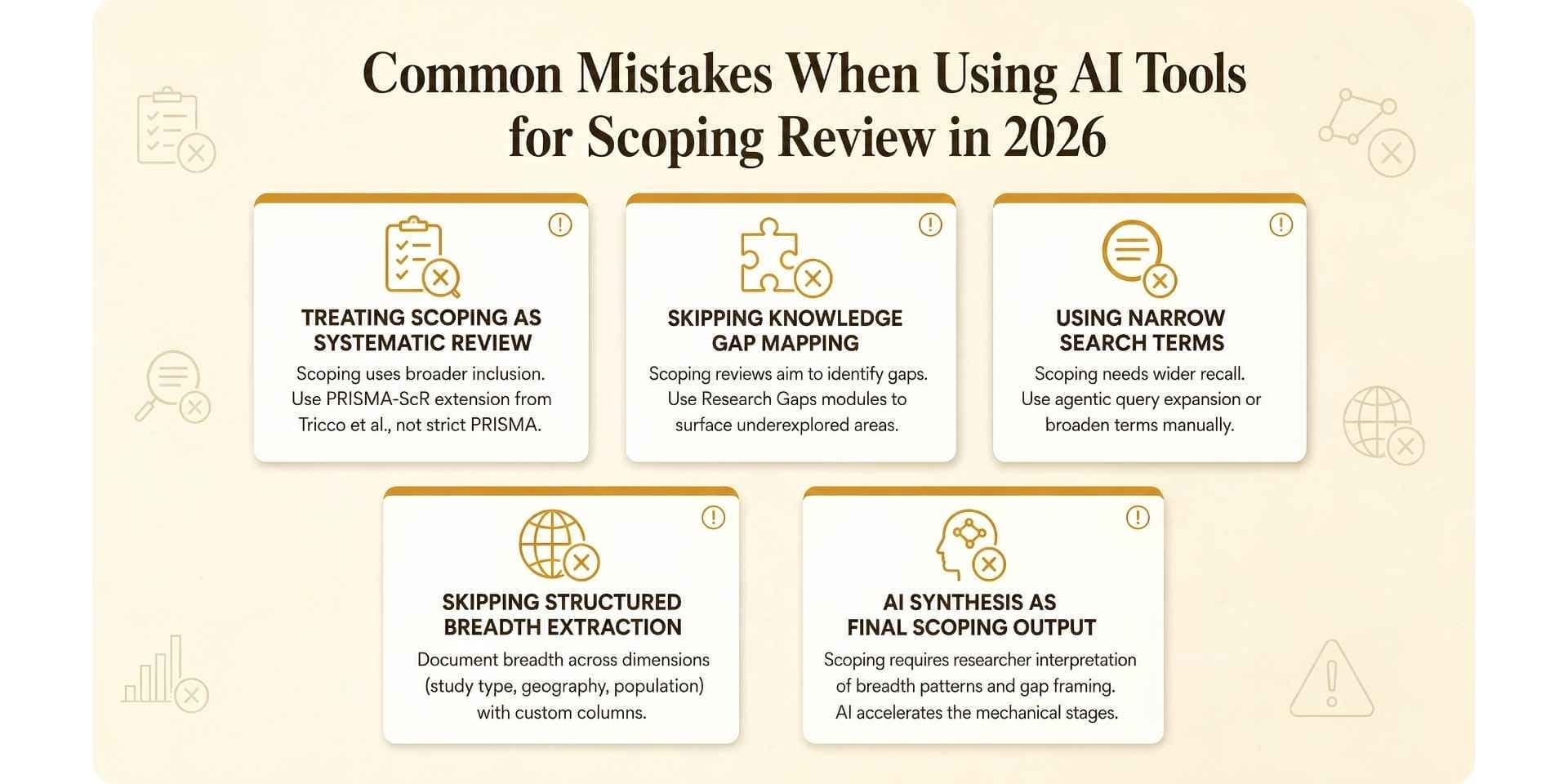
- Treating a scoping review as a systematic review. The two diverge on question framework (PCC vs PICO), quality assessment, and inclusion breadth. Applying strict criteria narrows the pool below what the exploratory aim needs. Use the PRISMA-ScR extension rather than the standard PRISMA guideline for submission. A glossary of evidence synthesis terms sets out how a scoping review, a systematic review and PICO differ.
- Skipping knowledge gap mapping. Identifying gaps and clarifying concepts are stated aims of the method, not optional extras. Surface underexplored areas as part of the synthesis rather than as an afterthought.
- Using narrow search terms. Scoping needs wider recall than a systematic review. Use agentic query expansion or manually broaden terms to catch adjacent areas.
- Skipping structured breadth extraction. These reviews document evidence across dimensions. Use custom-column tables rather than prose summaries that lose the map.
- Assuming flexible inclusion means no documentation. Broader criteria still have to be stated, justified, and reproducible. A documented search strategy and a screening log are what separate a scoping review from a literature summary.
- Treating AI output as the final result. These reviews require researcher interpretation of breadth patterns, gap identification, and framing of future directions. Use AI for the mechanical stages and keep the interpretation human.
Final Verdict
For research teams running scoping reviews in 2026, Paperguide is the best AI tool for the job. Broader multi-database search across PubMed, arXiv, OpenAlex, and Semantic Scholar with agentic query expansion, flexible inclusion screening, structured breadth extraction, and the AI Paper Writer make it the only platform here built for the hybrid approach the method uses. On Evidence Teams and Enterprise it also brings dual-review blind screening into the same workspace, which is the piece scoping teams usually have to source from a separate screening tool.
For individual stages, Rayyan handles free collaborative screening, Covidence provides documentation-first workflows with native PRISMA export, Elicit handles inclusion pools reaching tens of thousands of papers, and AnswerThis handles gap mapping.
The practical 2026 pattern is rarely one tool. Paperguide as the backbone across search, screening, extraction, and writing; Rayyan when budget is tight and screening is the only shared stage; Covidence when the project leans on structured documentation; Elicit when the inclusion pool runs to thousands; AnswerThis for the gap mapping phase. That approach produces scoping reviews where the mapped breadth is complete, the gaps are documented, the citations are traceable, and the report meets PRISMA-ScR standards.
Frequently Asked Questions (FAQs)
What are the best AI tools for scoping review in 2026?
Paperguide is the best AI tool for scoping review in 2026 because it runs the full pipeline (broader search, flexible screening, breadth extraction, synthesis writing) in one workspace with citations verified against a real library, and adds dual-review blind screening on Evidence Teams and Enterprise. The strongest options across the category are Paperguide, Rayyan, Covidence, Elicit, and AnswerThis.
What is a scoping review vs a systematic review?
Scoping reviews map the breadth of evidence on a topic and identify knowledge gaps using broader inclusion criteria. Systematic reviews answer narrower questions with strict PRISMA criteria and structured meta-analysis. Both follow PRISMA-family reporting standards, with scoping reviews using the PRISMA-ScR extension published by Tricco and colleagues in 2018 in the Annals of Internal Medicine. See the fuller scoping review vs systematic review comparison.
Can AI automate a scoping review?
No. AI speeds up every stage (broader search, flexible screening, breadth extraction, synthesis writing) but does not replace human judgment on inclusion decisions, breadth interpretation, or gap framing. The mechanical pipeline work is what automates well; the interpretive layer stays with the research team.
What is PRISMA-ScR?
PRISMA-ScR is the PRISMA Extension for Scoping Reviews, published by Tricco and colleagues in 2018 in the Annals of Internal Medicine and updated in 2026. It provides reporting guidelines specific to scoping review submission, with adapted flow diagrams and reporting items reflecting the exploratory nature of the method. Most platforms export a standard PRISMA 2020 diagram that teams adapt to PRISMA-ScR manually.
What is the best AI tool for scoping review for a PhD student?
Paperguide's Free tier gives 2,000 AI credits a month, with the reference manager, Chat with PDF, and Literature Review AI included. Plus at $12 per seat per month, billed annually ($144 a year), adds 12,500 credits, unlimited AI Searches and an unlimited Reference Manager, which covers most single scoping projects. Pair it with Rayyan Free if you need collaborative screening. A 30% academic discount applies to paid tiers with a valid university email.
What is the best free AI tool for scoping review?
Paperguide Free plus Rayyan Free plus AnswerThis Free is the strongest free stack in 2026. Paperguide Free provides AI Search, Literature Review AI, Chat with PDF, and the reference manager. Rayyan Free adds collaborative screening across 3 active reviews with 2 reviewers. AnswerThis Free adds 5 queries a month for gap analysis.
How does AI help with scoping reviews?
AI speeds up broader search through agentic query expansion across multiple databases, flexible inclusion screening with AI-assisted ranking, structured breadth extraction into source-linked evidence tables, knowledge gap identification, and synthesis writing where citations are applied against the included paper library rather than generated from training data.
Can AI identify research gaps in a scoping review?
Yes. AnswerThis has a dedicated Research Gaps module that surfaces underexplored areas directly from search results. Paperguide's Research Agent surfaces gaps as part of structured review work. Gap identification is one of the primary aims of the method under the PRISMA-ScR extension.
How long does a scoping review take?
Scoping reviews typically take 3 to 12 months depending on scope, team size, and inclusion breadth. The 2026 PRISMA-ScR update reports over 18,000 scoping reviews indexed in PubMed between 2018 and 2023, reflecting how widely the method is now used. Connected platforms cut the handoff overhead between search, screening, extraction, and synthesis without shortening the interpretive work.
Which scoping review tools support dual-reviewer blind screening?
Rayyan supports dual blind screening on its free tier, Covidence supports it with conflict resolution across all paid plans, and Paperguide supports PRISMA-grade dual-review blind screening with lead-resolved conflicts and Cohen's kappa tracking on Evidence Teams and Enterprise. Elicit and AnswerThis do not document blind dual-reviewer workflows.
Why are AI-generated citations in scoping reviews often wrong?
General-purpose AI writers generate citation-shaped strings from training data rather than pulling from a real library. For a scoping review the synthesis has to cite the included set with traceable references matching PRISMA-ScR reporting. The fix is a writer connected to an actual reference library, so every citation in the draft resolves to a paper in the included set.
Running a review?
Run your systematic review in Paperguide
Dual screening, verifiable extraction and PRISMA reporting in one place.
Start a reviewNo credit card required