

Explore the citation graph around any paper



















From one paper to a connected citation graph
1. Add your seed papers
Search for a paper by title or DOI, or pick papers from your Reference Manager. Start with one paper you know, or combine up to five to explore a research question.
2. Paperguide maps the citation network
Paperguide analyzes references, citing papers, co-citations, shared references and topic similarity to find meaningful connections across the literature.
3. See the strongest matches
Related papers are ranked by how closely they connect to your seeds, and the most useful ones appear in an interactive citation graph.
See what came before, what followed, and what's related
Explore your research from three perspectives, each showing a different part of the literature.
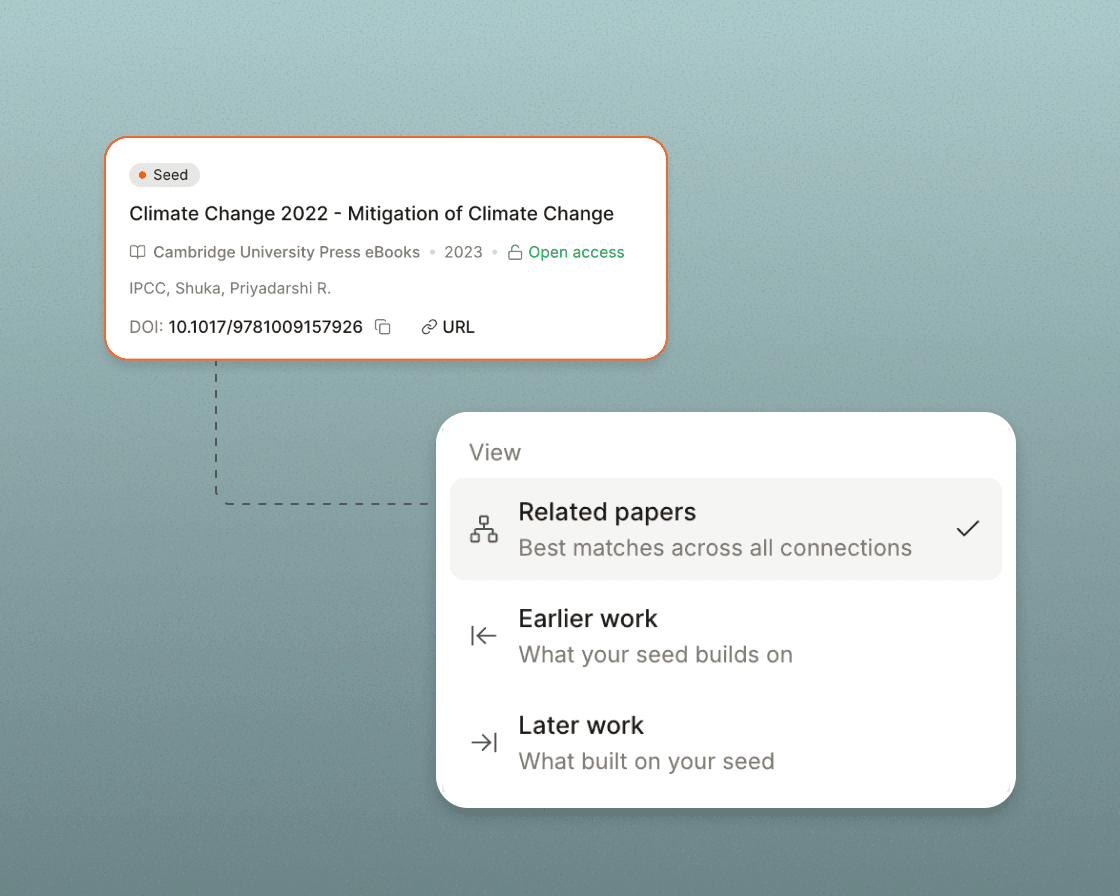
- Related papers: Find closely related studies through citations, shared references and research similarity.
- Earlier work: Trace the foundational studies, methods and discoveries your research builds on. This is the backward side.
- Later work: Find newer studies that cite your papers and see how the research has moved on. This is the forward side.
Follow new connections. Grow your citation graph.
Every interesting paper can open a new path. Expand your graph to explore related studies, surface new connections and follow research directions beyond your original papers.
- Expand from any paper: Add a discovery as a new seed paper to explore the research around it.
- Surface new connections: Reveal more related work, shared references and studies that weren't visible in your original graph.
- Change direction: Add or remove seeds to shift your focus, revisit earlier connections, or start a new graph from a promising paper.
Know why each paper belongs on your graph
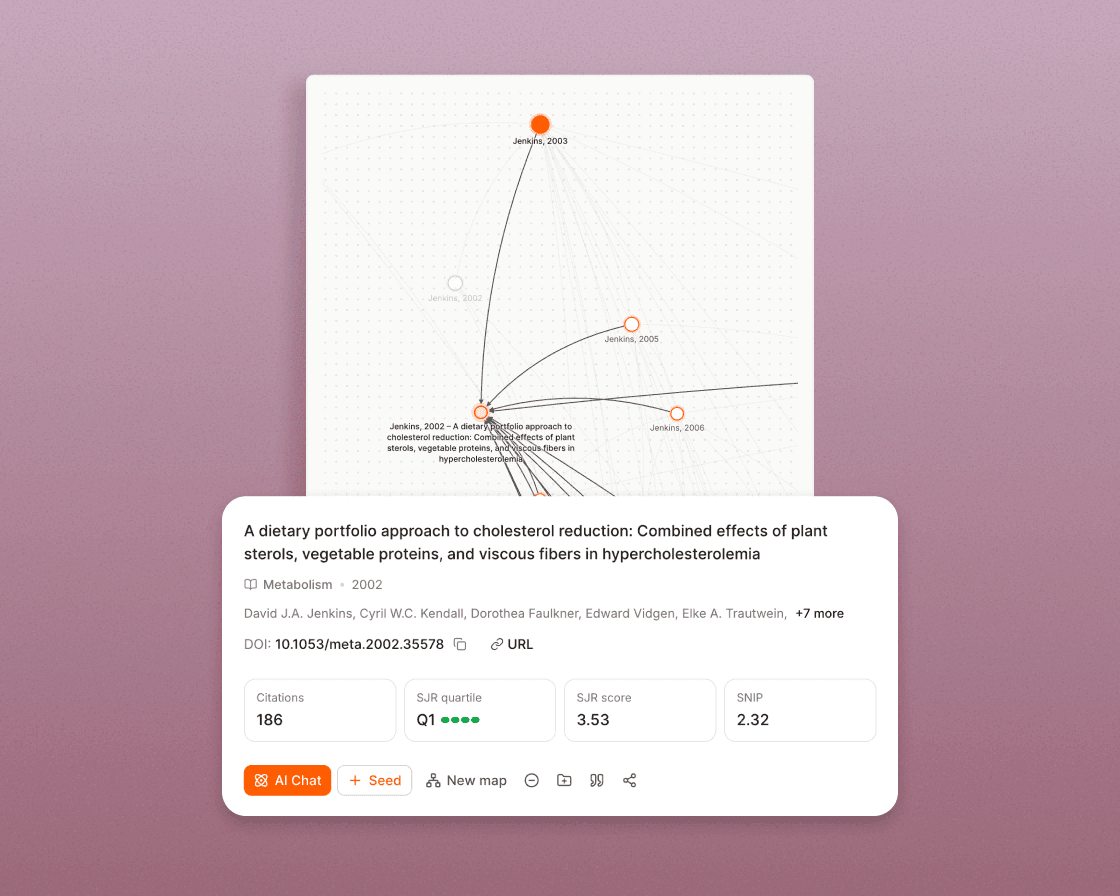
Don't just find papers. See how each one connects to your research, why it's relevant, and which ones deserve a closer look.
- See the relationship: Identify the direct citations, co-citations, shared references and similar topics behind each recommendation.
- Catch emerging research: Spot recent related studies, even before they have collected citations.
- Evaluate papers at a glance: Review citation counts, journal metrics, summaries and abstracts without losing your place in the graph.
- Keep your graph focused: Exclude irrelevant papers and restore them whenever you need.
See how research evolves over time
Follow the research timeline
Read papers in order, from early foundations to the latest developments in your field.
Spot influential studies
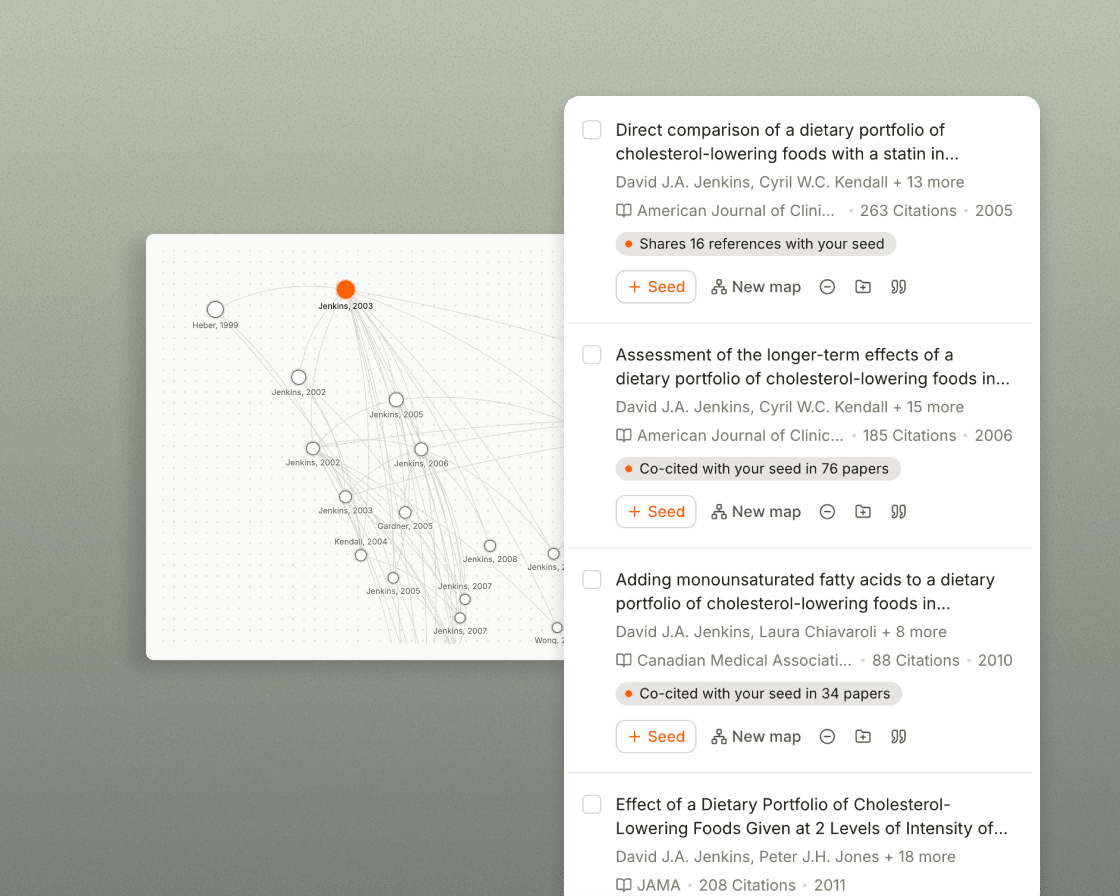
Use citation counts, node size and position to identify the most frequently cited papers quickly.
Trace citation relationships
Follow the arrows between studies to see which papers cite which, and how the research builds over time.
Discover connections wherever you research
Turn your references into new discoveries
Ask Research Agent to connect the research for you
Go beyond your search results
Use a citation graph at every stage of research
Start a literature review
Find studies for systematic reviews
Stay current with new research
Understand a new research field
Find more relevant papers, not just more papers
| Measure | Paperguide |
|---|---|
| Average relevance (out of 2) | 1.53 |
| Highly relevant papers | 61% |
| Off-topic papers | 8% |
More useful discoveries for systematic reviews
What researchers say
Paperguide not only enables the search for scientific articles but also provides a comprehensive systematic evaluation of the search results... it leads to significant time savings and better results, because one is "forced" to adopt a systematic approach from the start.
Paperguide search, literature review and writer tools have made my research so much easier. I can complete my whole research in Paperguide, without even switching to Google Scholar and ChatGPT.
The per-criterion evidence changed how our reviewers work. It cut our abstract screening from about three weeks to one, and the decisions came out more consistent, not less.
One standout feature is the Systematic Literature Review, which has been extremely helpful for writing academic papers. The writing features integrate with the user's library.
Every paper leads to another discovery
Start with one paper and see the research that came before it, followed it and connects to it.
Frequently asked questions
What is a citation graph?
A citation graph is a visual network of research papers connected by citations: each paper is a node, and each arrow shows one paper citing another. Paperguide's citation graph also adds co-cited papers, shared references and topically similar studies, so you find related research beyond direct citations.
Is a citation graph the same as a citation map?
Yes, both terms describe a visual view of how papers connect through citations. Paperguide's citation graph also shows connections beyond direct citations, such as co-citations and shared references.
How does Paperguide build a citation graph?
Paperguide analyzes the references and citing papers of your seed papers, along with co-citations, shared references and topic similarity. It ranks related papers by relevance and shows the strongest matches in an interactive graph.
Is the citation graph free to use?
Yes. You can build and explore citation graphs without creating an account. Graphs you create while logged out are saved in your browser and can move into your account when you sign in.
Can I build a citation graph from a DOI?
Yes. Search by title or DOI, and Paperguide builds the graph from that paper. You can start with up to five seed papers, and each seed needs a DOI for matching. Add or remove seeds at any time to explore different connections.
What's the difference between Related papers, Earlier work and Later work?
Related papers brings together the closest research across every type of connection. Earlier work shows the studies your papers build on, while Later work shows newer papers that cite them.
What are co-cited papers and shared references?
Two papers are co-cited when another study cites both of them. Papers share references when they cite some of the same studies. Both relationships can reveal relevant research even when two papers don't cite each other directly.
Can I use a citation graph for systematic reviews?
Yes. A citation graph supports backward and forward citation searching, which helps you identify additional potentially eligible studies beyond your database searches. Save relevant papers to Paperguide's Reference Manager for screening.
How does Paperguide compare with Connected Papers, ResearchRabbit and Litmaps?
In our October 2026 evaluation across several research fields, Paperguide's citation graph had the highest average relevance score (1.53 out of 2) and the lowest share of off-topic papers (8%). Results varied by field, and other tools did better on some starting papers.
Where does the citation data come from?
Paperguide uses its research database of more than 200 million papers. Available citation and reference data is used to find connections, and the graph still works when citation data is partial.
Can I create citation graphs with Research Agent?
Yes. Ask Research Agent to find related papers, explore citation connections or generate a citation graph directly in your research conversation.
Can I share a citation graph?
Yes. Share your graph through a link with view or edit access, or keep it private.