9 Best NotebookLM Alternatives for Academic Research in 2026

NotebookLM, which significantly expanded through 2025 and 2026 with the Studio output ecosystem, has become one of the most widely used source-grounded AI notebooks among students, researchers, and educators. By 2026, the platform turns documents you upload into chat-based answers, podcast-style audio overviews, narrated video summaries, mind maps, flashcards, quizzes, infographics, and slide decks, all grounded strictly in the sources you provide through a Google account.
The reality for many researchers in 2026 is that NotebookLM is excellent at one thing, synthesizing a curated source set you already trust, and stops at almost everything else the research workflow needs. There is no academic search across a peer-reviewed paper database, no structured literature review workflow, no custom-column data extraction built for systematic review, no AI Writer that ships a citation-styled draft, and no full reference manager with citation-style management. Source caps (50 on free, 300 on Pro) bite quickly once a serious review starts, and Reddit threads on r/notebooklm describe hitting Plus-tier limits as "getting burned."
This guide covers the 9 best NotebookLM alternatives in 2026, free and paid, ranked by how each one closes the gaps NotebookLM stops short on. Some specialize in academic search across millions of peer-reviewed papers, others in systematic-review screening or PDF reading, and one carries source-grounded synthesis through to a finished, citation-styled draft inside a single workspace.
TL;DR
Paperguide is the best NotebookLM alternative in 2026. It pairs source-grounded synthesis with academic search across 200M+ peer-reviewed papers, the structured Literature Review AI, custom-column data extraction, verified citations on every claim, and a full AI Paper Writer with 1,000+ citation styles, all inside one workspace with a generous free plan and a 30% academic discount. The 9 alternatives in this guide each fill one of NotebookLM's gaps, but Paperguide is the only one that closes the entire research workflow.
Top NotebookLM Alternative in 2026
| Feature | Paperguide | SciSpace | Recall | Anara | ResearchRabbit | Elicit | Consensus | AnswerThis | Scite |
|---|---|---|---|---|---|---|---|---|---|
| AI Search | ✓ | ✓ | ✓ | ✗ | ✓ | ✓ | ✓ | ✓ | ⚠ |
| Chat with PDF | ✓ | ✓ | ✓ | ✓ | ✗ | ⚠ | ⚠ | ✓ | ⚠ |
| Literature Review | ✓ | ✓ | ✓ | ✗ | ✗ | ✓ | ⚠ | ⚠ | ✗ |
| Data Extraction | ✓ | ⚠ | ✓ | ✗ | ✗ | ✓ | ✗ | ⚠ | ✗ |
| AI writing | ✓ | ⚠ | ✓ | ⚠ | ✗ | ✗ | ✗ | ⚠ | ✗ |
| Reference Manager | ✓ | ✗ | ✓ | ✗ | ⚠ | ✗ | ✗ | ✗ | ✗ |
| Verified Citations | ✓ | ⚠ | ✓ | ⚠ | ⚠ | ⚠ | ⚠ | ⚠ | ✓ |
| SJR / SNIP Signals | ✓ | ✗ | ✗ | ✗ | ⚠ | ⚠ | ⚠ | ✗ | ⚠ |
| Word/Docs Export | ✓ | ⚠ | ✓ | ⚠ | ⚠ | ⚠ | ⚠ | ⚠ | ✓ |
| Free Plan | ✓ | ✓ | ✓ | ✓ | ✓ | ✓ | ✓ | ✓ | ✗ |
| Student Discount | ✓ | ⚠ | ✓ | ⚠ | ✗ | ⚠ | ⚠ | ⚠ | ⚠ |
| Starting Price | $12/mo | $12/mo | $10/mo | $10/mo | $12.50/mo | $12/mo | $11.99/mo | $9/mo | $20/mo |
The feature comparison table above maps the main research-workflow capabilities (rows) against all 9 top NotebookLM alternatives in 2026 (columns). Use ✓ for full support, ⚠ for partial or limited support, and ✗ for missing capability.
Which is the Best Notebooklm Alternative in 2026?
Paperguide is the best NotebookLM alternative in 2026 because it covers everything NotebookLM stops short on inside one connected workspace. Academic search across 200M+ peer-reviewed papers from PubMed, arXiv, OpenAlex, and Semantic Scholar comes with inline SJR and SNIP quality signals. The 5-step Literature Review AI screens up to 200 papers and synthesizes the top 50. Custom-column Extract Data handles up to 100 papers per table. The AI Paper Writer ships citation-styled drafts with 1,000+ citation styles, plagiarism and grammar checking, and a native Reference Manager that completes the loop with Zotero import, a Chrome extension, and collaboration on shared libraries.
Quick read: Recall is the strongest NotebookLM alternative for lifelong learning and AI-powered personal knowledge management, with unlimited saves, library-wide AI chat, automatic knowledge graphs, and spaced repetition across years of accumulated content. ResearchRabbit remains the best visual discovery tool for mapping citation networks, while Scite is still unmatched for citation validation and evidence auditing.
What is NotebookLM?
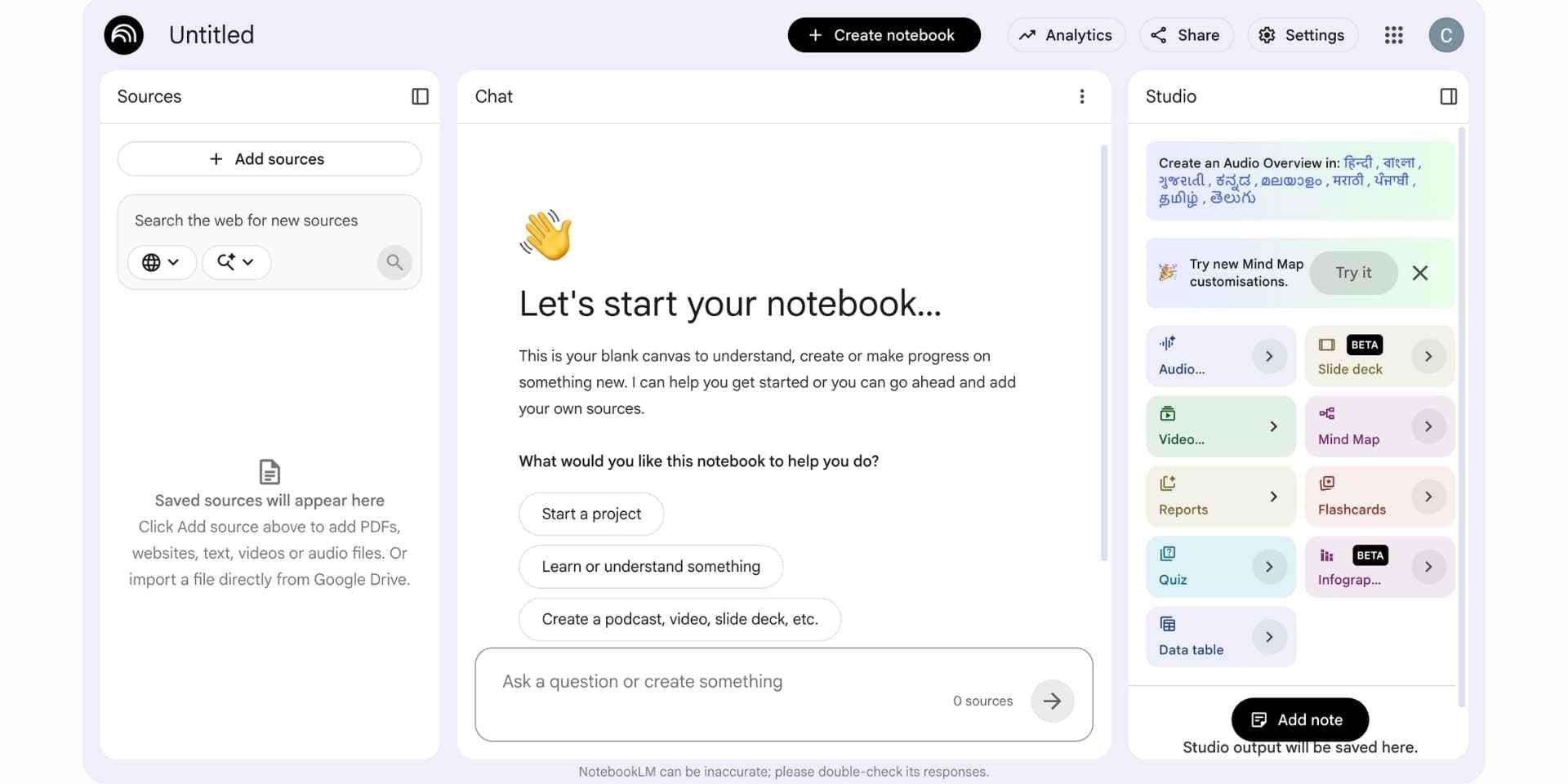
NotebookLM is Google's source-grounded AI notebook, powered by Gemini models and built around the principle that answers should be tied strictly to the sources a user uploads. Researchers, students, and teachers upload PDFs, Word documents, Google Docs, slides, web pages, audio files, and YouTube videos to a notebook, then chat with the entire source set, generate Studio outputs, and save responses back as new sources. The platform is popular with graduate students and self-learners because the Studio formats (audio overviews, video overviews, flashcards) make dense material easier to absorb, and the source-grounding cuts down on the hallucination risk affecting general-purpose chatbots. NotebookLM is often used alongside dedicated AI research paper summarizers when researchers need to quickly understand individual papers. It is one of the most widely tested tools in our broader review of AI tools for research.
Core Capabilities
- Source-grounded Q&A with inline citations across uploaded sources only.
- Audio Overview in podcast-style discussion formats (Deep Dive, Brief, Critique, Debate) across multiple languages.
- Video Overview with narrated Cinematic, Explainer, and Brief formats.
- Mind Map with expandable branches and interactive topic exploration.
- Flashcards with progress tracking and CSV download.
- Quiz with multiple-choice questions, hints, and explanations.
- Infographic with visual statistics, icons, and designed layouts.
- Slide Deck generation downloadable as PDF or PPTX.
- Data Table auto-generated from sources, exportable to Google Sheets.
- Reports generating summary-style outputs from source sets.
Pros
- Best-in-class Studio outputs (Audio Overview, Video Overview, Mind Map, Flashcards, Quiz, Slide Deck)
- Source-grounded Q&A with inline citations across uploaded sources
- Generous free tier with full Studio capability through a Google account
- Multi-format source uploads (PDFs, Docs, slides, web pages, YouTube videos, audio)
- Configurable chat style and response length
Cons
- No academic search across peer-reviewed literature
- No structured 5-step literature review agent or custom-column data extraction
- No AI Writer that ships a citation-styled draft
- No full reference manager with citation-style management
- Source caps (50 free, 300 Pro) bite quickly during a serious review
- No SJR or SNIP quality signals surfaced inside the workflow
Why Choose a NotebookLM Alternative in 2026?
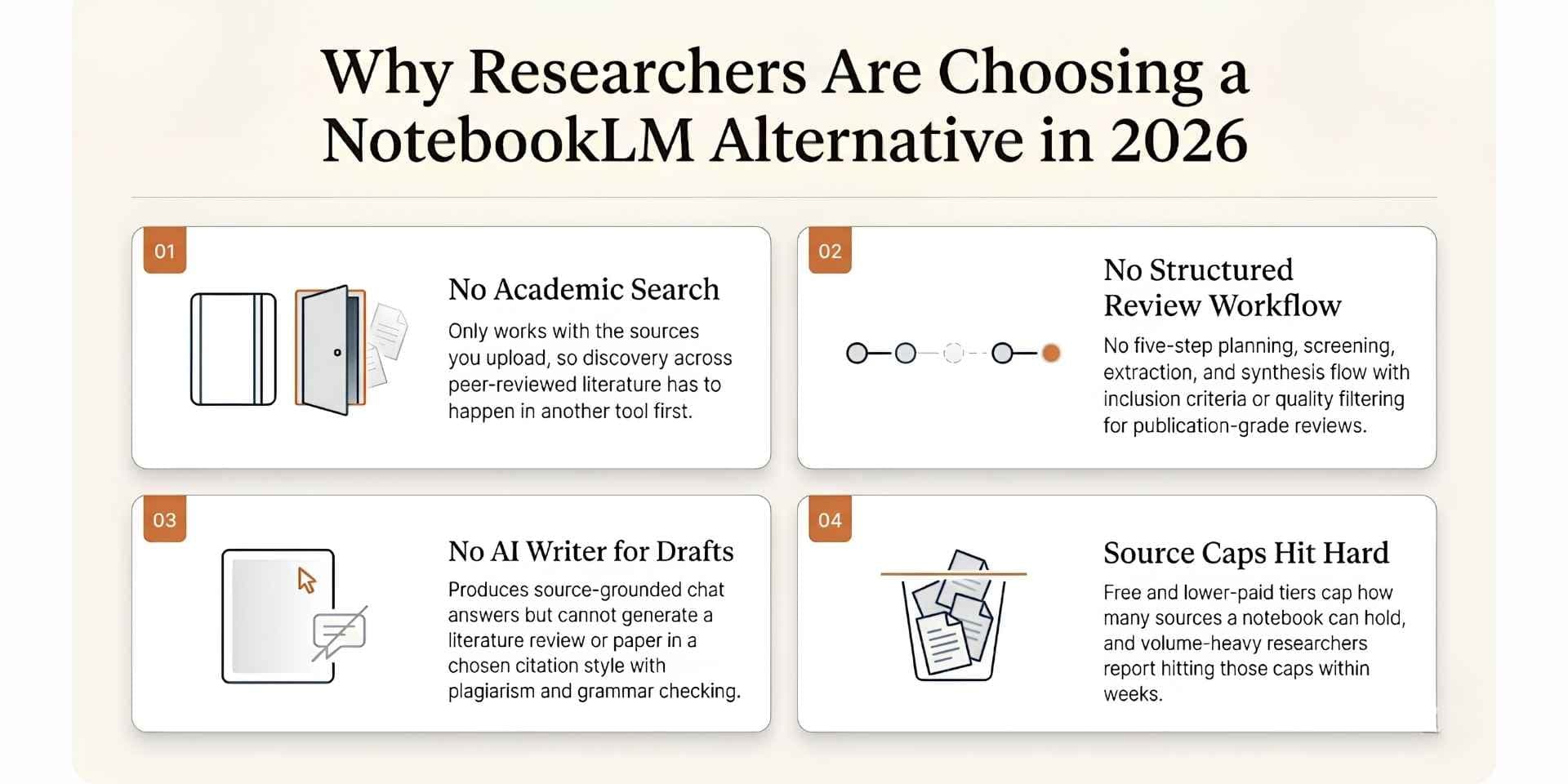
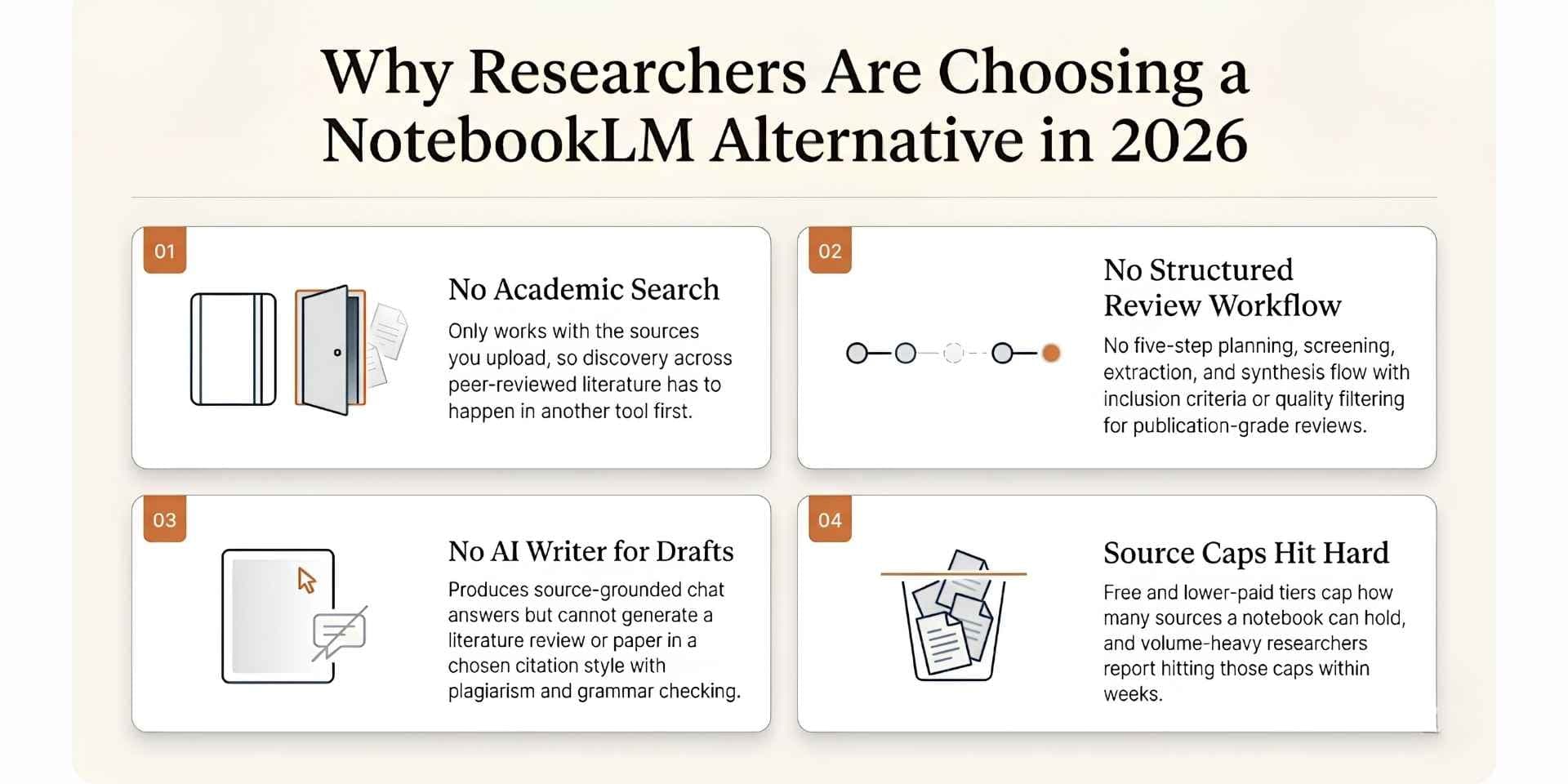
The decision to move beyond NotebookLM usually comes down to four reasons that show up across G2, Trustpilot, and Reddit threads on r/notebooklm and r/PhD throughout 2025 and 2026:
1. No academic search across peer-reviewed literature. NotebookLM cannot discover new papers. The workflow assumes a researcher already has sources to upload, which means discovery has to happen in a separate tool like Paperguide, Elicit, Consensus, or AnswerThis.
2. No structured literature review workflow. There is no five-step planning, screening, extraction, and synthesis workflow with inclusion/exclusion criteria, SJR or SNIP filtering, or formal review generation. Reports cover summary-style synthesis but not systematic reviews at publication standard.
3. No AI Writer for citation-styled drafts. NotebookLM produces source-grounded chat answers but does not generate full literature reviews, research papers, or essays in a chosen citation style with plagiarism and grammar checking. Researchers drafting a background section end up exporting to another tool.
4. Source limits and "getting burned" on Plus. Free is capped at 50 sources per notebook and 50 chats per day. Google AI Plus at $7.99/mo lifts to 100 sources but many researchers report still hitting limits within weeks. Pro at $19.99/mo reaches 300 sources, Ultra at $249.99/mo reaches 600. For volume-heavy research, the caps become the workflow.
Best NotebookLM Alternative in 2026
1. Paperguide
Paperguide is the connected AI scientific research platform that lets researchers discover, synthesize, extract, and write inside a single workspace. Academic search runs across 200M+ peer-reviewed papers from PubMed, arXiv, OpenAlex, and Semantic Scholar; the structured 5-step Literature Review AI handles screening and synthesis; custom-column Extract Data tables compare findings across studies; and the AI Paper Writer ships finished drafts with verified citations on every claim. Where NotebookLM is built to synthesize the sources you already have, Paperguide opens the loop on both ends: open-literature discovery upstream of synthesis and a manuscript-grade writing layer downstream of it, with SJR and SNIP quality signals exposed throughout the journey.
Key Features
- AI Search: Open-corpus search combining semantic and keyword retrieval across 200M+ peer-reviewed papers from PubMed, arXiv, OpenAlex, and Semantic Scholar; arXiv is now a first-class source across the Research Agent, AI Search, and Literature Review surfaces.
- Literature Review AI: Literature Review AI runs a structured plan-search-screen-extract-synthesize flow; Extended Mode screens up to 200 papers and synthesizes the top 50 across the 200M+ database, PubMed, arXiv, or a personal reference library. Paperguide is featured among the leading AI tools for literature review in 2026.
- AI Paper Writer: Rebuilt this release with agentic in-document chat, Smart Continue (the AI picks up from your cursor and cites your selected sources), Math blocks (KaTeX rendering), inline equations, Word document import, 1,000+ citation styles, and integrated plagiarism and grammar checking. Widely considered among the best AI paper writing tools for academic work in 2026.
- AI Reference Manager: Native AI Reference Manager with folders, subfolders, tags, annotations, highlights, AI summaries, BibTeX/RIS/DOI imports, Zotero import, a Chrome extension for capturing papers from any browser, and 1,000+ citation styles.
- Chat with PDF handles multi-paper comparison with passage-level grounding; click any citation to view the source paper, the exact page, and the supporting quote. Add PDFs by upload, from your Reference Manager, or by pasting a URL, DOI or arXiv ID. In a multi-PDF chat, typing @ points a question at one paper, and a shareable link lets anyone read the full conversation without a Paperguide account.
- Deep Research Report: Structured Deep Research workflows with manual control over research questions, search scope, inclusion criteria, extraction fields, and synthesis for systematic-review-grade rigor.
- Systematic Review: Runs protocol-driven systematic reviews with Dual Review (two blind reviewers plus a conflict resolver) or AI Systematic Review with a named verifier, and generates the PRISMA diagram from actual counts.
- Extract Data: Structured Extract Data tables supporting up to 50 custom columns across 100 papers per table, with every extracted cell linked back to the original source paper. Includes reusable templates and CSV/Excel export.
- Research Agent: Connected AI research workflows spanning search, screening, contradiction detection, comparison, gap analysis, extraction, synthesis, and draft generation inside one continuous session with upgraded 2026 reasoning models.
- Quality Signals: SJR rankings, SNIP scores, and citation metrics surfaced inline across AI Search, screening, and Literature Review workflows.
Pros
- Single workspace covering search, review, extraction, writing, and reference management end to end
- Verified citations on every claim, with every quote traceable back to the source paper
- Open-literature search across 200M+ peer-reviewed papers (a discovery layer NotebookLM does not attempt)
- Structured 5-step Literature Review with screening up to 200 papers and top-50 synthesis
- Manuscript-grade AI Paper Writer with agentic chat, Smart Continue, math blocks (KaTeX), Word import, 1,000+ citation styles
- Native Reference Manager with Zotero import, Chrome extension, BibTeX/RIS/DOI imports, and shared-library collaboration
- SJR, SNIP, and citation metrics visible across every stage of the workflow
- 30% academic discount with a valid university email
- Generous free plan with 2,000 monthly AI credits
Cons
- No NotebookLM-style Studio outputs (Audio Overview, Video Overview, Mind Maps, Flashcards, Quizzes, Slide Decks)
- Literature Review AI screens up to 200 papers per review (larger reviews move to Paperguide Systematic Review)
- Less brand recognition than NotebookLM in some labs
Best For
PhDs, postgraduates, and research teams running thesis chapters, systematic reviews, or grant proposals end to end, where discovery, synthesis, extraction, writing, and references all need to live inside one workspace with verified citations on every claim.
Pricing
Free plan with 2,000 AI credits per month. Plus: $12 per seat per month, billed annually ($144 a year), with 12,500 credits. Pro: $29 per seat per month, billed annually ($348 a year), with 50,000 credits. Evidence Teams: $89 per seat per month, billed annually ($1,068 a year), with 150,000 credits. Enterprise is custom. A 30% academic discount applies with a valid university email, and yearly billing saves up to 41%.
Verdict
Paperguide is the strongest overall NotebookLM alternative in 2026 because it does everything NotebookLM does (source-grounded synthesis of curated documents) and then carries the workflow further: open-literature discovery, structured screening, custom-column extraction, manuscript drafting with 1,000+ citation styles, and a native reference library. For researchers running thesis chapters, systematic reviews, or grant proposals, the entire pipeline sits in one workspace with verified citations as the default.
2. SciSpace
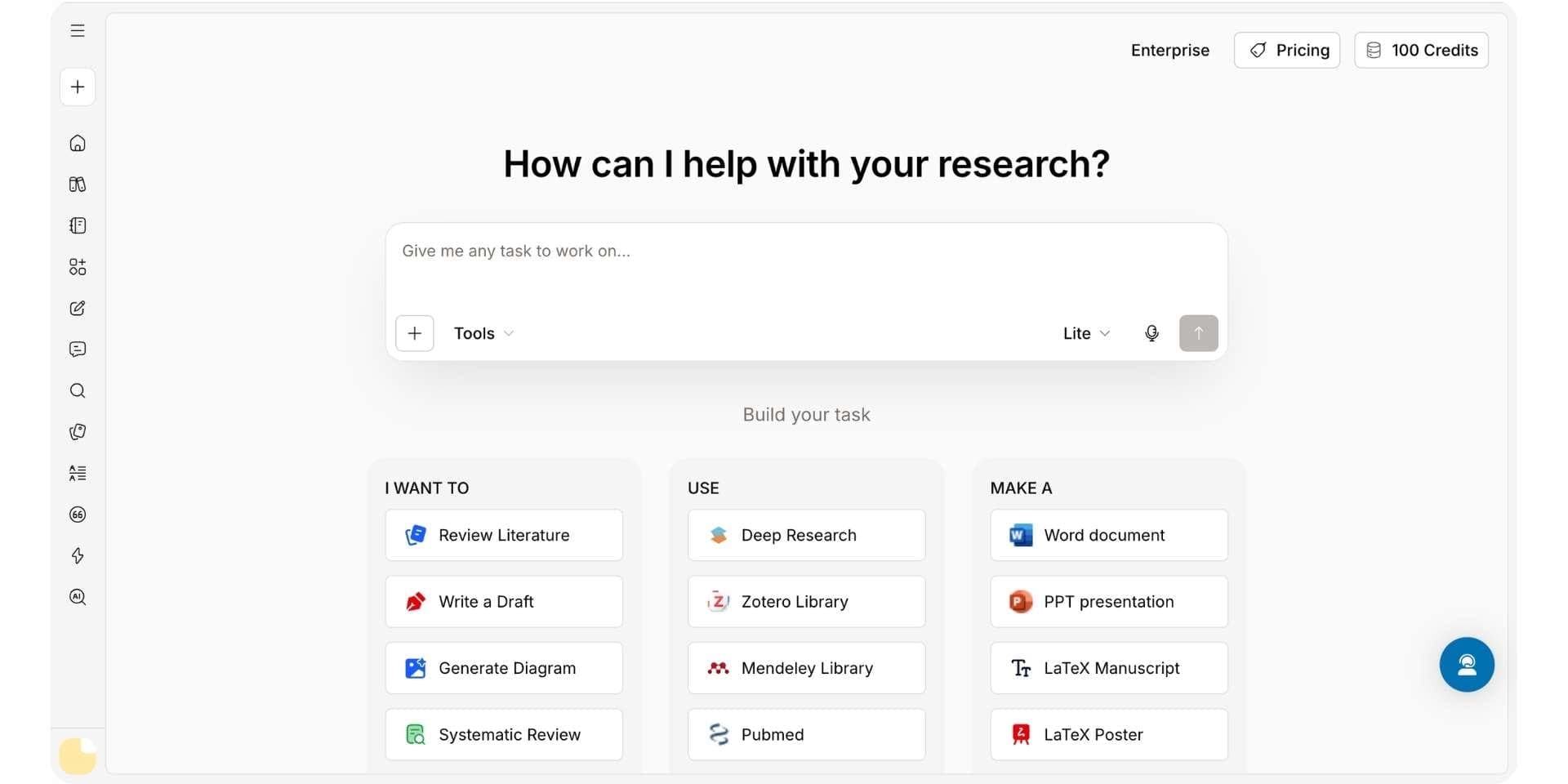
SciSpace is an AI research assistant built around AI-powered Chat with PDF, literature reading, and a growing ecosystem of customized research agents across a paper database of 280M+ entries. Researchers upload papers and use SciSpace to explain dense passages, summarize methods, extract structured data, and run lightweight literature reviews. The platform is popular with graduate students and lab teams for first-pass paper review and quick literature understanding, especially in unfamiliar fields where plain-language explanations help comprehension.
Key Features
- Chat with PDF with plain-language explanations of equations, figures, and terms.
- Basic literature review and Deep Review across a 280M+ paper index.
- Data extraction tables inside the Library workflow.
- AI Writer for short drafts and continuation writing.
- Paraphraser, citation generator, and AI detector.
- Customized AI agents including BioMed Agent, Meta Analysis Agent, and Manuscript Writer.
Pros
- 280M+ paper database, the largest in this guide
- Strong Chat with PDF and Deep Review for individual papers
- Customized AI research agents (BioMed, Meta Analysis, Manuscript Writer, Grant Writer, Patent Search)
- Paraphraser, citation generator, and AI detector built into the writing flow
Cons
- Occasional fabricated references flagged in G2 and Trustpilot reviews (2025-2026)
- No Audio Overview or Studio output formats
- No SJR or SNIP quality signals surfaced
- AI Writer is lighter than dedicated writing platforms
Best For
Graduate students and lab teams who spend most of their day reading and interrogating individual papers with Chat with PDF, and who benefit from a large 280M+ paper database for first-pass discovery.
Pricing
Free plan with limits, Premium at $12/mo annual, Advanced at $70/mo annual, Max at $160/mo annual. 30% student discount on yearly plans.
Verdict
SciSpace works well as a reading layer for individual papers, with a larger paper database than NotebookLM and an explicit Deep Review workflow. Researchers who want a connected workflow that covers everything NotebookLM stops on plus a stronger writing surface and verified citations on every claim pick Paperguide.
3. Recall
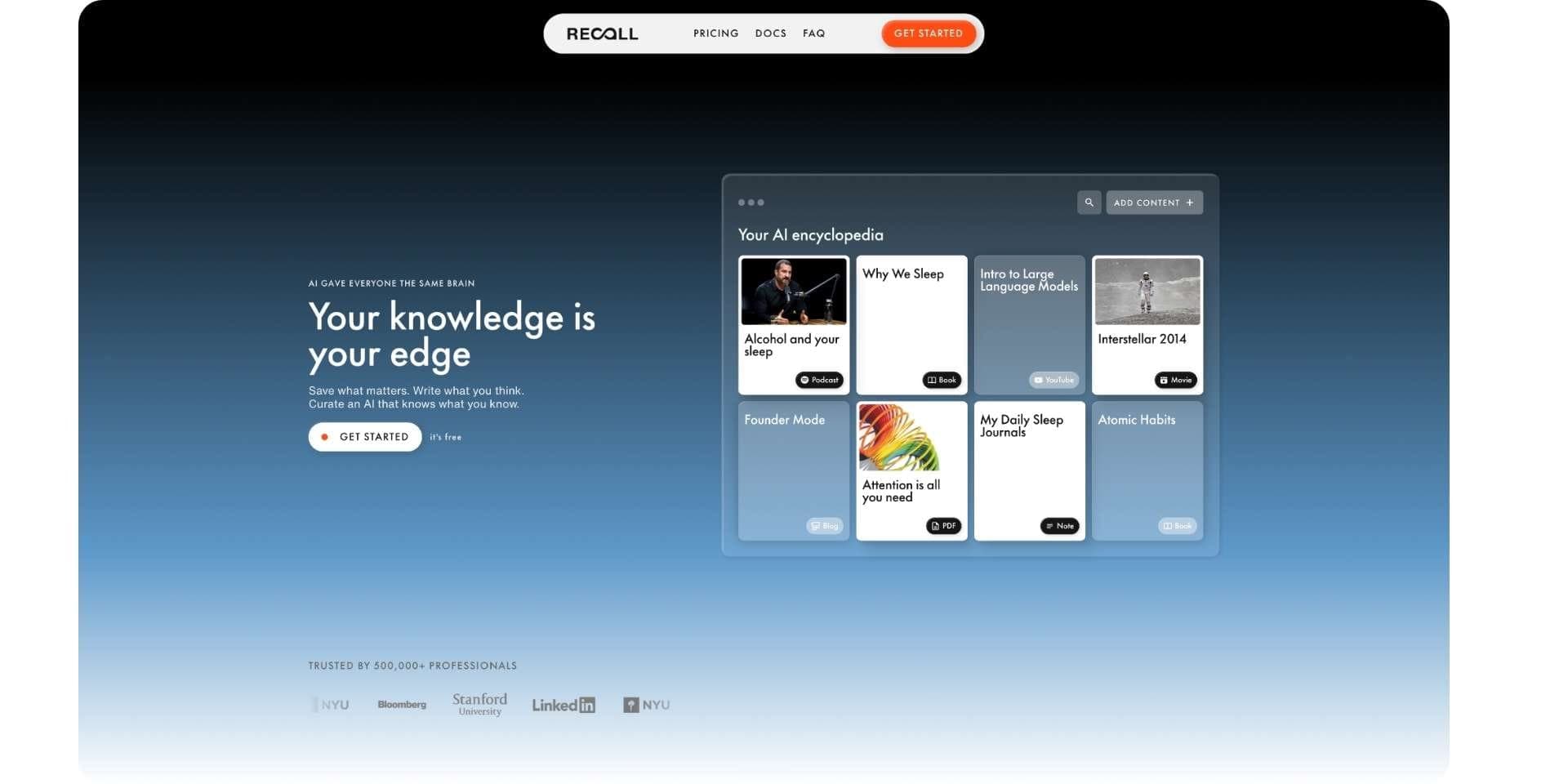
Recall is a personal AI knowledge base built for lifelong learning across an unlimited library, not bounded research inside a single notebook. It lets you save articles, YouTube videos, podcasts, and PDFs with one click, generates AI summaries on save, organize all your content for you and links related content automatically in a knowledge graph. It supports chat across your full library with a choice of frontier models from OpenAI, Anthropic, Google, and open-source providers. Recall launched in 2022, before NotebookLM existed, and is widely picked by self-directed learners and knowledge workers who hit NotebookLM's per-notebook source caps and Gemini-only chat early.
Key Features
- One-click capture from Chrome and Firefox extensions and iOS and Android apps.
- Automatic AI summaries generated on save for articles, videos, podcasts, and PDFs.
- Library-wide AI chat with selectable scope: one card, the full library, or the open web.
- Model choice on Recall Max across OpenAI, Anthropic, Google, and open-source; Recall Plus auto-selects the best model per task.
- Automatic categories and tags that build a hierarchy as the library grows.
- Knowledge graph with automatic links across every saved card.
- Spaced repetition with built-in quizzes and review scheduling.
- Rich block-style editor with tables, to-do lists, and code blocks.
- Listen mode for audio playback of summaries and notes, including in a cloned voice.
- Augmented browsing that surfaces related past saves while reading new articles online.
Pros
- Unlimited sources in one library with no per-notebook source cap.
- Library-wide chat across everything saved, not scoped to a single active notebook.
- Model choice across OpenAI, Anthropic, Google, and open-source instead of Gemini only.
- Automatic knowledge graph that connects content across topics without manual linking.
- Spaced repetition and quizzes for long-term retention, a gap NotebookLM does not cover.
- Extension-first capture workflow that fits how users already browse the web.
- Independent XDA reviewers picked Recall over NotebookLM for everyday learning and cross-topic study.
Cons
- No podcast-style audio overviews; Listen mode plays user summaries rather than generated Deep Dive shows.
- No generated video overviews or infographic Studio outputs.
- No per-notebook mind map; Recall uses a full-library knowledge graph instead.
- Free tier limited to roughly 10 AI summaries per month on save.
Best For
Lifelong learners, researchers, and knowledge workers who want one growing AI knowledge base instead of many isolated notebooks. Recall is the right pick for anyone who has hit NotebookLM's source caps, wants chat across their entire archive, or needs models beyond Gemini.
Pricing
Free tier with around 10 AI summaries per month on save. Recall Plus starts at $10/mo with annual billing and a 20% discount for students. Perfect for lifelong knowledge management.
Verdict
Recall is the strongest NotebookLM alternative for lifelong learning. NotebookLM remains excellent for a single bounded research project with Studio outputs inside Google's ecosystem, but Recall is the better default for anyone who wants unlimited saves, library-wide chat, model choice, automatic organization, and spaced-repetition retention across years of accumulated knowledge.
4. Anara
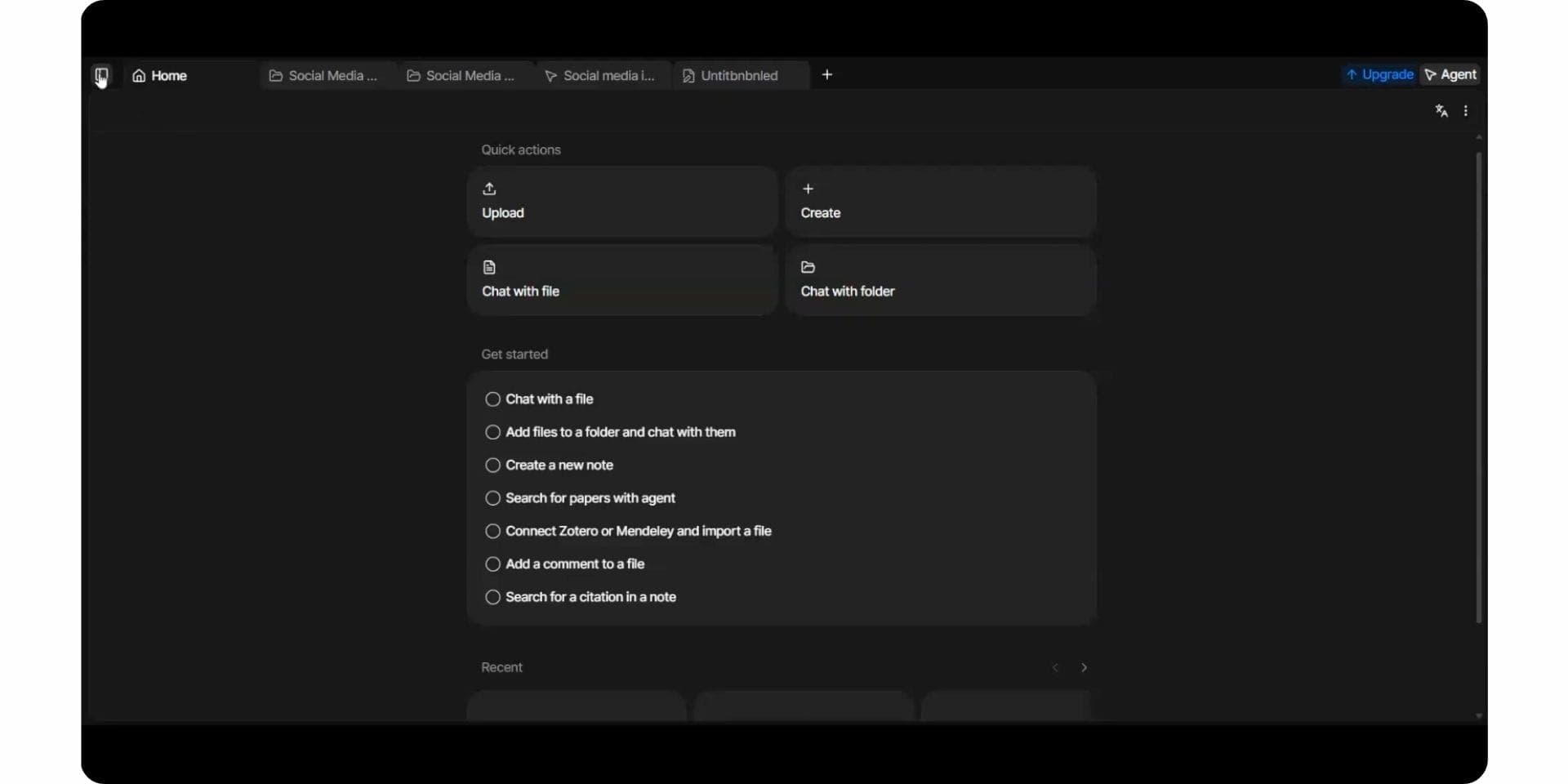
Anara, originally launched as Unriddle in 2023 and rebranded in 2025, is a multi-paper PDF chat and annotation platform built around a researcher's personal library of uploaded papers. Its Chat with Folder feature lets users query an uploaded set of PDFs together and receive passage-linked answers, with annotation, AI summaries, and a writing layer built into the document surface. Anara works in a similar shape to NotebookLM in that it grounds answers strictly inside the personal corpus rather than searching open literature, which is why it is one of the closest like-for-like NotebookLM alternatives for personal-corpus reading.
Key Features
- Multi-paper chat across an uploaded library.
- Annotation, highlights, and AI summaries.
- Research agent for follow-up questions.
- AI writing inside the document surface.
Pros
- Strong multi-paper Chat with Folder for personal corpora
- Closest like-for-like NotebookLM alternative for personal-corpus reading
- Annotation, highlights, and AI summaries inside the document surface
- Affordable Plus plan at $10/mo
Cons
- No academic search across peer-reviewed literature
- No NotebookLM-style Studio outputs (audio overviews, mind maps, flashcards)
- No structured literature review agent or systematic extraction tables
- Trustpilot reviews flag inconsistent document parsing on long files
Best For
Researchers who work primarily from a personal corpus of uploaded PDFs and want a clean deep-reading and annotation surface with multi-paper Chat with Folder.
Pricing
Free plan, Plus at $10/mo, Pro at $20/mo.
Verdict
Anara is the strongest like-for-like NotebookLM alternative for personal-corpus reading, with multi-paper Chat with Folder that often handles cross-paper synthesis better than NotebookLM. Researchers who need academic search, structured extraction, or a citation-styled draft alongside reading pick Paperguide because it pairs Anara-style multi-paper PDF chat with the full research workflow inside one workspace.
5. ResearchRabbit
ResearchRabbit is a discovery tool often called "the Spotify for research papers." Users seed the platform with a few key papers, and ResearchRabbit builds a visual citation network showing how the literature connects, then recommends similar work, prior work, and derivative work. The platform is widely used by PhD students entering a new field, where understanding the shape of a research area matters before committing to specific reading. NotebookLM cannot search the literature, so ResearchRabbit fills the discovery gap many NotebookLM users hit early.
Key Features
- Visual citation network maps from a seed paper set.
- "Similar Work" recommendations.
- Forward and backward citation discovery.
- Two-way Zotero integration.
- Author and collaborator tracking.
- Shared collections for co-author and supervisor review.
Pros
- Best-in-class visual citation network mapping from a seed paper set
- "Similar Work" and "Prior Works" recommendations for discovery
- Two-way Zotero integration with shared collections
- Free forever plan with no usage caps on the core graph workflow
Cons
- No Chat with PDF for uploaded papers
- No structured literature review workflow or custom-column extraction
- No AI Writer for document generation
- Reference management limited to collections, not a full library
Best For
PhD students entering a new field who need to map citation networks visually before committing to specific reading, often paired with NotebookLM for synthesis or Paperguide for the full workflow.
Pricing
Free forever plan, ResearchRabbit+ at $12.50/mo billed monthly.
Verdict
ResearchRabbit is the strongest visual discovery tool that pairs with NotebookLM, especially in the first week of a literature review when a researcher needs to see the shape of a field. For researchers who want discovery, synthesis, extraction, and writing in one workspace, Paperguide handles all four with academic search across 200M+ peer-reviewed papers.
6. Elicit
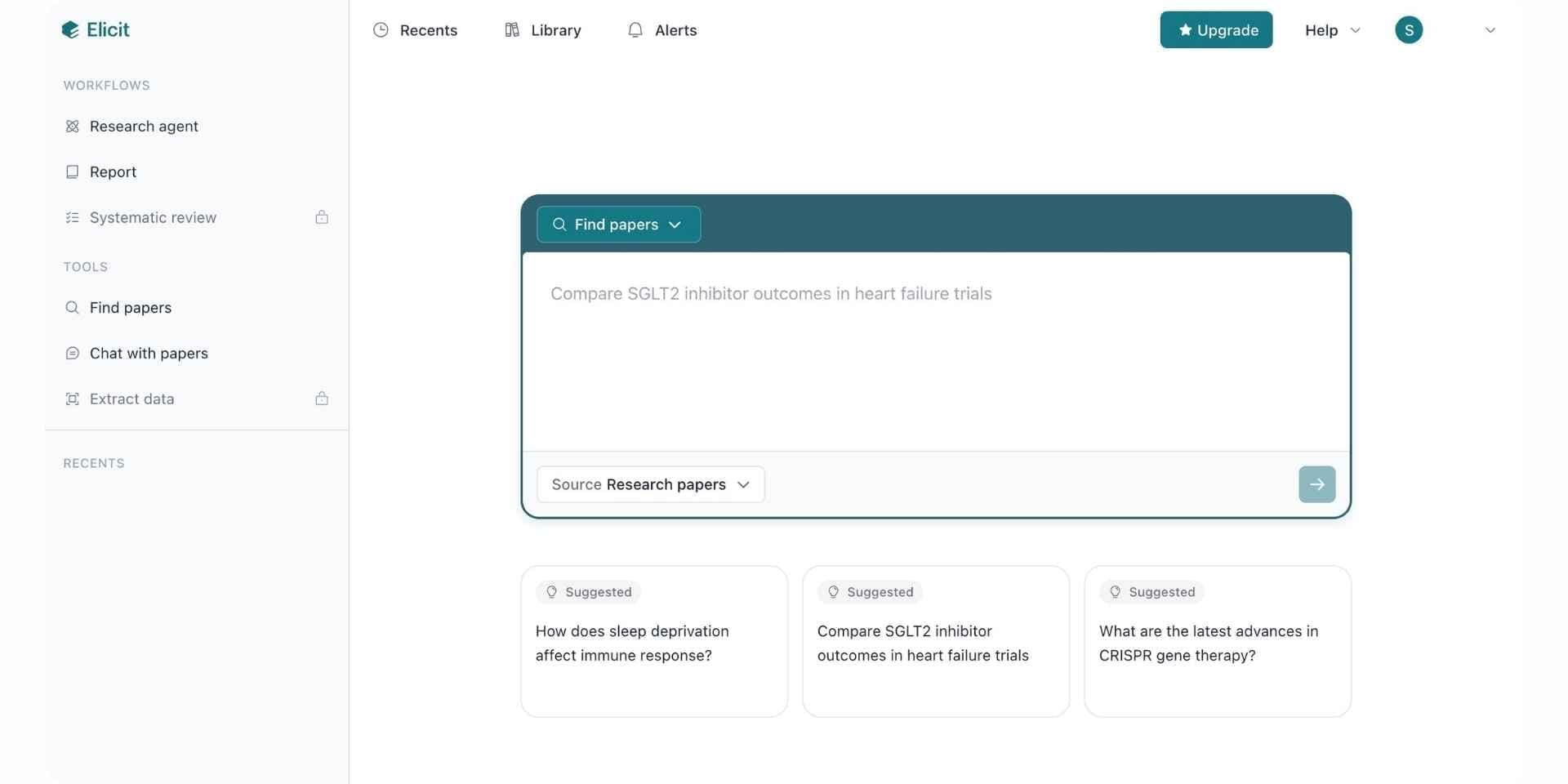
Elicit is an AI research tool built around large-scale systematic review screening, structured data extraction, and natural-language paper search across an index of 125M+ academic papers. The platform was originally developed for evidence-synthesis workflows and is widely used by systematic reviewers, evidence-based medicine teams, and research operations groups. Its core differentiator is screening volume: on Enterprise, Elicit handles up to 40,000 papers per workflow with inclusion and exclusion criteria.
Key Features
- Semantic search across 125M+ papers with quality-filter options.
- Custom-column data extraction (2 to 40 columns depending on plan).
- Systematic review workflow with pilot screening.
- API access on Pro and above for automated research operations.
- Zotero export.
Pros
- Strongest systematic-review screening at scale (up to 40,000 papers on Enterprise)
- Custom-column data extraction (2 to 40 columns depending on plan)
- API access on Pro and above for automated research operations
- Free Basic plan available
Cons
- No AI Writer and no native reference manager
- Search reproducibility flagged in a 2025 peer-reviewed evaluation
- Pro pricing at $49/mo is among the higher tiers in this category
- Monthly credits on lower plans burn through quickly
Best For
Systematic-review teams, evidence-based medicine groups, and research operations teams screening hundreds to thousands of papers with inclusion and exclusion criteria.
Pricing
Free Basic plan, Plus at $12/mo, Pro at $49/mo, Scale at $169/mo, Enterprise custom.
Verdict
Elicit is the right choice when systematic-review screening at scale is the primary need, with the strongest extraction depth in this guide. The walls are the steps around extraction. Paperguide pairs systematic extraction with writing and a reference manager inside the same workspace for end-to-end research.
7. Consensus
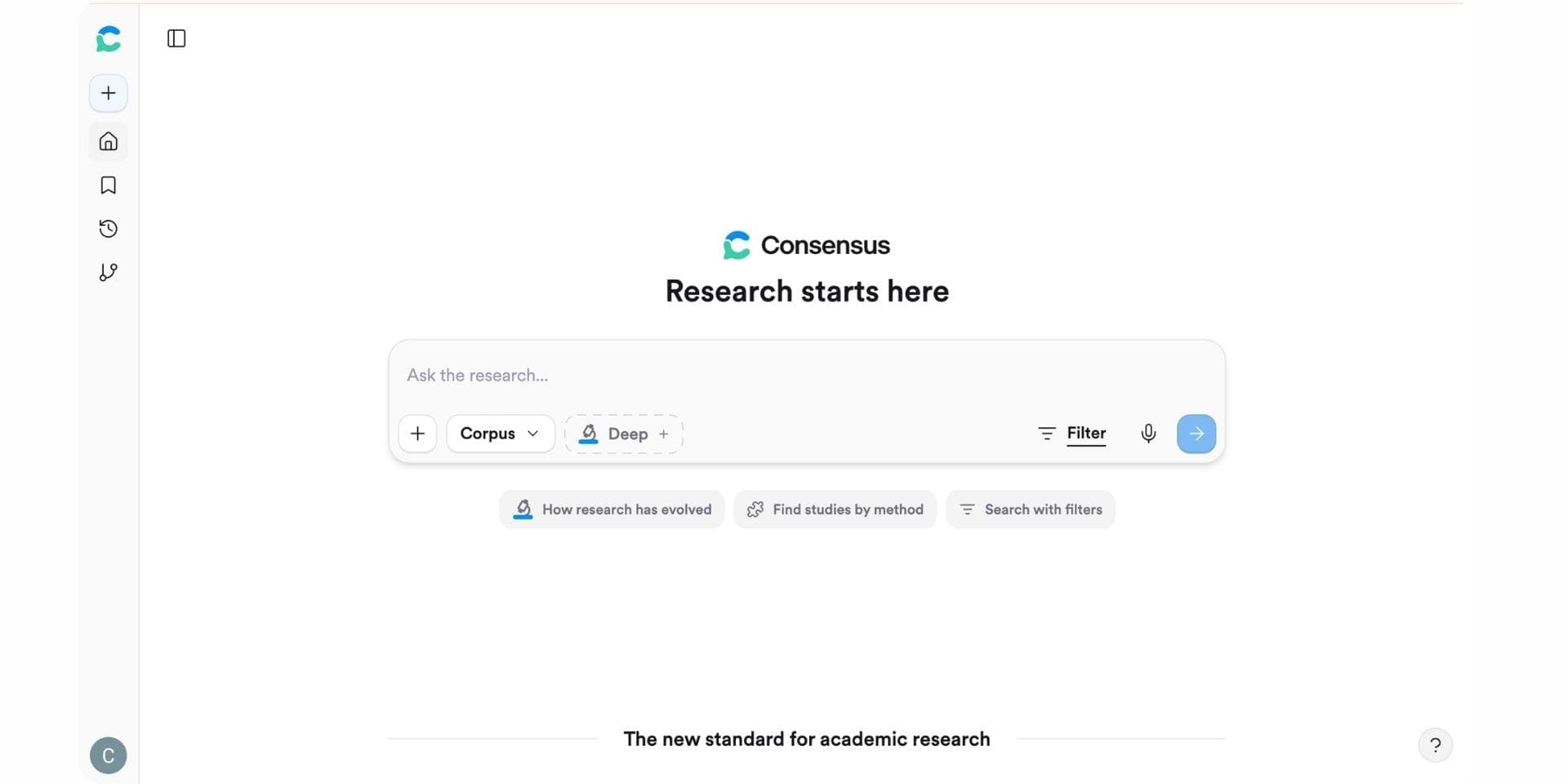
Consensus is an AI-powered research search engine launched in 2022 that answers natural-language questions using peer-reviewed papers and displays a consensus meter showing whether the literature supports, contradicts, or is split on a claim. The platform was built around fast first-pass evidence checks and indexes 200M+ peer-reviewed papers across most academic disciplines, with Citation Graph for visual paper discovery and Pro Search filters.
Key Features
- 200M+ peer-reviewed paper index with citation-backed synthesis.
- Consensus Meter on yes/no research questions.
- Pro Search filters for methodology, Q1-Q4 journal rank, citation count, and open access.
- Citation Graph for visual paper discovery.
- Deep Search for multi-source narrative synthesis.
Pros
- 200M+ peer-reviewed paper index with citation-backed synthesis
- Consensus Meter delivers directional evidence verdicts in seconds
- Pro Search filters by methodology, Q1-Q4 journal rank, citation count, open access
- Affordable Pro plan at $11.99/mo
Cons
- No AI Writer for full document generation
- No structured literature review workflow or custom-column extraction
- No native reference manager
- Consensus meter does not weight study design, sample size, or risk of bias
Best For
Researchers, clinicians, and journalists who need fast directional evidence verdicts on yes/no research questions, ideally as a triage layer before deeper synthesis in Paperguide.
Pricing
Free plan with 15 Pro messages and 3 Deep reviews per month, Pro at $11.99/mo, Deep at $45/mo.
Verdict
Consensus is excellent for fast, directional answers backed by real peer-reviewed papers, complementing NotebookLM's source-grounded synthesis with academic-literature discovery. Researchers who need extraction, writing, or a reference manager alongside evidence answers pick Paperguide for the unified workspace.
8. AnswerThis
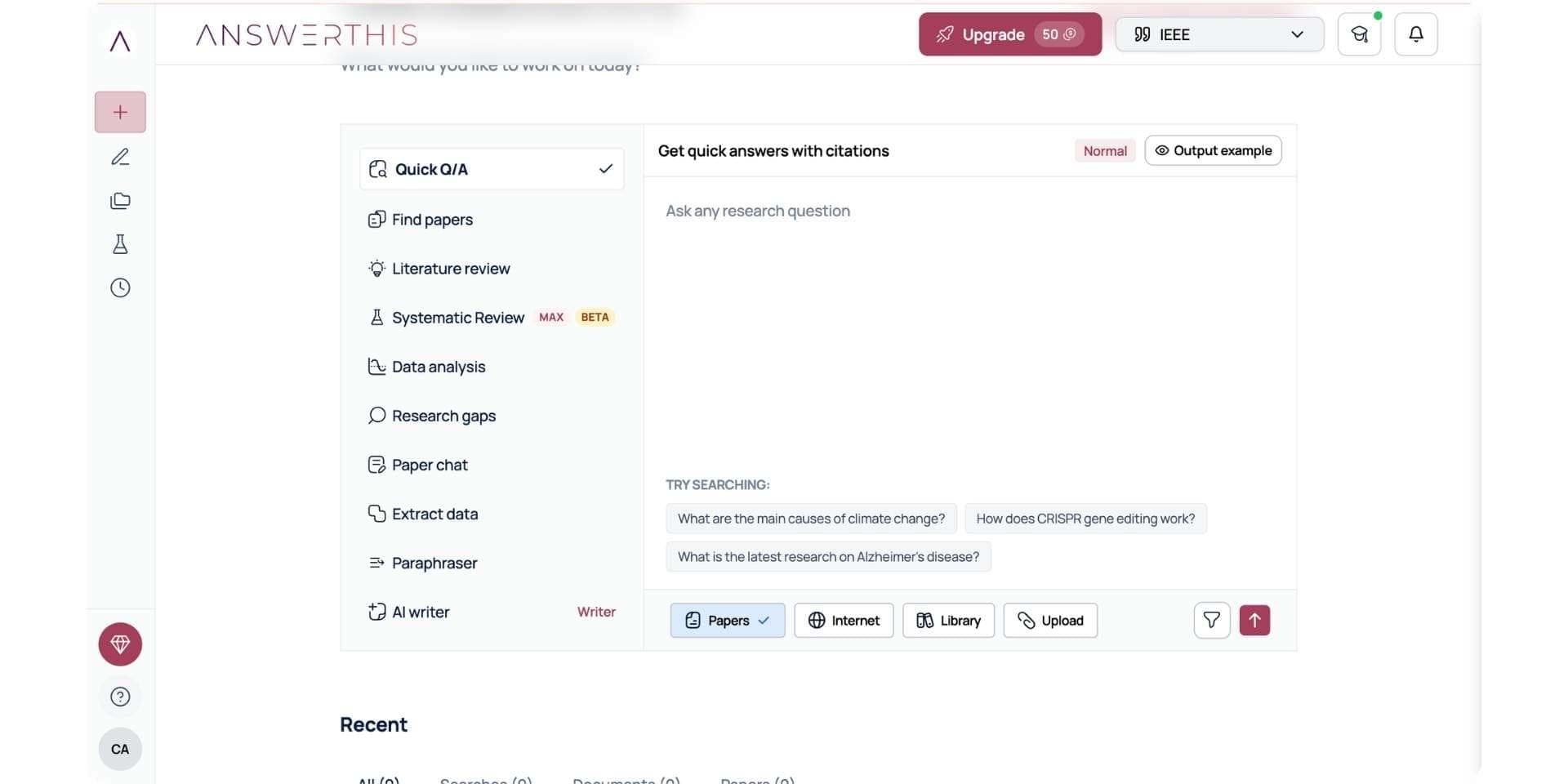
AnswerThis is a lightweight AI research tool launched in 2024 and built for fast, time-boxed literature reviews and research-gap analyses across an index of 200M+ academic papers. The platform is designed around the proposal stage of research, when speed matters more than depth and a researcher needs a quick scaffold of the literature before committing to a full review.
Key Features
- Search across 200M+ papers.
- Lit-review style outputs with inline citations.
- Research-gap analysis prompts.
- Basic AI Writer for short drafts.
Pros
- Fast, time-boxed lit reviews across 200M+ papers
- Gap-analysis prompts surface unexplored research areas
- Affordable entry tier at $9/mo
- Useful at the proposal stage for shaping a research question
Cons
- Output structure is fixed rather than configurable
- No custom-column data extraction
- No native reference manager
- AI Writer limited to short drafts only
Best For
First-year PhDs and master's students scoping a topic at the proposal stage who need a fast literature scaffold and gap analysis before committing to a full review.
Pricing
Free plan, paid tier from $9/mo.
Verdict
AnswerThis is a useful entry tool at the proposal stage and a faster lit-review scaffold than running everything through NotebookLM's chat. Researchers who later need full literature reviews, extraction, and writing graduate to Paperguide for the deeper workspace.
9. Scite
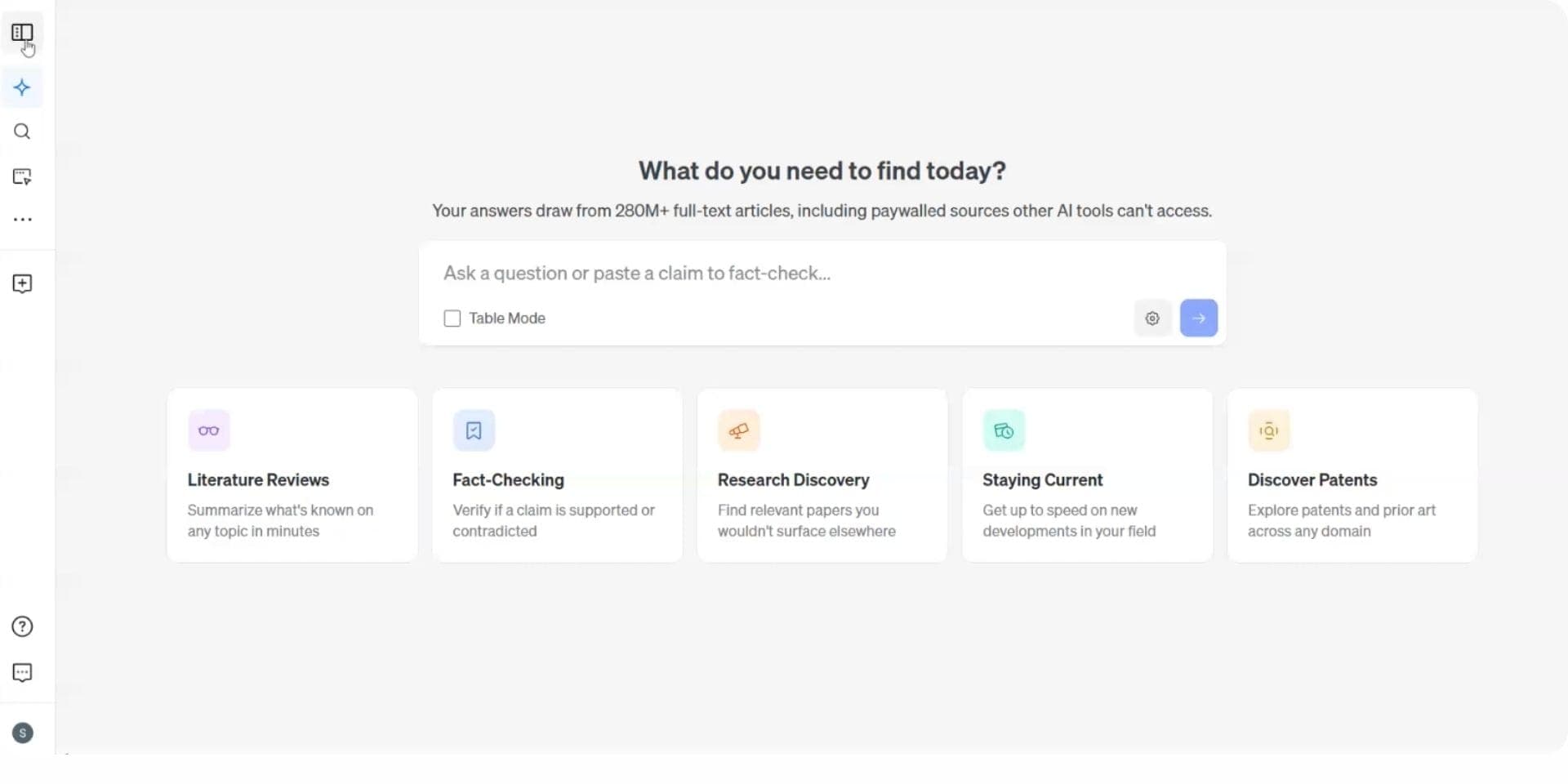
Scite is a citation intelligence platform launched in 2018 and one of the most respected tools in the academic research stack for citation auditing. Its Smart Citations classify how every paper is cited downstream as Supporting, Mentioning, or Contrasting, indexed across 1.2B+ citation statements pulled from full-text article PDFs. The browser extension brings citation badges directly into Google Scholar alternatives and PubMed search results.
Key Features
- Smart Citations classified as Supporting, Mentioning, Contrasting.
- 1.2B+ citation statements indexed.
- AI Assistant for citation-aware Q&A.
- Reference Check for bibliography auditing.
- Browser extension for Google Scholar and PubMed.
Pros
- Best-in-class citation classification (Supporting / Mentioning / Contrasting)
- 1.2B+ citation statements indexed from full-text article PDFs
- Reference Check audits bibliographies for retracted or disputed sources
- Browser extension surfaces citation badges on Google Scholar and PubMed
Cons
- No Chat with PDF for uploaded papers
- No structured literature review, custom-column extraction, or AI Writer
- No NotebookLM-style Studio outputs
- No free tier on core features ($20/mo Personal entry point)
Best For
Authors auditing bibliographies and citation evidence before journal submission, often used as a validation layer alongside Paperguide or NotebookLM.
Pricing
Limited free trial, Personal at $20/mo, Pro at $50/mo.
Verdict
Scite is best in class for citation validation but does not address what NotebookLM users come to NotebookLM for. The pragmatic stack is Paperguide as the research workspace, with Scite as a supplementary validation layer for specific claims before submission.
How to Choose the Best NotebookLM Alternative in 2026
Choosing the right NotebookLM alternative comes down to four questions, each tied to a different stage of the research workflow:
1. Do you need academic search across peer-reviewed literature?
Paperguide, SciSpace, Elicit, Consensus, ResearchRabbit, and AnswerThis search across large peer-reviewed paper databases. Recall combines personal-library AI chat with web content capture and knowledge management, but it is not designed as a dedicated academic search engine. Anara and Scite primarily work with uploaded sources, citation intelligence, or existing research libraries rather than broad open-literature discovery.
2. Do you need to write a citation-styled draft?
Only Paperguide includes a full writing surface, the AI Paper Writer, with 1,000+ citation styles, plagiarism and grammar checking, and agentic in-document chat. SciSpace, AnswerThis, and Anara include lighter writing surfaces. NotebookLM does not write.
3. Do you need NotebookLM-style Studio outputs (audio overviews, mind maps, flashcards)? No tool in this guide replicates the full Studio ecosystem. NotebookLM remains the best choice for that specific output set, often used alongside a research workspace like Paperguide.
4. Does ongoing source volume matter? NotebookLM caps at 50 free / 300 Pro sources. Paperguide, Elicit, and other workflow tools handle far higher volumes with structured workflows rather than notebook caps.
Free vs Paid NotebookLM Alternatives in 2026
NotebookLM's free tier is one of the most generous in this category. The table below shows what each free tier actually unlocks across alternatives.
| Tool | Free Plan Includes | Free Plan Limit |
|---|---|---|
| Paperguide | AI Search, Literature Review AI, Chat with PDF, AI Paper Writer, Reference Manager | 2,000 credits/mo |
| NotebookLM | Full Studio outputs, source-grounded chat | 50 sources/notebook, 50 chats/day |
| Recall | AI summaries, library-wide organization, knowledge graph, AI chat | Around 10 AI summaries/mo on free plan |
| ResearchRabbit | Full discovery, Zotero sync, collections | Free forever |
| Consensus | Pro Search, Deep reviews | 15 Pro messages, 3 Deep reviews/mo |
| Elicit | Search, basic extraction, basic reports | 2 extraction columns, 2 reports/mo |
| SciSpace | Chat with PDF, basic lit review | Limited credits |
| AnswerThis | Basic lit reviews | Limited generations |
| Anara | Basic Chat with Folder | Limited uploads |
| Scite | 7-day free trial only | No permanent free tier on core features |
Paperguide and NotebookLM together cover most free-tier workflows. Paperguide handles research and writing; NotebookLM handles Studio outputs.
Best NotebookLM Alternative for PhD Students and Graduate Researchers
For PhDs and graduate students, the decision comes down to workflow depth, budget, and student discount. Paperguide leads on all three. It covers the full thesis workflow (discovery, lit review, extraction, writing, references), Plus is $12 per seat per month and Pro is $29 per seat per month, both billed annually, and the 30% academic discount applies with a valid university email. NotebookLM through Google AI Plus is $7.99/mo but caps at 100 sources and offers no academic search or AI Paper Writer.
The combination most graduate researchers settle on is Paperguide as the research backbone with NotebookLM for study material generation when audio overviews, flashcards, or slide decks are needed for teaching or revision. For systematic-review-heavy programs, pair Elicit's screening with Paperguide's writing layer.
Why Researchers in 2026 Are Shifting to Paperguide
Paperguide is overall the best AI platform for scientific research in 2026, and its Research Agent ranks among the top AI research assistants for scientific research. It replaces NotebookLM for researchers who need a connected end-to-end workflow rather than a synthesis-only notebook, pairing the best AI Paper Writer in 2026 with the best AI Reference Manager, the structured Literature Review AI, and verified citations on every claim inside one workspace. The platform also ranks among the leading AI tools for academic writing by carrying the workflow from search all the way to a finished, citation-styled draft.
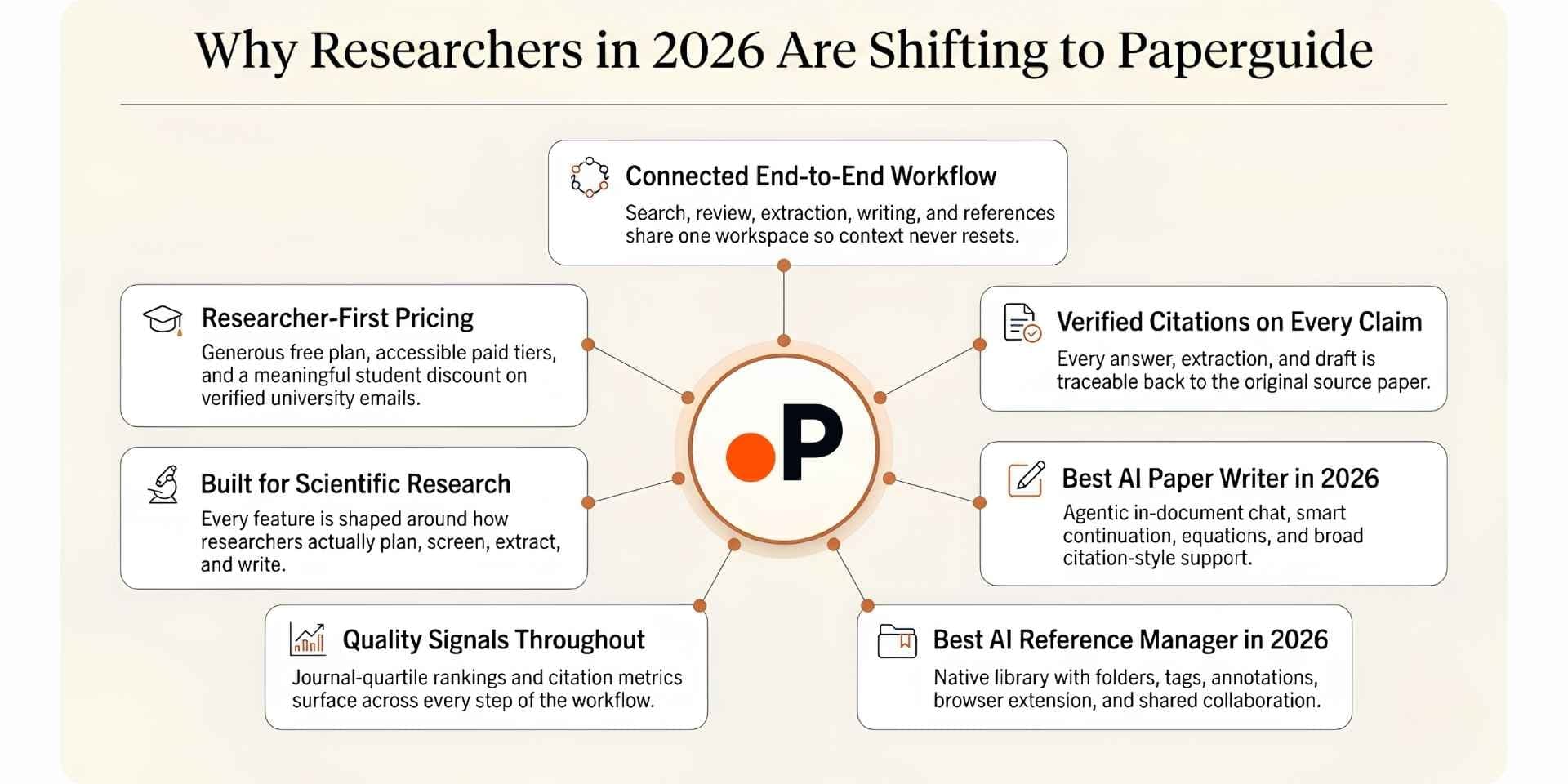
The shift from NotebookLM to Paperguide in 2026 is driven by seven reasons:
1. End-to-end workflow in one workspace. AI Search, Literature Review AI, Extract Data, Reference Manager, AI Paper Writer, Chat with PDF, and Deep Research Report share one connected workspace, so research context never resets between steps.
2. Academic search across 200M+ peer-reviewed papers. NotebookLM cannot search the literature. Paperguide does, drawing from PubMed, arXiv, OpenAlex, and Semantic Scholar with SJR and SNIP signals visible inline.
3. The best AI Paper Writer in 2026. Rebuilt this release with agentic in-document chat, Smart Continue, Math blocks (KaTeX), inline equations, Word import, 1,000+ citation styles, plagiarism and grammar checking. NotebookLM has no writer.
4. The best AI Reference Manager in 2026. Native, with folders, tags, annotations, AI summaries, BibTeX, RIS, DOI, and Zotero imports, a Chrome extension, shared library collaboration, and 1,000+ citation styles. NotebookLM has no reference manager.
5. Structured Literature Review with quality screening. Extended Mode screens 200 papers and synthesizes the top 50 with SJR, SNIP, and citation metric filtering. NotebookLM has no structured review workflow.
6. Custom-column Extract Data tables across up to 100 papers. Source-linked, exportable to CSV and Excel, with reusable templates. NotebookLM offers auto-generated tables but no custom-column control.
7. Pricing and student discount. Free plan with 2,000 AI credits per month, Plus at $12 per seat per month and Pro at $29 per seat per month, both billed annually. The 30% academic discount applies with a valid university email. NotebookLM through Google AI Plus is $7.99/mo but caps at 100 sources and offers a narrower workflow.
| Reason | What It Looks Like in Paperguide |
|---|---|
| End-to-end workflow | AI Search → Lit Review → Extract Data → AI Paper Writer all connected |
| Academic search across 200M+ papers | PubMed, arXiv, OpenAlex, Semantic Scholar integrated |
| Best AI Paper Writer 2026 | Agentic chat, Smart Continue, math blocks, Word import, 1,000+ styles |
| Best AI Reference Manager | Native library, Zotero import, Chrome extension, collaboration |
| Quality signals | SJR, SNIP, citation metrics visible throughout |
| Structured Lit Review | Screens 200 papers, synthesizes 50 with verified citations |
| Pricing | Free 2,000 credits/mo, Plus $12/mo, Pro $29/mo (billed annually) |
| Student discount | 30% off with a valid university email |
Final Verdict
NotebookLM works exceptionally well at one thing: synthesizing a curated source set you already trust and turning it into formats that help you learn or present the material. The Audio Overview, Video Overview, Mind Map, Flashcards, Quiz, Slide Deck, and Infographic Studio outputs are unmatched in this category. For students preparing exam revision material, researchers turning a paper set into a podcast for commuting, or educators building study guides for a class, NotebookLM remains the right tool.
Researchers who stay on NotebookLM long enough for serious academic work usually hit the same three walls. The first is no academic search across peer-reviewed literature, which means discovery has to happen in a separate tool every time. The second is no structured literature review agent, no custom-column data extraction, no AI Writer that ships a citation-styled draft, and no full reference manager, all of which thesis chapters and systematic reviews depend on. The third is source caps that bite quickly, with Reddit threads describing the Plus tier as "getting burned" once volume scales up. For active research workflows rather than learning workflows, NotebookLM is incomplete by design.
Paperguide is the only alternative here that closes all three walls inside a single workspace. It pairs the best AI Paper Writer in 2026 with the best AI Reference Manager, academic search across 200M+ peer-reviewed papers from PubMed, arXiv, OpenAlex, and Semantic Scholar, Literature Review AI that screens up to 200 papers and synthesizes the top 50, custom-column Extract Data, verified citations on every claim, and SJR and SNIP quality signals throughout the workflow. The pragmatic stack most active researchers settle on in 2026 is Paperguide as the research backbone, with NotebookLM kept alongside for Studio outputs like audio overviews and flashcards when teaching or revision material is needed.
Frequently Asked Questions
Is there a free NotebookLM alternative?
Yes. Paperguide, SciSpace, Recall, Anara, ResearchRabbit, Elicit, Consensus, and AnswerThis all offer free plans. Recall's free tier is useful for lightweight AI knowledge management and summaries, while ResearchRabbit remains one of the best free discovery tools for citation mapping. Paperguide's free plan is still the most complete overall, covering academic search, Literature Review AI, Chat with PDF, AI Paper Writer, and the Reference Manager with 2,000 monthly credits.
What is the best NotebookLM alternative for academic research?
Paperguide. NotebookLM cannot search the academic literature; Paperguide adds academic search across 200M+ peer-reviewed papers, the structured Literature Review AI of up to 200 screened papers, custom-column extraction, and the AI Paper Writer with auto-citations on top of NotebookLM-style synthesis.
Can NotebookLM search the web for papers?
No. NotebookLM only synthesizes sources you upload. To find new peer-reviewed papers, use a tool with academic search built in, like Paperguide, Consensus, Elicit, or AnswerThis.
What is the best NotebookLM alternative for students?
Paperguide, especially with the 30% academic discount. NotebookLM works well alongside Paperguide for study material generation (audio overviews, flashcards, quizzes).
How is Paperguide different from NotebookLM?
NotebookLM synthesizes a fixed set of uploaded sources. Paperguide adds academic search across 200M+ papers, the 5-step Literature Review AI, custom-column Extract Data, the AI Paper Writer with 1,000+ citation styles, and a native reference manager, all with verified citations on every claim and PRISMA-aligned workflow control.
Can I upload my own PDFs to Paperguide like NotebookLM?
Yes. Paperguide accepts PDF uploads, BibTeX, and RIS, and integrates with Zotero and Mendeley.
Which NotebookLM alternative has the best Studio-style outputs?
No tool in this guide replicates NotebookLM's full Studio (audio overviews, video overviews, mind maps, flashcards, quizzes, slide decks, infographics). NotebookLM remains the best choice for that specific output set and pairs well alongside a research workspace.
Related Reading
If NotebookLM is part of your study or research stack, a few of our other guides build directly on this comparison.
For the wider category landscape, our review of the best AI research assistant tools maps every major platform researchers are using in 2026, and our roundup of AI tools to chat with PDF is the best starting point if NotebookLM's source-grounded chat is the main feature you rely on.
For head-to-head detail, the Paperguide vs NotebookLM deep dive walks through every workflow side by side. Focused comparisons cover SciSpace vs NotebookLM, Elicit vs NotebookLM, Consensus vs NotebookLM, AnswerThis vs NotebookLM, Anara vs NotebookLM, and Scite vs NotebookLM for capability-by-capability differences.
For researchers running formal reviews and meta-analyses, our analysis of AI tools for meta analysis covers the deeper workflow NotebookLM does not attempt.
Researching a topic?
Find papers and get cited answers
Search the literature, find gaps and write with citations.
Start for freeNo credit card required