9 Best AI Tools for Research in 2026 (Free & Paid)

Not long ago, research meant hours of sifting through websites, academic databases, or physical books. Often with little guarantee of finding exactly what you needed. In 2026, AI tools for research have completely reshaped that experience. From real-time search engines and literature review assistants to AI tools for research paper writing and citation generators, AI now plays a central role in how research students and scholars explore and produce knowledge.
Whether you're a student writing a research paper, a scholar conducting a literature review, or a content creator diving into a new topic, there are AI research tools that can help streamline your workflow. You can search smarter, get citation-backed answers, brainstorm ideas, outline arguments, and even manage references without switching between multiple platforms.
In this guide, we’ll explore the best AI tools for research work in 2026. These platforms cover a range of academic and content creation needs, from free AI tools for research paper summaries to generating high-quality, citation-supported writing. Whether you're looking to boost productivity or complete academic projects more efficiently, these AI tools will help you work faster, write smarter, and study better.
We included tools only if they clearly support at least one core research workflow: literature discovery, PDF understanding, citation-backed answers, or academic writing. We also noted which tools are genuinely useful on the free plan, since many features sit behind paywalls.
TL;DR
- Paperguide is the top choice in 2026 for end-to-end academic research and writing, covering literature discovery, PDF chat, writing, and citation management on one platform.
- Semantic Scholar is one of the best free academic search engines, with AI summaries and citation graphs, while Elicit suits systematic reviews and data-heavy projects.
- Perplexity is best for fast, citation-backed web research, and Consensus for quick research-backed answers to specific claims.
- Scite shows whether citations support, contradict, or merely mention a claim.
- ChatGPT and Paperpal are best for drafting and editing alongside a dedicated citation tool, while SciSpace and Scholarcy suit interactive reading and quick summaries.
What Is AI-Powered Research?
AI-powered research is the process of using AI tools for research to support and streamline various stages of the research workflow, from discovery and analysis to research paper writing and citation. These tools are built on large language models and other advanced algorithms that can understand context, summarize content, generate text, and assist with both academic and professional research tasks. Rather than replacing human thinking, they serve as AI tools for productivity by handling repetitive and time-consuming processes.
Whether you're preparing a research paper, reviewing literature, summarizing findings, or managing citations, AI research tools can reduce manual effort and improve accuracy. They allow users to focus more on critical thinking, creativity, and communication. These tools have become essential for research students, research scholars, and knowledge professionals who want to work more efficiently and effectively.
What are the best AI tools for research in 2026?
The best AI tools for research in 2026 include Paperguide, Perplexity, Semantic Scholar, Elicit, Consensus, Scite, ChatGPT, Paperpal, and SciSpace. They help with literature review, PDF Q&A, citation-backed answers, and faster academic writing.
Types of AI Research Tools Based on Functionality
| Type | Description |
|---|---|
| Literature Review & Topic Discovery | Tools that help researchers find relevant academic papers, articles, and sources. |
| Research Paper Writing | Tools that assist in drafting, editing, and refining research papers and academic content. |
| Summarization & Insight Extraction | AI tools that help summarize long articles or papers and extract key insights for faster analysis. |
| Citation & Reference Management | Tools focused on organizing references, managing citations, and ensuring correct formatting. |
| All-in-One AI Research Assistants | Comprehensive tools that cover every aspect of the research workflow: search, writing, citation, and summarization. |
AI research tools can be categorized based on their core functionality, and each category plays a critical role in simplifying different stages of the research process.
Quick Comparison of Best AI Research Tools in 2026
| Tool | Best For | Key Features | Free Plan | Paid Plan |
|---|---|---|---|---|
| Paperguide | End-to-end academic research and writing | AI Paper Writer, Literature Review AI, AI Reference Manager, Summarization, Citation Generation, Deep Research Report | ✅ | $12 to $89 per seat/month, billed annually |
| Perplexity | Fast web research + cited sources | Web search, source-backed answers, Copilot | ✅ | $20+/month |
| Semantic Scholar | Find papers + citation graph + TL;DR | AI-powered summaries, citation graph, topic filters | ✅ | Free |
| Elicit | Research question answering & reviews | Data extraction, literature Q&A, PDF upload | ✅ | $12 to $42/month |
| Consensus | Research-backed evidence and insights | Claim-based answers, research snapshots | ✅ | $12/month |
| Scite | Check if citations support/contradict a claim | Smart citations, citation classification, research assistant | ❌ | $12/month |
| ChatGPT | Outlines, rewriting, explanations (pair with citation tools) | GPT-5, multi-step reasoning, writing support | ✅ | $20/month (Plus) |
| Paperpal | Academic writing refinement | Grammar checking, coherence improvement, paraphrasing | ✅ | $10+/month |
| SciSpace | Collaborative research writing | Summarizing PDFs, AI-powered writing, citation management | ✅ | $12+/month |
Best AI Tools for Literature Review and Topic Discovery
These AI tools transform the process of conducting literature reviews and discovering relevant papers. Whether you're conducting a comprehensive review or quickly exploring a topic, tools like Paperguide offer end-to-end support for literature discovery, summarization, and citation management. By automating tedious tasks, these tools help you focus on the key findings and insights, improving the efficiency and accuracy of your research.
Best AI Tools for Literature Review in 2026
| Tool | Key Features | Best For |
|---|---|---|
| Paperguide | AI Search, Deep Research, AI Paper Writer, Summaries, Citation management | Comprehensive literature review |
| Scispace | Copilot for reading, Thematic analysis, Literature summarization, Custom templates | Academic reading and organizing research |
| Semantic Scholar | AI-generated summaries, Citation graph | Academic paper discovery |
| Elicit | Research question answering, Data extraction | Systematic reviews and insights |
1. Paperguide
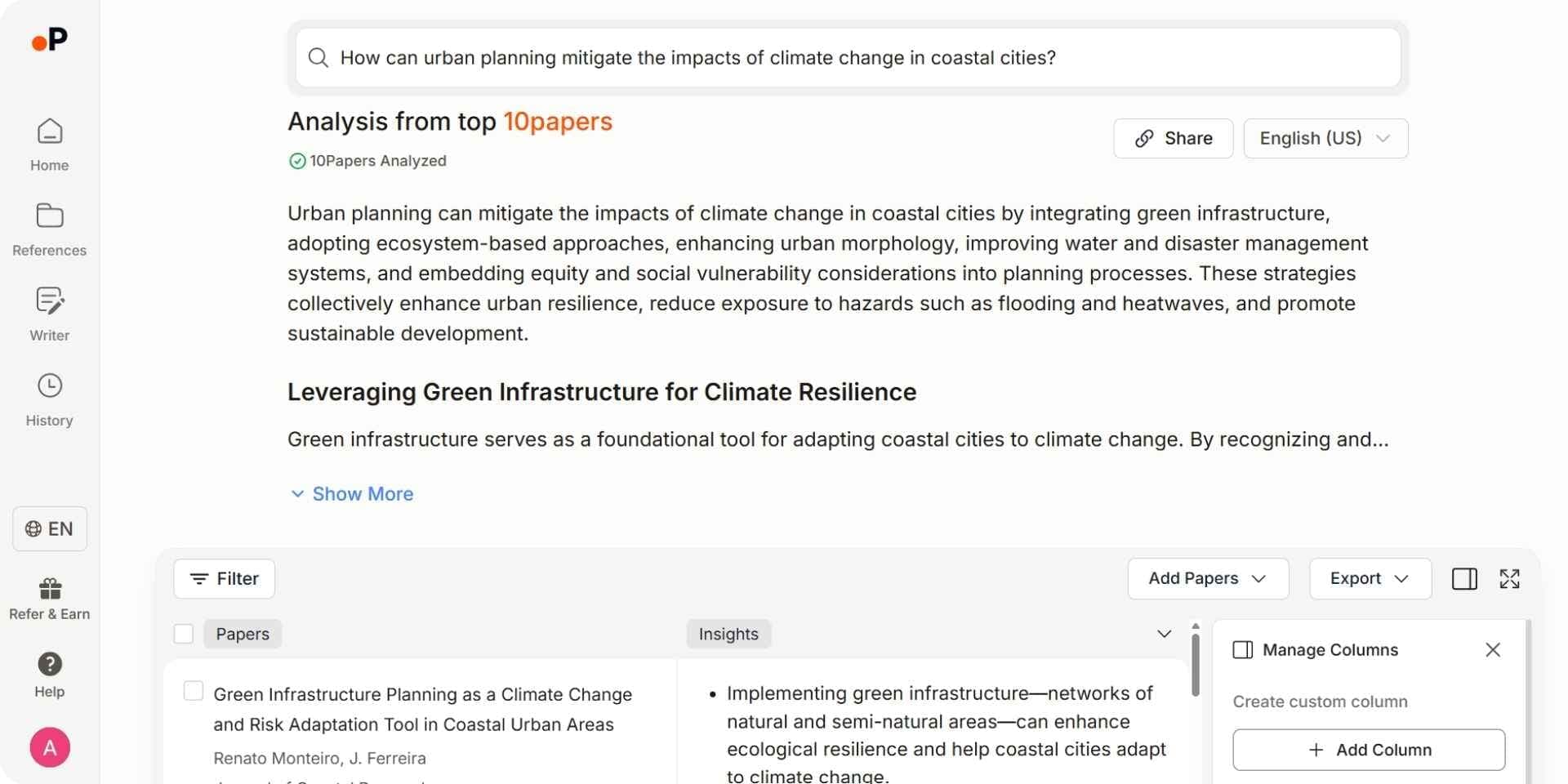
Paperguide is an AI-native platform for scientific research workflows and systematic reviews, with a Research Agent designed to support every stage of the academic research process, from literature review and data extraction to writing and citation management. It combines features like Literature Review AI, AI Search, Deep Research Report, AI Paper Writer, and Extract Data into a single, integrated platform. With its semantic search capabilities, Paperguide understands full research questions and retrieves the most relevant papers, making it ideal for literature review automation and comprehensive academic research.
Key Features
- Research Agent: Runs a multi-step investigation across 200M+ papers and your library in one connected session: it finds papers, screens them against criteria, compares findings across studies, identifies research gaps, extracts data and generates drafts. It can also plan a search strategy and draft screening or extraction plans, and every answer is cited to the sentence.
- AI Search: Paperguide’s hybrid semantic and keyword search understands full research questions and synthesizes a citation-backed answer from the top 20 of over 200 million peer-reviewed papers. It focuses on extracting insights, not just keyword matches. The same search also works inside Claude or ChatGPT through Paperguide MCP.
- Literature Review AI: Runs the full Plan, Search, Screen, Extract, Synthesize sequence from one research question, on up to 50 papers in Standard mode or 200 in Extended mode, with every claim cited and linked to a source paper.
- Deep Research Report: Follows a structured pipeline much like a systematic review: it plans the research from your question, searches semantically, screens for relevance and quality, extracts and analyzes, then delivers a fully cited report that flags research gaps, with you in control at each stage.
- AI Paper Writer: Helps draft and refine academic text using your imported references as context. It can generate entire paper sections with proper citations, making Paperguide one of the best AI research paper writing tools available.
- AI Reference Manager: Import references (BibTeX, DOI, etc.), organize them into libraries, and get AI-generated summaries for each. Integrates with external tools like Zotero to simplify citation and bibliography work.
- Chat with PDF: Upload a PDF and interact with it by asking questions about the paper. Answers are supported with direct quotes from the original document for accuracy and transparency.
- Extract Data: Automatically extracts key data such as sample sizes, methods, and reported results from multiple papers, with every value cited to the exact sentence it came from. Ideal for comparing study results quickly in a structured format.
- Systematic Review: Runs protocol-driven systematic reviews with dual-review blind screening or AI screening confirmed by a named verifier, and generates the PRISMA diagram from actual review counts.
Pros
- Comprehensive research and writing platform covering search, review, writing, and citations.
- Automates systematic reviews and literature summaries.
- User-friendly interface with advanced AI search and citation tools.
Cons
- Advanced features are locked behind paid plans.
- Some tools (like Deep Research) have a moderate learning curve.
Best For
- Researchers, students, and scholars who need an integrated platform for literature review, summarization, data extraction, reference management, paper writing, and report generation.
Pricing
Free plan available with 2,000 AI credits a month. Paid plans run from Plus at $12 per seat per month, billed annually ($144 a year), to Pro at $29 ($348 a year) and Evidence Teams at $89 ($1,068 a year).
Final Verdict
Paperguide combines advanced semantic search, automated literature review, and AI-powered writing in one intuitive platform. Its ability to streamline every stage of academic research makes it one of the best AI tools for scientific research in 2026.
2. Scispace
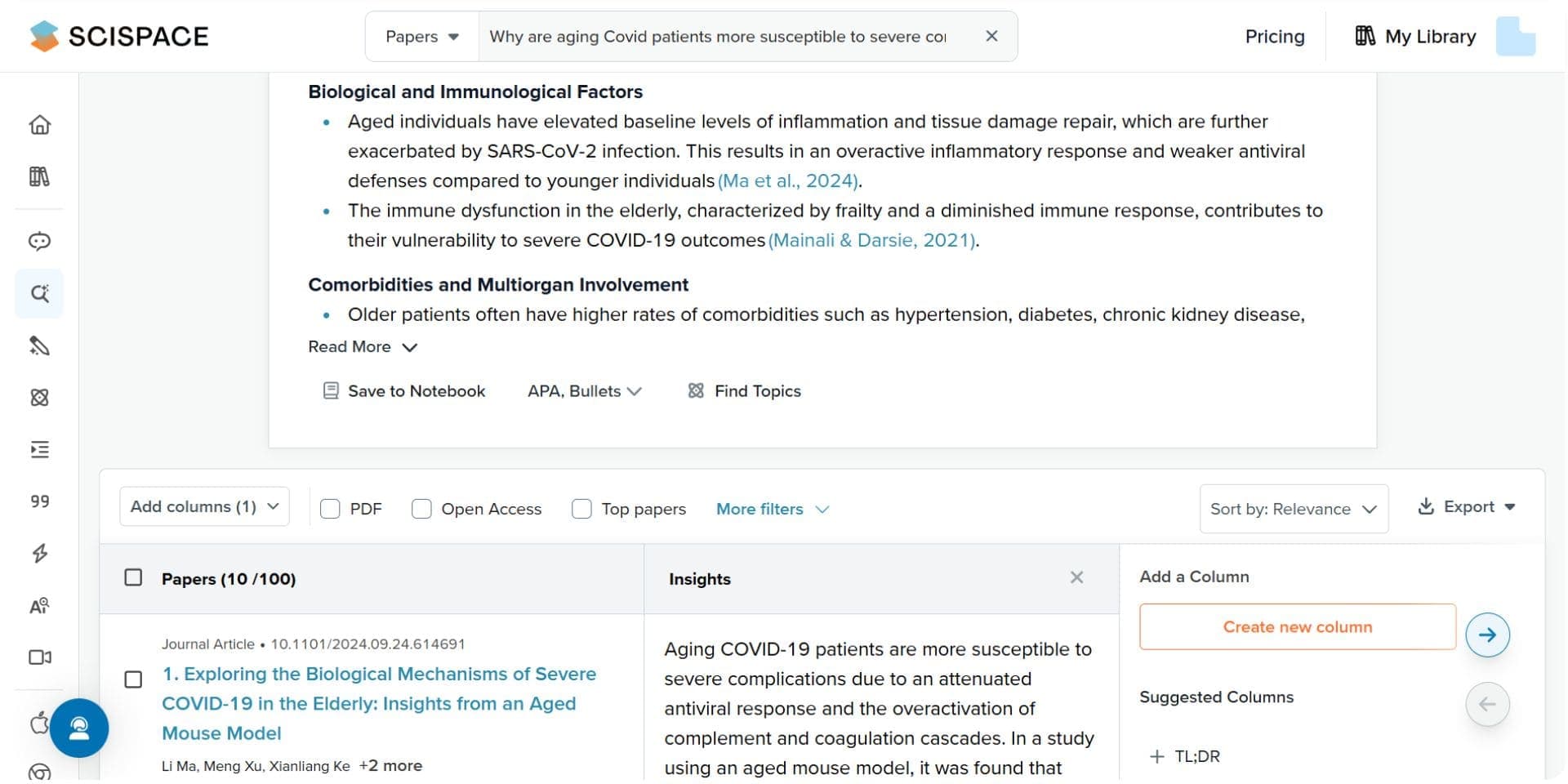
Scispace is a smart AI research platform that helps streamline the academic reading and literature review process. It combines tools like AI-powered summarization, PDF question answering, thematic analysis, and customizable templates, making it easier for researchers to understand, organize, and compare academic content. With its Copilot feature and structured review capabilities, Scispace helps users synthesize research quickly and focus on insight generation, not manual work.
Key Features
- AI Copilot (Chat with PDF): Lets users ask natural language questions about any uploaded research paper. Scispace responds with cited answers and direct text highlights from the document, helping users grasp complex content faster.
- AI Literature Review: Enables users to summarize and compare multiple academic papers. It identifies research questions, methods, and findings, ideal for building structured literature tables.
- Thematic Analysis: Automatically detects recurring patterns, ideas, and themes across selected papers to support more meaningful research synthesis.
- Customizable Templates: Researchers can build and reuse literature review templates based on their discipline or study design, enhancing consistency and structure.
- Automatic Study Categorization: Scispace groups and tags related papers by research topic or relevance, helping users organize and prioritize reading.
- AI Search Integration: Offers relevant paper suggestions and related content based on uploaded PDFs or user queries, assisting in deeper exploration of a topic.
- Collaboration Tools: Multiple users can annotate, review, and summarize papers together in real time which is ideal for teams or lab groups.
- Export Options: Synthesized content and review summaries can be exported in structured formats, ready for academic documentation or meta-analysis support.
Pros
- Powerful PDF understanding through Copilot with source citations
- Thematic review and structured comparison tools streamline literature work
- Custom templates and paper categorization save time and improve clarity
- Smooth real-time collaboration, ideal for teams or co-authored projects
- Clean, intuitive interface tailored for academic workflows
Cons
- Deep Review model and advanced synthesis are only in the top-tier plan
- Free plan is limited in uploads and summarization features
- Lacks systematic review automation like screening or full data extraction
Best For
- Academic researchers, graduate students, and lab teams doing literature reviews
- Scholars seeking quick comprehension of dense PDFs
- Researchers who want thematic synthesis and collaborative review tools
Pricing
- Basic Plan: Free
- Limited Copilot chats, standard AI model access, basic search
- Premium Plan: $20/month
- Unlimited Copilot usage, advanced summaries, AI writer access
- Advanced Plan: $90/month
- Includes Deep Review, advanced thematic synthesis, and priority support
Final Verdict
Scispace excels as a powerful academic reading and literature review tool. With features like Copilot, thematic analysis, and custom templates, it offers both structure and flexibility for researchers working with large volumes of papers. While it doesn’t automate full systematic reviews, its AI-driven approach helps users quickly digest and organize research insights making it one of the best AI tools for literature review and academic synthesis in 2026.
However, access to the most advanced features, including Deep Review, is locked behind the $90/month Advanced Plan, which may be cost-prohibitive for some individual users or students.
3. Semantic Scholar
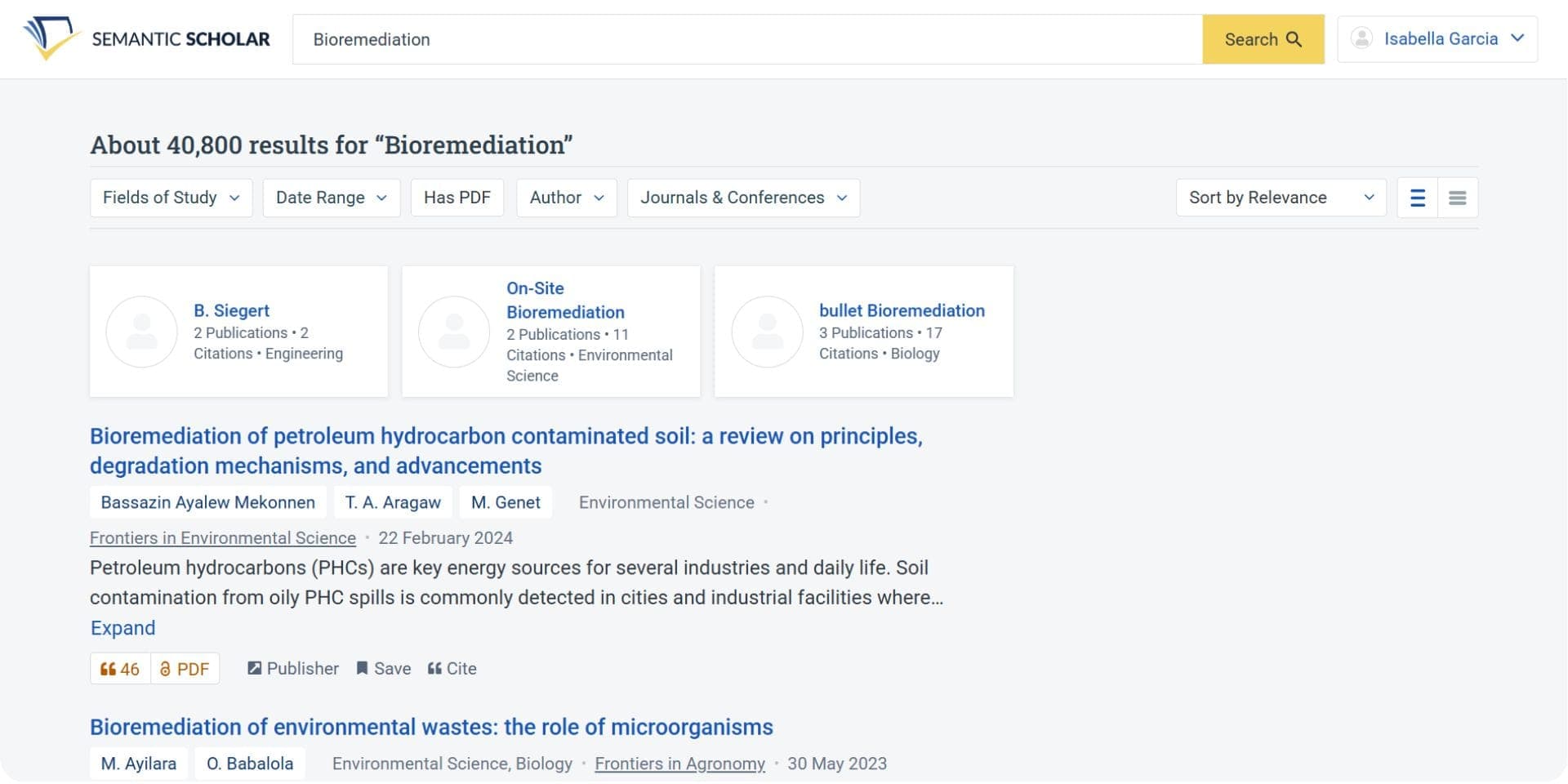
Semantic Scholar is an AI-powered academic search engine that helps researchers explore scholarly literature through smart summaries, topic filtering, and citation graphs. Its intuitive interface makes it easy to identify key studies, track influential authors, and visualize how research papers are connected. To map a whole field rather than one paper, dedicated citation network visualization tools go further.
Key Features
- AI-Generated Summaries: Offers quick summaries of academic papers to help researchers grasp the core insights without reading the full text.
- Citation Graph: Visualizes the citation network of a paper, showing how research is connected and which studies are foundational.
- Topic Filtering: Allows users to filter results by field, topic, or sub-discipline for more focused searches.
- Author and Publication Tracking: Follow specific researchers or journals to stay updated on new work.
Pros
- Comprehensive and easy-to-use academic search engine.
- Visual citation graphs make it easier to understand research impact.
- Summaries save time when scanning multiple papers.
- Free and openly accessible to all users.
Cons
- Limited to academic sources: not ideal for broader or interdisciplinary queries that span news, blogs, or grey literature.
- Some users may find the filtering and sorting options less advanced than other platforms.
Best For
Researchers who need a clean, efficient tool for academic paper discovery, citation tracking, and literature exploration. Particularly useful for identifying foundational studies and analyzing how research fields evolve.
Pricing
Completely free to use.
Final Verdict
Semantic Scholar is one of the best free academic search engines available, especially for those focused on citation networks, influential studies, and academic discovery. Its AI-driven summaries and visual citation mapping make literature exploration faster and more insightful.
4. Elicit
Elicit streamlines literature reviews and data extraction by using AI to synthesize insights from a vast database of academic papers. It enables researchers to automate systematic reviews, extract key findings, and organize research workflows efficiently. While it doesn’t offer end-to-end review automation like some tools, its flexibility and precision make it highly valuable for data-driven academic projects.
Key Features
- Literature Q&A: Ask research questions and get structured answers pulled directly from relevant academic papers.
- Automated Data Extraction: Extracts key variables (e.g., sample sizes, methods, results) from multiple sources into usable formats.
- Custom Workflows: Tailor your research process with drag-and-drop columns, filters, and structured evidence tables.
- PDF Upload and Analysis: Upload your own papers and extract structured insights using AI, ideal for integrating outside sources into your review.
- Summarization and Comparison: Quickly compare how different studies answer the same question or report on similar variables.
Pros
- Fast, structured data extraction across multiple studies.
- Tailored for systematic reviews and evidence synthesis.
- Customizable templates and intuitive interface.
Cons
- Most powerful features are locked behind paid plans.
- Less helpful for exploratory or non-academic research queries.
Best For
- Researchers and students conducting systematic reviews, meta-analyses, and comparative academic research.
- Scholars who need to organize, extract, and compare quantitative findings from multiple papers.
Pricing
Free plan available. Paid plans start from $12/month and go up to $42/month depending on features and usage needs.
Final Verdict
Elicit is a useful AI tool for researchers conducting systematic reviews and data-heavy academic projects. It simplifies literature Q&A, comparative analysis, and structured evidence synthesis. However, it lacks deeper writing assistance, full automation for end-to-end systematic reviews, and broader integration options like direct citation management or reference exports in all formats. It’s best used alongside other tools when preparing a full research paper.
Best AI Tools for Research Paper Writing
AI tools for research paper writing simplify the creation of high-quality academic content. These tools assist with drafting, editing, summarizing, and citation management, helping you save time while improving clarity, structure, and accuracy. Whether you're starting from scratch or polishing a final draft, these AI tools streamline the writing process and boost productivity.
Best AI Paper Writing Tools for Research in 2026
| Tool | Key Features | Best For |
|---|---|---|
| Paperguide | AI Paper Writer, Full Document Generation, Citation Management, Summarization, Research Knowledge Sources | End-to-end paper writing |
| ChatGPT | Advanced NLP, Writing Assistance, Brainstorming, Content Generation | General writing and editing |
| Perplexity | Citation-backed content, Real-time search integration | Content ideation and writing support |
| Paperpal | Grammar, Coherence checking, Paraphrasing, Plagiarism detection | Academic writing refinement |
1. Paperguide AI Paper Writer
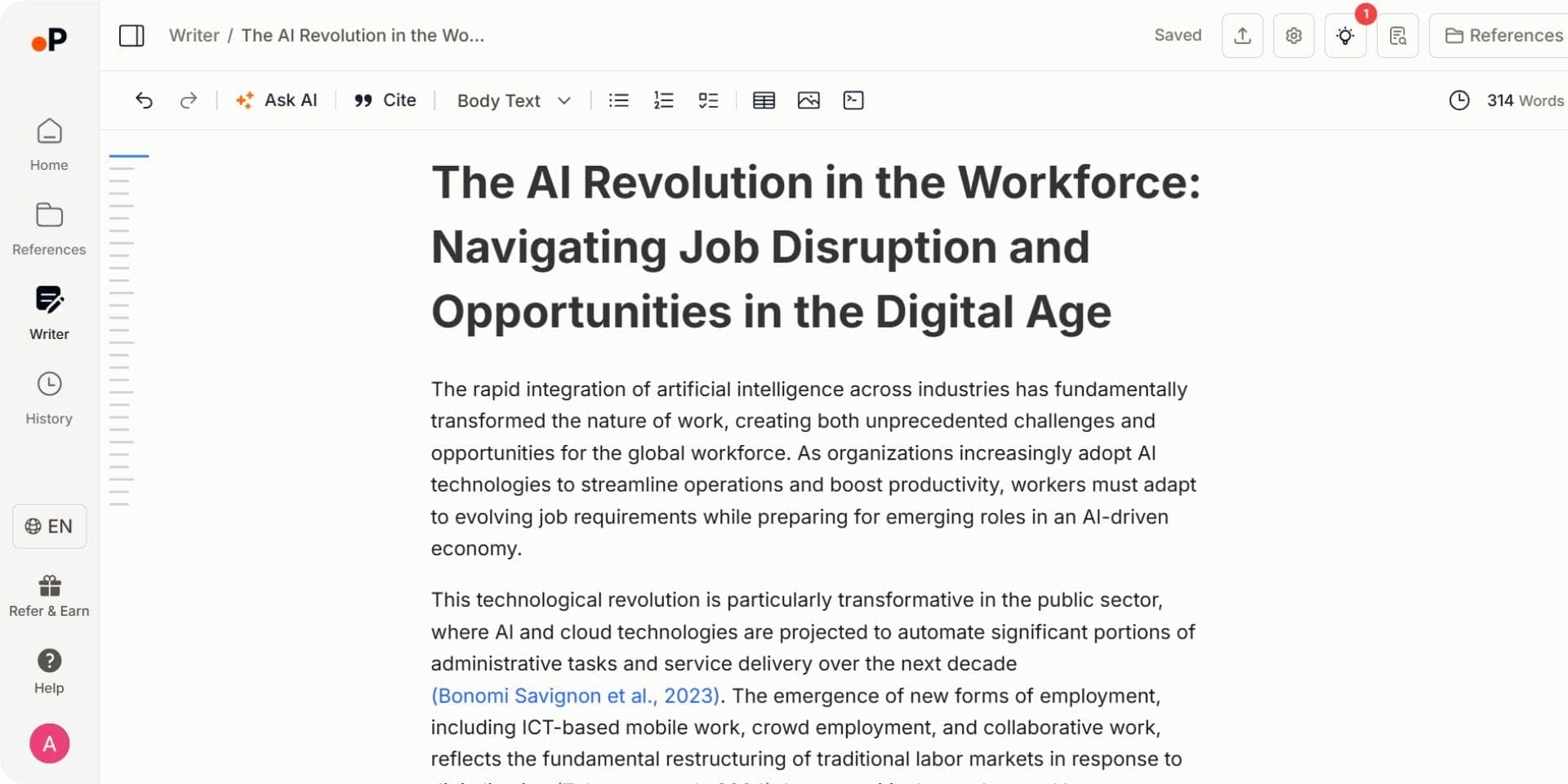
Paperguide includes an advanced AI Paper Writer that supports everything from drafting and editing to citation formatting and full document generation. It helps you write, refine, and format academic content quickly and efficiently, making it a complete solution for research writing.
Pros
• One workspace for academic research and paper writing
• Covers the full workflow from idea generation to citation formatting
• Excellent for producing structured, citation backed academic content
Cons
• Premium features are accessible only through paid plans
• Some advanced tools like Deep Research or AI Paper Writer may have a learning curve for new users
Best For
Students, researchers, and professionals seeking a complete academic writing workspace with integrated AI support
Pricing
Free plan available with 2,000 AI credits a month. Paid plans run from Plus at $12 per seat per month, billed annually ($144 a year), to Pro at $29 ($348 a year) and Evidence Teams at $89 ($1,068 a year).
Final Verdict
Paperguide offers one of the most complete AI powered writing experiences available today. From literature review and citation management to full document generation and tone refinement, it supports every stage of the research paper process. With its built in AI humanizer, grammar suggestions, and plagiarism checker, it is the best AI paper writing tool for research in 2026.
2. ChatGPT
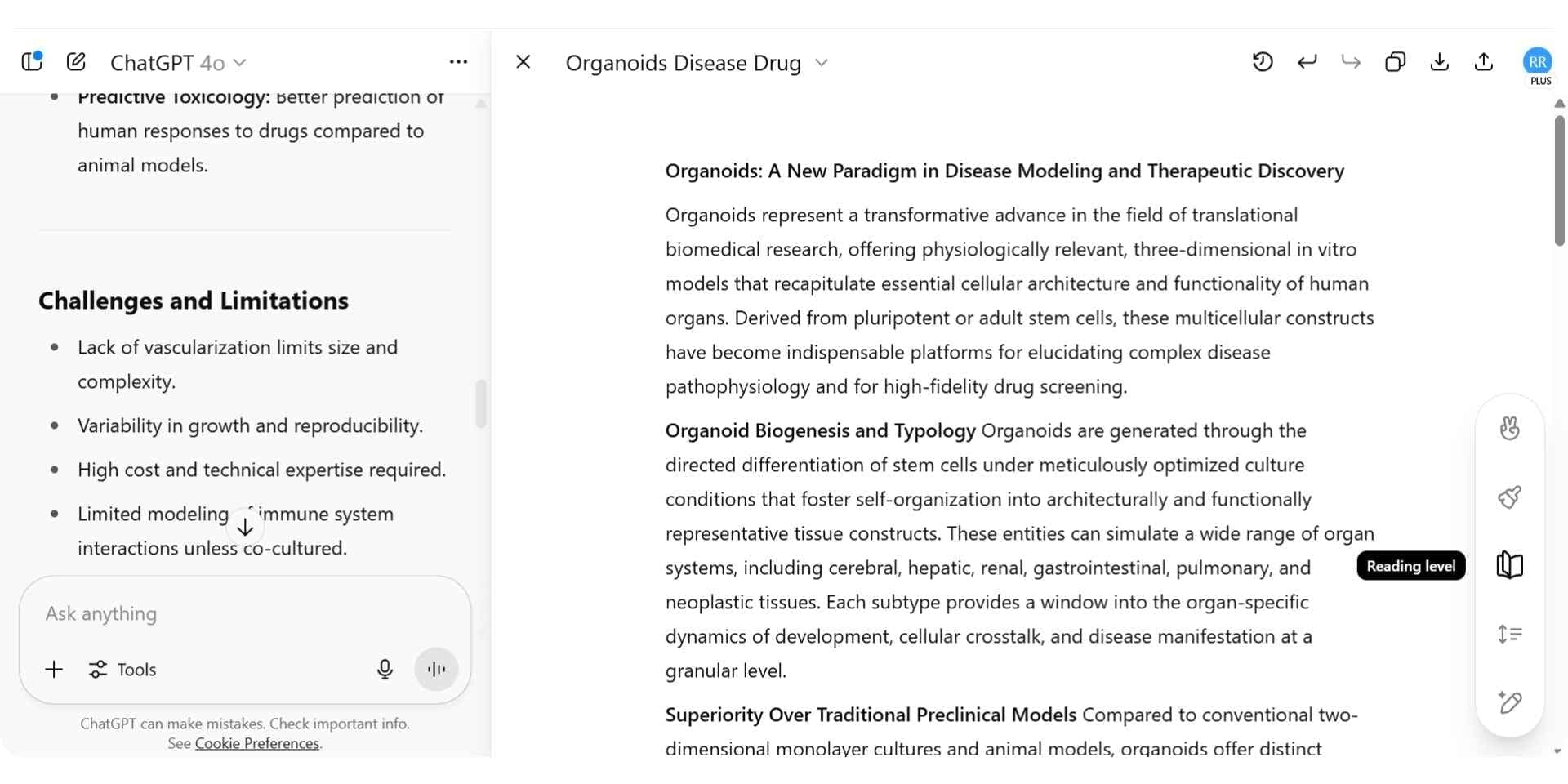
ChatGPT offers versatile writing support through natural language generation and editing tools. For users with access to GPT-4 and the Canvas feature, it provides a more structured environment for writing research papers, improving clarity, and analyzing readability.
Key Features
- Advanced NLP: Generates clear and coherent text based on user input and research prompts.
- Writing Assistance: Refines structure, tone, and grammar for academic or general writing.
- Brainstorming Support: Helps generate outlines, arguments, and topic ideas.
- Canvas (GPT-4 users): Includes advanced editing features like reading level analysis, section-based editing, tone adjustments, and in-line suggestions to polish academic writing.
Pros
- Excellent for drafting and editing academic text.
- Canvas offers granular control over tone, clarity, and structure.
- Great for brainstorming and outlining complex ideas.
Cons
- Not specialized for academic formatting or citations.
- Requires external tools for bibliography and references.
Best For
Writers who want help with writing, editing, or restructuring academic content using natural language prompts and AI feedback.
Pricing
Free plan available. GPT-4 with Canvas access is available in ChatGPT Plus: $20/month
Final Verdict
ChatGPT is highly effective for drafting and improving academic text, especially with GPT-4 and Canvas. However, it doesn’t support in-text citation management or formatting, so it’s best used in combination with dedicated research or citation tools like Paperguide.
3. Perplexity
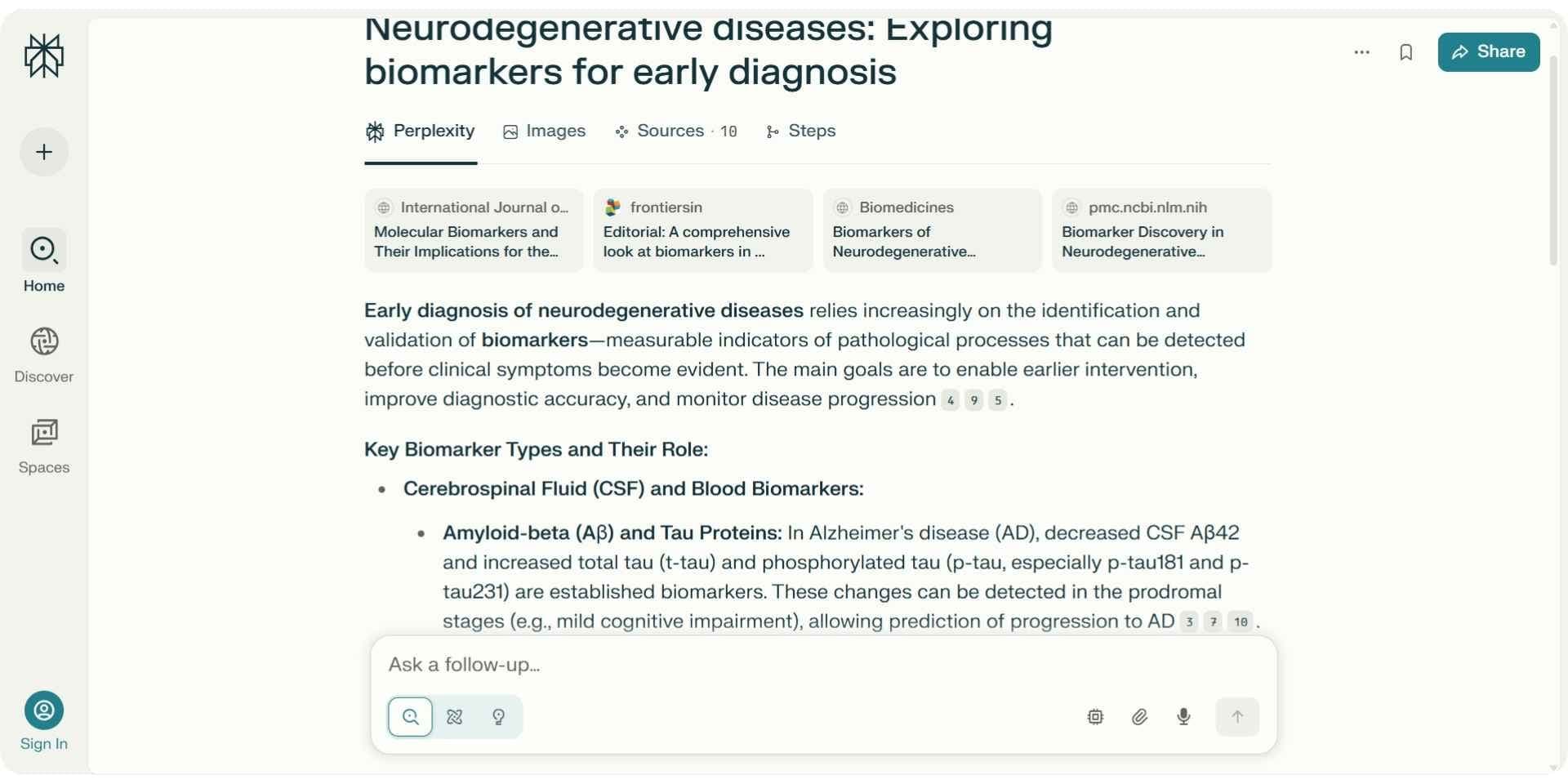
Perplexity blends AI writing with real-time web search, making it ideal for generating citation-backed responses and discovering new academic sources instantly.
Key Features
- Citation-backed Answers: Content is automatically sourced and cited.
- Real-Time Search Integration: Accesses live data to support writing with up-to-date evidence.
Pros
- Instant reference integration.
- Fast topic discovery with built-in citations.
Cons
- Limited depth for structured academic arguments.
- Requires subscription for enhanced capabilities.
Best For
Writers who need fast content generation and reliable citations during early research phases.
Pricing
Free plan available. Paid plans start at $20/month.
Final Verdict
Perplexity excels at fast research and real-time citation-backed writing. It’s best for early-stage ideation and pulling credible sources quickly. Still, it doesn’t support structured academic writing or in-depth paper development, and it requires external tools for formatting and reference management.
4. Paperpal
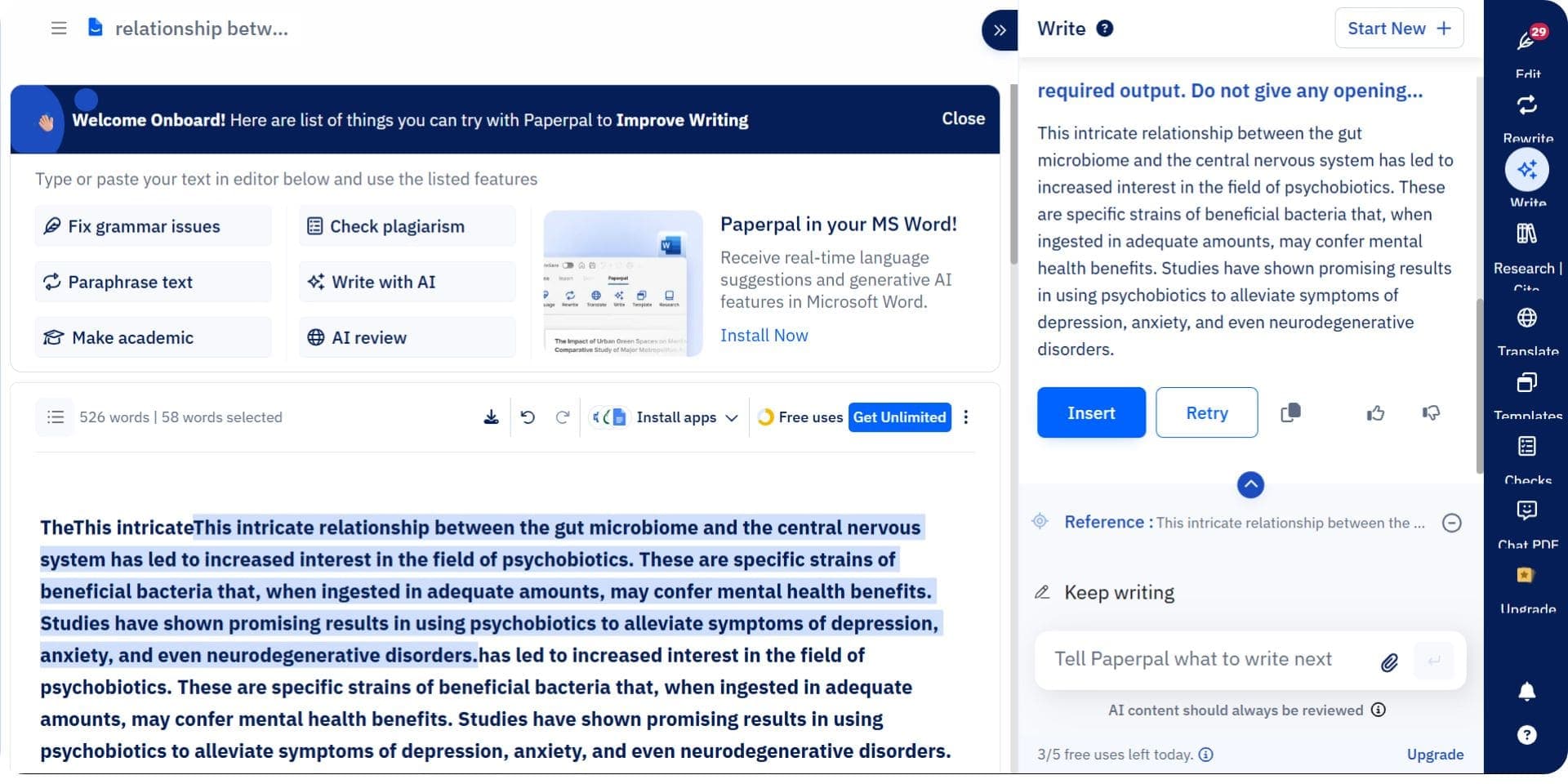
Paperpal helps refine academic papers by improving grammar, coherence, and originality. It's designed to support research integrity and improve academic writing style.
Key Features
- Grammar & Coherence Checker: Detects and corrects language and structural issues.
- Paraphrasing: Helps rewrite text for clarity and originality.
- Plagiarism Detection: Ensures academic integrity and citation accuracy.
Pros
- Tailored for academic writing standards.
- Effective for editing, polishing, and avoiding plagiarism.
Cons
- Focused more on editing than full content generation.
- Best suited for short- to mid-length papers.
Best For
Researchers looking to refine and finalize academic writing.
Pricing
Free plan available. Paid plans start at $10/month.
Final Verdict
Paperpal is a strong choice for refining academic writing and enhancing grammar, coherence, and originality. However, it doesn't assist in content generation or research discovery, and it's best used for editing rather than drafting or managing complex academic documents.
Best AI Tools for Summarizing and Insight Extraction in 2026
| Tool | Key Features | Best For |
|---|---|---|
| Paperguide | Chat with PDFs, Summarization, Insight Extraction, Smart Navigation | In-depth summarization and academic synthesis |
| SciSpace | Chat with Papers (interactive querying), Summarization of key findings and methodology | Interactive understanding and extracting insights |
| Semantic Scholar | AI-generated summaries, Citation graph | Quick summaries and paper discovery |
| Scholarcy | Automated summaries, Flashcards, Highlighting key sections | Fast summarization and content breakdown |
1. Paperguide
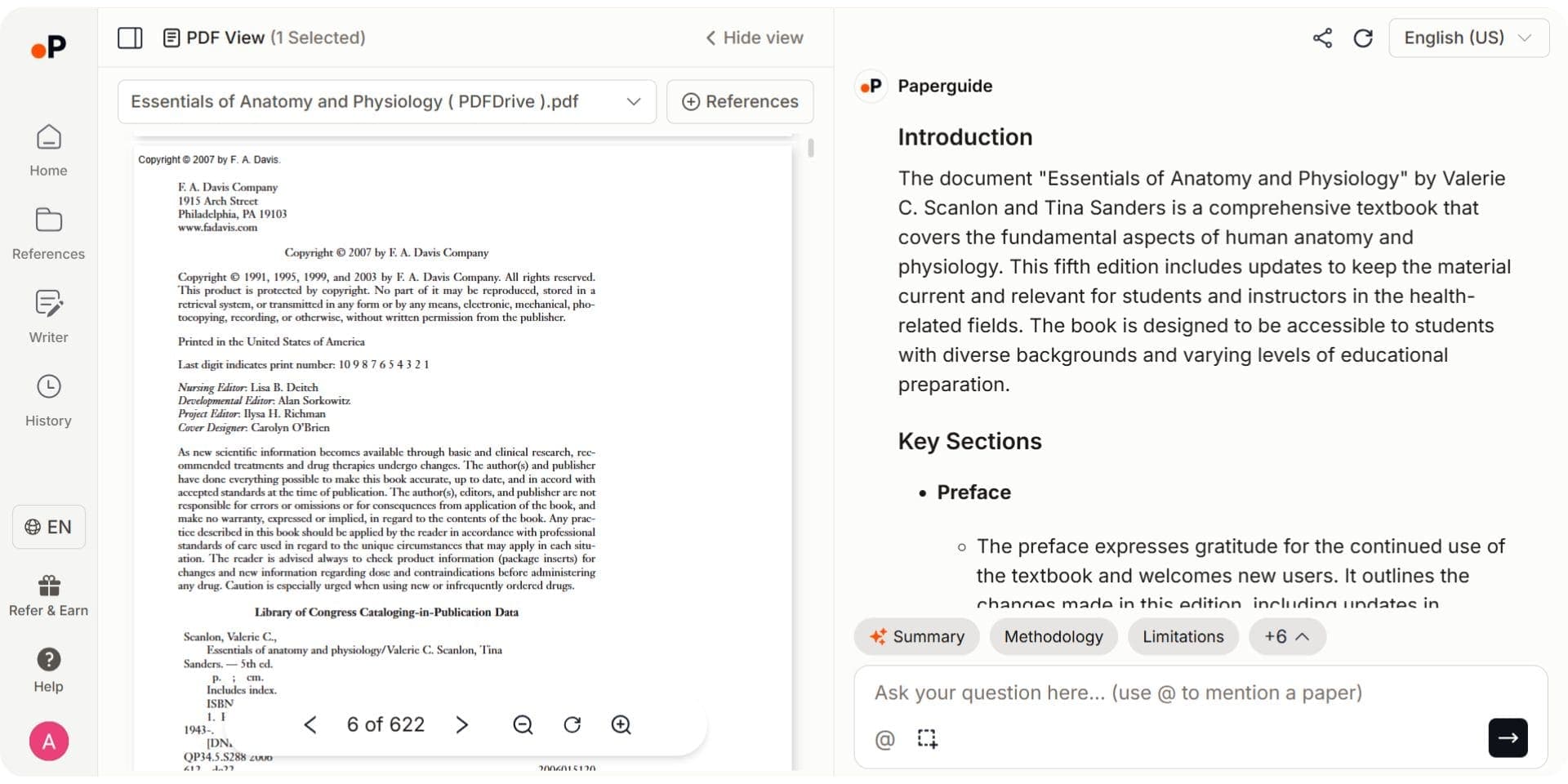
Paperguide offers advanced summarization features tailored for academic research. Its Chat with PDF function allows users to interact with uploaded documents in real time, ask questions, and receive citation-backed responses. In addition to summarizing papers, it highlights research questions, methods, findings, and limitations, making it a powerful tool for research synthesis.
Key Features
- Chat with PDFs: Ask questions about one paper or several at once and receive answers that point to the exact page and paragraph.
- Multi-paper Comparison: Compare findings across multi-paper folders in one conversation.
- Summarization: Extracts structured summaries that focus on methodology, key findings, and limitations.
- Insight Extraction: Identifies core insights such as research questions, gaps, methods, and outcomes.
- Smart Document Navigation: Jump directly to relevant sections based on your queries.
- Multilingual Support: Works with documents in over 14 global languages.
Pros
- Structured, in-depth summaries ideal for academic use
- Interactive engagement with PDF content
- Excellent for systematic reviews and detailed synthesis
Cons
- Some advanced features are locked behind paid plans
- May require a learning curve for new users
Best For
Researchers and scholars who require deep insight extraction, efficient summarization, and interactive document analysis.
Pricing
Free plan available with 2,000 AI credits a month. Paid plans run from Plus at $12 per seat per month, billed annually ($144 a year), to Pro at $29 ($348 a year) and Evidence Teams at $89 ($1,068 a year).
Final Verdict
Paperguide provides the most comprehensive AI-powered experience for summarizing academic content. With its ability to extract research insights, support interactive PDF navigation, and deliver structured summaries, it is the top choice for researchers seeking depth, clarity, and productivity.
2. SciSpace
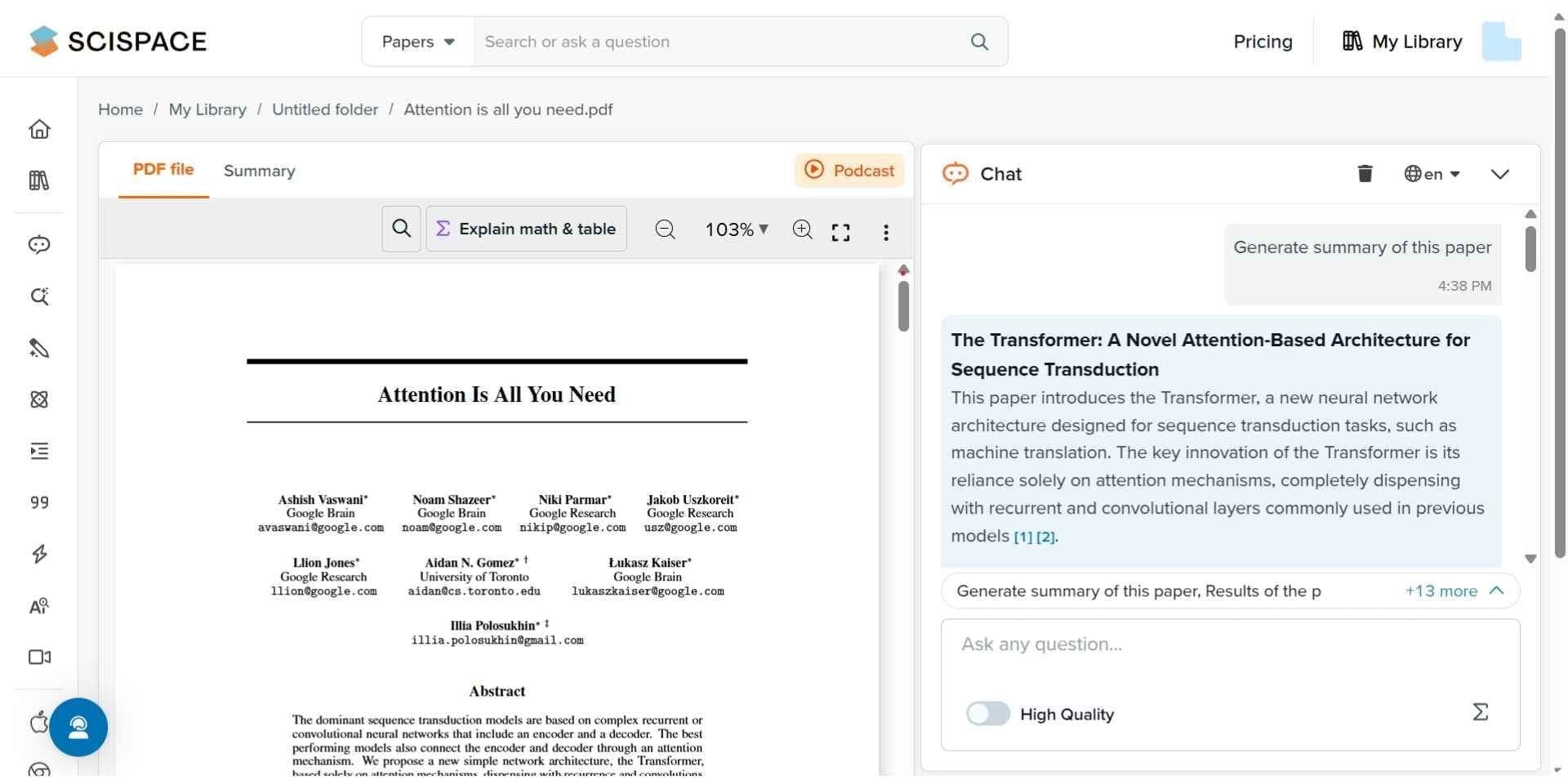
SciSpace helps researchers interact with academic papers using natural language queries. Its Copilot tool enables users to ask questions about PDFs and receive contextual answers, making it ideal for understanding difficult or unfamiliar research quickly.
Key Features
- Chat with Papers using Copilot
- Summarizes key findings and methodology
Pros
- Interactive querying for faster comprehension
- Good for quick understanding of academic content
Cons
- Limited to querying and summarization
- Less detailed than full-scale synthesis tools
Best For
Researchers who want to clarify content and extract meaning from complex research documents
Pricing
Free plan available, paid plans from $12 per month
Final Verdict
SciSpace is a valuable tool for interactive research reading. Its conversational querying and summarization make it ideal for clarifying academic texts, though it lacks broader synthesis features.
3. Scholarcy
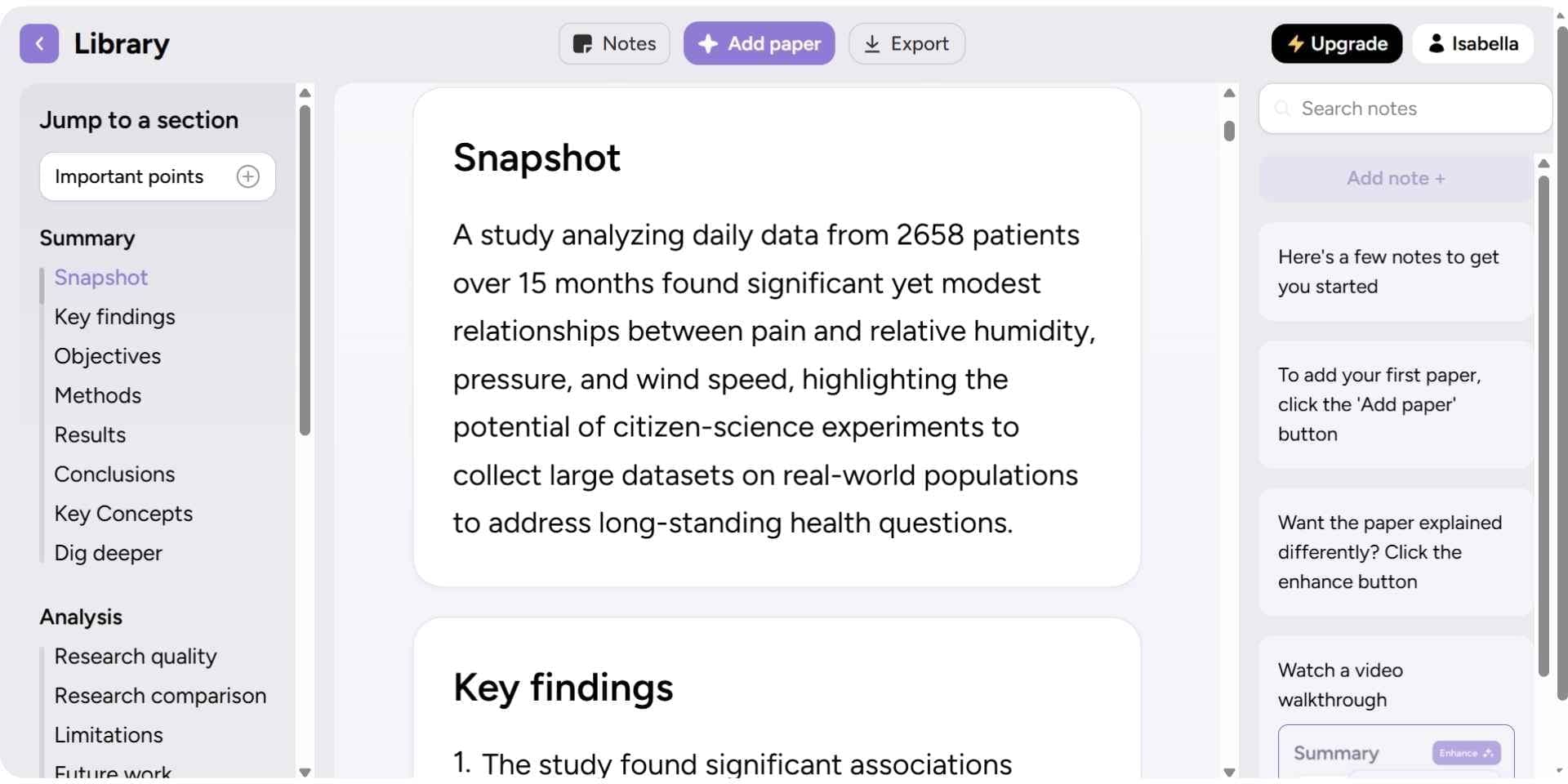
Scholarcy breaks down research papers into key components and creates flashcards to help with learning and recall. It’s especially useful for students or early-stage researchers looking to simplify and retain dense information.
Key Features
- Automated summarization
- Flashcard generation
- Highlighting key sections
Pros
- Easy-to-digest content for fast understanding
- Flashcards help with knowledge retention
Cons
- Less depth than research-focused tools
- Not ideal for complex synthesis or detailed insight
Best For
Students or researchers who need fast summarization and easy review of academic papers
Pricing
Free plan available, paid plans from $10 per month
Final Verdict
Scholarcy is a helpful summarization tool for learning and content review. While it lacks in-depth analysis features, its flashcards and quick summaries make it an efficient option for early-stage academic reading.
Best AI Tools for Citation and Reference Management
AI-powered citation and reference management tools streamline the process of organizing, generating, and formatting academic references. These tools help researchers save time, avoid manual errors, and maintain consistency across citation styles, whether you're managing a dozen sources or hundreds across multiple papers.
Best Citation and Reference Tools in 2026
| Tool | Key Features | Best For | Pricing |
|---|---|---|---|
| Paperguide | Citation generator, BibTeX/RIS/DOI import, Export to 1,000+ styles | Full-featured citation management for academic writing | Free, Paid plans from $12 per seat/month, billed annually |
| Scite | Citation context analysis, shows if citations support or contradict claims | Validating citation relevance and context in research | Free, Paid plans from $12/month |
1. Paperguide
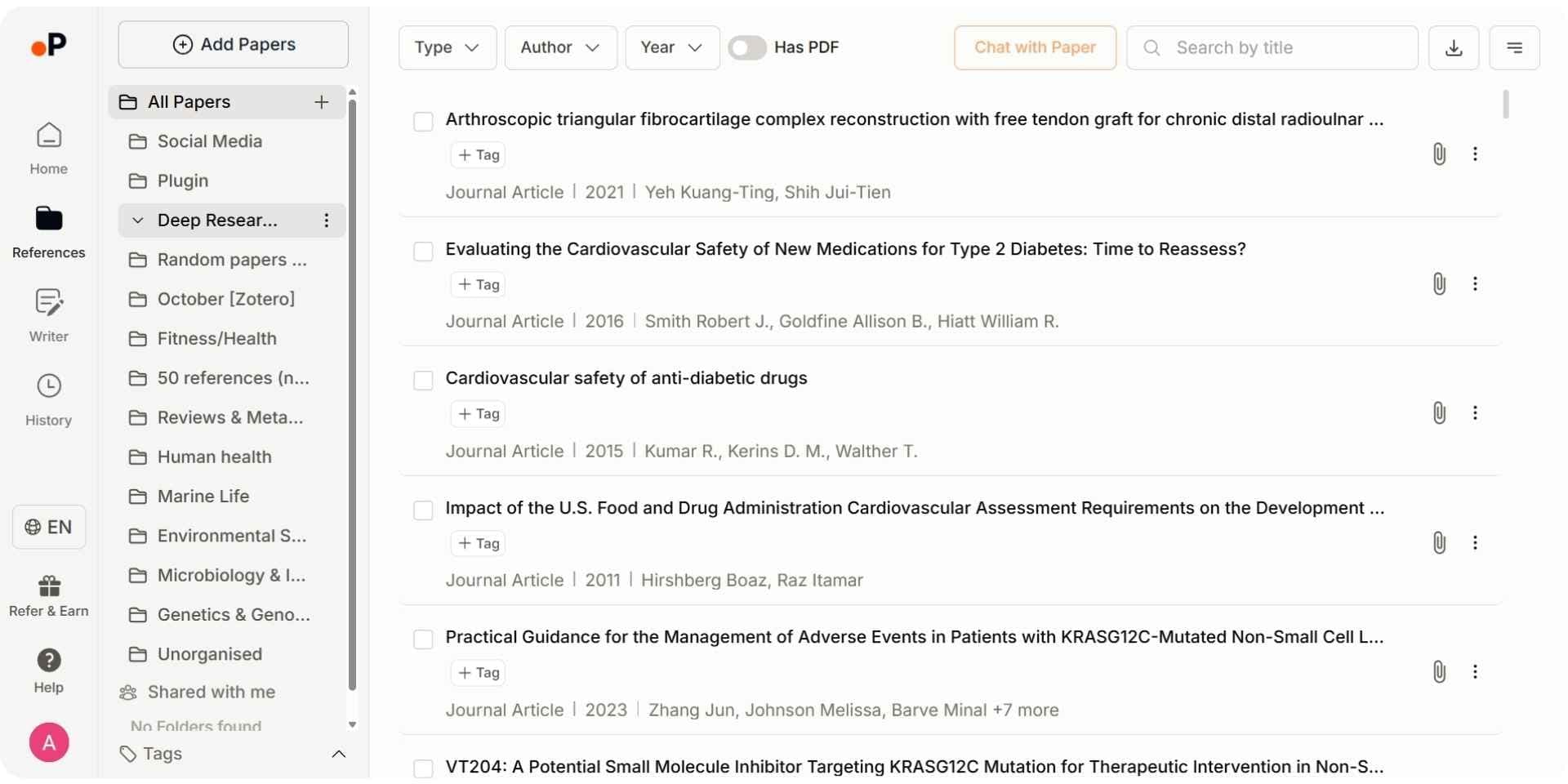
Paperguide offers a powerful and integrated reference management system that helps researchers import, organize, and generate citations with ease. It supports BibTeX, RIS, and DOI imports, and can export references in over 1,000 styles, including APA, MLA, Chicago, and more. It also integrates directly with its AI writing and literature tools, providing an end-to-end workflow for academic projects.
Key Features
- Automatically generate citations in APA, MLA, Chicago, and more
- Import references using BibTeX, RIS, or DOI
- Export to over 1,000 academic citation styles
- Organize sources into libraries and add notes or AI-generated summaries
- Import from Zotero or Mendeley directly, or save papers from any page with the Chrome extension
- Ask your library for citation-grounded answers drawn only from your saved papers
Pros
- Integrated with writing and literature tools for seamless workflow
- Supports bulk import/export across major academic formats
- Easy to manage references across large projects
Cons
- Full features only available with a paid plan
- Interface may require brief onboarding for new users
Best For
Academic writers, researchers, and students looking for a complete reference manager that handles both basic and advanced citation workflows.
Pricing
Free plan available with 2,000 AI credits a month. Paid plans run from Plus at $12 per seat per month, billed annually ($144 a year), to Pro at $29 ($348 a year) and Evidence Teams at $89 ($1,068 a year).
Final Verdict
Paperguide is the best reference manager software for academic writing in 2026, combining automatic citation generation, advanced import/export options, and integration with research and writing tools. It eliminates the need for juggling multiple apps and simplifies citation management at every step of the research process. It offers the most comprehensive features for citation management, ensuring seamless integration and export across various citation formats, making it the best solution for researchers handling extensive references.
2. Scite
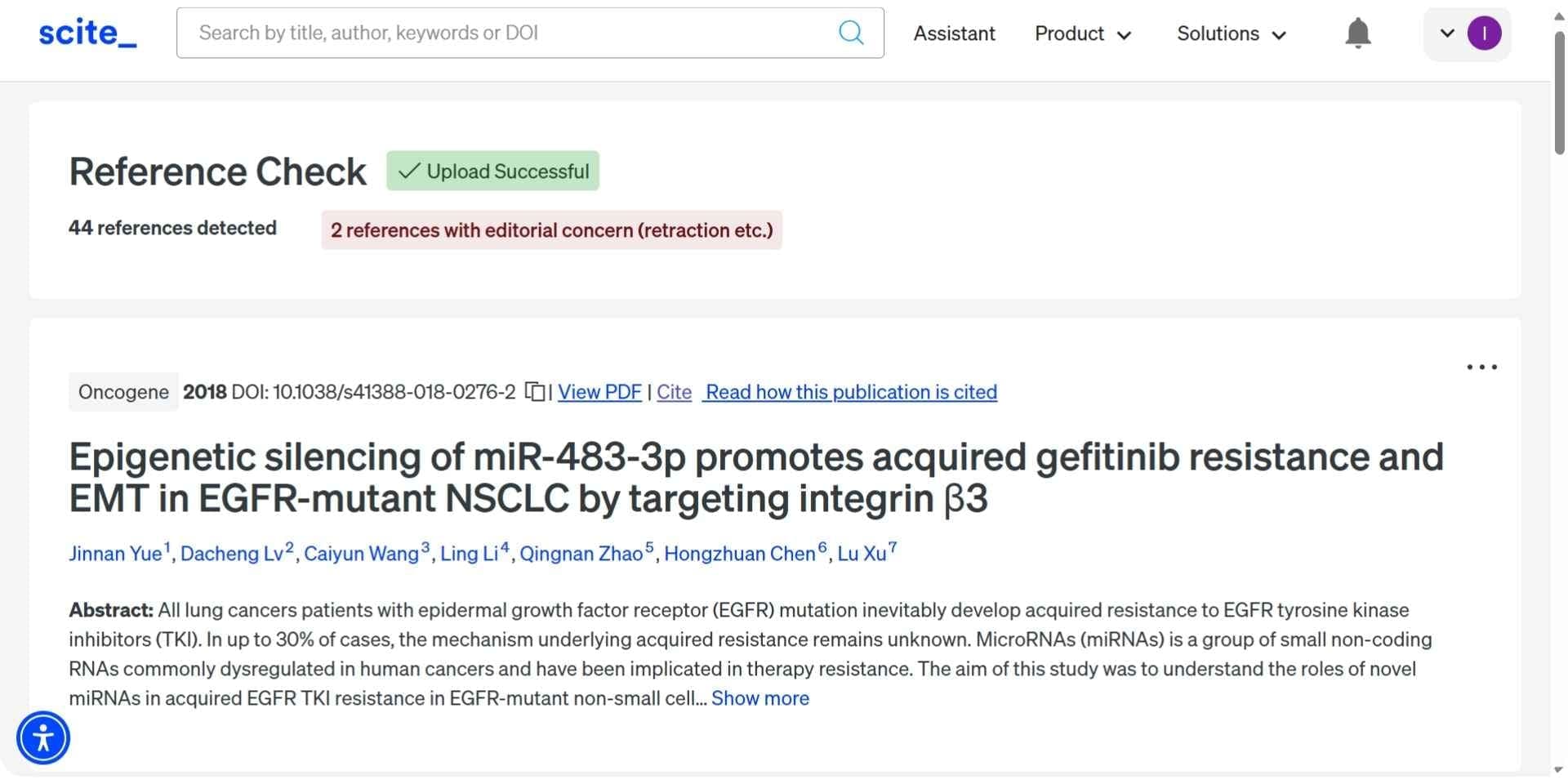
Scite is not a full-featured reference manager like Zotero or Paperguide, but rather a powerful companion tool that helps researchers evaluate the quality and context of citations. Instead of simply showing how often a paper is cited, Scite reveals whether those citations support, contradict, or merely mention the referenced study. This makes it especially valuable for literature reviews, meta-analyses, and ensuring that sources are cited accurately and meaningfully. It also integrates well with tools like Zotero for managing references.
Key Features
- Identifies whether a citation supports, contradicts, or neutrally mentions a claim
- Tracks citation relationships and trends across disciplines
- Lets users explore citation history and quality, not just quantity
Pros
- Excellent for validating the relevance and credibility of sources
- Helps avoid citation misrepresentation in academic work
- Supports deeper literature review and evidence synthesis
Cons
- Most advanced features require a paid subscription
- Free plan has limited citation tracking functionality
- Does not include its own built-in reference manager
Best For
Researchers focused on literature quality and citation accuracy, especially in scientific and evidence-based fields.
Pricing
Free plan available, Paid plans from $12/month
Final Verdict
Scite is an excellent citation analysis tool that helps researchers go beyond citation counts by showing whether a source supports, contradicts, or merely mentions a claim. While it does not include a full reference management system, it integrates well with tools like Zotero. For researchers who prioritize citation accuracy and contextual relevance, especially in literature reviews and meta-analyses, Scite is a valuable addition to their academic toolkit.
Best All-in-One AI Research Assistants
All-in-one AI research assistants streamline every stage of the academic workflow from literature search and summarization to writing and citation management. These tools integrate a range of research functions into a single platform, saving time, improving accuracy, and boosting productivity.
Best All-in-One AI Research Assistants in 2026
| Tool | Key Features | Best For | Pricing |
|---|---|---|---|
| Paperguide | AI Search, AI Paper Writer, Literature Review AI, Deep Research Report, Reference Manager | End-to-end research from discovery to citation | Free, Paid plans from $12 per seat/month, billed annually |
| Consensus | Research-backed answers, Claim-based Q&A, Study Snapshots, Data synthesis | Claim-based research and evidence-backed insights | Free, Paid plans from $12/month |
| SciSpace | Research summarization, Citation management, Chat with Papers, Multi-tool integration | Combining summarization, writing, and citation tools | Free, Paid plans from $12/month |
1. Paperguide
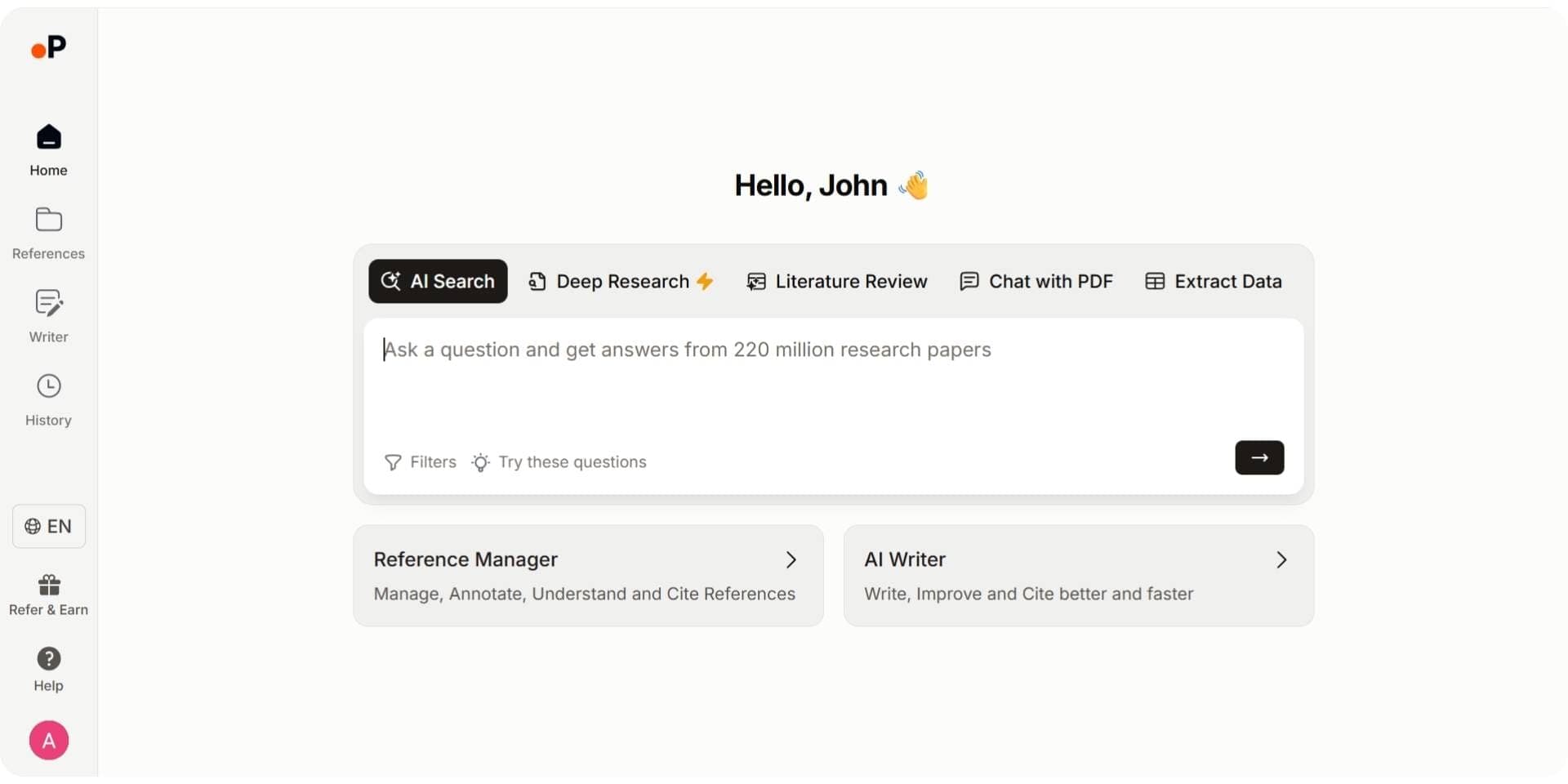
Paperguide is an AI-native platform for scientific research workflows and systematic reviews, and its Research Agent is the most complete AI research assistant on this list. It supports the entire research journey from discovering papers to writing full documents with citations, all within a unified platform. Its powerful tools such as AI Search, Deep Research, and Literature Review AI make it highly suitable for academic, scientific, or professional research projects.
Key Features:
- AI Search: Understands full research queries and retrieves highly relevant academic sources.
- AI Paper Writer: Generates structured, citation-backed drafts from scratch or your notes.
- Literature Review AI: Runs Plan, Search, Screen, Extract, Synthesize on up to 50 papers in Standard mode or 200 in Extended mode, with every claim cited.
- Deep Research Report: Plans, searches, screens, extracts, and analyzes, then delivers a fully cited report that flags research gaps, with you in control at each stage.
- Research Agent: Runs a multi-step investigation across 200M+ papers and your library, from finding and screening papers to comparing findings, identifying research gaps, extracting data, and generating drafts in one connected session.
- Reference Manager: Imports, organizes, and exports citations in over 1,000 styles.
- Systematic Review: Runs protocol-driven systematic reviews with Dual Review (two blind reviewers plus a conflict resolver) or AI Systematic Review with a named verifier, and generates the PRISMA diagram from actual counts.
Pros:
- Covers the full research lifecycle in one tool.
- Intuitive UI with advanced academic automation features.
- Integrated writing, summarization, and citation support.
Cons:
- Premium features require a subscription.
- Advanced tools like Deep Research may have a learning curve for new users.
Best For: Researchers and students who want a single platform for topic discovery, literature review, academic writing, and citation management.
Pricing: Free plan available with 2,000 AI credits a month. Paid plans run from Plus at $12 per seat per month, billed annually ($144 a year), to Pro at $29 ($348 a year) and Evidence Teams at $89 ($1,068 a year).
Final Verdict:
Paperguide is the best pick in this category for 2026, because its Research Agent works as an AI research assistant across the whole platform. With integrated tools for search, synthesis, writing, and citation management, it eliminates the need for multiple apps and supports every step of the academic workflow with precision and speed.
2. Consensus
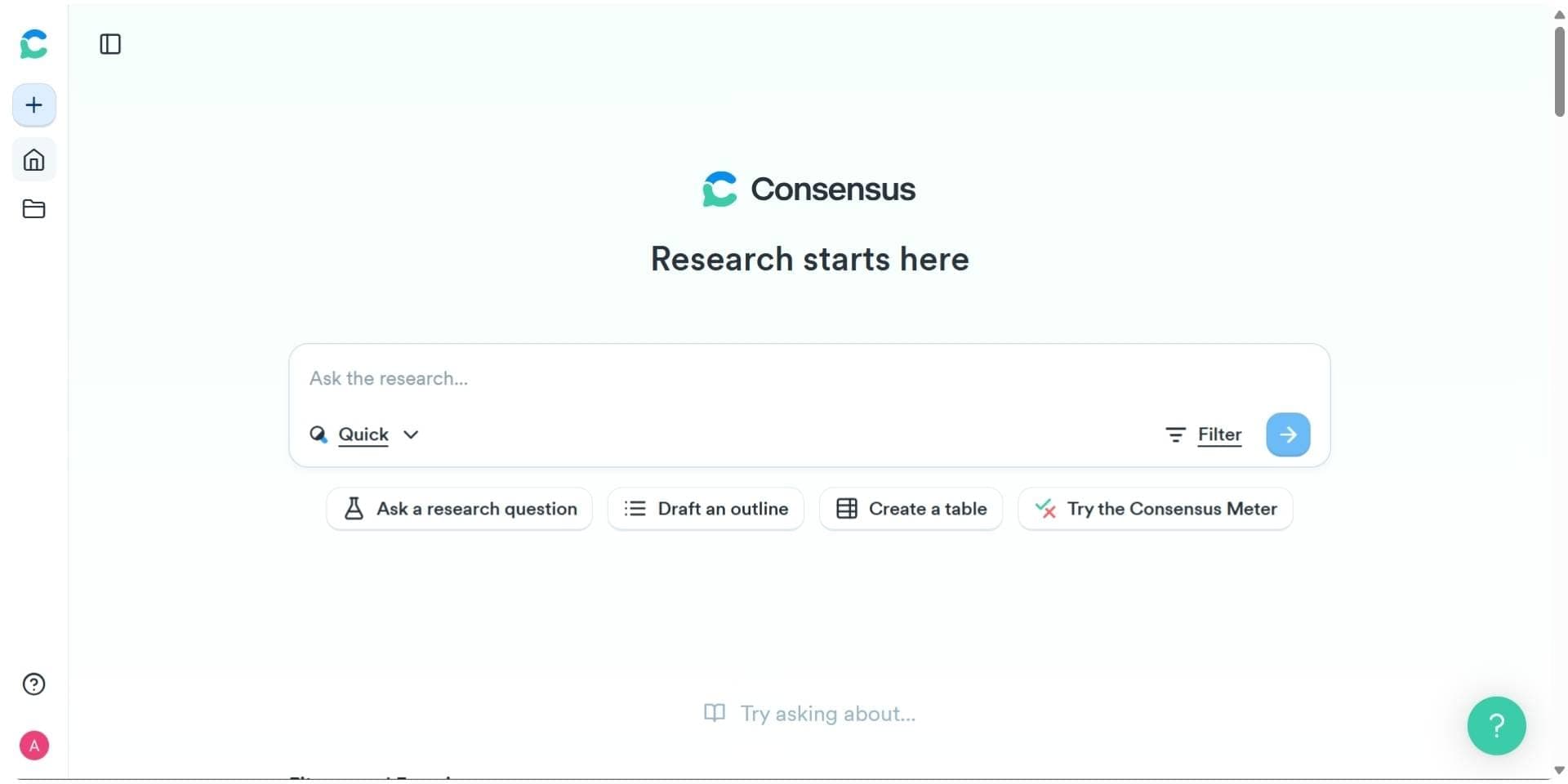
Consensus specializes in evidence-based research by answering questions through a claim-driven analysis of academic literature. Instead of manual synthesis, it presents concise, supported answers from peer-reviewed studies.
Key Features:
- Claim-based Q&A: Uses AI to provide research-backed responses to complex questions.
- Study Snapshots: Offers bite-sized summaries of key papers.
- Evidence Synthesis: Aggregates findings across studies to support or refute claims.
Pros:
- Ideal for quick fact-checking and literature validation.
- Simple, user-friendly search with academic credibility.
- Excellent for science communication and policy writing.
Cons:
- Limited citation/export functionality.
- Fewer workflow features compared to full research assistants.
Best For: Researchers looking to validate claims and synthesize evidence from multiple studies quickly.
Pricing: Free plan available, Paid plans from $12/month.
Final Verdict:
Consensus is a valuable assistant for researchers seeking research-backed answers quickly. It simplifies evidence synthesis and is especially helpful for professionals validating specific claims through credible sources.
3. SciSpace
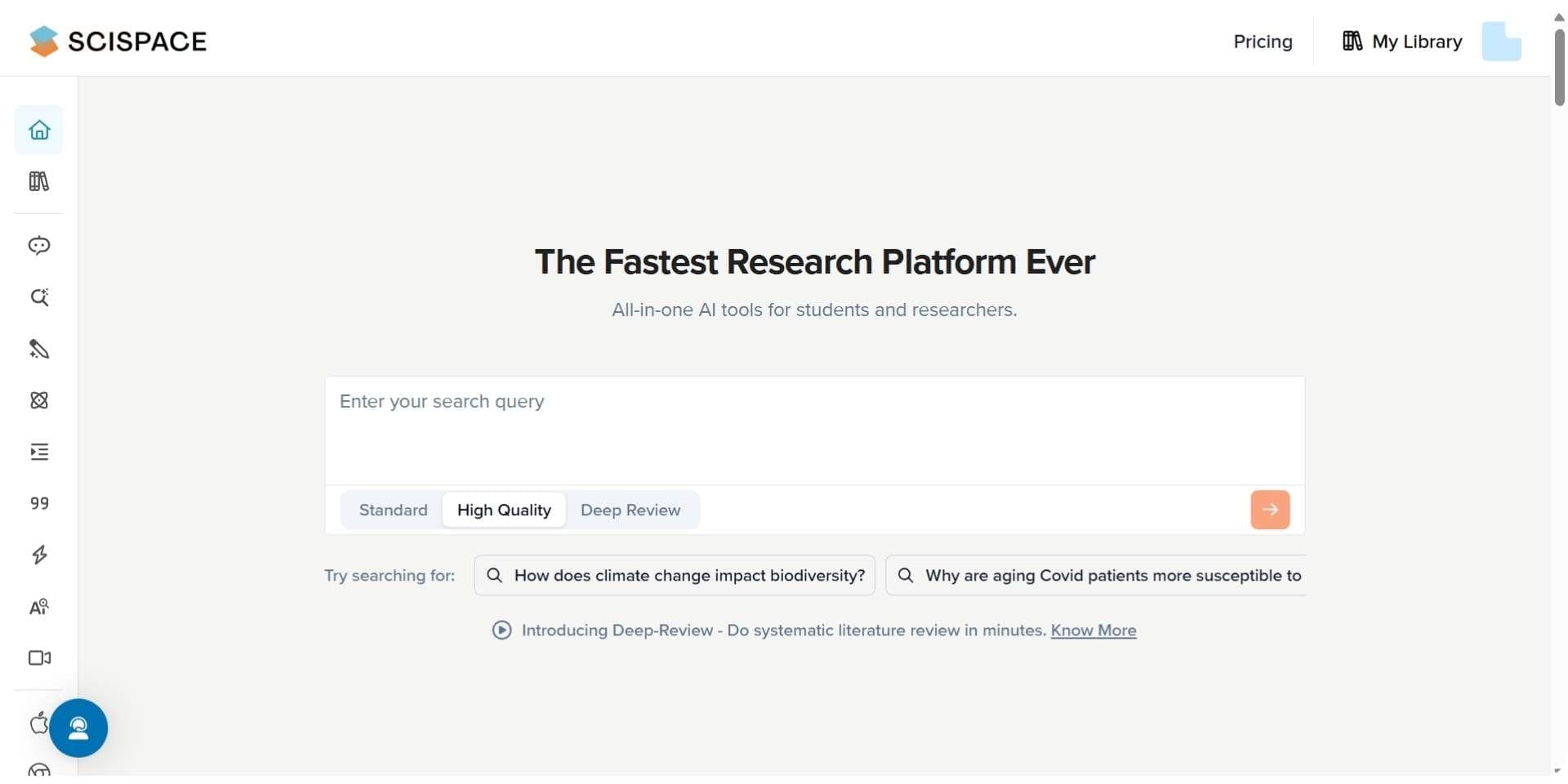
SciSpace offers a mix of summarization, writing support, and citation management. Its interactive Copilot and Chat with Papers features help researchers explore, understand, and organize information efficiently.
Key Features:
- Chat with Papers: Lets users ask direct questions to uploaded PDFs and receive AI-generated answers.
- Summarization: Extracts and summarizes core findings from academic content.
- Citation Management: Organizes and formats citations for seamless academic writing.
Pros:
- Highly interactive and engaging research experience.
- Streamlines summarization and citation tasks.
- Supports integration with other research tools.
Cons:
- Full functionality is gated behind paid plans.
- Less robust for end-to-end research compared to Paperguide.
Best For: Academics and students looking for an intuitive tool to summarize, chat with, and organize research papers.
Pricing: Free plan available, Paid plans from $12/month.
Final Verdict:
SciSpace is a well-rounded AI assistant for exploring and summarizing research. Its interactive Copilot and citation tools are great for academic workflows, though it may not cover the full research process like other platforms.
Why Paperguide is the Top Choice for AI Research Tools in 2026
Paperguide is a comprehensive AI research tool designed for students, scholars, and professionals who want to streamline academic work with accuracy and structure. It combines research paper writing, literature review, summarization, and citation management into a single, research-first platform. In 2026, Paperguide is widely recognized as a reliable AI Research Paper Summarizer, helping users quickly understand academic papers, extract key findings, and evaluate relevance without reading entire documents. Unlike generic AI tools, Paperguide is built specifically for research workflows, producing structured, citation-backed summaries that support literature reviews, systematic research, and academic writing.
From academic writing and creative research projects to systematic reviews, Paperguide supports the full research process. Unlike many free AI tools with limited features, it handles everything from topic discovery to complete document generation, making it one of the best AI tools for research paper writing.
Paperguide is not only the home of a Research Agent that works as an AI research assistant but also a reliable scientific documentation platform. It helps researchers organize references, structure findings, and refine manuscripts with AI-powered writing support. The platform bridges the gap between research discovery and final paper preparation, making it one of the most versatile tools in a researcher’s workflow.
For those seeking free AI tools for research paper summaries or writing assistance, Paperguide offers a generous free plan. Its premium plans unlock advanced options like citation exports and insight extraction. Built with academic ethics in mind, Paperguide ensures citation-backed content, helping researchers use AI responsibly and effectively.
Final Thought
AI has transformed academic work in 2026. Whether you're a student writing a thesis or a researcher preparing a complex report, these tools save time, boost accuracy, and reduce research fatigue.
Among all platforms, Paperguide stands out by offering the most complete and user-friendly environment for academic writing. Whether you're working on a dissertation, literature review, or journal article, it brings together the best of AI tools for research paper writing, summarization, and citation management.
From project planning to final formatting, these AI tools help you work faster, write smarter, and uphold academic integrity, especially if you're looking for free AI tools for research papers that deliver quality without compromise.
Frequently Asked Questions
What are AI research tools in 2026?
AI research tools in 2026 are advanced software platforms powered by large language models and retrieval systems that assist with literature review, summarization, data extraction, academic writing, and citation management. They help researchers handle the growing volume of scientific literature while improving accuracy, speed, and research quality.
How do AI research tools help with literature reviews?
AI research tools speed up literature reviews by searching across millions of academic papers, extracting key findings, comparing results across studies, and generating structured, citation-backed summaries. This reduces manual reading time and helps researchers synthesize evidence more efficiently and consistently.
What is the best AI research tool in 2026?
Paperguide is the best AI research tool in 2026. It combines literature discovery, AI-powered literature review, systematic-style research synthesis, citation management, PDF analysis, and academic writing in one integrated platform, covering the entire research workflow.
What is the best AI tool for literature review in 2026?
Paperguide is widely regarded as the best AI tool for literature review in 2026. It enables researchers to discover relevant studies, extract structured insights, compare findings across papers, and generate citation-backed literature reviews without switching between multiple tools.
Can AI tools help in writing research papers?
Yes. In 2026, AI research tools assist with brainstorming, outlining, drafting, editing, and formatting research papers. They help maintain academic structure, improve clarity, and ensure proper in-text citations and reference lists, making academic writing faster and more reliable.
Are there free AI research tools available in 2026?
Yes. Several AI research tools offer free plans. Paperguide provides a free tier with access to literature discovery, AI writing, citation tools, and limited research reports. Tools like Semantic Scholar and Perplexity also offer free access to paper discovery and summaries.
How do AI tools handle citation and reference management?
AI citation tools automate reference importing, metadata extraction, citation formatting (APA, MLA, Chicago, and more), and library organization. Advanced platforms like Paperguide integrate citation management directly into literature reviews and academic writing workflows.
How do AI research tools improve research productivity?
By automating repetitive tasks such as literature screening, summarization, data extraction, and reference formatting, AI research tools free up time for critical thinking and analysis. This allows researchers to focus more on interpretation, theory building, and original contributions.
Are AI research tools only useful for academic researchers?
No. While academic researchers benefit the most, AI research tools are also valuable for graduate students, educators, analysts, content creators, and professionals who need to understand complex information or produce research-backed content efficiently.
Can AI research tools replace human researchers?
No. AI research tools are designed to support, not replace, researchers. They handle time-consuming tasks like searching, summarizing, and organizing information, while human researchers remain responsible for interpretation, judgment, and academic integrity.
Researching a topic?
Find papers and get cited answers
Search the literature, find gaps and write with citations.
Start for freeNo credit card required