Best Scientific Documentation Tools in 2026

Scientific documentation is the backbone of every research project, yet it’s often the most time-consuming part of the workflow. Whether you’re logging lab data, drafting manuscripts, managing project notes, or collaborating across teams, documentation can feel repetitive and tedious. For researchers preparing manuscripts or coordinating edits, having reliable tools and a streamlined process can significantly improve efficiency, accuracy, and collaboration.
A survey by the Federal Demonstration Partnership found that researchers spend around 42% of their research time on administrative and documentation-related tasks, reducing focus on core scientific research.
Thankfully, a new generation of intelligent tools is transforming how scientists document, organize, and share their work. In this guide, we explore the best scientific documentation tools researchers are using in 2026 to streamline workflows, improve collaboration, and reduce the growing documentation burden as AI becomes a core part of scientific research.
TL;DR
- Paperguide leads for academic writing and literature analysis, with AI-assisted writing, citations, and literature documentation in one workspace.
- SciNote is the pick for lab documentation, as a digital lab notebook with templates, audit trails, and inventory tracking.
- Scrivener suits structured, long-form writing projects such as theses.
- Overleaf is best for collaborative publishing, with real-time LaTeX writing, version control, and templates.
What are the best scientific documentation tools in 2026?
The best scientific documentation tools in 2026 include Paperguide, SciNote, Overleaf, and Scrivener. These tools help researchers document experiments, manage references, collaborate on manuscripts, and maintain accurate, reproducible research records.
Top Scientific Documentation Tools in 2026
| Tool | Description |
|---|---|
| Paperguide | AI-native platform for scientific research workflows and systematic reviews that simplifies scientific documentation, literature reviews, and citation management. |
| SciNote | Cloud-based electronic lab notebook for structured experiment documentation, reporting, and regulatory compliance. |
| Scrivener | Long-form writing and documentation tool for organizing complex academic papers, theses, and research reports. |
| Overleaf | Online LaTeX platform for collaborative scientific documentation, real-time editing, and journal-ready formatting. |
These tools collectively support every stage of scientific documentation, from experiment recording and data organization to writing, reviewing, and publishing. Whether you are drafting a thesis, managing lab notes, or summarizing research papers, each platform improves accuracy, productivity, and collaboration across modern scientific workflows.
Best Scientific Documentation Tools in 2026
1. Paperguide
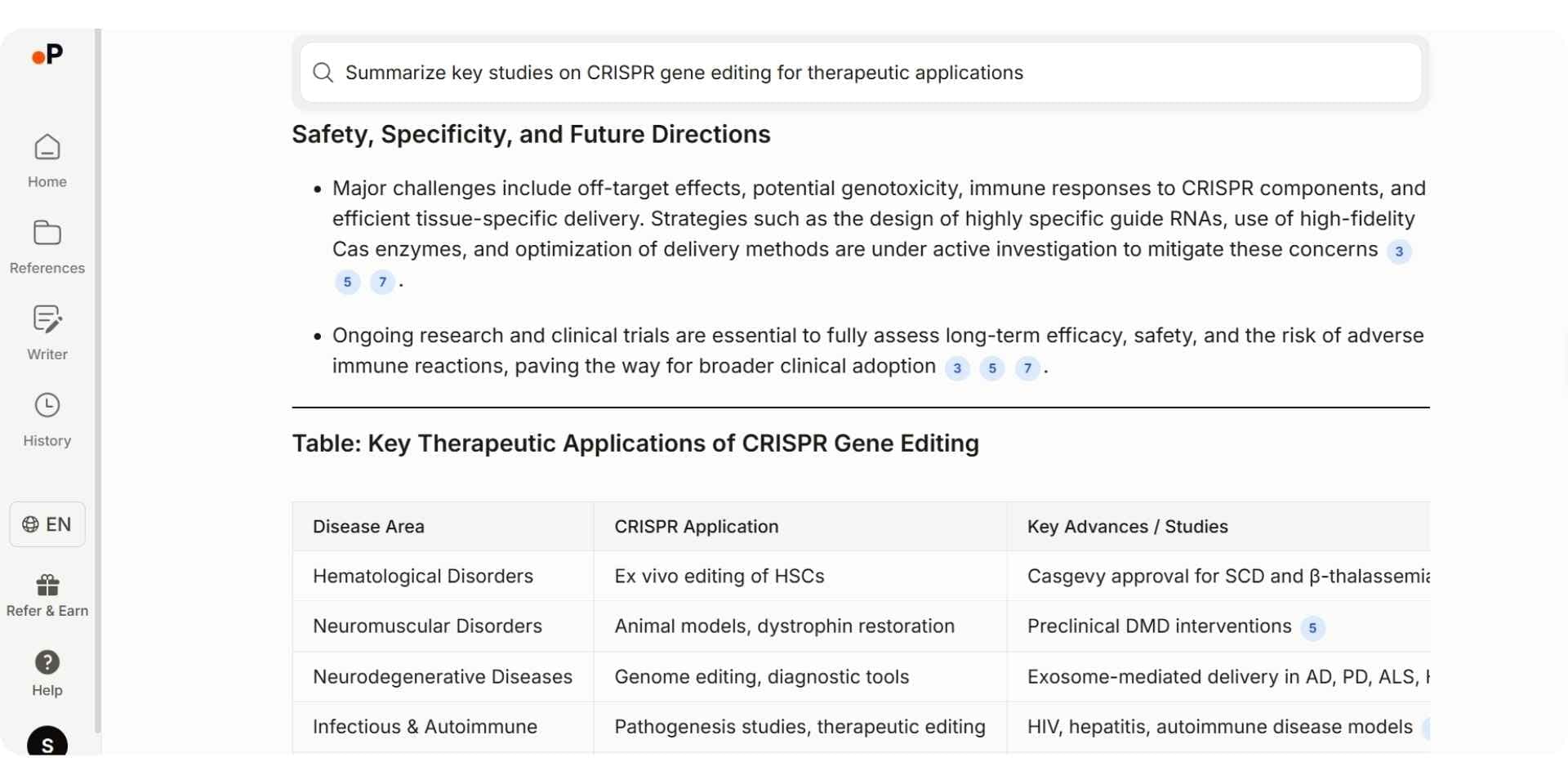
Paperguide is an AI-native platform for scientific research workflows and systematic reviews, with a Research Agent and connected tools designed to simplify every stage of scientific documentation. Instead of juggling multiple tools for writing, referencing, and note-taking, Paperguide unifies the entire documentation process into one intelligent workspace.
It helps researchers document their findings efficiently by generating structured summaries, formatted sections, and citation-ready references. Whether you are compiling a literature review, writing a thesis, or recording experiment results, Paperguide ensures that every piece of documentation remains consistent, organized, and backed by verified academic sources. Because of this integrated workflow, Paperguide is also considered one of the best AI literature review tools in 2026, helping researchers analyze, compare, and synthesize academic papers alongside scientific documentation.
Paperguide's Research Agent is also widely regarded as one of the best AI research assistants for scientific research, recognized for its documentation-focused approach to academic writing and research management.
Key Features
- Automated Documentation: Creates structured drafts and summaries from selected sources to simplify the documentation process.
- Literature Review AI: Runs the full Plan, Search, Screen, Extract, Synthesize sequence from one research question, on up to 50 papers in Standard mode or 200 in Extended mode, with every claim cited, ready for inclusion in research documentation.
- AI Paper Writer: Generates well-organized document sections using your references while ensuring academic formatting and accurate citations. It imports Word documents, writes equations as KaTeX math blocks, continues from your cursor with Smart Continue citing your selected sources, keeps threaded comments and version snapshots, and exports to Word and PDF.
- AI Reference Manager: Imports, organizes, and manages references (BibTeX, DOI, etc.) with direct Zotero import for centralized documentation.
- Extract Data: Pulls the values and study details your papers report into a structured, documentation-ready table, with every value cited to the exact sentence it came from and export to CSV, Excel, RIS, BIB, PDF, or DOCX.
- Chat with PDF: Enables interactive Q&A with uploaded papers, allowing verified insights to be added directly to your notes or reports.
- Structured Document Workspace: Keeps drafts, references, and extracted data connected within a single organized environment.
- Systematic Review: Logs every screening decision with its criterion, evidence, and who confirmed it, and generates the PRISMA diagram and methodology log from actual review counts.
Best For
Researchers, laboratory scientists, graduate and PhD students, data scientists, and academic professionals who need an integrated platform to document, organize, and manage their research efficiently.
Pricing
Free plan available with 2,000 AI credits a month. Paid plans start with Plus at $12 per seat per month, billed annually ($144 a year), and academics get 30% off with a valid university email.
2. SciNote
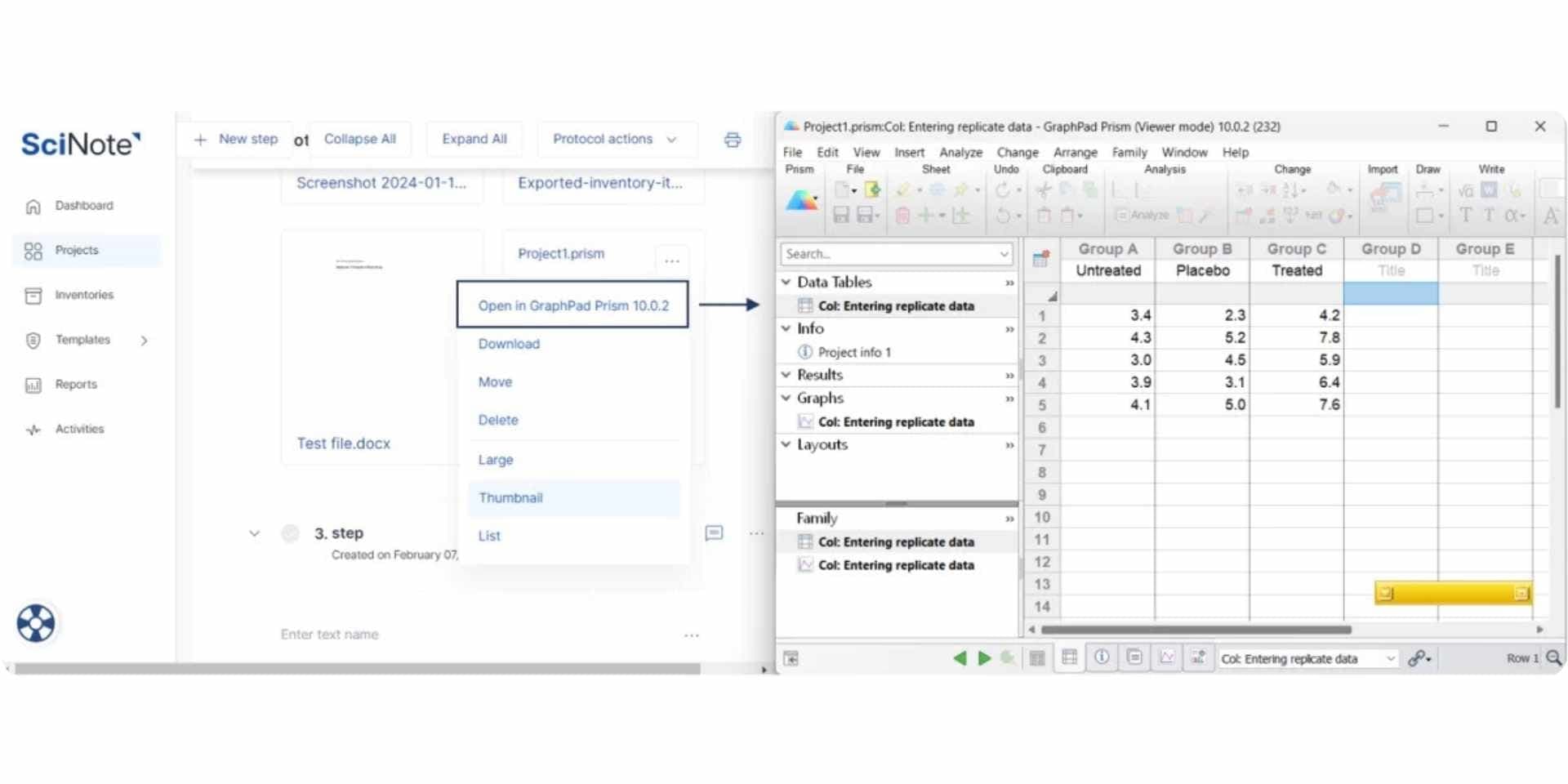
SciNote is a cloud-based electronic lab notebook (ELN) built to make scientific documentation clear, structured, and compliant. It replaces traditional paper-based recordkeeping with a secure digital workspace where researchers can document experiments, track results, and maintain complete traceability.
Used by organizations such as the FDA and USDA, SciNote helps laboratories ensure every experiment, result, and update is documented according to regulatory and scientific standards. With protocol templates, audit trails, and searchable records, it keeps your entire documentation process organized and reproducible.
Key Features
- Digital Lab Documentation: Record experiments, notes, and results in structured, searchable digital notebooks.
- Protocol Templates: Standardize recurring documentation with reusable templates for consistent reporting.
- Automated Reporting: Generate detailed experiment summaries and progress reports directly from your recorded data.
- Traceability and Audit Trails: Maintain full visibility of every edit, update, and version within your documentation.
- Compliance Management: Includes e-signatures, access controls, and audit logs to meet FDA 21 CFR Part 11 and GLP requirements.
- Searchable Archive: Instantly find data, notes, or past documentation across all projects.
- Collaboration Tools: Allow teams to contribute, comment, and co-document experiments in real time.
Best For
Research labs, biotech teams, academic institutions, and regulated scientific environments that require secure, compliant, and structured digital documentation for experiments and projects.
Pricing
Free plan available for individuals. Paid plans start at $9 per user per month.
3. Scrivener
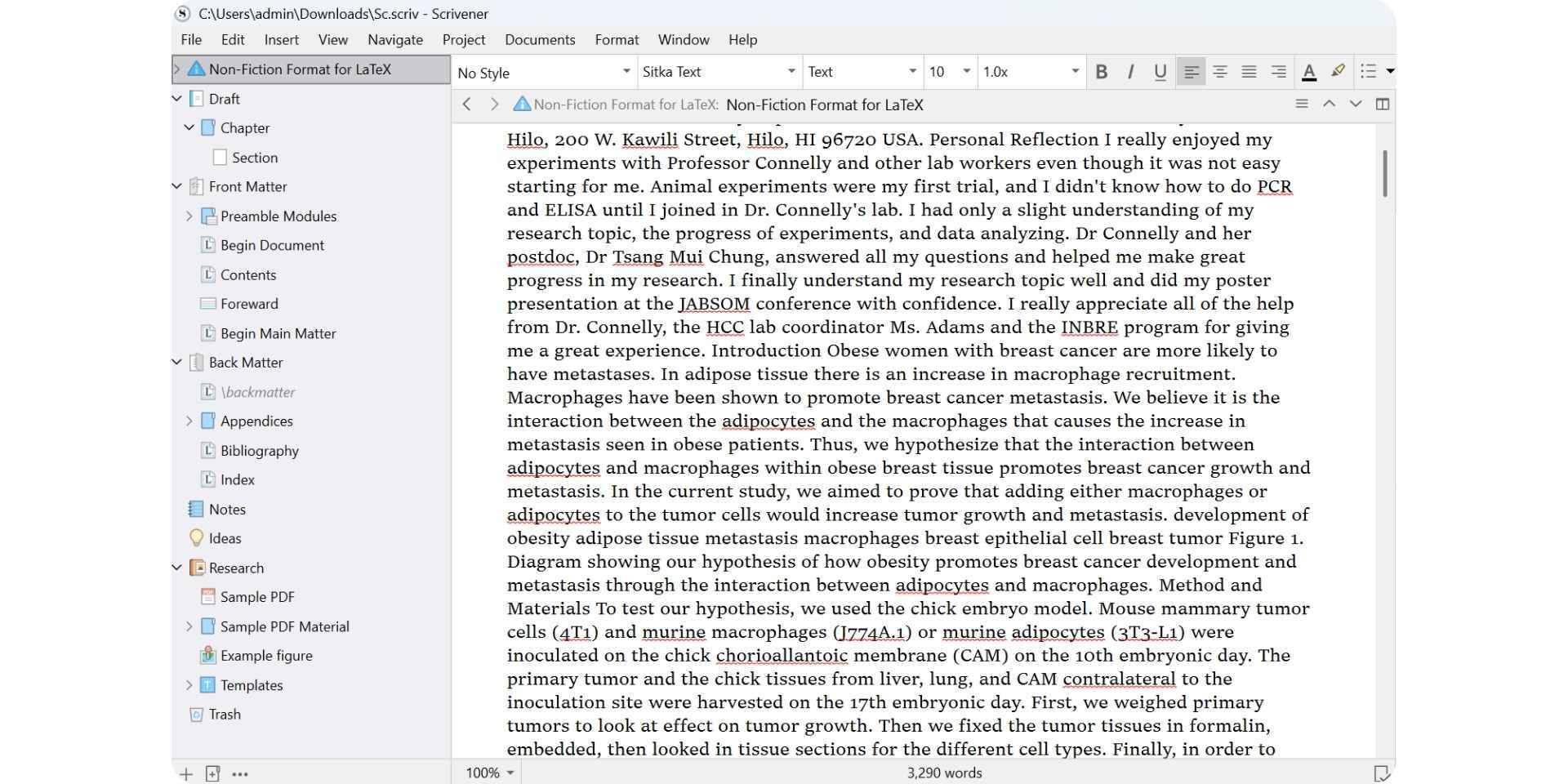
Scrivener is a powerful long-form writing and documentation tool designed for academics, researchers, and technical writers working on complex scientific documents. It helps users plan, draft, and organize their work systematically, making it ideal for theses, research papers, proposals, and detailed scientific reports.
Unlike standard word processors, Scrivener allows users to break large projects into manageable sections, rearrange them easily, and store all research notes and references within a single workspace. This structured approach makes scientific documentation clearer, more organized, and easier to update.
Key Features
- Structured Documentation: Divide large research documents into smaller sections for efficient writing and editing.
- Integrated Notes and References: Keep citations, annotations, and reference material directly within your project workspace.
- Research Binder: Store supporting documents, data, and notes alongside your main text for easy access while documenting.
- Split-Screen View: Write while referencing PDFs, notes, or data simultaneously for smoother documentation.
- Drag-and-Drop Organization: Reorder chapters, sections, or findings without disrupting document structure.
- Focus Mode: Reduce distractions to maintain a clear writing and documentation flow.
- Flexible Export Options: Compile your work into DOCX, PDF, or LaTeX-ready formats suitable for submission or publication.
Best For
Academic writers, graduate students, and researchers preparing theses, dissertations, or scientific reports that require detailed, structured documentation and clear organization.
Pricing
One-time license fee of $59 for macOS or Windows. Free 30-day trial available.
4. Overleaf
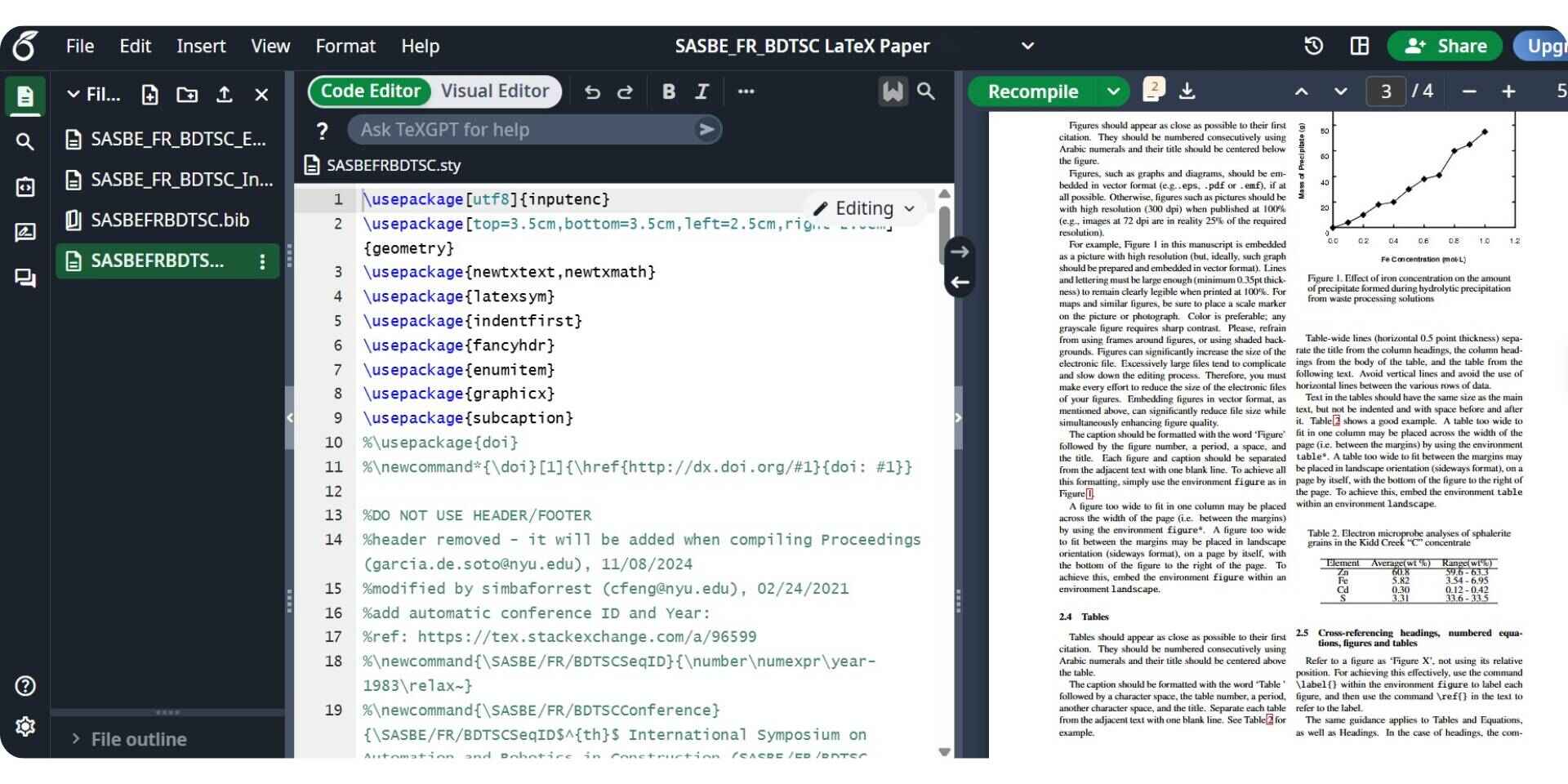
Overleaf is a cloud-based LaTeX writing and documentation platform designed for researchers, scientists, and academic teams who need to create structured, publication-ready scientific documents. It provides an intuitive online environment where users can write, edit, and collaborate in real time without the technical hassle of local LaTeX setup.
By combining version control, live previews, and thousands of scientific templates, Overleaf ensures that every research paper, thesis, or technical report is documented with precision and consistency. It is especially valuable for co-authored projects, academic institutions, and teams that follow standardized documentation formats for journals and conferences.
Key Features
- Collaborative Writing: Write and edit scientific documents with co-authors simultaneously in the browser.
- Template Library: Access thousands of prebuilt templates for journals, theses, and technical documentation.
- Version History: Track every edit and restore previous document versions to maintain transparency in documentation.
- Live PDF Preview: See real-time compiled output while writing for better formatting control.
- Reference Management: Manage citations using BibTeX and integrate external reference tools for organized documentation.
- Git Integration: Sync projects with GitHub for offline editing and version tracking.
- Submission Tools: Export or submit directly to partnered journals for seamless publishing.
Best For
Scientists, academic writers, research groups, and universities that create structured scientific documentation using LaTeX and need real-time collaboration, accurate formatting, and complete version control.
Pricing
Free plan available. Paid plans start at $21 per month for advanced collaboration and project management.
Common Challenges in Scientific Documentation
Even in 2026, managing scientific documentation remains complex. Many research teams still deal with fragmented data, manual reporting, collaboration gaps, and compliance challenges that slow progress and reduce reproducibility.
1. Fragmented Data and Tools
Research documentation is often scattered across spreadsheets, PDFs, shared drives, and notebooks, leading to duplication, version issues, and missing traceability.
Fix: Use tools like SciNote or Paperguide that centralize experiments, notes, and datasets in one secure, searchable workspace.
2. Manual Reporting
Researchers spend a significant portion of their time managing documentation and reports. Manual processes cause inconsistencies and waste valuable effort.
Fix: AI-assisted tools such as Paperguide help automate summaries, data extraction, and report generation so researchers can focus on analysis and interpretation.
3. Limited Collaboration
Teams working across different labs or institutions often face version confusion, outdated files, and limited visibility into ongoing documentation.
Fix: Cloud-based tools like Overleaf, SciNote, and Paperguide support real-time collaboration, shared libraries, and version tracking to make documentation seamless and consistent.
4. Compliance and Security
Meeting standards such as FDA 21 CFR Part 11, GLP, and GDPR can be difficult without proper documentation controls and audit trails.
Fix: Platforms like SciNote ensure compliant documentation through e-signatures, access permissions, and complete audit logs.
5. Information Overload
The volume of scientific literature continues to grow rapidly, making it hard to document and stay updated with new findings.
Fix: Tools like Paperguide summarize papers, extract insights, and structure information to help researchers maintain clear and organized documentation.
Benefits of Scientific Documentation Tools
The shift from traditional note-taking to digital documentation has transformed how scientists work. Modern scientific documentation software offers benefits that improve collaboration, compliance, and efficiency.
| Benefit | Description |
|---|---|
| Improved Efficiency | AI automation reduces repetitive work like data entry, literature review, and report writing. |
| Enhanced Collaboration | Cloud-based systems support multi-user editing, shared comments, and real-time version control. |
| Reproducibility and Accuracy | Every update and experiment is logged transparently, ensuring consistent results and traceability. |
| Data Security and Compliance | Platforms like SciNote safeguard research with encryption, permissions, and audit trails. |
| AI-Powered Assistance | Tools such as Paperguide help automate research writing, citation organization, and literature synthesis. |
Using these tools ensures that researchers can document faster, communicate better, and maintain high scientific standards.
Choosing the Right Scientific Documentation Tool
The right scientific documentation platform depends on your specific research focus, documentation needs, and team workflow. Here’s a quick guide to help you choose the most suitable tool based on your documentation priorities.
| Research Need | Recommended Tool | Key Documentation Features |
|---|---|---|
| Lab Documentation | SciNote | Digital lab notebook with templates, audit trails, and inventory tracking. |
| Academic Writing | Paperguide | AI-assisted writing, citations, and literature documentation. |
| Structured Writing Projects | Scrivener | Organized workspace for theses and long-form research. |
| Reading & Literature Analysis | Paperguide | Summarize and document key insights from research papers. |
| Collaborative Publishing | Overleaf | Real-time LaTeX writing with version control and templates. |
Key Factors to Consider
When selecting a scientific documentation tool, focus on features that enhance accuracy, compliance, and workflow efficiency.
- Integration: Choose tools that connect seamlessly with your existing systems, such as Zotero, GitHub, or Google Drive.
- AI Capabilities: Look for platforms that assist in summarizing, documenting, or organizing research automatically.
- Data Privacy: Ensure the software offers encryption, access controls, and secure cloud storage for sensitive data.
- Collaboration: Prefer platforms with multi-user editing, shared comments, and version tracking.
- Scalability: Select a solution that can grow with your research team and adapt to evolving documentation needs.
Selecting the right combination of these tools allows researchers and labs to maintain organized, accurate, and compliant documentation while focusing more on innovation and discovery.
Expanding Beyond Scientific Documentation
For professionals who need documentation tools beyond scientific research, such as product documentation or grant documentation, purpose-built AI-powered platforms can complement traditional scientific documentation tools.
When to Look Beyond Scientific Documentation
While platforms like Paperguide, SciNote, and Overleaf handle research documentation effectively, many researchers, educators, and organizations also require tools for other types of documentation, including:
- Technical manuals or developer documentation
- Internal SOPs and operational guidelines
- Grant proposals and funding documentation
- Training materials and educational content
- Knowledge base and policy documentation
In such cases, purpose-built AI documentation platforms help automate formatting, streamline collaboration, and maintain version accuracy across teams. AI also plays an increasing role in keeping documentation current and improving accessibility for users.
Tools to Explore for Broader Documentation
- Grant Documentation: Tools like Grantable simplify funding applications by automating structure, formatting, and section drafting with contextual AI support.
- General Purpose Documentation: Tools like Notion AI and Confluence enhance internal documentation through intelligent summaries, task linking, and version control.
- Product Documentation: AI platforms such as Documentation AI help build public documentation. They automatically update product, API, and research documentation while supporting interactive AI guidance for end users.
Conclusion
Scientific documentation has transformed from time-consuming manual work into an intelligent, connected process that enhances accuracy and collaboration. Modern tools now combine AI, cloud-based systems, and compliance-ready features to make research documentation faster, more structured, and easier to manage.
In 2026, Paperguide, Overleaf, and SciNote stand out as the leading platforms in scientific documentation. Paperguide simplifies AI-powered writing and literature management, Overleaf enables collaborative and publication-ready scientific documentation, and SciNote ensures secure, compliant lab recordkeeping. Together, these tools define the future of efficient, transparent, and intelligent scientific documentation.
FAQs
1. Why is scientific documentation important?
Scientific documentation keeps research organized, transparent, and reproducible. It ensures that experiments, data, and findings are properly recorded so teams can share results, maintain compliance, and build on previous work without data loss.
2. How do AI tools improve scientific documentation?
AI tools simplify scientific documentation by automating literature reviews, generating structured summaries, and managing references. Platforms such as Paperguide use AI to streamline repetitive documentation tasks, helping researchers focus more on analysis and interpretation.
3. Can AI completely replace manual documentation?
Not yet. AI can accelerate data handling, report generation, and summarization, but human oversight remains essential to maintain accuracy, context, and scientific integrity.
4. What are the benefits of cloud-based scientific documentation?
Cloud-based platforms like Paperguide allow real-time collaboration, centralized storage, and version control, enabling researchers and teams to work securely and efficiently from any location.
5. How can teams ensure data security and compliance?
Use documentation tools that comply with standards such as FDA 21 CFR Part 11, GLP, or GDPR, and include features like audit trails, permissions, and encryption to safeguard research integrity.
Researching a topic?
Find papers and get cited answers
Search the literature, find gaps and write with citations.
Start for freeNo credit card required