7 Best AI Research Assistant Tools for Scientific Research in 2026

Scientific publishing now produces over three million new papers each year. Amid tight deadlines and strict citation standards, selecting the best AI research assistant has shifted from being a convenience to a practical necessity.
These tools claim to support core research tasks like literature review, writing, and reference management, but many fall short when it comes to accuracy, reliability, or value for money. As a result, researchers increasingly look for the best AI research assistant and best AI literature review tools in 2026 solutions that balance accuracy, cost, and end to end research support. Researchers often need reliable communication as part of their workflow using trusted mass text messaging software such as Clerk Chat ensures teams receive timely alerts about important updates or findings.
As Sundar Pichai once said, “The future of AI is not about replacing humans; it’s about augmenting human capabilities.” For researchers, that means using tools that simplify complex tasks without compromising academic integrity.
This blog compares some of the best AI research assistant tools in 2026, focusing on which ones offer the strongest features at the most reasonable cost. Whether you're aiming to streamline your workflow or looking for the best AI assistant for scientific research, a dependable AI research paper writer, or even the best AI tools for data analysis, the options ahead are selected with both function and affordability in mind.
TL;DR
- Paperguide is the top pick for 2026, combining AI search, PDF chat, citation-backed answers, literature review automation, and paper writing, with its Research Agent doing the AI research assistant job across the workflow.
- Elicit is best for systematic reviews and evidence synthesis, and Consensus for research Q&A and fact-based question answering.
- Scite is ideal for citation context analysis, showing whether studies are supported, contradicted, or mentioned in the literature.
- Paperpal is the pick for grammar, tone, and writing quality, while SciSpace is best for reading difficult research papers.
- Zendy is the budget option for affordable access to open-access and premium research.
What are the best AI research assistant tools in 2026?
The best AI research assistant tools in 2026 include Paperguide, Paperpal, SciSpace, Elicit, Scite, Consensus, and Zendy. These tools help researchers search literature, analyze papers, generate citations, and improve academic writing using AI. Many of these platforms also function as AI-powered literature review tools, helping researchers evaluate, compare, and synthesize evidence more efficiently in 2026.
Top AI Research Assistant Tools in 2026
| Tool | Description |
|---|---|
| Paperguide | AI-native platform for scientific research workflows and systematic reviews, whose Research Agent covers literature review, writing, summarization, and citation management. |
| Paperpal | Real-time academic writing assistant that improves grammar, tone, structure, and citation formatting. |
| SciSpace | AI PDF reader that explains complex papers, equations, and methods in real time. |
| Elicit | AI-powered literature review tool for finding evidence, summarizing results, and extracting data. |
| Zendy | Affordable AI-enhanced research library with access to millions of papers and built-in summarization tools. |
| Scite | Citation-aware AI assistant that shows how studies are supported, contradicted, or mentioned in literature. |
| Consensus | Research Q&A tool that answers scientific questions using evidence from peer-reviewed studies. |
In this section, we highlight some of the top AI research assistant platforms available today. From all-in-one research suites to specialized writing aids, these tools are among the best AI research assistant solutions for boosting productivity and enhancing your workflow. Each entry notes key features and use cases to help you compare these AI research tools.
1. Paperguide
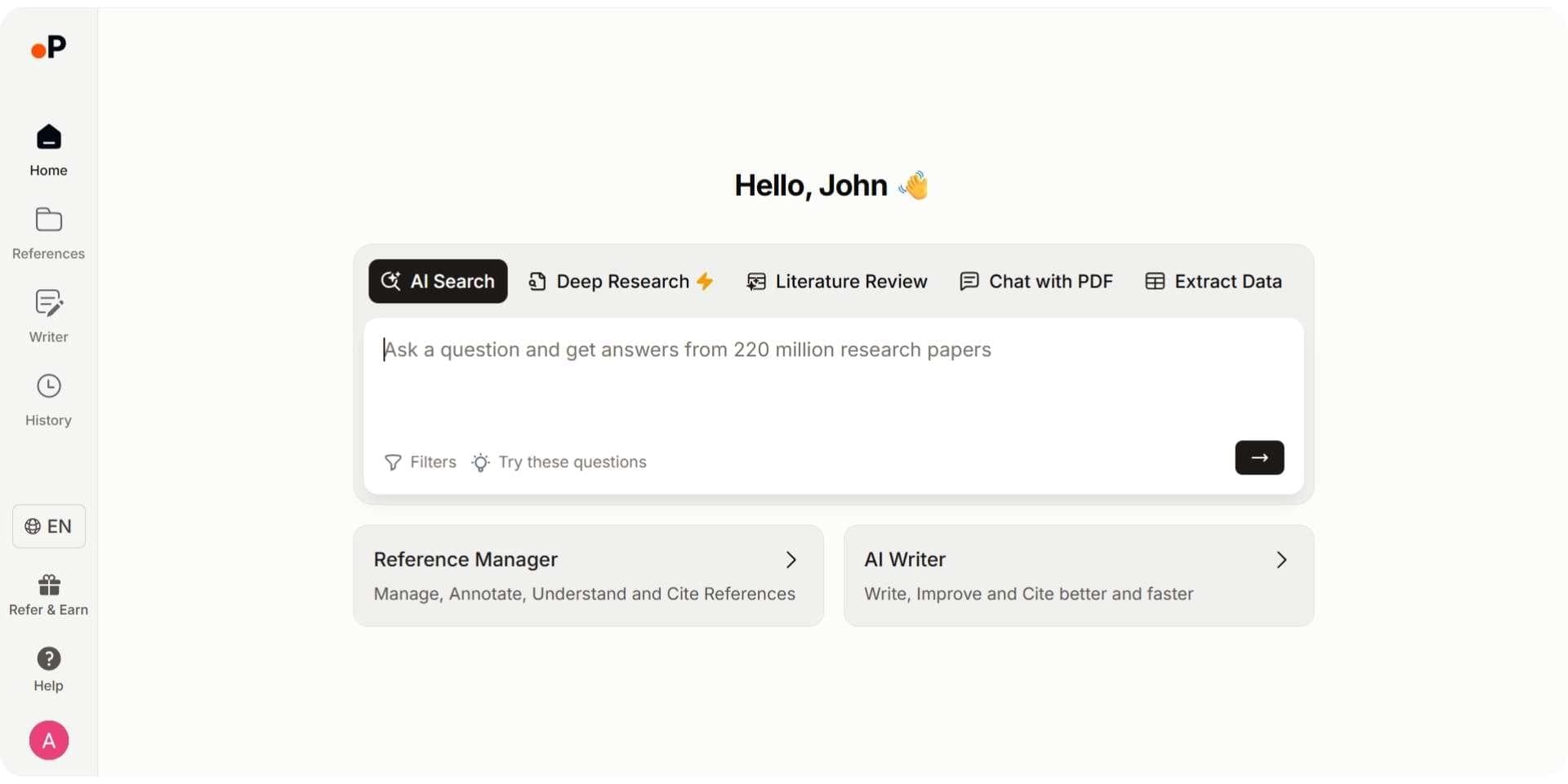
Paperguide is an AI-native platform for scientific research workflows and systematic reviews, and its Research Agent does the job of an AI research assistant, offering comprehensive support throughout the research process. It has quickly gained popularity as one of the best SciSpace alternatives, providing similar AI-powered paper analysis plus many additional features. Paperguide can discover relevant literature, summarize findings, assist with writing, and manage citations in a single platform. This versatility places Paperguide among the best AI paper writing tools available to researchers. In fact, its integrated AI Paper Writer module serves as a powerful AI research paper writer, generating well-cited drafts built on your references. Researchers can use Paperguide to answer questions, conduct literature reviews, and extract insights from documents all in one place.
Key Features
- Research Agent: Runs a multi-step investigation across 200M+ papers and your library: it finds papers, screens them against criteria, compares findings across studies, identifies research gaps, extracts data, and generates drafts in one connected session, with every answer cited to the sentence. You can add your own key papers, PDFs or notes as context, ask it to plan a search strategy or draft a screening or extraction plan, and have it refine an introduction or related work section.
- AI Search: Paperguide’s hybrid semantic and keyword search understands full research questions and synthesizes a citation-backed answer from the top 20 of over 200 million peer-reviewed papers, with SJR, SNIP, and citation metrics on every result. It focuses on extracting insights, not just matching keywords.
- Literature Review AI: Runs the full Plan, Search, Screen, Extract, Synthesize sequence for a literature review from one research question, on up to 50 papers in Standard mode or 200 in Extended mode. Works on the database of over 200 million papers or on your Reference Manager, and every claim is cited and linked to a real source paper.
- Deep Research Report: Plans the research from your question, searches semantically, screens for relevance and quality, extracts and analyzes, then delivers a fully cited report that flags research gaps. You stay in control at each stage: set the questions, review retrieved papers, adjust criteria, and confirm extraction fields.
- AI Paper Writer: The built-in AI Paper Writer helps draft and polish academic text using your imported references as context. It can generate entire paper sections with proper citations, eliminating writer’s block while maintaining academic integrity (all AI-generated content is automatically cited). This makes Paperguide one of the best AI research paper writer tools for producing well-supported manuscripts.
- AI Reference Manager: Paperguide doubles as a reference manager: you can import references (from BibTeX, RIS, DOI, PDF, etc.), organize them into libraries, format them in 1,000+ citation styles, and get AI-generated summaries for each source. It also integrates with external tools like Zotero, which speeds up citation and bibliography work.
- Chat with PDF: Similar to SciSpace’s Copilot, Paperguide lets you chat with your PDFs. You can ask questions directly about a paper you upload and get instant answers or explanations without reading the entire document. It also provides the original text passage as verification for each answer, so you can trust but verify the AI’s responses.
- Extract Data: Automatically extracts key information from multiple papers, including the numerical results each paper reports. You define the columns, AI fills each cell from the full text with every value cited to the exact sentence, and the table exports to CSV, Excel, RIS, BIB, PDF, or DOCX.
- Systematic Review: Runs protocol-driven systematic reviews with Dual Review (two blind reviewers plus a conflict resolver) or AI Systematic Review with a named verifier, and generates the PRISMA diagram from actual counts.
Pros
- Combines literature review, writing, and citation tools in one platform
- Supports full systematic reviews with citation-backed reporting
- Generates detailed, structured tables with TLDR summaries
- Integrated citation manager with Zotero compatibility
- Chat with PDF provides grounded, source-linked answers
Cons
- Requires learning curve to use all modules effectively
- Some advanced features only available in paid plan
- Currently web-based only (no desktop/mobile app)
Best For
Researchers, graduate students, and professionals who want an AI research assistant, in the form of Paperguide’s Research Agent, for systematic reviews, academic writing, and literature review.
Paperguide Pricing Overview in 2026
| Feature | Free | Plus | Pro | Evidence Teams |
|---|---|---|---|---|
| Price | $0 | $12 per seat per month, billed annually ($144 a year) | $29 per seat per month, billed annually ($348 a year) | $89 per seat per month, billed annually ($1,068 a year) |
| AI Credits per Month | 2,000 | 12,500 | 50,000 | 150,000 |
| Systematic Reviews | ❌ | Up to 1,000 papers | Up to 5,000 papers | Up to 5,000 papers, dual reviewer screening |
| Extract Data Tables | 5 columns, 10 papers | 50 columns, 100 papers | 50 columns, 100 papers | 50 columns, 100 papers |
| Plagiarism Checker | 4,000 words/month | 20,000 words/month | 100,000 words/month | 100,000 words/month |
| AI Models Used | ✅ GPT-4, GPT-4o, GPT-4.1, Gemini 2.5 Pro, Claude 3.5 | ✅ Same | ✅ Same | ✅ Same |
| Citation Styles | ✅ 1,000+ | ✅ 1,000+ | ✅ 1,000+ | ✅ 1,000+ |
Enterprise pricing is custom. Academics get 30% off with a valid university email, and yearly billing saves up to 41%.
Verdict
Paperguide offers one of the most generous free plans among AI research tools, providing access to Deep Research Report, citation-backed answers, and AI writing support at no cost. Its premium tiers are also affordably priced compared to other platforms. It also stands out as one of the best scientific documentation tools, offering structured research organization and AI-powered writing assistance for researchers.
Overall, Paperguide brings together literature review, AI-driven analysis, and writing assistance in a single workflow. It is widely considered one of the best literature review AI tools in 2026, particularly for researchers who need accurate synthesis and citation-backed insights. As part of this workflow, Paperguide is also commonly used as an AI Research Paper Summarizer, helping researchers quickly understand studies, compare findings, and decide which papers require deeper analysis.
2. Paperpal
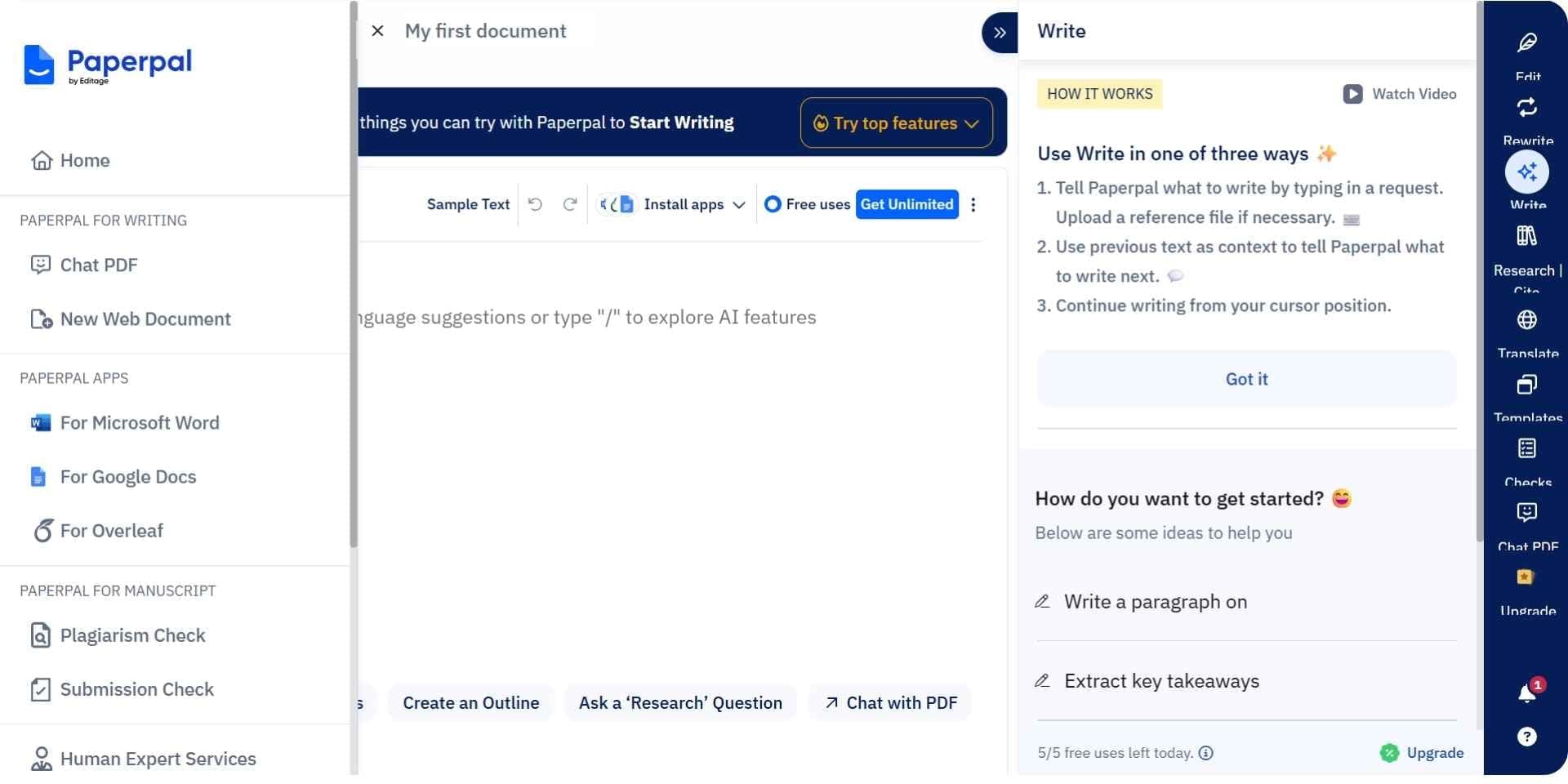
Paperpal is an AI-powered academic writing assistant that excels at helping researchers write and revise their papers. It’s not a literature discovery tool but rather one of the best AI research writing tools focused on improving the clarity and quality of your scientific writing. Paperpal integrates with popular writing platforms (Microsoft Word, Google Docs, Overleaf) to provide real-time suggestions as you write.
Key Features
- Real-Time Language Feedback: Offers subject-specific grammar and tone suggestions to improve clarity and style as you write.
- Citation Search in Editor: Lets you search 250M+ papers and insert citations directly into your document in thousands of styles.
- Academic Editing Tools: Includes paraphrasing, formal tone adjustments, and pre-submission checks for consistency and compliance.
- Plagiarism & Translation: Detects duplicated text and supports academic translation in 30+ languages.
- Multi-Platform Support: Works with MS Word, Google Docs, Overleaf, and a web editor, adapting suggestions based on discipline.
Pros
- Real‑time, context‑aware language and grammar corrections
- In‑editor citation search and insertion
- Advanced plagiarism detection and multilingual translation
- Works across major writing platforms (Word, Docs, Overleaf, Web)
- Free plan available for light use
Cons
- No literature discovery or systematic review tools
- Full feature set (e.g., unlimited suggestions, plagiarism checks) requires the paid plan
- Can flag discipline‑specific phrasing as errors until customized
Best For
Researchers and students who already have their sources but need an AI assistant for scientific writing to polish language, insert citations, and ensure journal‑ready formatting.
Paperpal Pricing Overview in 2026
| Feature | Free Plan | Prime Plan ($20/month) |
|---|---|---|
| Real-time grammar feedback | ✅ | ✅ |
| Academic tone & clarity checks | ✅ | ✅ |
| Paraphrasing & rephrasing | ❌ | ✅ |
| AI citation suggestions | ❌ | ✅ |
| Academic translation (30+ languages) | ❌ | ✅ |
| Plagiarism checker | ❌ | ✅ |
| MS Word & Overleaf add-ons | ❌ | ✅ |
| Web editor access | ✅ | ✅ |
Verdict
Paperpal Prime is ideal for academic writers who need real-time editing, advanced rewriting, and citation tools in one place. It is an excellent AI assistant for scientific writing and editing. It won’t find new articles for you, but it will ensure that your own writing is polished and publication-ready. For researchers who already have content drafted (or who use a tool like Paperguide or Elicit to gather information), Paperpal acts as a smart editor and writing coach. It’s particularly useful for non-native English speakers and anyone aiming to meet high academic writing standards.
3. SciSpace
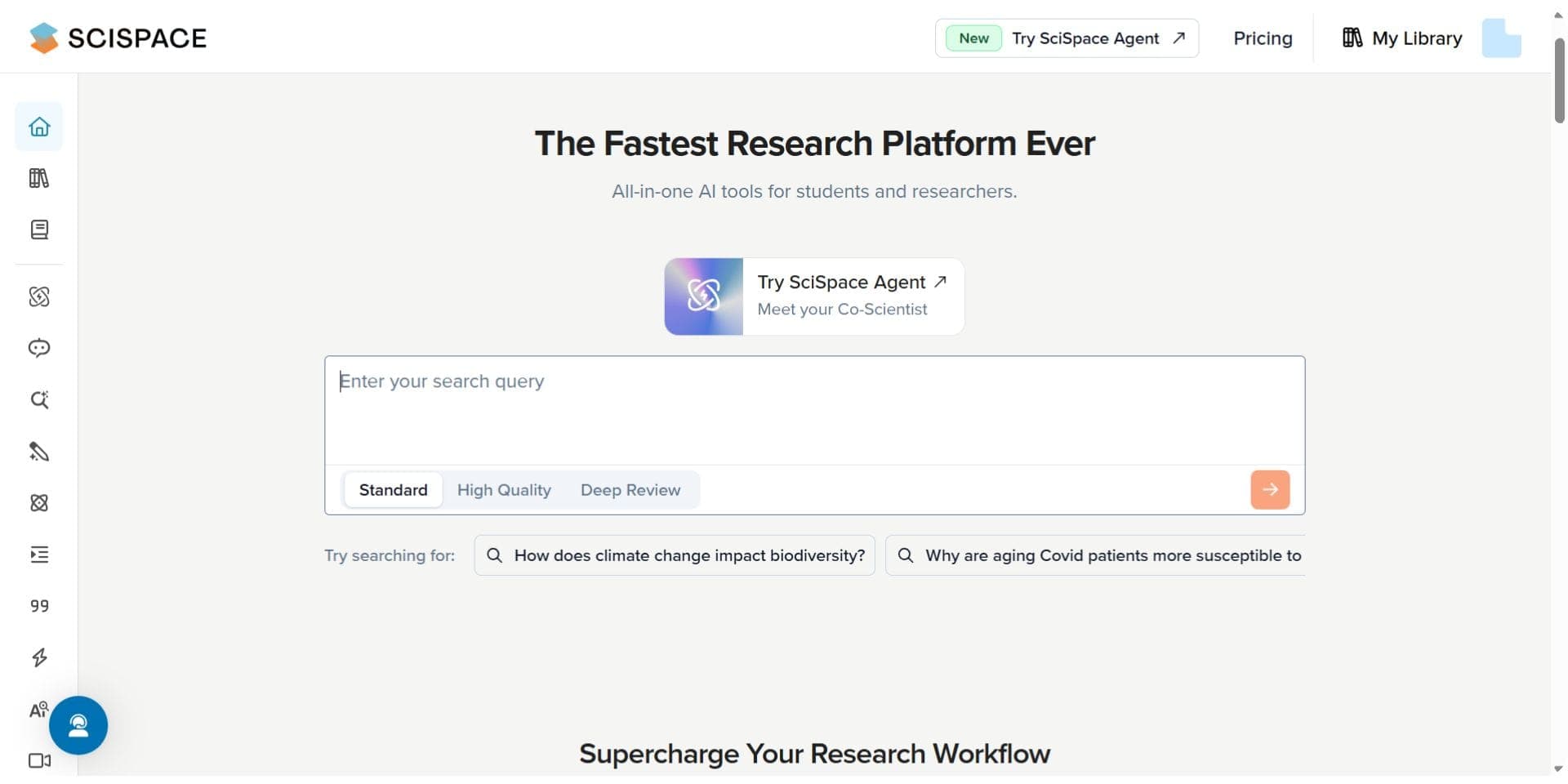
SciSpace offers an AI research assistant called SciSpace Copilot that is built to help you read and understand scientific papers. SciSpace’s Copilot functions like a “ChatPDF” tool: as you read a paper (either from their 200M+ paper database or your own PDF upload), you can ask the AI to explain sections, define terms, or clarify formulas in real time. This makes SciSpace one of the most useful AI tools for researchers who need to digest complex literature.
Key Features
- In-document explanations: SciSpace Copilot simplifies complex text, tables, and equations as you read, helping you understand technical content in real time.
- Ask questions while reading: You can ask the AI questions like “What was the methodology?” and receive accurate, grounded answers pulled directly from the source paper.
- Extensive research database: With access to over 200 million papers, SciSpace allows you to search and immediately engage with documents using the Copilot tool. You can also upload your own PDFs.
- Literature review support: The Deep Review mode suggests related papers, authors, and topics, helping you explore connected research and avoid missing key references.
- Browser extension access: Use the AI assistant on PDFs found across the web, including journal sites and repositories, without needing to download files.
Pros
- AI Copilot simplifies reading and understanding complex papers
- Explains equations, technical terms, and methods clearly
- Works with uploaded PDFs and web-based research articles
- Free access to core features including Copilot
- Visual network of related studies enhances exploration
Cons
- No writing assistant or citation management features
- Not designed for conducting literature reviews or full analysis
- Limited customization of output or summaries
Best For
Students and researchers who want to understand academic papers faster and more clearly, especially in technical or unfamiliar fields. Ideal for reading comprehension, not writing or synthesis.
Scispace Pricing Overview in 2026
| Feature | Basic (Free) | Premium ($20/mo) | Advanced ($90/mo) | Teams (from $18/user/mo) |
|---|---|---|---|---|
| Literature Review | ❌ Limited | ✅ Unlimited | ✅ Deep Review Model | ✅ Unlimited |
| Chat with Papers / PDFs | ❌ Limited | ✅ Unlimited | ✅ Unlimited | ✅ Unlimited |
| AI Writer | ❌ Limited | ✅ Unlimited | ✅ Unlimited | ✅ Unlimited |
| Paraphraser | ❌ Limited | ✅ Unlimited | ✅ Unlimited | ✅ Unlimited |
| Paper Summaries | ❌ Limited | ✅ Unlimited | ✅ Unlimited | ✅ Unlimited |
| AI Notebooks | ❌ Limited | ✅ Unlimited | ✅ Unlimited | ✅ Unlimited |
| Citation Generator | ❌ Limited | ✅ Unlimited | ✅ Unlimited | ✅ Unlimited |
| Add Columns (Lit Review) | 5 | 50 | 50 | 50 |
| Export (RIS, CSV, BIB) | ❌ | ✅ | ✅ | ✅ |
| AI Detection | ❌ Limited | ✅ Unlimited | ✅ Unlimited | ✅ Unlimited |
| Topic Search | ❌ Limited | ✅ Unlimited | ✅ Unlimited | ✅ Unlimited |
| Customize Chat Settings | ❌ | ✅ | ✅ | ✅ |
| Role Management | ❌ | ❌ | ❌ | ✅ |
| Dedicated Account Manager | ❌ | ❌ | ❌ | ✅ |
| Priority Support | ❌ | ❌ | ❌ | ✅ |
| Early Access to Collaboration Tools | ❌ | ❌ | ❌ | ✅ |
Verdict
SciSpace is particularly appealing to students and researchers who spend a lot of time reading PDFs and want to boost their comprehension and speed. It doesn’t directly generate text or do heavy data extraction, but it shines in making sense of complex material. By simplifying jargon and explaining intricate details, SciSpace Copilot saves you from hours of struggling over difficult passages. It essentially serves as your personal tutor for any paper, which can be a huge productivity boost during literature reviews.
4. Elicit
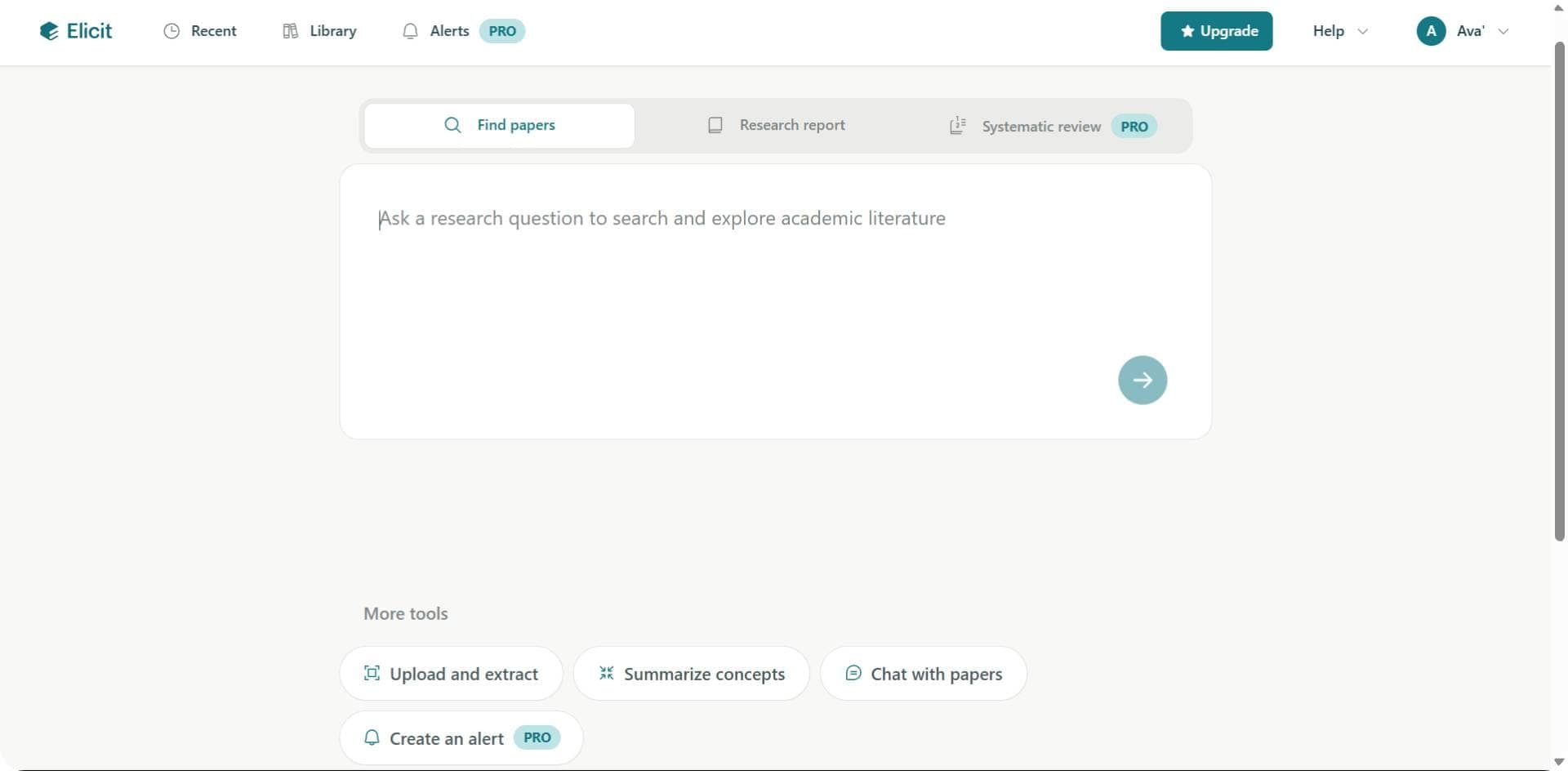
Elicit (by Ought) is an AI research assistant specialized in literature discovery and evidence synthesis. It is an AI-powered research engine that finds answers to your questions in academic papers, similar to how Consensus works. Elicit’s strength is in conducting aspects of a systematic literature review with far less effort. You can ask a question or enter a topic, and Elicit will retrieve relevant papers, summarize key findings, and even extract specific data points from those papers.
Key Features
- Literature search and ranking: Elicit scans a database of over 125 million academic papers to find the most relevant ones for your query. It highlights key findings from each paper to help you identify useful evidence quickly.
- Evidence summaries: Elicit presents structured summary tables showing outcomes, sample sizes, and key results across top studies, giving researchers a fast and comprehensive overview of the literature.
- Data extraction and PDF Q&A: Elicit extracts specific data points from within papers. You can also upload PDFs and ask questions directly, receiving answers backed by quotes from the original text.
- Automated review workflow: Elicit supports systematic reviews with features like screening suggestions, paper prioritization, and automated categorization to reduce manual effort.
- Reliable academic focus: Built for researchers, Elicit emphasizes transparency and source-backed answers, with a strong reputation for minimizing AI hallucinations and maintaining academic rigor.
Pros
- Strong support for systematic review workflows
- Customizable extraction templates and workflows
- Easy-to-use interface for screening and synthesis
- Free to use for basic tasks
- Transparent citation of sources
Cons
- Doesn’t support AI writing or document generation
- Limited PDF interaction compared to tools like Paperguide or SciSpace
- May require manual curation for more advanced outputs
Best For
Researchers conducting systematic reviews, scoping reviews, and meta-analyses who need a fast way to extract structured data and compare study results. Especially useful in healthcare, psychology, and social sciences.
Elicit Pricing Overview in 2026
| Feature | Free | Plus ($12/mo) | Pro ($49/mo) |
|---|---|---|---|
| Search 125M+ Papers | ✅ Unlimited | ✅ Unlimited | ✅ Unlimited |
| Summarize Papers | Up to 4 at once | Up to 8 at once | Up to 8 at once |
| Chat with Papers | Up to 4 at once | Up to 8 at once | Up to 8 at once |
| Extract Data | 20 papers/month | 50 papers/month | 200 papers/month |
| Table Columns | 2 | 5 | 20 |
| Export (RIS, CSV, BIB) | ❌ | ✅ | ✅ |
| Systematic Review Tools | ❌ | ❌ | ✅ Dedicated Workflows |
| Zotero Import | ✅ | ✅ | ✅ |
| AI Answer Explanations | ❌ | ❌ | ✅ |
Verdict
Elicit has a generous free version, but features like bulk data extraction, exporting results, and systematic review tools are only available in paid plans. If you're doing more than a basic review, upgrading is usually necessary.
This tool is best for researchers who want to speed up literature discovery, summarization, and early data analysis. While it doesn’t help with writing or citation formatting like Paperguide or Paperpal, Elicit is excellent at finding reliable evidence and helping you analyze it. It’s especially useful in fields like medicine, psychology, and public health, where quick access to structured research can save hours.
5. Zendy
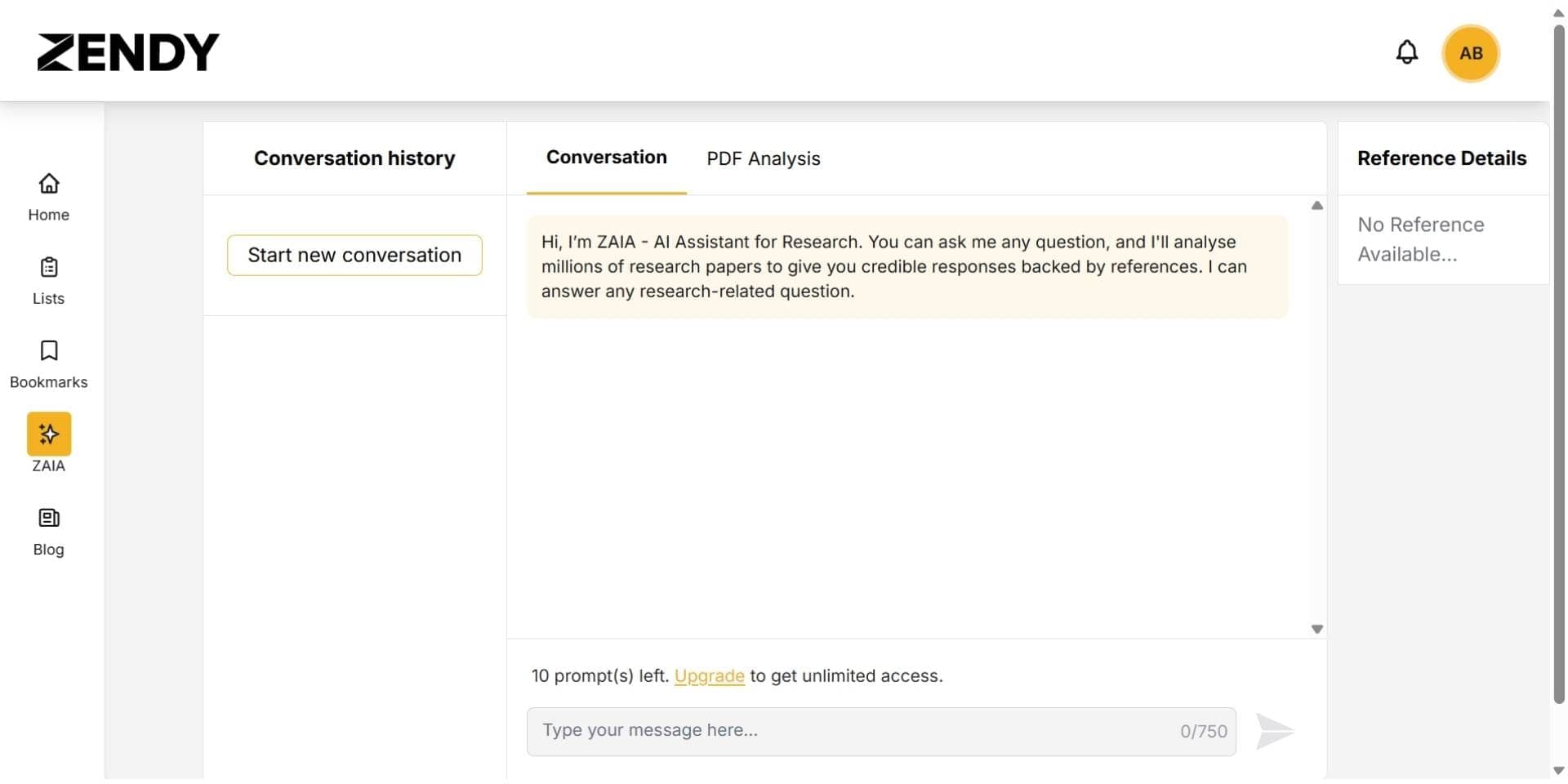
Zendy is a slightly different entry on this list: it is an AI-powered research library platform. The idea behind Zendy is to give users affordable access to a vast catalog of scholarly literature (millions of journal articles, conference papers, and e-books), and augment that access with AI tools to discover and digest information. Zendy’s AI assistant is called ZAIA, and it’s geared toward helping you quickly find relevant research and understand key concepts. This makes Zendy arguably the best AI assistant for scientific research if you need both content access and AI analysis in one.
Key Features
- Large Research Library: Zendy gives access to a wide range of research papers, combining open-access and licensed content. It’s especially useful for researchers without university subscriptions, helping you access full-text articles without paywalls.
- ZAIA Research Assistant: Zendy’s built-in AI, ZAIA, answers your research questions with reference-backed responses. Like Elicit or Consensus, it finds reliable sources and cites them, making it helpful for quick fact-finding or topic exploration.
- Reading and Review Tools: Zendy offers tools like keyphrase highlighting, auto summaries, and PDF analysis. These features help you understand papers faster, so you can decide what's relevant without reading every word.
- Efficient Literature Search: Zendy claims its AI can reduce your time spent on literature reviews by up to 80%. It simplifies paper discovery and quickly summarizes important insights from multiple sources.
- Researcher-Friendly Interface: The platform offers smart filters, topic suggestions, and bookmarking tools. It’s built for accessibility and ease of use, making research more manageable even without access to large academic libraries.
Pros
- Very affordable, especially with student discount
- Good access to open-access and premium journal content (with Plus plan)
- Built-in AI features for summarization and analysis
- Simple and clean interface
- Student and institutional plans available
Cons
- AI features are basic compared to Paperguide or Elicit
- No citation management or writing assistance
- Limited functionality in the free plan
- No export of formatted citations or PDFs
Best For
Students and professionals looking for affordable access to both open-access and premium research, with some lightweight AI tools to help summarize and understand content. It’s a great fit for reading and comprehension, but not for writing or in-depth data extraction.
Zendy Pricing Overview in 2026
| Feature | Zendy Open (Free) | Zendy Tools ($9.50/mo) | Zendy Plus ($29.50/mo) |
|---|---|---|---|
| Access to 37M+ Open Access Articles | ✅ | ✅ | ✅ |
| Access to Premium Journals | ❌ | ❌ | ✅ |
| AI Assistant (ZAIA) | 5 uses/month | ✅ Unlimited | ✅ Unlimited |
| PDF Analysis | 5 uses/month | ✅ Unlimited | ✅ Unlimited |
| Summarization | 5 uses/month | ✅ Unlimited | ✅ Unlimited |
| Keyphrase Highlighting | 5 uses/month | ✅ Unlimited | ✅ Unlimited |
| Insights | ✅ Unlimited | ✅ Unlimited | ✅ Unlimited |
| Student Discount | ❌ | ✅ 50% off available | ✅ 50% off available |
| Export Options | ❌ | ❌ | ❌ |
Verdict
Overall, Zendy is a reliable option for researchers and students who need access to both open and premium academic content on a budget. It simplifies reading with built-in AI features like summarization, PDF analysis, and keyphrase highlighting. Although it does not support AI writing or systematic review workflows like Paperguide or Elicit, it works well for learners and professionals focused on understanding literature. The free plan is functional, and student discounts make premium access more affordable, especially in education-focused environments.
6. Scite
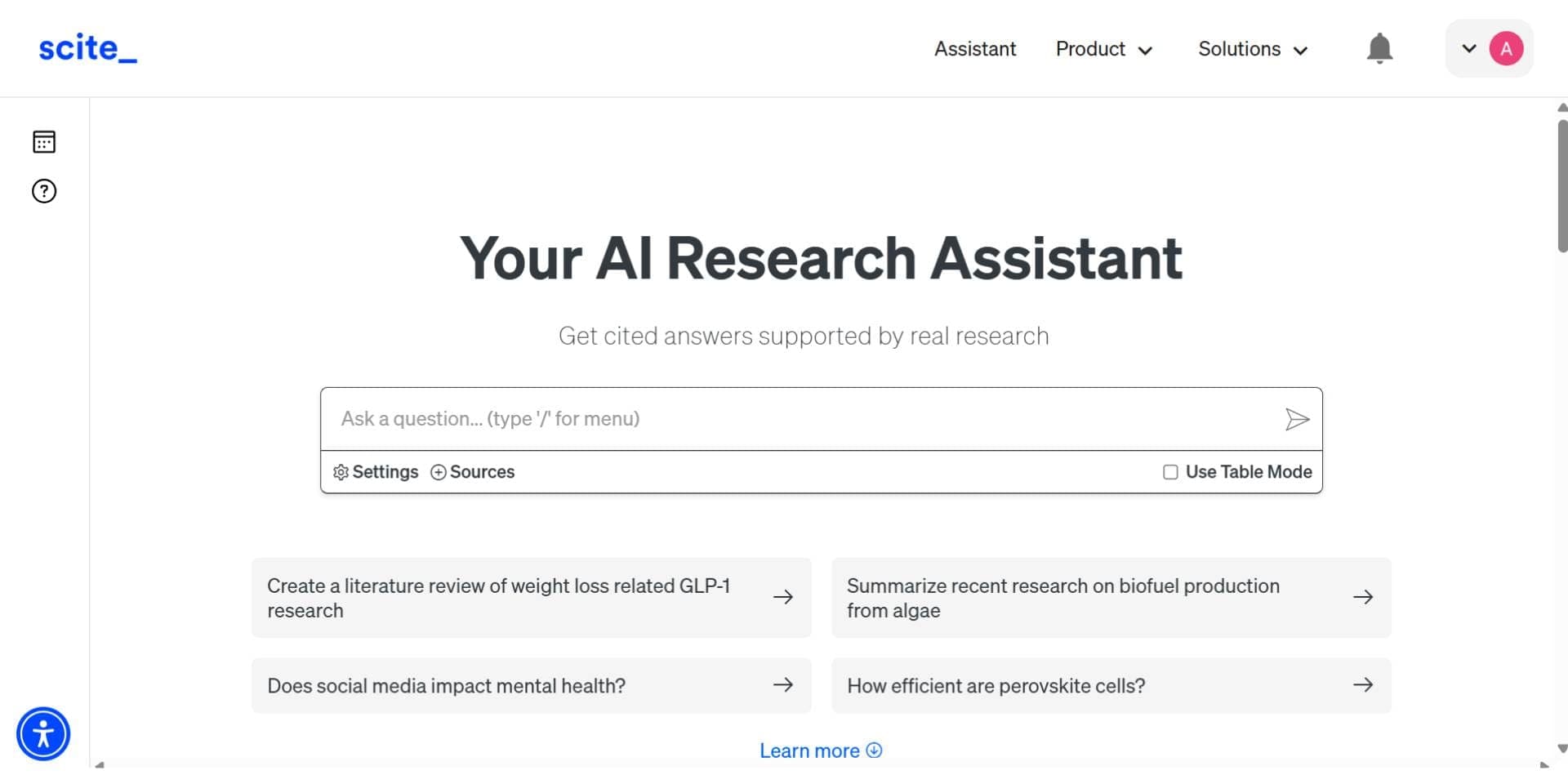
Scite is an AI-powered research tool that helps you evaluate and analyze scientific literature, especially through the lens of how papers cite each other. It’s known for its “Smart Citations” feature, which goes beyond simply counting citations to telling you how a paper is cited by others (for support, contrast, or just mention). Scite has also introduced cutting-edge AI features for extracting data from papers. Overall, it’s one of the best AI tools for data analysis and literature evaluation in research.
Key Features
- Smart Citations Dashboard: Scite not only shows which papers cite a study, but also reveals whether those citations support, contradict, or merely mention the claims. This helps researchers quickly assess reliability and understand the scholarly conversation.
- Scite Assistant (Q&A): Ask research questions and receive evidence-backed answers with direct quotes and source links. Responses are often structured as bullet points or tables for easy interpretation.
- AI Tables (Data Extraction): Scite automatically extracts results, sample sizes, and outcomes from studies into structured tables, ideal for systematic reviews and meta-analyses.
- Citation Context and Discovery: Go beyond keyword search by exploring citation context. This shows how and why a paper is cited, helping uncover overlooked but relevant studies.
- Integrations and Export Options: Scite integrates with reference managers and writing tools. You can export citation data or insert evidence directly into Word or Google Docs using built-in add-ons.
Pros
- Smart citations show support vs. contrast
- Excellent citation context with source links
- Tables for AI-based data extraction
- Strong Q&A assistant with research-backed answers
- API and enterprise integrations available
Cons
- No free version with full-text search or Assistant
- No AI writing or document drafting
- More suitable for evaluation than writing
Best For
Scite is best for researchers conducting systematic reviews, related work sections, and grant proposals. It’s especially valuable for evaluating study reliability through citation context and extracting structured data for analysis. Ideal for academic researchers, clinicians, and analysts who want to trace the evidence trail behind claims.
Scite Pricing Overview in 2026
| Feature | Personal ($20/month) | Organization (Custom) |
|---|---|---|
| Unlimited Assistant Chats | ✅ | ✅ |
| Full-Text Search | ✅ | ✅ |
| Citation & Retraction Alerts | ✅ | ✅ |
| Custom Research Dashboards | ✅ | ✅ |
| Reference Check (Medical Studies) | ✅ | ✅ |
| Article Download Access | ❌ | ✅ |
| Role & Permission Management | ❌ | ✅ |
| Dedicated Support Manager | ❌ | ✅ |
| Email Domain/IP Access | ❌ | ✅ |
| Single Sign-On (SSO) | ❌ | ✅ |
| REST API Access | ❌ | ✅ |
Verdict
Scite is especially useful for researchers performing rigorous literature evaluations, such as writing a related work section, systematic review, or grant background. It ensures you not only find relevant papers but also understand the scientific dialogue around those papers. By seeing how each study is perceived by others, you can identify which results are well-supported versus which are contentious. Moreover, the AI-driven data extraction saves time in analyzing results across multiple studies. In a sense, Scite acts as both a scholar and an analyst, helping you draw evidence-based conclusions quickly while still grounding them in the published literature.
7. Consensus
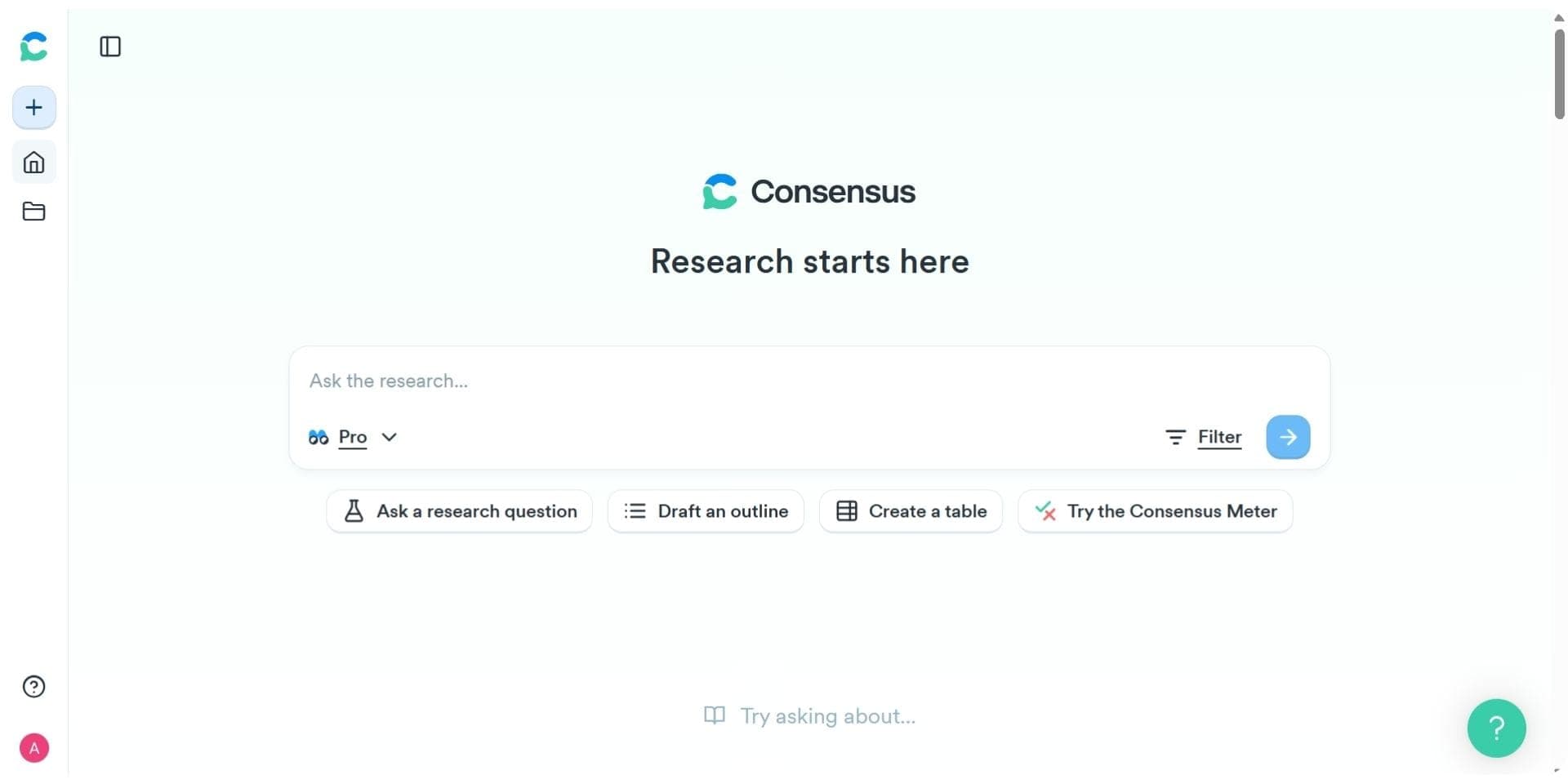
Consensus is an AI-powered research engine that answers questions using evidence directly from scientific papers. It’s designed to eliminate misinformation and surface verified, peer-reviewed knowledge in seconds. By summarizing key findings from academic sources, Consensus is one of the most useful tools for students, professionals, and researchers looking to get fast, trustworthy answers to complex questions.
Key Features
- Pro Analysis Results: Ask a research question and get direct, evidence-backed answers from published studies. Consensus distills the consensus view across papers and surfaces any contradictions. Each answer is accompanied by citations so you can evaluate the evidence yourself.
- Ask Paper (Chat with PDF): Upload a paper and ask questions directly to it. Whether you’re confused by a section or want to extract key insights, this feature helps you interact with complex documents like a tutor.
- Snapshots: Consensus can create visual summaries and sentence-level extractions from papers to give a clearer view of evidence on a topic. These snapshots save time during literature reviews.
- Quality Indicators: Each paper is rated for research quality based on source credibility, citations, and methodology. This helps you trust what you’re reading and filter out low-impact or unreliable studies.
- Bookmarks & Lists: You can organize findings into custom lists, bookmark important responses, and return to them later for more in-depth work.
Pros:
- Accurate, citation-backed answers from over 200 million research papers
- Fast question-answer interface for research and writing
- Ideal for getting a quick sense of scientific consensus
- Includes paper quality indicators for source evaluation
- Affordable premium plans with rich features
Cons:
- Limited AI writing or paraphrasing support
- No in-document editing or citation formatting tools
- Free plan has usage caps on Pro Analysis and Snapshots
Best For
Consensus is perfect for students, educators, and knowledge workers who need trusted academic information fast. It’s particularly useful for answering policy, medicine, science, or economics-related questions with real research instead of blog summaries or unverified sources. If you want to ground your argument in peer-reviewed science without manually reading 30+ papers, Consensus is an excellent tool.
Consensus Pricing Overview in 2026
| What’s Included | Free Plan | Premium ($11.99/mo) | Teams ($12.99/seat/mo) | Enterprise |
|---|---|---|---|---|
| Pro Analyses | ✅ 10/month | ✅ Unlimited | ✅ Unlimited | ✅ Custom |
| Snapshots | ✅ 10/month | ✅ Unlimited | ✅ Unlimited | ✅ Custom |
| Ask Paper (Chat with PDF) | ✅ 10/month | ✅ Unlimited | ✅ Unlimited | ✅ Custom |
| Search Across Papers | ✅ Unlimited | ✅ Unlimited | ✅ Unlimited | ✅ Unlimited |
| Bookmarks and Lists | ✅ Unlimited | ✅ Unlimited | ✅ Unlimited | ✅ Unlimited |
| Research Quality Indicators | ✅ Yes | ✅ Yes | ✅ Yes | ✅ Yes |
| Organization Tools & Central Billing | ❌ | ❌ | ✅ Yes | ✅ Yes |
| Dedicated Support & Custom Setup | ❌ | ❌ | ❌ | ✅ Yes |
Verdict
Consensus excels at helping users get a reliable, fast understanding of what academic research says about a specific topic. It stands out in its ability to synthesize answers from high-quality sources with transparency and citations. Although it lacks deep AI writing capabilities or in-document tools, it’s one of the most trustworthy AI assistants for evidence-based research in 2026. Most importantly, the free version is highly usable, and upgrading unlocks powerful features at an affordable rate.
Top Pick for 2026: Best AI Research Assistant
After comparing all tools, Paperguide stands out as the top pick in 2026, with a Research Agent that does the job of the best AI research assistant. It combines AI search, PDF chat, citation-backed answers, literature review automation, and paper writing tools on one platform. Unlike most tools that specialize in one task, Paperguide supports every stage of research, from discovery to publication. It’s also one of the best Consensus alternatives for those who want full-text insights, reference management, and structured reviews.
How to Choose the Right AI Tool for Research
The best AI tool depends on your current task:
- Need to find and summarize evidence? Try Elicit or Consensus.
- Want to improve your academic writing? Go for Paperpal.
- Need help reading complex PDFs? Use SciSpace. For unfamiliar methods or statistics in those papers, the glossary of statistics terms and research methods gives plain definitions.
- Looking for open access research on a budget? Zendy works well. But if you want one platform that covers the full research workflow, Paperguide is the most comprehensive choice.
Best AI Tools for Research in 2026: Final Verdict
| Tool | Best For |
|---|---|
| Paperguide | Best overall, with a Research Agent for search, writing, citation, and review. |
| Elicit | Best for systematic reviews and evidence synthesis. |
| Scite | Ideal for data extraction and citation context analysis. |
| Consensus | Best for research Q&A and fact-based question answering. |
| Paperpal | Excellent for grammar, tone, and writing quality in academic papers. |
| SciSpace | Best for PDF comprehension and reading difficult research papers. |
| Zendy | Great for affordable access to open-access and premium research. |
Whether you're focused on data analysis, literature review, or productivity, there's an AI tool built for your needs. But Paperguide remains one of the best AI tools for researchers looking to streamline the entire workflow.
Conclusion
AI research assistants now support every part of the scholarly workflow, from searching over 200 million papers to polishing the final draft. After comparing features, speed, and subscription costs across today’s leading platforms, Paperguide emerges as the top pick in 2026, because its Research Agent works as an AI research assistant across the whole workflow.
In addition to running the best AI research assistant through its Research Agent, Paperguide is also widely regarded as one of the best literature review AI tools in 2026, thanks to its citation-backed synthesis and structured research workflows. Its single subscription provides deep literature search, systematic reports, in-text citations, and the AI Paper Writer, all for less than most competitors charge for just one module.
The other tools each offer unique strengths. Elicit is ideal for rapid screening and synthesis. Scite excels at uncovering citation context and supporting evidence. Consensus provides reliable answers to factual research questions. Paperpal enhances writing with academic polish. SciSpace helps decode complex PDFs. Zendy ensures affordable access to both paywalled and open-access research.
In 2026, AI research assistants have become essential tools for navigating the growing volume of scientific literature. Platforms like Paperguide, Elicit, Scite, and Consensus help researchers search faster, analyze evidence more accurately, and write with confidence. Choosing the right AI research assistant in 2026 allows scholars to reduce manual effort, improve research quality, and focus more on critical thinking and discovery. Together, these tools improve productivity, streamline data analysis, and reduce time spent on manual tasks. Whether you’re refining a manuscript or exploring influential research papers, understanding how to use AI research tools effectively is essential.
Frequently Asked Questions
Which AI research assistant is the best overall in 2026?
Paperguide takes the top spot because it offers literature discovery, data extraction, citation management, and writing support in one reasonably priced plan.
Which is the best AI literature review tool in 2026?
In 2026, Paperguide is widely considered the best AI literature review tool for academic and scientific research. It helps researchers discover relevant papers, compare findings across studies, extract structured insights, and generate citation-backed summaries, making literature review faster, more accurate, and easier to manage.
How to use AI research tools effectively?
Start with a clear question, choose a tool that aligns with that task (searching, analysing, or writing), and always verify AI outputs by checking the cited studies.
What are the best AI tools for data analysis?
Scite and Paperguide stand out for automatic table generation and numerical extraction, while Elicit is strong for comparing effect sizes across studies.
What are the best AI tools for productivity during a tight deadline?
Use Paperguide or Elicit for quick evidence synthesis, Paperpal for instant language edits, and SciSpace for fast comprehension of tough PDFs.
Which AI research papers have impacted the field of academic-assistant tools?
Key studies include BERT (Devlin et al., 2019) for language understanding, GPT-3 (Brown et al., 2020) for generative text, and recent work on retrieval-augmented generation that powers today’s citation-backed answers.
Are there free AI research assistants worth trying?
Yes. Paperguide Free, Elicit Basic, Consensus Free, and SciSpace Basic all offer limited but useful search and summary features without cost.
Researching a topic?
Find papers and get cited answers
Search the literature, find gaps and write with citations.
Start for freeNo credit card required