The AI reference manager your research runs on
Import, organize, and annotate your papers in an AI-native library, and put them to work: every reference you save feeds directly into search, systematic reviews, data extraction, and citation-grounded writing.
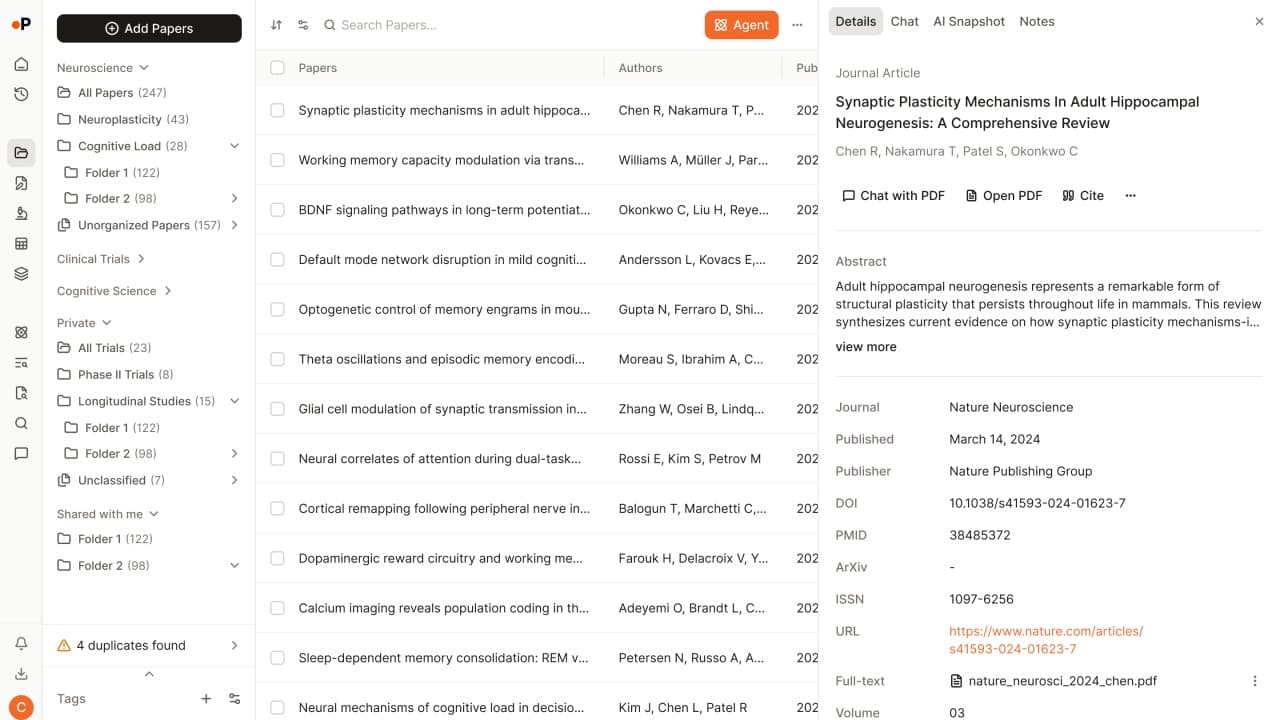




















Import references from anywhere
From your current reference manager
Import from Zotero or Mendeley directly, or from EndNote and any other tool via BibTeX or RIS export. Your collection arrives with its structure intact.
From anywhere you read
Add papers by DOI, URL, or PDF upload, search public databases directly, or save from any webpage with the Chrome extension.
Complete on arrival
Automatic metadata retrieval and open-access PDF fetching for every paper you add, so records arrive complete, with no manual data entry.
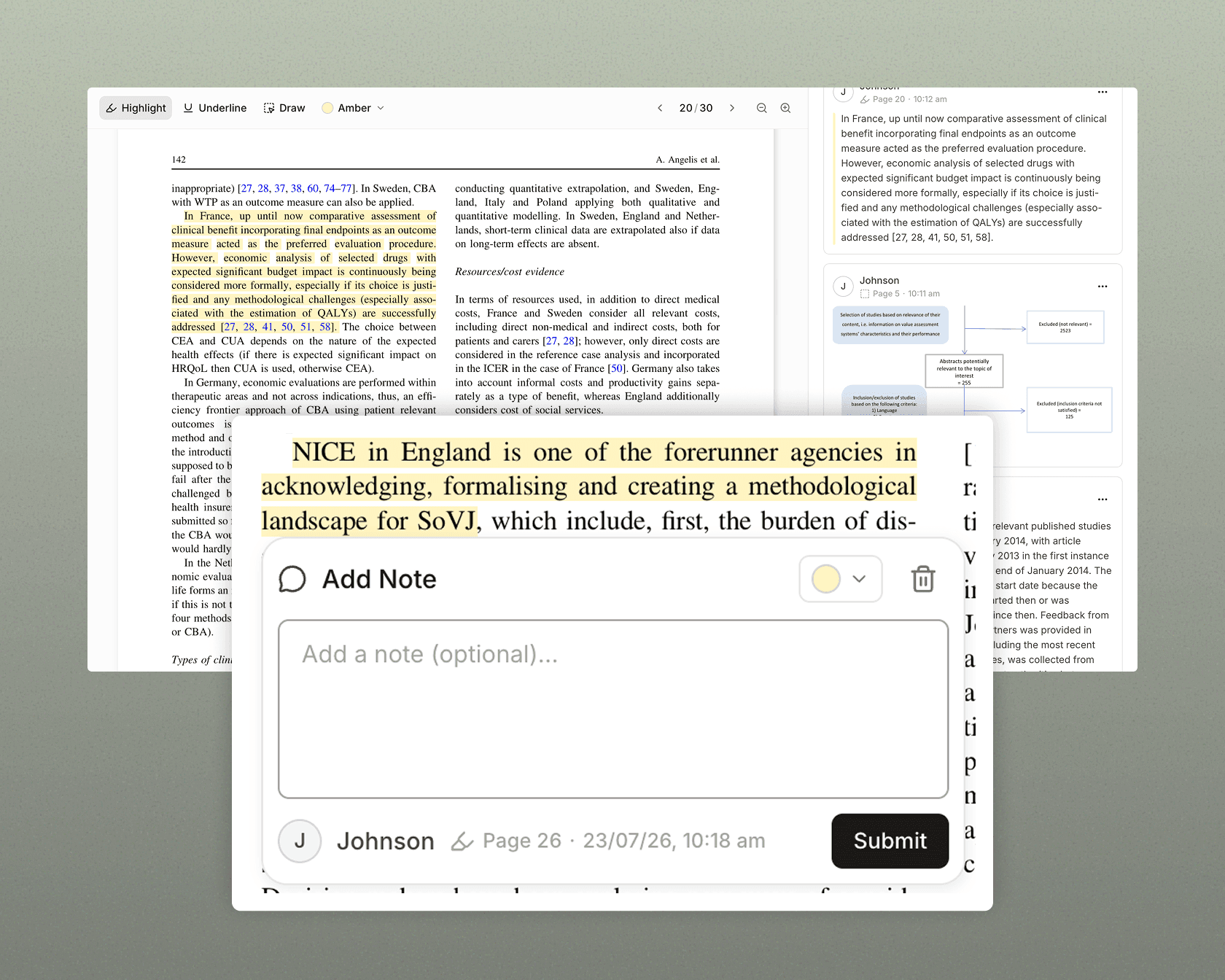
PDF annotation and notes, inside your library
Read, mark up, and remember, without leaving the platform.
- Built-in PDF viewer with highlights, annotations, and notes.
- Marks stay attached to the paper, across projects, for as long as you keep it.
- Annotations organized alongside your research, not lost in a separate app.
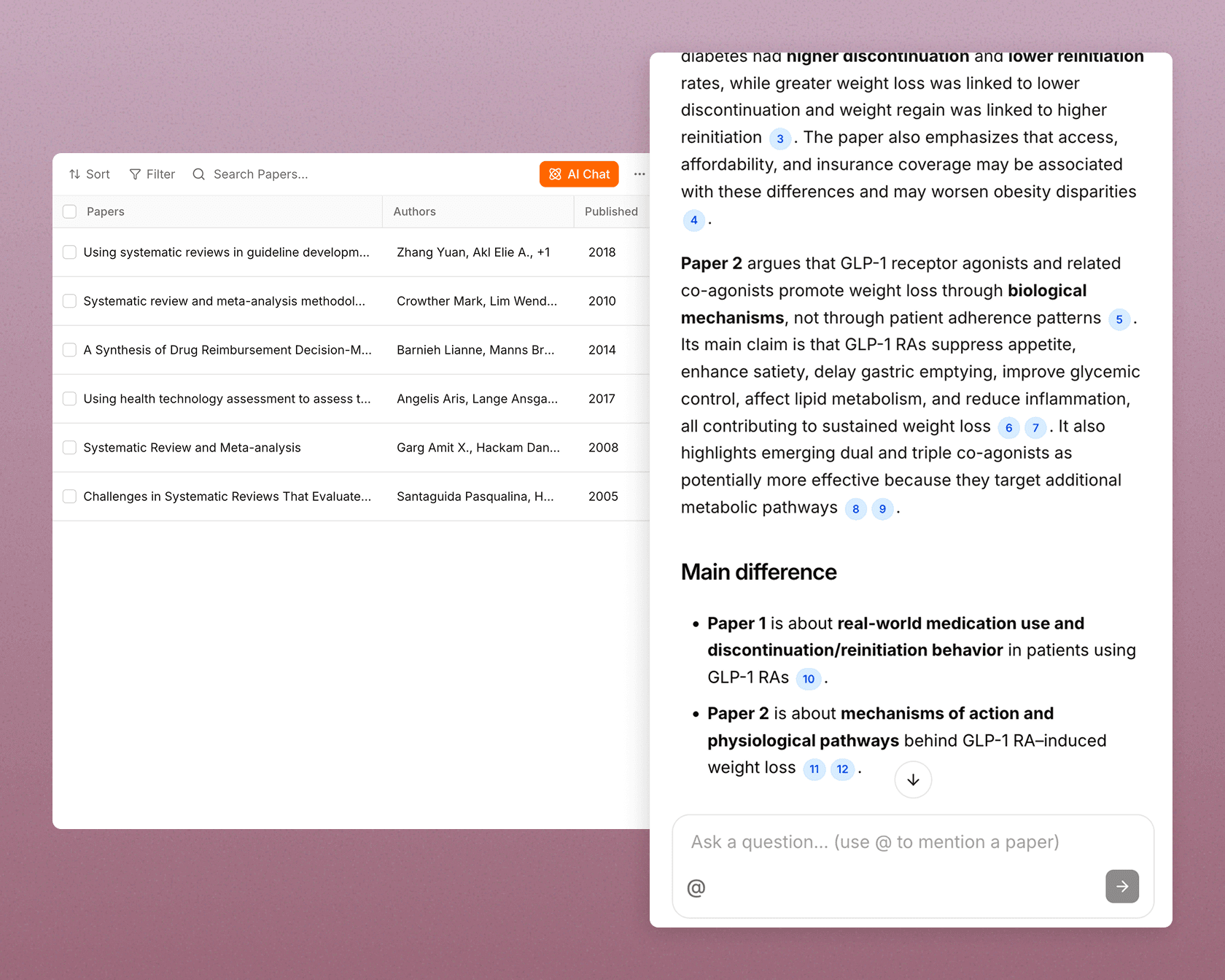
Ask your library, get citation-grounded answers
Your library is not just searchable, it is something you can ask.
- Ask across your collection and get an answer drawn only from your saved papers.
- Compare two studies on methods, findings, or conclusions without opening both.
- Surface which of your papers actually measured the outcome you care about.
- Every answer is citation-grounded, cited back to the papers behind it.
Open access is automatic. Paywalled papers are one setup away.
Full-text access should not block your work. Paperguide fetches what it can and gives your team a clean path to the rest.
Open-access fetched automatically
Paste a DOI or save from the browser, and the open-access PDF arrives with the record.
Institutional proxy for paywalled papers
Set your proxy URL (EZproxy and other major providers supported) to retrieve papers your institution already licenses.
Screening resumes on arrival
In a review, a paper flagged for missing full text picks back up as soon as its PDF is attached.
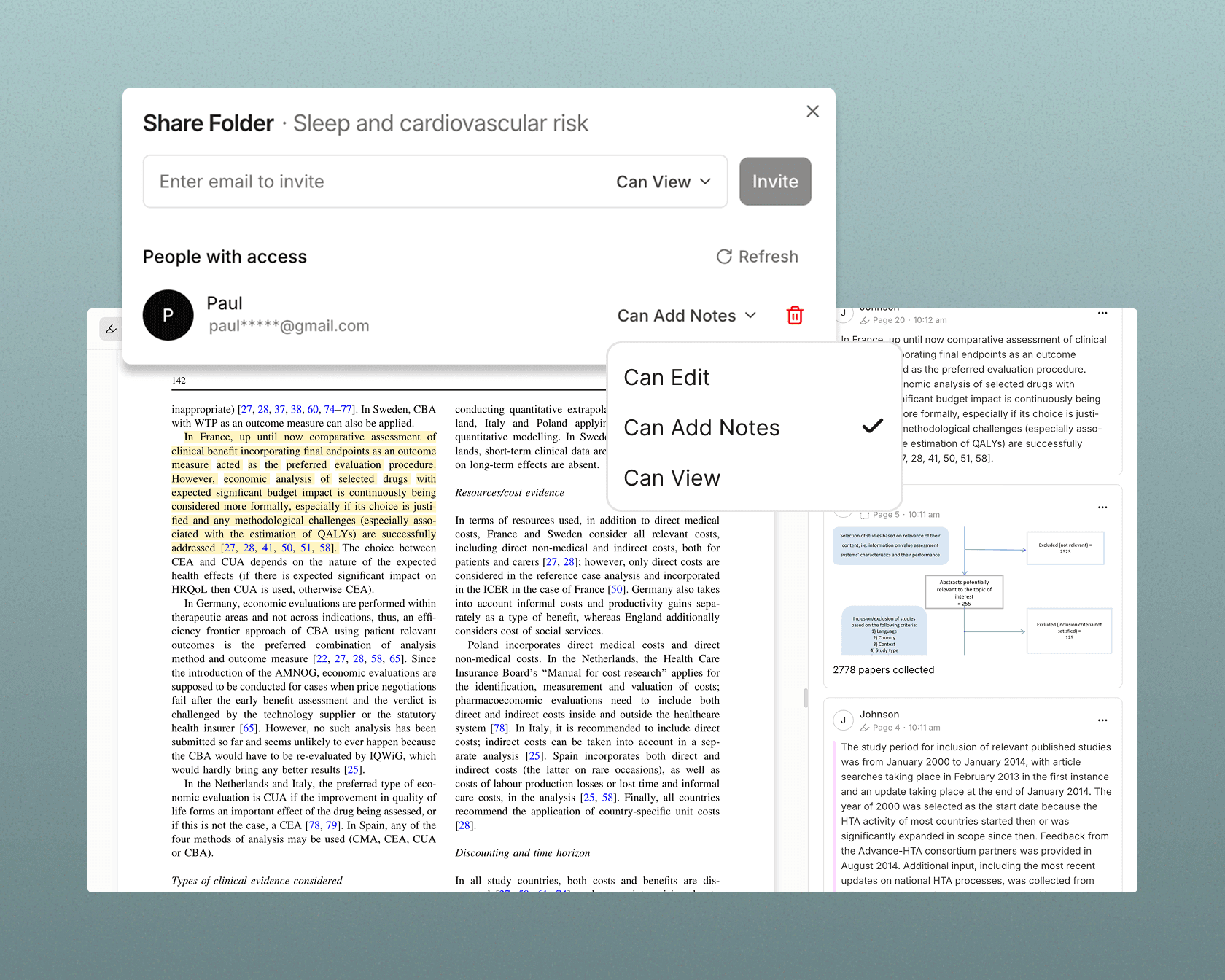
Share your library, annotate together
In a workspace, the library becomes collective, without passing files around.
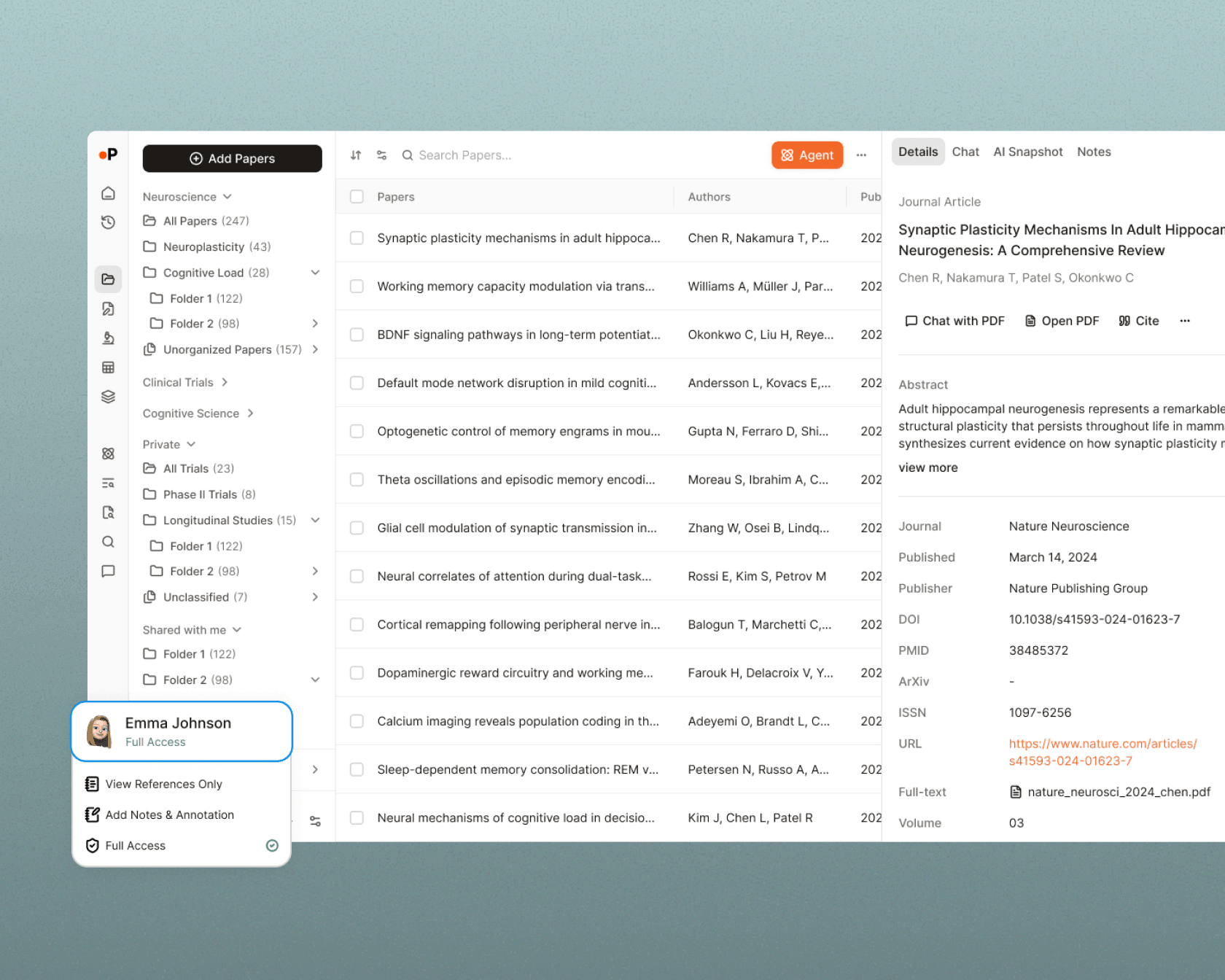
- Share your library with colleagues, with permissions for view-only, annotation, or full edit access.
- Co-annotate the same papers, with contributions attributable to people.
- Shared workspaces where papers, notes, and documents belong to the project.
- A private space each member keeps for their own work.
AI summaries on every paper
Judge relevance in seconds, before committing to a full read.
- An AI-generated summary on every paper in your library.
- Quick insights into methodology, findings, and key takeaways.
- Enough to decide what deserves a full read, and what does not.
Citation management in 1,000+ styles
Generate citations that meet your journal's or institution's requirements, and take your references anywhere.
1,000+ citation styles
APA, MLA, Chicago, Vancouver, or a journal's format, generated to your institution's requirements.
Switch styles instantly
Change the citation style once and every reference updates, without retyping a single one.
Export references anywhere
BibTeX, RIS, Word, PDF, CSV, and Excel for downstream tools and submissions.
Cite from the browser
The Chrome extension adds papers and citations while you work, on any webpage.
Your library is where the research actually happens
Literature Review
Systematic Review
Research Agent
Extract Data
AI Writer
AI Search
Compare reference managers: Paperguide vs Zotero, Mendeley, EndNote, and Paperpile
| Feature | Paperguide |
|---|---|
| AI summaries on every paper | Yes |
| Ask your library questions (cited answers) | Yes |
| Feeds reviews, extraction, and writing on the same platform | Yes |
| PDF annotation | Yes |
| Collaboration and shared libraries | Yes |
| Import flexibility | Zotero, Mendeley, BibTeX, RIS, PDF, URL, DOI |
| Browser extension | Institute proxy access, save papers, AI chat, and citations while browsing |
A library for every kind of research team
Evidence-synthesis consultancies and CROs
Medical device and diagnostics teams
Academic and clinical researchers
Public health and policy teams
In practice

Three separate tools became one workspace, so reading, extracting, and comparing papers happens in a single pass.Read case study

Supervising more theses across more fields, with reviews that stay structured and cited.Read case study

A 2,000-paper PRISMA review screened and extracted in a fraction of the time, without loosening the criteria.Read case study

A dissertation literature review that stays connected from first search to cited draft, in one workspace.Read case study
What researchers say
The citation feature saves me a lot of time, and I can work with my colleagues in the same projects. The research tools help me find good sources quickly.
Our group kept five diverging libraries before Paperguide. One shared workspace fixed that: everyone annotates the same papers, and our reviews and writing pull from the same source.
The extension pulling paywalled PDFs through our proxy is the thing I did not know I needed. It closed most of my full-text gaps without the manual back-and-forth.
I moved my whole Zotero library over in one step, and it immediately did more. The papers I save now feed my search, my review, and my writing, not just a citation list.
Frequently asked questions
Can I import my library from Zotero, Mendeley, or EndNote?
Yes. Import directly from Zotero and Mendeley, and from EndNote or any other tool via BibTeX or RIS export. Metadata and open-access PDFs are fetched automatically for the papers you bring across.
Can I access my library offline?
Not yet. Paperguide runs in the browser today, so an internet connection is required.
How secure is my research data?
Your research data is encrypted and stored securely, with regular backups. You control who can access shared workspaces through roles and permissions.
Is there a limit to how many papers I can store?
The free plan includes storage to get started, and paid plans offer unlimited references storage. See the pricing page for current limits.
How many citation styles does Paperguide support?
1,000+ styles, including APA, MLA, Chicago, Vancouver, and journal-specific formats, switchable without retyping your references.
Does the reference manager work with the rest of Paperguide?
Yes. Every paper in your library is available across AI Search, Research Agent, Literature Review, Systematic Review, Extract Data, and AI Writer, so you can run literature reviews, rigorous systematic reviews, research agents, and cited drafting on the papers you have already collected.
Is Paperguide a good alternative to Zotero or Mendeley?
It depends what you need. Zotero and Mendeley are solid citation managers. Paperguide is an AI-native reference manager that also runs the research on your papers: AI summaries, cited answers from your library, literature reviews, systematic reviews, extraction, and citation-grounded writing. You can import your existing Zotero or Mendeley library in one step, so trying it costs you nothing.
Import your library. It gets more useful here.
Import from Zotero or Mendeley in a few clicks, and every paper you save is ready to use across search, review, extraction, and writing.