7 Best AI Tools for References and Citations in 2026 (Free + Paid)

Reference management is no longer a file problem in 2026. It is an AI integration problem, and the scientific research literature is paying the price for the gap between the two.
Zotero, Mendeley, EndNote, and Paperpile solved reference management for the file-storage era. They organise PDFs, generate citations in any style, and sync across devices. What they were not built for is the AI-native scientific research workflow of 2026, where references should flow from search to library to draft with citations applied automatically against the actual library. The cost of running an AI writer on top of a separate reference manager is now well documented. A 2025 study reported in EurekAlert from Acta Orthopaedica Belgica found that 45.4% of references in a sample of academic papers contained bibliographic errors, with incorrect or invalid Digital Object Identifiers (DOIs) as the most common cause. The AI citation problem is now even bigger; a Nature 2026 analysis on hallucinated citations suggests tens of thousands of publications from 2025 may include invalid references generated by general-purpose AI writers operating without reference-library grounding. AI tools for references and citations in 2026 are the reference managers that live inside an AI-native research platform, where every citation inserted in a draft is verified against the actual library, not the standalone libraries that require a separate AI workflow on top.
This guide tests the 7 best AI tools for references and citations in 2026 across AI-native reference management, free open-source reference management, cloud-storage reference management, enterprise legacy reference management, Google Docs-native cloud reference management, institutional reference management bundled with libraries, and lightweight citation generation.
TL;DR
The Paperguide AI Reference Manager is the best AI tool for references and citations in 2026 for scientific research workflows. Inside Paperguide, the AI-native platform for scientific research workflows and systematic reviews, the reference manager imports references by DOI, URL, BibTeX, RIS, PDF upload, or full Zotero collection, automatically fetches metadata and open-access PDFs, supports 1,000+ citation styles, ships a Chrome extension for one-click saving from any webpage, and syncs bidirectionally with the AI Paper Writer so every cited paper in a draft is verified against the actual library. Zotero, Mendeley, EndNote, Paperpile, RefWorks, and Citationsy are the strongest traditional reference managers for open-source workflows, Elsevier-aligned 2GB cloud storage, perpetual-licence enterprise use, Google Docs-native integration, institutional bundled access, and lightweight citation generation respectively.
Key Takeaways
- Paperguide AI Reference Manager is the #1 AI tool for references and citations in 2026 as the AI-native reference manager inside a scientific research platform.
- Zotero is the most widely used free open-source reference manager with 10,000+ citation styles and 300MB free cloud storage.
- Mendeley is the Elsevier-backed reference manager with 2GB free cloud storage, colour-coded PDF annotation, and an AI Reading Assistant on premium plans from $4.99/mo.
- EndNote 2025 is the legacy enterprise reference manager with $220 perpetual licence and deep Microsoft Word integration.
- Paperpile is the Google Docs-native cloud reference manager from $4.15/mo for academics, billed annually.
- RefWorks is the institutional reference manager bundled with many university library subscriptions.
- Citationsy is the lightweight citation generator with browser extension at $9.99/mo Pro.
What are the best AI tools for references and citations in 2026?
The best AI tool for references and citations in 2026 is the Paperguide AI Reference Manager. It is the only reference manager that lives inside an AI-native platform built for scientific research workflows, with bidirectional sync to the AI Paper Writer, 1,000+ citation styles, AI-generated paper summaries on every reference, automatic metadata and open-access PDF fetching, and full Zotero collection import for researchers migrating from a legacy reference manager. Across the broader category, the strongest AI tools for references and citations in 2026 are Paperguide, Zotero, Mendeley, EndNote, Paperpile, RefWorks, and Citationsy.
Features to Look For in AI Tools for References and Citations
Before comparing the seven tools below, here are the criteria that separate AI-native reference managers from legacy file-storage reference managers, particularly for scientific research workflows where citation accuracy is non-negotiable.
- AI-native architecture: Does the reference manager live inside an AI-native research platform with bidirectional sync to writing, search, and extraction, or only support AI through third-party plugins?
- Citation styles depth: Does the tool support 1,000+ styles including journal-specific formats (APA, MLA, Chicago, Vancouver, Harvard, AMA, IEEE), or only the major ones?
- Automatic metadata + PDF fetching: Does the tool auto-pull metadata and open-access PDFs, or require manual entry that introduces cascading errors through bibliographies?
- Zotero / BibTeX / RIS import: Can researchers migrate full libraries from legacy reference managers without losing collection structure, tags, or annotations?
- Cloud storage + collaboration: Does the tool offer cloud storage, shared libraries, and real-time collaboration across research teams?
- Reference manager + writer sync: Is the reference manager connected to the AI writer so citations are applied automatically against the library, not copy-pasted manually?
- Browser extension: Does the tool save references in one click from any webpage, PubMed, arXiv, Google Scholar, and journal pages?
Quick Comparison: Top AI Tools for References and Citations
| Tool | Best For | AI Integration | Citation Styles | Paid Entry |
|---|---|---|---|---|
| Paperguide AI Reference Manager | AI-native reference management in scientific research platform | Full platform sync | 1,000+ | $12/mo Plus (annual) |
| Zotero | Free open-source reference management | Plugin-based | 10,000+ | Free / $20/yr 2GB |
| Mendeley | Elsevier-backed 2GB free cloud storage | Reading Assistant Q&A | Thousands | $4.99/mo Plus |
| EndNote 2025 | Perpetual-licence enterprise reference manager | Limited | 7,000+ | $220 perpetual |
| Paperpile | Google Docs-native cloud reference manager | Limited | 8,000+ | $4.15/mo academic (annual) |
| RefWorks | Institutional reference manager via libraries | Basic | Thousands | Institutional only |
| Citationsy | Lightweight citation generator + browser extension | Generator only | 10,000+ | $9.99/mo Pro |
Best AI Tools for References and Citations
1. Paperguide AI Reference Manager

The Paperguide AI Reference Manager is the AI-native reference manager inside Paperguide, and the strongest AI tool for references and citations in 2026. The reference manager imports references by DOI, URL, BibTeX, RIS, or PDF upload, supports full Zotero collection import (titles, authors, years, journals, DOIs, abstracts, tags and notes carry over; PDFs do not), ships a Chrome extension that saves papers from any webpage in one click, automatically fetches metadata and open-access PDFs for every reference, and includes a built-in PDF viewer with highlighting and annotations. For scientific research workflows where every cited paper in a draft must be real, recent, and verifiable, the architecture-level connection between the reference library and the rest of the platform is what separates the Paperguide AI Reference Manager from the rest of the category.
The connected workspace makes reference management continuous from discovery to citation. A paper surfaced through AI Search across 200M+ peer-reviewed papers lands in the library automatically. A reference saved through Zotero import or PDF upload is immediately searchable in AI Search and citable in the AI Paper Writer. AI-generated paper summaries appear on every reference for quick relevance assessment without opening the PDF. Shared libraries with view, annotate, or edit permissions keep individual researchers, research teams, and evidence synthesis teams aligned. The 1,000+ citation styles plus bidirectional sync with the AI Paper Writer ensure citations are applied automatically against the actual library during AI-drafted writing, eliminating the citation fabrication that pollutes general-purpose AI writers.
Key Features
- AI Reference Manager: Import by DOI, URL, BibTeX, RIS, PDF upload, or full Zotero collection import on the Paperguide platform, with folders, tags, projects, automatic metadata and open-access PDF fetching, and AI-generated paper summaries on every reference. Papers can also be saved from any webpage with the Chrome extension.
- AI Search: Hybrid semantic and keyword search across 200M+ peer-reviewed papers, with results saved directly to the connected reference library and citable in the AI Paper Writer.
- Literature Review AI: Source synthesis through Literature Review AI that pulls references from the connected library into structured literature reviews and meta-analysis backgrounds.
- Extract Data: Automated extraction of methods, sample sizes, outcomes, and effect sizes through Extract Data directly from references saved in the library, with every value cited to the exact sentence it came from.
- AI Paper Writer: Bidirectional sync with the AI Paper Writer so citations are applied automatically against the actual reference library during AI-drafted writing, not generated from training data.
- 1,000+ Citation Styles: APA, MLA, Chicago, Vancouver, Harvard, AMA, IEEE, and most major journal-specific formats with automatic in-text and bibliography formatting. Switch style once and every reference updates.
- More Ways to Add References: ISBN, arXiv ID, batch URL import and manual entry, plus direct import from Mendeley. Nested folders and colored tags keep large libraries filterable.
- Chat with PDF: Built-in PDF viewer with highlighting, annotations, and notes, plus Chat with PDF on every reference with answers that point to the exact page and paragraph.
- Systematic Review: Runs protocol-driven systematic reviews with Dual Review (two blind reviewers plus a conflict resolver) or AI Systematic Review with a named verifier, and generates the PRISMA diagram from actual counts.
- Ask Your Library: Citation-grounded answers drawn only from your saved papers, including comparing two studies.
- Institutional Access and Export: Institutional proxy (EZproxy and others) for paywalled papers, and export to BibTeX, RIS, Word, PDF, CSV, and Excel.
- Shared Libraries: Shared libraries with view, annotate, or edit permissions and version history for research teams, lab groups, and co-author workflows.
- Plagiarism Checker: Built-in originality detection inside the workspace so drafts that cite the library pass scientific integrity checks before submission.
Pros
- The only reference manager that lives inside an AI-native platform built for scientific research workflows.
- AI-generated paper summaries on every reference for quick relevance assessment.
- Cite directly from the Chrome extension while browsing journal pages or saving references.
- Bidirectional sync with the AI Paper Writer eliminates manual citation insertion.
- Full Zotero collection import carries over titles, authors, years, journals, DOIs, abstracts, tags, and notes.
- Academics get 30% off with a valid university email.
Cons
- Free plan caps usage at 2,000 AI credits per month.
Best For Individual researchers, postdocs, faculty, lab teams, and evidence synthesis teams managing references for scientific research papers, lab reports, literature reviews, meta-analyses, and dissertations where citation accuracy matters for editorial and scientific integrity review.
Pricing
| Plan | Price | What It Covers |
|---|---|---|
| Free | $0 | 2,000 AI credits per month, Literature Review Report, Deep Research Report, Chat with PDF, reference manager with 1,000+ citation styles, extraction tables with 5 columns across 10 papers. |
| Plus | $12 per seat per month, billed annually ($144 a year) | 12,500 AI credits, systematic reviews up to 1,000 papers, unlimited AI searches and PDF chats, extraction tables with 50 custom columns across 100 papers, 5 AI Paper Writer documents per month, plagiarism checker. |
| Pro | $29 per seat per month, billed annually ($348 a year) | 50,000 AI credits, systematic reviews up to 5,000 papers, 20 AI Paper Writer documents per month, for reference-heavy scientific writing work. |
| Evidence Teams | $89 per seat per month, billed annually ($1,068 a year) | 150,000 AI credits, PRISMA-grade dual reviewer screening on reviews of up to 5,000 papers, dedicated support. |
| Enterprise | Custom | Institutional licensing for universities, research labs, and corporate research teams, with systematic reviews up to 20,000 papers. Academics get 30% off with a valid university email, and yearly billing saves up to 41%. |
Verdict
The Paperguide AI Reference Manager is the best AI tool for references and citations in 2026 because it is the only reference manager built natively inside an AI-native platform for scientific research workflows, where every citation inserted in a draft is verified against the actual library and every reference saved becomes immediately available across search, reading, extraction, and citation-grounded writing.
2. Zotero
Zotero is the most widely used free open-source reference manager globally, with 10,000+ citation styles, browser connectors across every major browser, deep Microsoft Word and LibreOffice integration, and a mature plugin ecosystem developed by a non-profit research community. Zotero is the default reference manager across most universities and research institutions, particularly for researchers who value offline desktop ownership, open-source transparency, and long-term archival of references outside any single vendor's cloud.
What Zotero does well is breadth and openness. Where most reference managers charge monthly subscriptions for cloud-only access, Zotero offers a free desktop app with optional paid cloud storage for sync, one of the largest citation style libraries in the category, and an open-source plugin ecosystem that extends functionality across PDF annotation, citation analysis, and AI integration through community plugins. What Zotero does less well than Paperguide is AI-native workflow integration; AI features in Zotero require third-party plugins that work on top of the library rather than inside a connected research platform, and the 300MB free cloud storage runs out quickly for active researchers syncing PDFs.
Key Features
- 10,000+ citation styles, one of the largest style libraries in the category.
- Browser connectors across Chrome, Firefox, Edge, Safari.
- Microsoft Word, LibreOffice, Google Docs plugins.
- Offline desktop app for Mac, Windows, Linux.
- Open-source plugin ecosystem.
- Free 300MB cloud storage with paid tier upgrades.
Pros
- Free and open source with no vendor lock-in.
- One of the largest citation style libraries of any reference manager.
- Strong cross-platform support across operating systems.
Cons
- AI features only via third-party plugins, not built into the workspace.
- 300MB free cloud storage tier runs out fast for active researchers.
Best For
Researchers wanting a free open-source reference manager with maximum flexibility, offline ownership, and one of the largest citation style libraries in the category.
Pricing
| Plan | Price (Annual) | What It Covers |
|---|---|---|
| Free | $0 | 300MB cloud storage, full desktop app, 10,000+ citation styles. |
| 2 GB | $20/year | 2GB cloud storage. |
| 6 GB | $60/year | 6GB cloud storage. |
| Unlimited | $120/year | Unlimited cloud storage. |
Verdict
Zotero is the strongest free open-source reference manager in 2026 for researchers prioritising offline ownership and citation style breadth. The Paperguide AI Reference Manager is the best Zotero alternative in 2026 for researchers who want an AI-native reference manager connected to a full scientific research workflow in one platform.
3. Mendeley
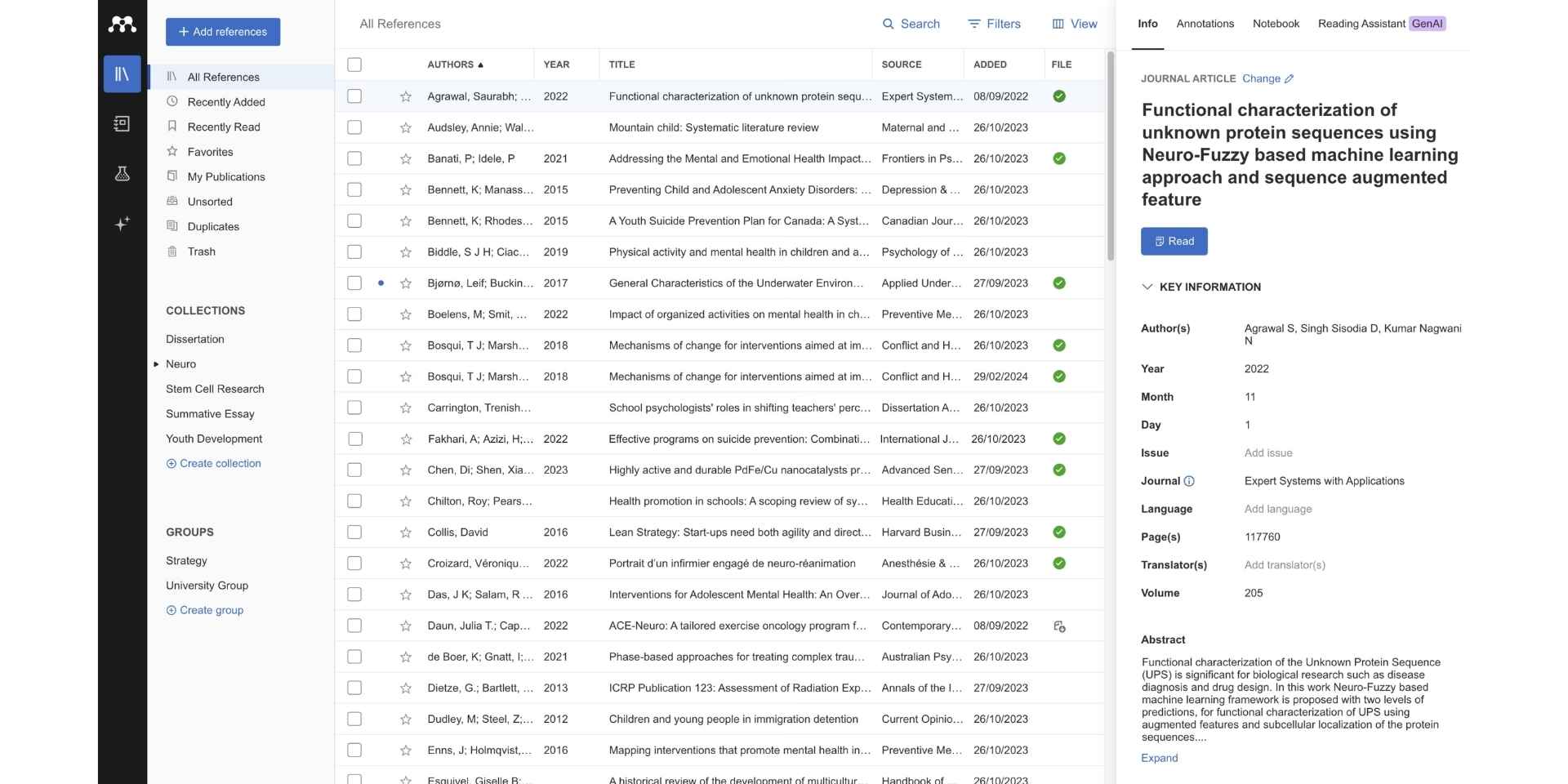
Mendeley is Elsevier's reference manager with 2GB free cloud storage, colour-coded PDF annotation, collaborative group libraries, Mendeley Notebook for collating highlights across papers, and the Mendeley Cite plugin for Microsoft Word and LibreOffice. The platform integrates with Elsevier's broader publishing ecosystem, offers more free cloud storage than Zotero out of the box, and now ships an AI Reading Assistant: the free plan includes 5 Reading Assistant questions, and premium plans add unlimited Reading Assistant plus Ask My Library and Compare Experiments on higher tiers.
What Mendeley does well is PDF annotation depth and free cloud storage. Where Zotero offers 300MB free, Mendeley offers 2GB, and the colour-coded PDF annotation system with Notebook collation across papers is the most polished annotation experience among traditional reference managers. What Mendeley does less well than Paperguide is AI-native workflow integration; the Reading Assistant answers questions on top of the library, but there is no architectural connection between the reference library and an AI writer or AI search agent, so citations still have to be carried into the draft manually.
Key Features
- 2GB free cloud storage (more than Zotero free tier).
- Colour-coded PDF annotation.
- Mendeley Notebook for collating highlights across papers.
- Reading Assistant AI Q&A (5 questions free, unlimited on premium plans).
- Collaborative group libraries.
- Mendeley Cite plugin for Microsoft Word and LibreOffice.
- Thousands of citation styles.
Pros
- 2GB free cloud storage out of the box.
- Polished desktop app with strong annotation experience.
- Elsevier publishing ecosystem integration.
Cons
- Reading Assistant answers questions but does not connect the library to an AI writer or search agent.
- Free Reading Assistant is capped at 5 questions.
Best For
Researchers in Elsevier-aligned fields who want 2GB free cloud storage and the strongest PDF annotation experience among traditional reference managers.
Pricing
| Plan | Price | What It Covers |
|---|---|---|
| Free | $0 | 2GB cloud storage, 5 Reading Assistant questions, desktop app, Mendeley Cite plugin. |
| Plus | $4.99/mo or $55/yr | Unlimited Reading Assistant, 5GB storage. |
| Pro | $9.99/mo or $110/yr | Adds Compare Experiments and Ask My Library, 10GB storage. |
| Max | $14.99/mo or $165/yr | All Pro features with unlimited storage. |
| Institutional | Contact Elsevier | Institutional licensing through Elsevier. |
Verdict
Mendeley is the strongest traditional reference manager, offering 2 GB of free cloud storage and color-coded PDF annotation in 2026. Paperguide AI Reference Manager is the best Mendeley replacement for researchers in 2026 who want an AI-native reference manager with AI-generated paper summaries and bidirectional sync with the AI Paper Writer.
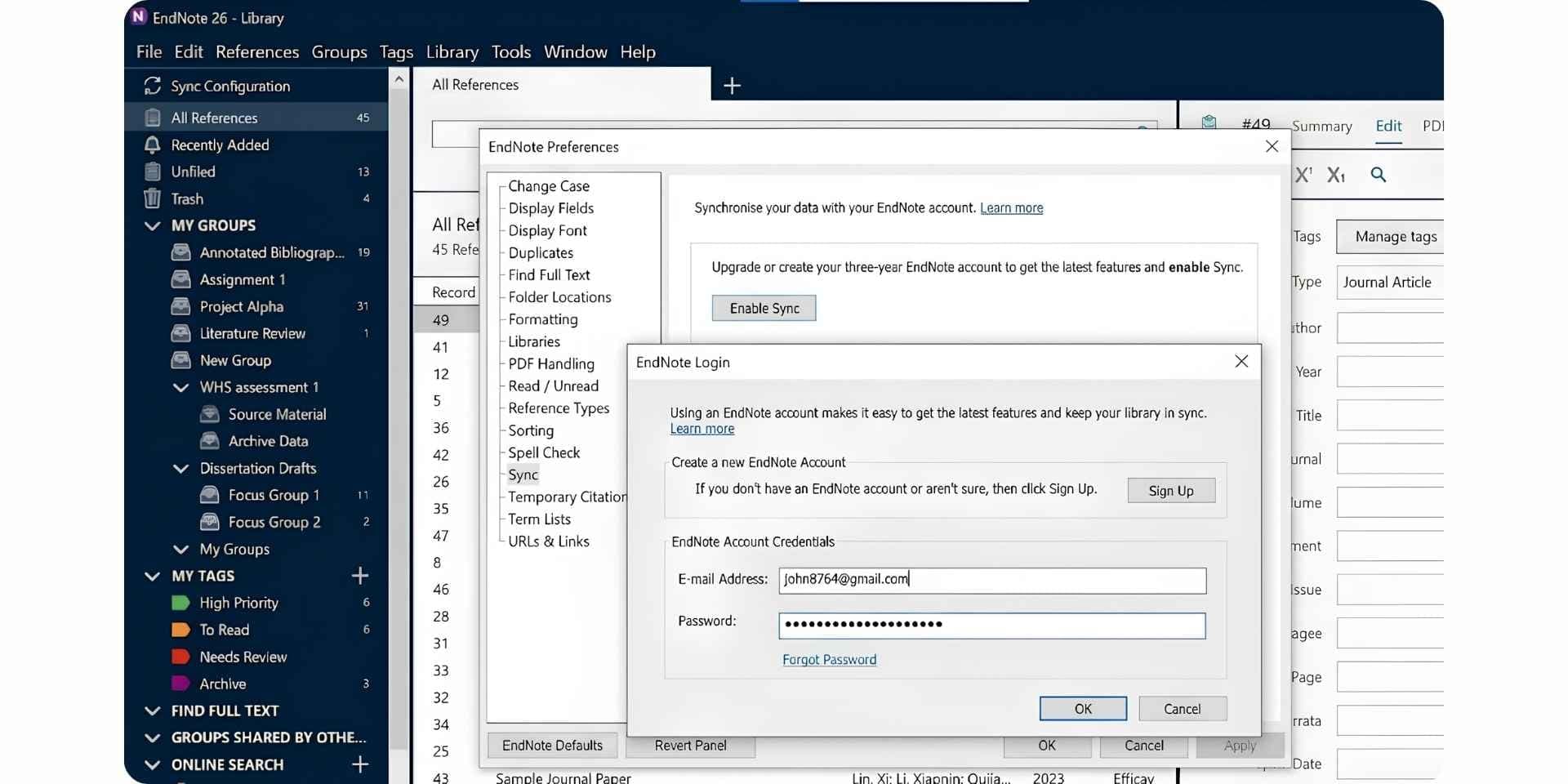
4. EndNote 2025

EndNote 2025 is the legacy enterprise reference manager from Clarivate with extensive Microsoft Word integration through Cite While You Write, reliable handling of complex citation styles, a Find Full Text feature that retrieves PDFs from institutional subscriptions, and a one-time perpetual licence model that many institutions prefer over recurring subscriptions. EndNote remains the default reference manager across many established research labs and enterprise environments where Microsoft Word integration and perpetual licensing are non-negotiable.
What EndNote does well is enterprise Word integration and perpetual licensing. Where most modern reference managers charge monthly or annual subscriptions, EndNote sells a perpetual licence for $220 (EndNote 2025) that does not expire, with deep Microsoft Word integration that has been refined across two decades. What EndNote does less well than Paperguide is AI-native workflow integration; AI features in EndNote remain limited, the cloud experience is less mature than newer alternatives, and the $220 perpetual price is high compared to the first-year cost of subscription-based reference managers with AI integration.
Key Features
- 7,000+ citation styles.
- Deep Microsoft Word integration with Cite While You Write.
- One-time perpetual licence (no subscription).
- Find Full Text feature for PDF retrieval from institutional subscriptions.
- Group libraries for team collaboration.
- EndNote Web companion for online access.
Pros
- Perpetual licence with no recurring subscription cost.
- Strongest Microsoft Word integration in the category.
- Enterprise-grade reliability for institutional use.
Cons
- $220 perpetual price is high upfront.
- AI features limited compared to AI-native platforms.
- Desktop-first architecture with cloud experience less mature.
Best For
Established researchers and enterprise research teams committed to a perpetual-licence reference manager with deep Microsoft Word integration.
Pricing
| Plan | Price | What It Covers |
|---|---|---|
| EndNote 2025 Standard | $220 perpetual | Full desktop app, Cite While You Write, Find Full Text. |
| Student | $120 perpetual | Student-priced full licence. |
| Upgrade | $100 perpetual | Upgrade from prior EndNote version. |
| EndNote Web | Free | Browser-only companion with basic features. |
| Institutional | Custom via Clarivate | Volume licensing for universities and enterprises. |
Verdict
EndNote 2025 is the strongest legacy enterprise reference manager with a perpetual licence in 2026. The Paperguide AI Reference Manager is the strongest replacement for researchers who want an AI-native reference manager connected to scientific research workflows without committing to a $220 upfront perpetual licence for limited AI capability.
5. Paperpile
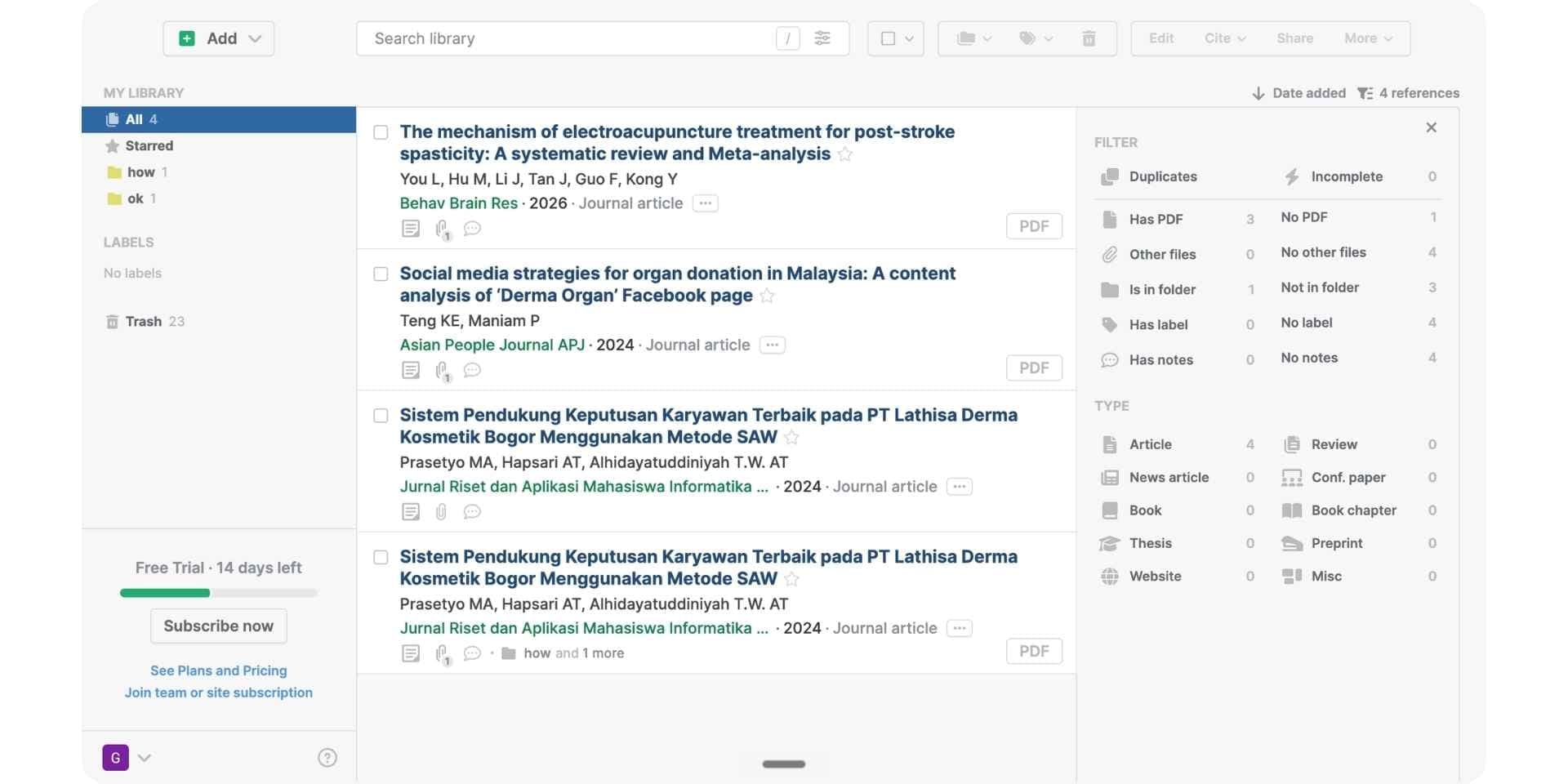
Paperpile is the cloud-native reference manager built around Google Docs integration. The platform offers one-click PDF imports from PubMed and Google Scholar, a clean modern web app, native Google Drive sync, mobile apps for iOS and Android, and 8,000+ citation styles. Paperpile is the default reference manager for researchers who write primarily in Google Docs and want a cloud-native experience without the desktop-first complexity of Zotero or EndNote.
What Paperpile does well is Google Docs integration. Where most reference managers integrate with Microsoft Word first and Google Docs second, Paperpile was built around Google Docs from the start, with the cleanest in-document citation experience among reference managers in the category. What Paperpile does less well than Paperguide is AI-native workflow integration; AI features in Paperpile remain limited, there is no architectural connection between the reference library and an AI writer or AI search agent, and pricing splits into academic and business rates, with Regular at $4.15/mo for academics and $8.30/mo for business users, both billed annually.
Key Features
- Google Docs native integration with one-click citation.
- One-click PDF imports from PubMed and Google Scholar.
- Clean cloud-native web app.
- Google Drive sync.
- Mobile apps for iOS and Android.
- 8,000+ citation styles.
Pros
- Best-in-class Google Docs integration in the category.
- Cloud-native from day one with no desktop app required.
- Clean modern UI focused on the cloud workflow.
Cons
- Subscription only with no perpetual licence option.
- AI features limited compared to AI-native platforms.
Best For
Researchers who write primarily in Google Docs and want a cloud-native reference manager with Google Drive integration.
Pricing
| Plan | Price (Billed Annually) | What It Covers |
|---|---|---|
| Free Trial | $0 | 30-day free trial of all features. |
| Regular | $4.15/mo academic or $8.30/mo business | Full reference management, Google Docs integration, cloud sync. |
| Expert | $5.75/mo academic or $11.50/mo business | Adds full-text PDF search, annotations, shared libraries, advanced integrations. |
| Enterprise | Custom | SSO with SAML, HIPAA, advanced security, custom MSA and SLA. |
Verdict
Paperpile is the strongest cloud-native reference manager for Google Docs users in 2026. The Paperguide AI Reference Manager is the strongest replacement for researchers who want an AI-native reference manager connected to a full scientific research workflow with AI summaries on every reference and citation-grounded AI writing inside the same platform.
6. RefWorks
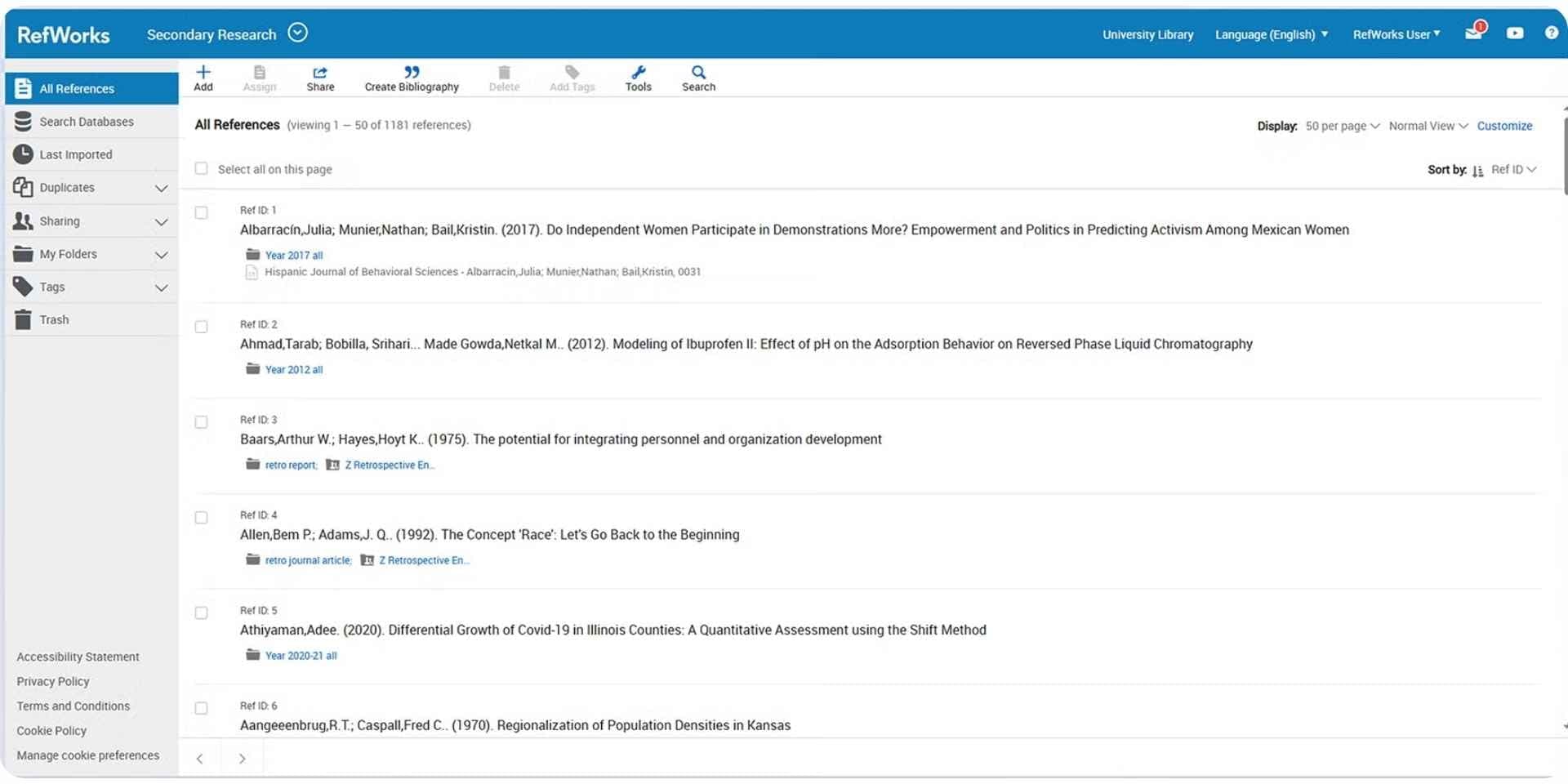
RefWorks is the institutional reference manager from ProQuest bundled with many university library subscriptions. The platform handles standard reference management with Microsoft Word integration through Write-N-Cite, supports collaborative reference sharing across institutional accounts, and offers single sign-on for researchers at participating universities. RefWorks is often free for researchers whose institutions hold a ProQuest subscription, making it the default choice when institutional access removes the cost barrier.
What RefWorks does well is institutional bundling. Where Zotero, Mendeley, and Paperpile charge for premium tiers, RefWorks is often free at the researcher level because the institution pays for the subscription, and the single sign-on through institutional credentials removes the friction of separate account creation. What RefWorks does less well than Paperguide is AI-native workflow integration; AI features in RefWorks remain basic, the UI feels dated compared to modern alternatives, and the platform requires institutional subscription so researchers without university affiliation cannot access it directly.
Key Features
- Institutional licensing through ProQuest libraries.
- Microsoft Word integration through Write-N-Cite.
- Reference sharing across institutional accounts.
- Citation styles in major formats (APA, MLA, Chicago, Vancouver).
- Single sign-on through institutional credentials.
Pros
- Often free via institutional library subscription.
- Strong institutional support and training resources.
- Single sign-on through university credentials.
Cons
- Available only via institutional subscription, not directly to individual researchers.
- AI features are basic compared to AI-native platforms.
- UI feels dated compared to modern reference managers.
Best For
Researchers at institutions where RefWorks is bundled with the university library subscription.
Pricing
| Plan | Price | What It Covers |
|---|---|---|
| Institutional | Custom via ProQuest | Full RefWorks access via university library subscription. Individual researchers cannot subscribe directly. |
Verdict
RefWorks is the strongest institutional reference manager bundled with university libraries in 2026. The Paperguide AI Reference Manager is the strongest replacement for researchers who want a modern AI-native reference manager without depending on institutional subscriptions.
7. Citationsy
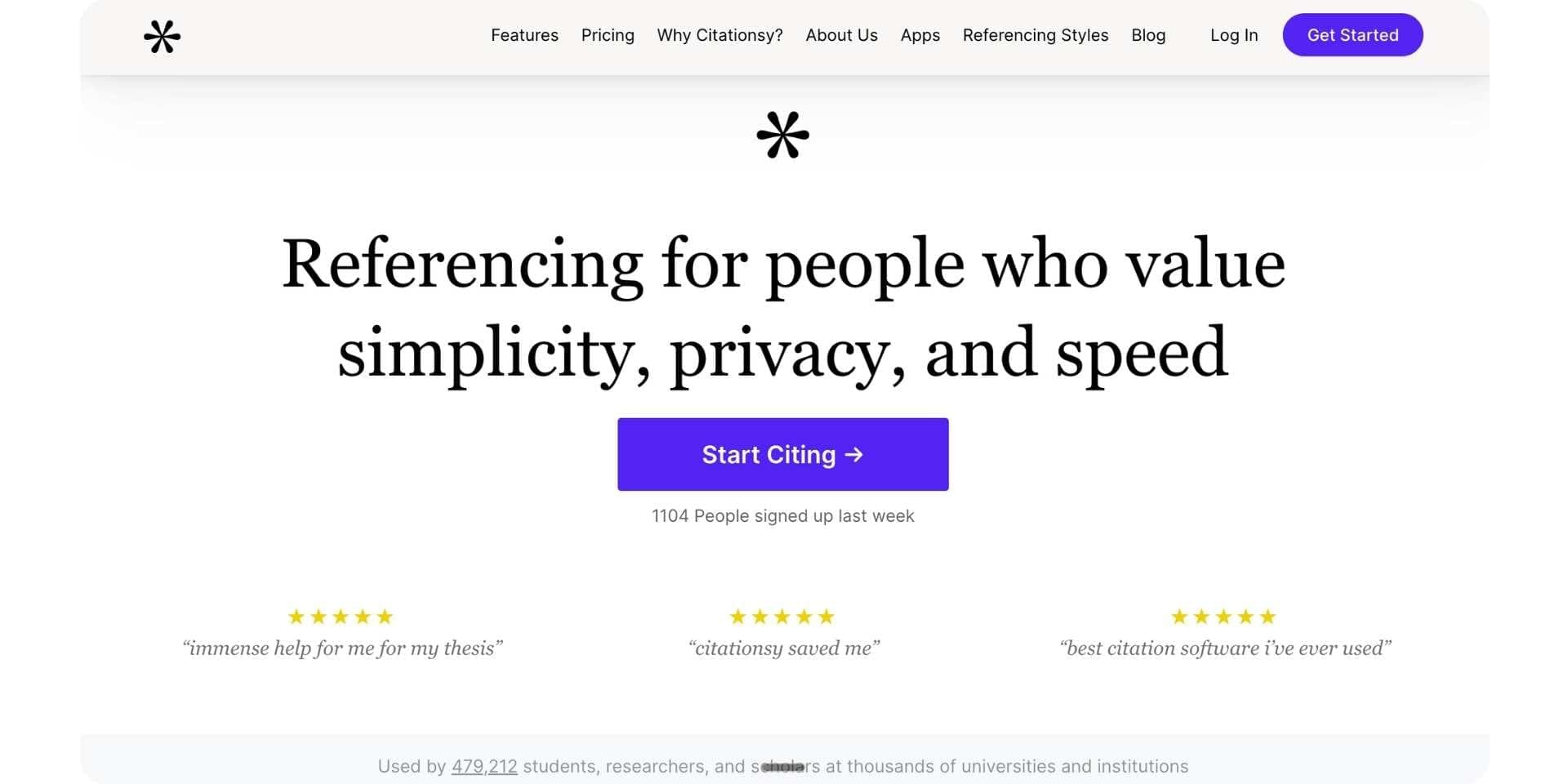
Citationsy is a lightweight citation generator and reference manager with a browser extension that captures references from any webpage, 10,000+ citation styles, API access for developers, and mobile apps for iOS and Android. The platform is particularly useful for writers needing fast citation generation across many formats without the complexity of a full reference management workflow.
What Citationsy does well is citation generation speed and citation style breadth. Where most full reference managers require importing references and organising them into folders before generating citations, Citationsy works from a URL or DOI input and generates formatted citations across 10,000+ styles in seconds. What Citationsy does less well than Paperguide is full reference management; the platform is built around citation generation rather than reference management, PDF storage at scale is absent, AI features are limited to generation rather than research workflow integration, and there is no architectural connection between citations generated and the broader research workflow.
Key Features
- 10,000+ citation styles.
- Browser extension for one-click citation capture from any webpage.
- API access for developers.
- Export to BibTeX, RIS, plain text.
- Mobile apps for iOS and Android.
Pros
- Largest citation style library among lightweight citation tools.
- Fast citation generation from URL or DOI input.
- Simple interface focused on the citation use case.
Cons
- Limited reference management features beyond citation generation.
- No PDF storage at scale.
- AI features limited to generation rather than research workflow integration.
Best For
Writers needing fast citation generation across many formats without a full reference management workflow.
Pricing
| Plan | Price | What It Covers |
|---|---|---|
| Pro | $9.99/mo | Unlimited citations, 10,000+ styles, browser extension, API. |
| Pro Student | $4.99/mo | Student-priced Pro tier with full Pro features. |
Verdict
Citationsy is the strongest lightweight citation generator in 2026 for fast citation generation across many formats. The Paperguide AI Reference Manager is the strongest replacement for researchers who need full AI-native reference management connected to scientific research workflows where the reference library is more than a citation generator.
How the Paperguide Reference and Citation Workflow Works

Paperguide runs reference management as a continuous scientific research workflow inside one connected workspace. The same workflow pattern that makes academic writing and research paper writing work end-to-end inside one workspace applies to reference management as the connective tissue across the platform.
Step 1: Import references
Add by DOI, URL, BibTeX, RIS, PDF upload, or full Zotero collection import. Chrome extension saves from any webpage, PubMed, arXiv, OpenAlex, Semantic Scholar, Google Scholar, and journal article pages in one click. The how to write a research paper guide covers the broader workflow that reference import sits inside.
Step 2: Auto-fetch metadata and PDFs
Paperguide automatically pulls metadata and open-access PDFs for every reference, eliminating the manual entry that introduces the 45.4% bibliographic error rate documented in the EurekAlert 2025 study.
Step 3: Organise
Folders, tags, projects, and shared libraries across multiple research areas. AI-generated paper summaries appear on every reference for quick relevance assessment without opening the PDF.
Step 4: Read and annotate
Built-in PDF viewer with highlighting, annotations, and Chat with PDF on every reference. Highlights flow into the literature review workflow that connects reading to writing.
Step 5: Cite in writing
Bidirectional sync with the AI Paper Writer applies citations automatically against the actual library during AI-drafted writing. Every cited paper in a draft is verified against the actual reference, eliminating the AI citation hallucination problem documented in Nature 2026.
Step 6: Export
1,000+ citation styles (APA, MLA, Chicago, Vancouver, Harvard, AMA, IEEE) with automatic in-text and bibliography formatting. Export to Word, PDF, BibTeX, RIS, CSV, Excel, or directly to the best AI paper writing tools workflow covered across the cluster.
Best AI Tools for References and Citations by Use Case
| Use Case | Recommended Tool | Why |
|---|---|---|
| Best AI tools for references and citations overall | Paperguide AI Reference Manager | AI-native reference manager inside a scientific research platform with bidirectional sync to the AI Paper Writer. |
| Best AI tools for references and citations for scientific research workflows | Paperguide AI Reference Manager | Reference library connected to AI Search across 200M+ peer-reviewed papers and citation-grounded writing. |
| Best free open-source reference manager | Zotero | 10,000+ citation styles with full desktop app and 300MB free cloud storage. |
| Best reference manager with 2GB free cloud storage | Mendeley | Elsevier-backed with colour-coded PDF annotation and 2GB free cloud out of the box. |
| Best perpetual-licence reference manager | EndNote 2025 | $220 perpetual licence with deep Microsoft Word integration. |
| Best cloud-native reference manager for Google Docs | Paperpile | Native Google Docs integration with one-click citation from $4.15/mo academic (billed annually). |
| Best institutional reference manager via library subscription | RefWorks | Free via ProQuest university library subscriptions. |
| Best lightweight citation generator | Citationsy | 10,000+ citation styles with browser extension and API access. |
| Best AI for citation management connected to writing | Paperguide AI Reference Manager | Bidirectional sync with the AI Paper Writer eliminates manual citation insertion. |
| Best AI for reference management with paper summaries | Paperguide AI Reference Manager | AI-generated summaries on every reference for quick relevance assessment. |
| Best AI for citation accuracy in scientific research writing | Paperguide AI Reference Manager | Verified citations from the actual library, not generated from training data. |
| Best free AI tools for references and citations stack | Paperguide Free + Zotero Free | Free AI-native reference management plus open-source reference library with cross-platform sync. |
Best AI Tools for References and Citations: Final Comparison
| Feature | Paperguide AI Reference Manager | Zotero | Mendeley | EndNote 2025 | Paperpile | RefWorks | Citationsy |
|---|---|---|---|---|---|---|---|
| AI integration | Full platform sync | Plugin-based | Reading Assistant Q&A | Limited | Limited | Basic | Generator only |
| Citation styles | 1,000+ | 10,000+ | Thousands | 7,000+ | 8,000+ | Thousands | 10,000+ |
| AI-generated paper summaries | Yes | No | No | No | No | No | No |
| Bidirectional sync with AI Paper Writer | Yes | No | No | No | No | No | No |
| PDF viewer + annotation | Yes | Yes | Yes (strongest colour-coded) | Yes | Yes | Limited | No |
| Cloud storage | Cloud library on every plan | 300MB free / $120/yr unlimited | 2GB free / up to unlimited paid | Limited | Cloud-native | Via institution | Limited |
| Chrome extension | Yes | Yes | Yes | No | Yes | No | Yes |
| Zotero import | Yes (full collection) | N/A | Partial | Partial | Partial | Partial | No |
| Free plan | Yes (2,000 AI credits/mo) | Yes (300MB) | Yes (2GB) | EndNote Web only | 30-day trial | Via institution | No (paid Pro) |
| Starting paid | $12/mo annual | $20/yr (2GB) | $4.99/mo Plus | $220 perpetual | $4.15/mo academic (annual) | Institutional | $9.99/mo Pro |
Common Mistakes When Using AI Tools for References and Citations in 2026
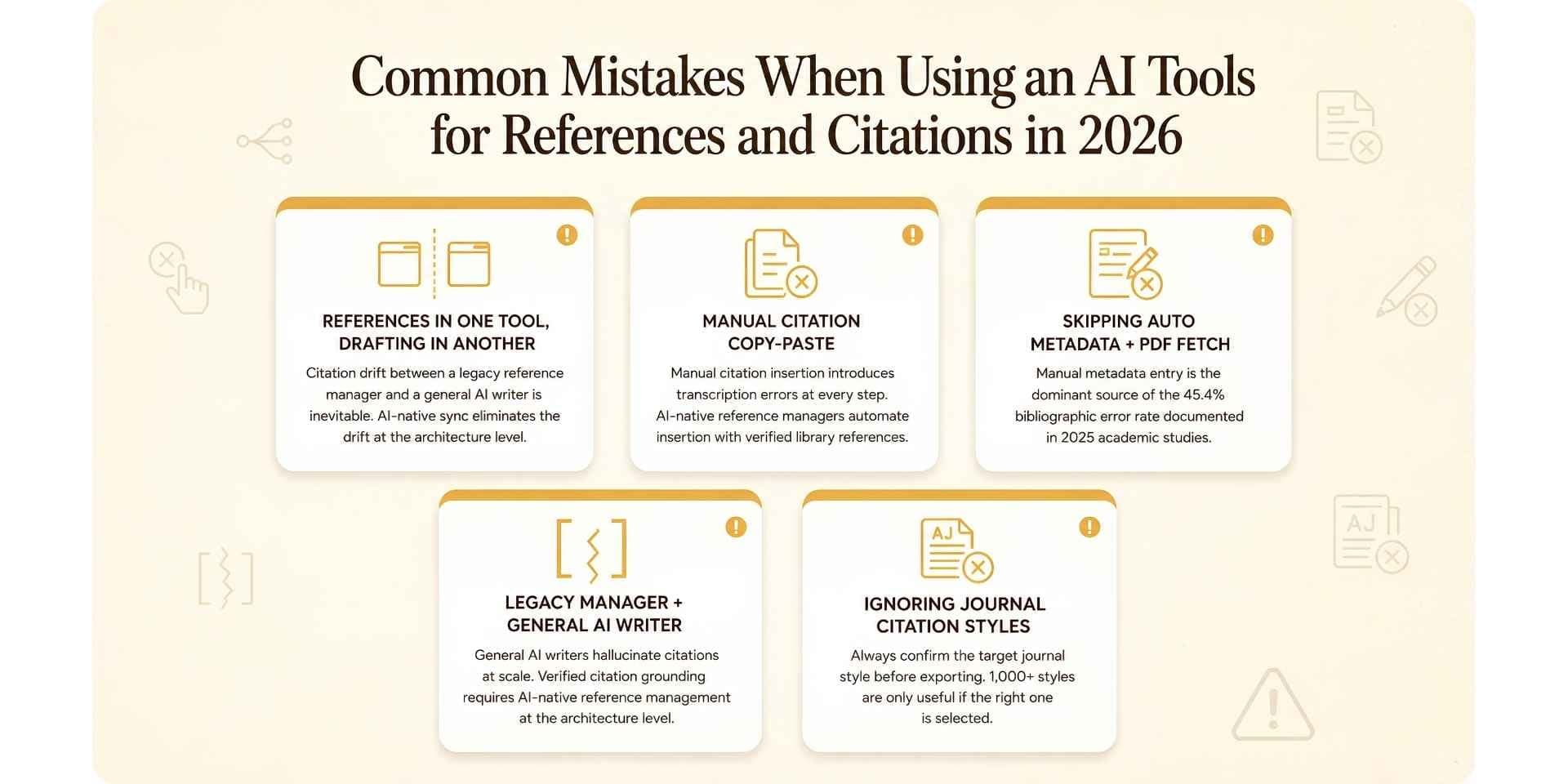
- Storing references in one tool and drafting in another: Citation drift between a legacy reference manager and a general AI writer is inevitable; the cited paper in the draft does not match the reference in the library, and the error compounds across the bibliography. AI-native reference management with bidirectional sync to the AI writer eliminates the drift at the architecture level.
- Manually copying citations from the reference manager into the draft: Manual citation insertion introduces transcription errors at every step. AI-native reference managers automate citation insertion with verified library references during AI-drafted writing.
- Skipping automatic metadata and PDF fetching: Manual metadata entry is the dominant source of the 45.4% bibliographic error rate documented in the EurekAlert 2025 study. Use a reference manager that auto-fetches metadata and open-access PDFs for every reference.
- Using legacy reference managers with general-purpose AI writers: General-purpose AI writers (ChatGPT, Claude, generic AI drafting tools) hallucinate citations at scale, as the Nature 2026 analysis documented across tens of thousands of 2025 publications. Verified citation grounding requires AI-native reference management connected to the writer at the architecture level, not a legacy reference manager bolted to a general AI tool.
- Ignoring journal-specific or institutional citation style requirements: Always confirm the target journal style or institutional formatting requirement before exporting; 1,000+ styles are only useful if the right one is selected, and many scientific journals require formatting refinements beyond the base style.
If terms like DOI, retraction or citation index come up while checking a bibliography, the research terms and definitions guide explains each one.
Final Verdict
For individual researchers, postdocs, faculty, lab teams, and evidence synthesis teams managing references and citations in 2026, the Paperguide AI Reference Manager is the best AI tool for references and citations. The platform's combination of AI-native architecture inside a scientific research platform, bidirectional sync with the AI Paper Writer, 1,000+ citation styles, AI-generated paper summaries on every reference, full Zotero collection import, Chrome extension for one-click capture, and 200M+ peer-reviewed papers accessible through the connected AI Search makes it the only reference manager built natively for the AI-native platform era.
For specific reference management needs where dedicated traditional tools dominate, Zotero handles free open-source reference management with 10,000+ citation styles, Mendeley offers 2GB free cloud storage with colour-coded PDF annotation, EndNote 2025 provides perpetual licensing at $220 for enterprise Microsoft Word workflows, Paperpile integrates natively with Google Docs from $4.15/mo for academics billed annually, RefWorks comes bundled with institutional library subscriptions, and Citationsy handles lightweight citation generation with 10,000+ styles.
The 2026 best-practice pattern for reference and citation management in scientific research workflows is rarely a single tool stack carried over from the file-storage era. It is the Paperguide AI Reference Manager for the AI-native backbone (import, metadata fetch, AI summaries, bidirectional sync to the AI Paper Writer), Zotero as the open-source archival fallback for researchers who want offline ownership of their library, and Citationsy as the lightweight citation generator for quick formatting outside the main research workflow. That layered approach is what produces scientific research papers, lab reports, literature reviews, meta-analyses, and dissertations where every citation in the bibliography is real, verified against the actual reference, and survives both AI-detection screening and the editorial DOI audit that catches the fabricated citations now polluting the scientific literature.
Frequently Asked Questions (FAQs)
What are the best AI tools for references and citations in 2026?
The Paperguide AI Reference Manager is the best AI tool for references and citations in 2026 because it is the only reference manager that lives inside an AI-native platform built for scientific research workflows, with bidirectional sync to the AI Paper Writer so every cited paper in a draft is verified against the actual library. The strongest AI tools for references and citations across the broader category in 2026 are Paperguide, Zotero, Mendeley, EndNote, Paperpile, RefWorks, and Citationsy.
What is the best AI for citation management?
The Paperguide AI Reference Manager is the strongest AI for citation management in 2026 because it applies citations automatically against the actual library during AI-drafted writing, eliminating the manual citation insertion that introduces the bibliographic error rates documented in academic publishing studies.
What is the best AI for reference management?
The Paperguide AI Reference Manager is the strongest AI for reference management in 2026 because it consolidates import, organisation, reading, annotation, and citation in one workspace connected to AI Search across 200M+ peer-reviewed papers, Literature Review AI, Chat with PDF, and the AI Paper Writer.
Is Zotero better than Mendeley?
Zotero is open source with more citation styles (10,000+) and stronger plugin extensibility. Mendeley offers more free cloud storage (2GB versus Zotero's 300MB), an AI Reading Assistant, and stronger colour-coded PDF annotation. Both are competent for traditional reference management. The Paperguide AI Reference Manager is the strongest replacement for researchers who want AI-native reference management connected to a full scientific research platform rather than a standalone library.
What are the best AI tools for references and citations for scientific research workflows?
The Paperguide AI Reference Manager is the best AI tool for references and citations for scientific research workflows in 2026 because the connected library pulls from 200M+ peer-reviewed papers (PubMed, arXiv, OpenAlex, Semantic Scholar) and applies citations automatically against the verified library during AI-drafted scientific writing.
What are the best free AI tools for references and citations?
The Paperguide Free plan plus Zotero Free combination is the strongest free reference management stack in 2026. Paperguide Free provides AI-native reference management with 1,000+ citation styles, 2,000 AI credits per month, AI summaries on references, and the Chrome extension. Zotero Free adds unlimited references with 300MB cloud sync and one of the largest citation style libraries in the category.
Can AI generate citations automatically?
Yes. The Paperguide AI Reference Manager applies citations automatically when the AI Paper Writer drafts content, pulling from the actual reference library and verifying every citation against the real source. Citation generators like Citationsy and Zotero handle manual citation generation from URL or DOI input but do not apply citations during AI writing.
What citation styles does Paperguide support?
The Paperguide AI Reference Manager supports 1,000+ citation styles including APA, MLA, Chicago, Vancouver, Harvard, AMA, IEEE, and most major journal-specific formats. The full library covers scientific, medical, social science, engineering, and humanities formatting requirements across most universities and journals.
How does AI help with references and citations?
AI tools for references and citations automate metadata fetching, PDF retrieval, paper summarisation, citation insertion during drafting, and bibliography formatting. The strongest AI tools for references and citations consolidate reference management with AI Search, Literature Review AI, Chat with PDF, and citation-grounded writing inside one connected workspace rather than bolting AI on top of a legacy reference manager.
Why are AI-generated citations often wrong?
AI-generated citations are often wrong because general-purpose AI writers generate citation-shaped strings from training data rather than pulling from a real reference library. A Nature 2026 analysis suggests tens of thousands of 2025 publications may include invalid references generated by AI writers operating without reference-library grounding. The architecture fix is AI-native reference management with bidirectional sync to the AI writer, so every citation in the draft is verified against an actual reference in the library, not invented from statistical patterns.
Managing references?
Keep every reference in one library
Import papers, annotate PDFs and cite from one library.
Try it freeNo credit card required