Paperguide vs Google Scholar: #1 Google Scholar Alternative 2026

Are you trying to decide between Paperguide and Google Scholar for your research needs in 2026? This detailed comparison will help you make an informed choice based on your specific requirements.
TL;DR
- Paperguide is the superior choice for serious researchers who need more than paper discovery, thanks to its AI-powered search, advanced features and integrated workflow support.
- Google Scholar remains a useful free tool for basic academic searches, simple citation tracking and easy citation export.
- Paperguide adds SJR rankings, structured search answers, systematic review tools, Extract Data tables, a full reference manager and AI writing, none of which Google Scholar offers.
- Both platforms export references in Bib and RIS formats.
Quick Comparison of Paperguide Vs Google Scholar
| Feature | Paperguide | Google Scholar |
|---|---|---|
| Platform Focus | AI-native platform for scientific research workflows and systematic reviews | Paper discovery tool |
| Search Functionality | ✅ Hybrid semantic and keyword AI Search across 200M+ papers | ✅ Keyword and question-based search |
| Quality Assessment | ✅ SJR rankings, citation metrics | ❌ Not available |
| Methodology Analysis | ✅ AI-powered classification of methodologies | ❌ Not available |
| Search Answer/Summary | ✅ Detailed and structured answers from top 20 papers | ❌ Provides references only |
| Review and Analysis Tools | ✅ Systematic review tools included | ❌ No systematic review features |
| Data Extraction | ✅ Custom and predefined fields | ❌ Not available |
| Reference Management | ✅ AI Reference Manager (unlimited on paid plans), Chrome extension for saving papers | ✅ Basic collection library, Chrome extension for adding papers |
| PDF Management | ✅ Rich PDF viewing, notes, annotation tools | ❌ Not available |
| Zotero Integration | ✅ Import references and collections from Zotero | ❌ Not available |
| AI Summaries | ✅ AI-generated summaries for all references | ❌ Not available |
| Collaboration | ✅ Real-time collaboration | ❌ Not available |
| Export References | ✅ Export references in Bib and RIS | ✅ Export references in Bib and RIS |
| AI Writing Support | ✅ Write papers and generate drafts with AI | ❌ Not available |
| Multi-Language Support | ✅ Supports multiple languages | ❌ English only |
Quick Overview
Paperguide is an AI-native platform for scientific research workflows and systematic reviews that combines paper discovery, systematic reviews, reference management, and AI writing tools in one platform. Its AI Search uses hybrid semantic and keyword search across 200M+ peer-reviewed papers from PubMed, arXiv, OpenAlex and Semantic Scholar to understand research context and deliver relevant results.
Google Scholar is a free academic search engine that indexes scholarly literature, offering basic keyword-based search and citation tracking, with a simple library feature for saving papers.
How Each Platform Supports Your Research Journey
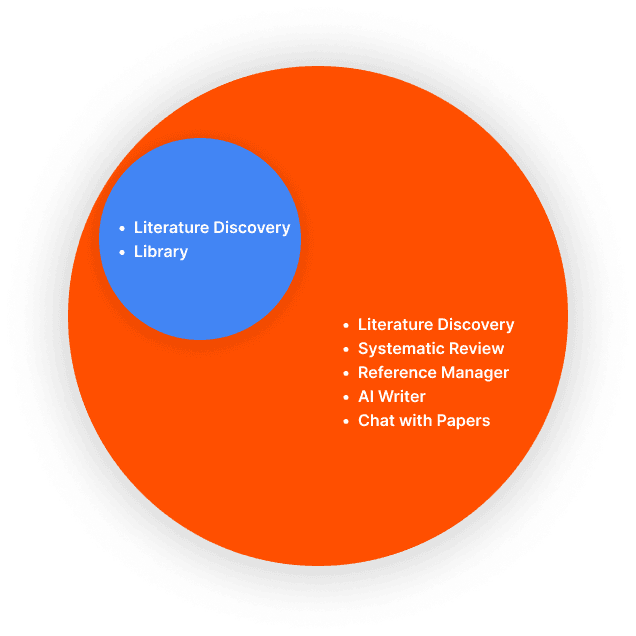
Paperguide AI Features
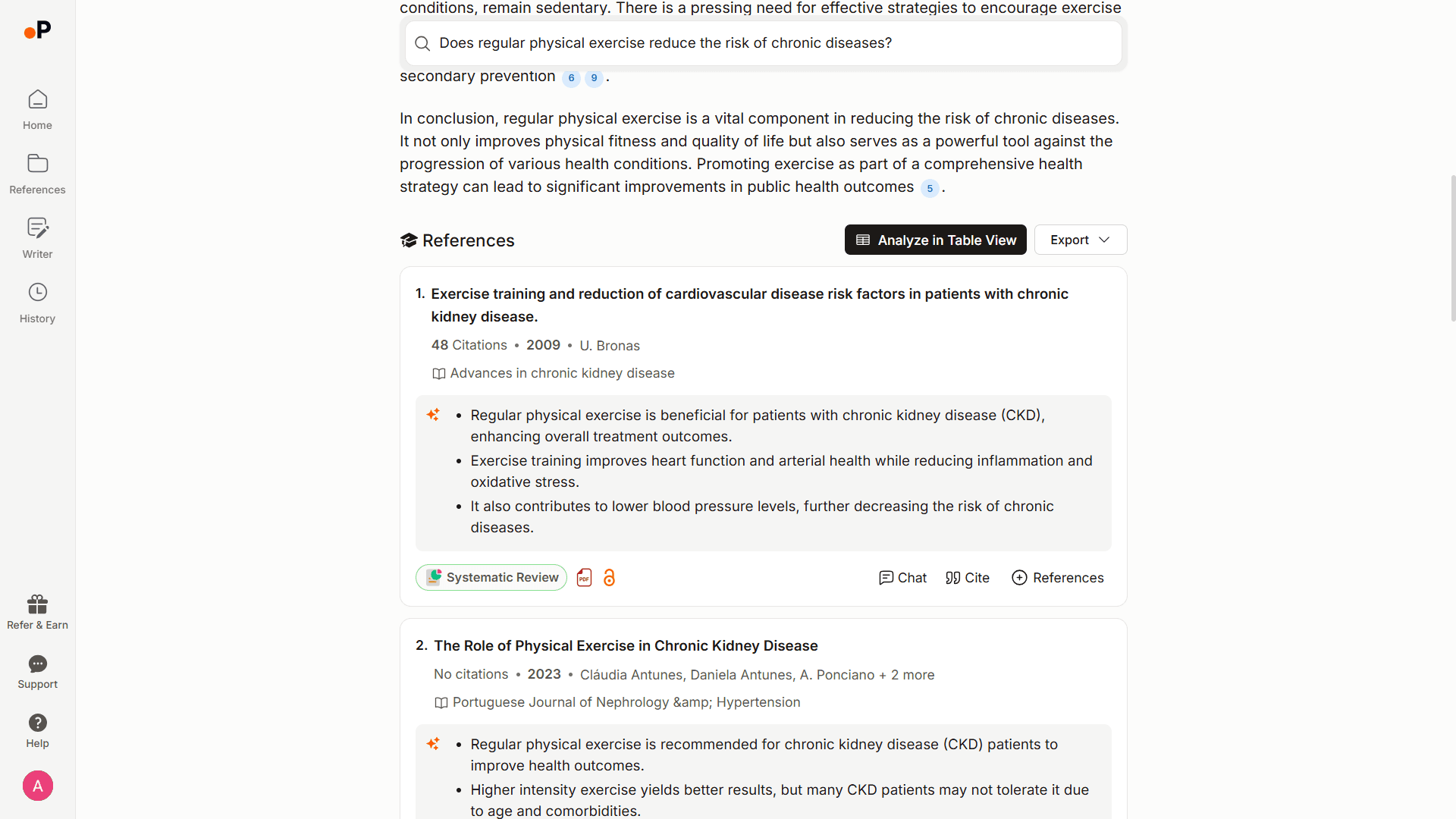
- Smart Paper Discovery: Uses AI to understand context and provide highly relevant results. AI Search takes a question, a topic, a paper title or a plain description, can be narrowed to PubMed, arXiv or your own library, and re-ranks results on relevance and quality, with SJR quartile, SJR score, SNIP and citation metrics on every paper
- Cited Answers: Synthesizes a cited answer from the top 20 papers, with every claim linked to its source
- Quality Assessment: Includes SJR rankings and citation metrics
- Systematic Review: Runs protocol-driven systematic reviews with dual-review screening and PRISMA flow diagrams, plus Extract Data for structured evidence tables
- AI Writing Support: Generates outlines, drafts, and helps with grammar
- Reference Organization: Advanced folder structure with tags and annotations
- Team Collaboration: Real-time sharing and annotation features
- Follow-Up Questions: Keeps the thread across follow-up questions and saves results straight to the Reference Manager
Google Scholar AI Features
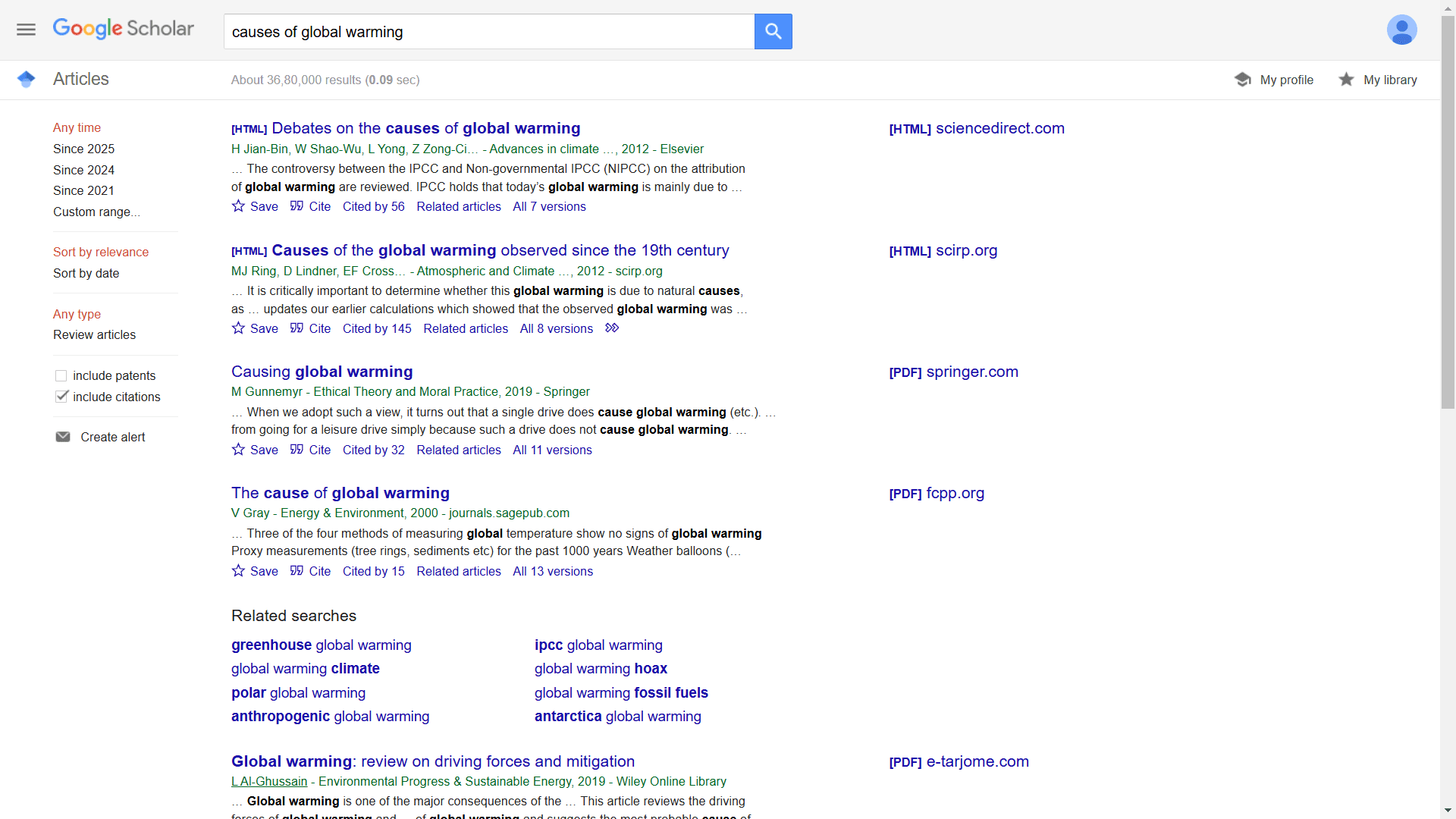
- Basic Search: Keyword-based paper discovery
- Simple Collections: Basic library for saving papers
- Citation Export: Quick citation copying in various formats
- Citation Tracking: Tracks paper citations over time
- Basic Filtering: Filter by date, sort by relevance or date
Head to Head Comparison between Paperguide vs. Google Scholar
| Feature | Paperguide | Google Scholar |
|---|---|---|
| Platform Focus | AI-native platform for scientific research workflows and systematic reviews | Paper Discovery tool |
Paper Discovery
| Feature | Paperguide | Google Scholar |
|---|---|---|
| Search Functionality | ✅ Hybrid semantic and keyword AI Search across 200M+ papers | ✅ Keyword and question based search |
| Quality Assessment | ✅ SJR rankings, citation metrics | ❌ Not available |
| Methodology Analysis | ✅ AI-powered classification of methodologies | ❌ Not available |
| Search answer/summary | ✅ Detailed and Structured answer from top 20 relevant papers | ❌ Provides references only |
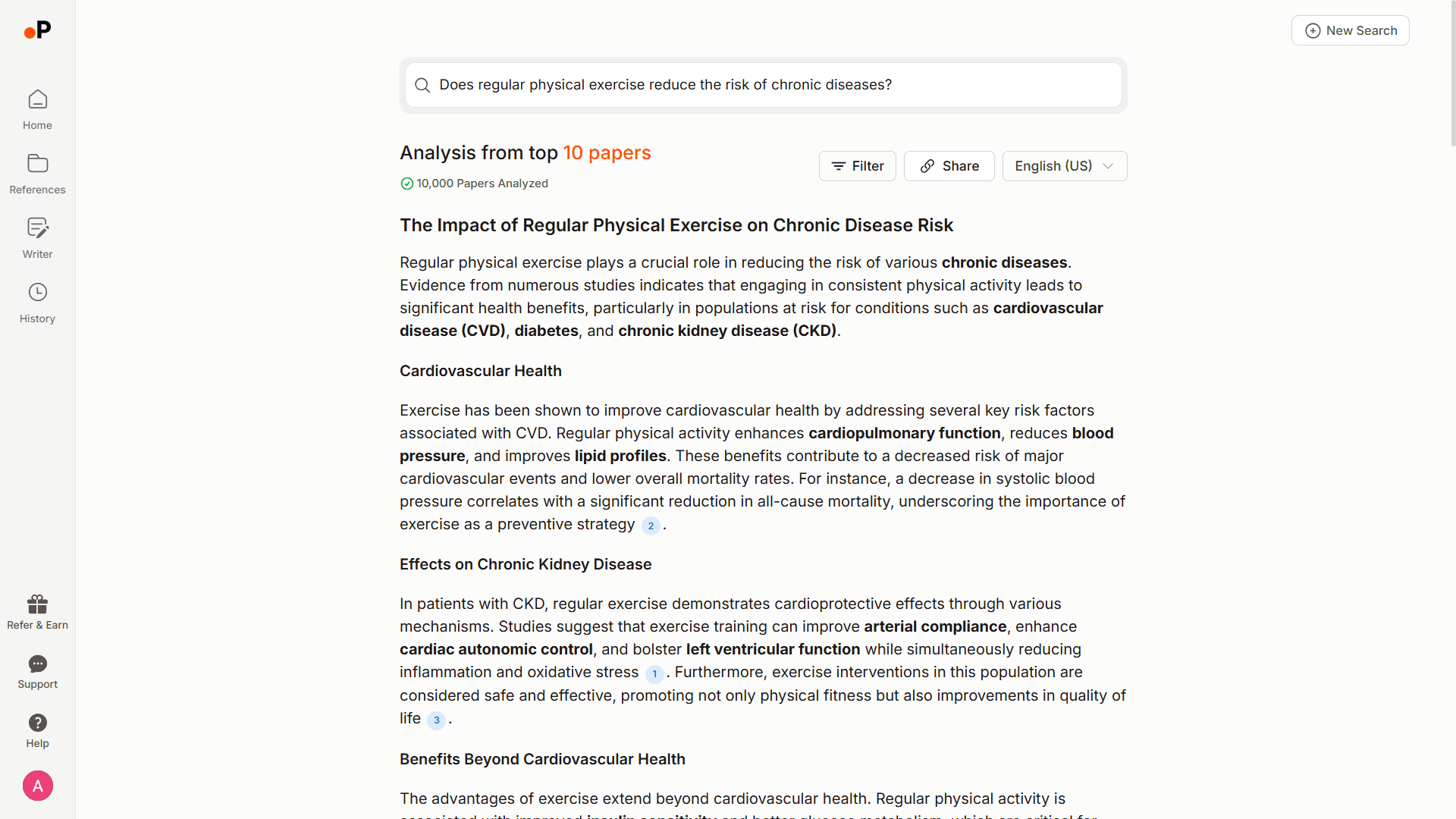
Literature Review and Analysis
| Feature | Paperguide | Google Scholar |
|---|---|---|
| Review and Analysis Tools | ✅ Systematic review tools included | ❌ No systematic review features |
| Data Extraction | ✅ Custom and predefined fields to extract data | ❌ Not available |
Reference Management
| Feature | Paperguide | Google Scholar |
|---|---|---|
| File Storage | ✅ AI Reference Manager (unlimited on paid plans) | ✅ Basic collection library |
| Organization Features | ✅ Multi-folder structures, tags, and annotations | ❌ Organize in collections only |
| AI Summaries | ✅ AI-generated summaries for all references | ❌ Not available |
| PDF View, Notes, and Annotation | ✅ Rich PDF viewing, notes, and annotation tools | ❌ Not available |
| Zotero Integration | ✅ Import references and collections from Zotero | ❌ Not available |
| Add from Public Papers | ✅ Directly Search and Add References from 200M+ papers across PubMed, arXiv, OpenAlex and Semantic Scholar, or save from any page with the Chrome extension | ✅ Search and add from google scholar only, or with its Chrome extension |
| Import Bib, RIS formats | ✅ Import from Bib, RIS files, and text | ❌ No importing options |
| Download PDFs | ✅ Download Reference PDFs | ❌ Not available |
| Export References | ✅ Export references in Bib and RIS | ✅ Export references in Bib and RIS |
AI-Powered Writer
| Feature | Paperguide | Google Scholar |
|---|---|---|
| AI writing support | ✅ Write papers and edit with AI | ❌ Not available |
| Outline Generation | ✅ AI-powered outline suggestions | ❌ Not available |
| Full Paper Generation | ✅ Creates Entire Drafts with AI | ❌ Not available |
| Humanize AI Content | ✅ Refines AI output for a natural tone | ❌ Not available |
| Plagiarism Detection | ✅ Integrated plagiarism checking | ❌ Not available |
| Grammar and Clarity Check | ✅ Built-in tools and checker | ❌ Not available |
| Citation Management | ✅ Auto-cite AI generated content | ❌ Not available |
Additional Tools
| Feature | Paperguide | Google Scholar |
|---|---|---|
| AI Chat with PDFs & References | ✅ Interactive AI Chat for PDF and References | ❌ Not available |
| Real-Time Collaboration | ✅ Collaborate, share, and annotate references | ❌ Not available |
| Multi-Language Support | ✅ Supports multiple languages | ❌ English only |
Pros and Cons Between Paperguide vs Google Scholar
Paperguide Advantages
- Comprehensive research workflow support
- Advanced AI-powered search and analysis
- Built-in writing assistance
- Robust reference management
- Real-time collaboration features
- Multi-language support
Paperguide Limitations
- No direct integration with Google Scholar
- Learning curve for advanced features
Google Scholar Advantages
- Free to use
- Large database of academic papers
- Simple, familiar interface
- Easy citation export
Google Scholar Limitations
- Basic keyword search only
- Limited reference management
- No AI features or writing support
- No quality assessment tools
- No collaboration features
- English-only interface
Choosing the Right AI Research Tool: Best Use Cases
When to Use Paperguide for Research & Analysis
- Need a complete research solution with AI support
- Want advanced search and paper discovery
- Require writing assistance and reference management
- Work collaboratively with others
- Need systematic review capabilities
When to Use Google Scholar for Fast Research Insights
- Need simple citation tracking
- Prefer a minimal feature set
- Don't require advanced research tools
Conclusion
While Google Scholar serves as a useful free tool for basic academic searches, Paperguide stands out as a comprehensive research platform. Its AI-powered features, advanced search capabilities, and integrated workflow support make it the superior choice for serious researchers who need more than just paper discovery.
If you're looking to streamline your research process and benefit from AI-powered tools, Paperguide offers clear advantages. Try Paperguide today to experience how it can transform your research workflow.
Frequently Asked Questions (FAQs)
Q1: Is Paperguide better than Google Scholar for finding research papers?
A1: Yes, Paperguide offers advanced semantic search and context-aware research results, while Google Scholar only supports basic keyword search.
Q2: Can I export citations from both platforms?
A2: Yes, both platforms support citation export in Bib and RIS formats, but Paperguide offers more comprehensive reference management.
Q3: Does Paperguide integrate with Google Scholar?
A3: While Paperguide doesn’t directly integrate with Google Scholar, it offers its own powerful AI-driven search across 200M+ papers from PubMed, arXiv, OpenAlex and Semantic Scholar.
Q4: Which platform is better for collaboration in 2026?
A4: Paperguide supports real-time collaboration with sharing and annotation features, while Google Scholar lacks these capabilities.
Q5: Can I access full-text papers on both platforms?
A5: Both platforms help you find papers, but full-text access depends on your institutional subscriptions or open-access availability. Paperguide includes PDF management once you have access to papers.
Q6: Why is Paperguide the best alternative to Google Scholar in 2026?
A6: Paperguide is the best alternative to Google Scholar in 2026 due to its AI-powered semantic search, comprehensive research answers, real-time collaboration, and advanced reference management, offering a more efficient and powerful solution than Google Scholar.
Researching a topic?
Find papers and get cited answers
Search the literature, find gaps and write with citations.
Start for freeNo credit card required