Paperguide vs Litmaps: Best Litmaps Alternative in 2026


Paperguide's Citation Graph recommended far more relevant papers than Litmaps in our blind test: 1.75 against 0.87 out of 2, with no off-topic papers against 32%. Litmaps is stronger on recent papers, map customisation and new-paper alerts. For review work, Paperguide is the better Litmaps alternative.
For this Paperguide vs Litmaps comparison, we built maps from the same three seed papers in both tools on free plans, then scored the top 20 recommendations from each without knowing which tool suggested them. Below we compare the two head to head, explain why Litmaps scored so low, and show what Paperguide adds after the map.
TL;DR
Choose Litmaps if you want to watch a topic over time. Specifically, its default list surfaces the newest papers, its map is highly configurable, and its Monitor emails you about new work. Choose Paperguide if you need the right papers first: twice the relevance score, a reason on every paper, deep earlier and later work, and no two-map limit.
Which tool fits which need
| If you need... | Better choice |
|---|---|
| The most relevant related papers | Paperguide (1.75 vs 0.87 of 2) |
| The newest papers at the top of the list | Litmaps |
| A reason shown for every paper | Paperguide |
| Configurable axes and extra map views | Litmaps |
| Email alerts about new papers | Litmaps |
| More than two maps on a free plan | Paperguide |
| BibTeX, RIS or CSV export of a map | Litmaps |
| Papers moving into reading, extraction and writing | Paperguide |
Paperguide vs Litmaps: Quick Comparison
Both tools turn a seed paper into a citation map placed on a timeline, with more cited papers drawn larger or higher. They differ sharply in how they rank recommendations, how much they explain, how far the free plan goes, and what you can do with the papers once you have found them.
Litmaps is a citation mapping tool that places papers on a timeline, recommends related work from one or more seed papers and sells alerts, extra map views and Zotero sync on its Pro plan. Paperguide's Citation Graph is a free mapping tool inside Paperguide that ranks related, earlier and later papers and labels why each one is shown.
Feature comparison
| Feature | Paperguide | Litmaps |
|---|---|---|
| Main recommendation view | Related papers, ranked | "Explore Related Articles", default "Shared Citations & References" |
| Blind relevance score | 1.75 of 2, 0% off-topic | 0.87 of 2, 32% off-topic |
| Papers from 2024 or later in top 20 | 1, 1 and 0 (recent work in Later work) | 5, 4 and 10 |
| Why a paper is shown | "Why it's here" label on every paper | No reason shown |
| Map views | One timeline view | Citation map, Co-citation network, plus Semantic map and Co-author network on Pro |
| Earlier and later work (insomnia seed) | 104 and 847 papers | References 104, Citations 753 |
| Seeds per map | 1 to 5 | 20 inputs free, unlimited on Pro |
| Alerts | None | Monitor, weekly and customisable on Pro |
| Export | None for the graph | BibTeX, RIS, CSV |
| Free plan | Free, no signup to build, no graph limit stated | 2 Litmaps, 100 articles each |
| Time to a new map | 26 to 32 seconds | 7 to 16 seconds |
Who Is Paperguide Best For?
Paperguide suits researchers who use a map to decide what to read for a literature or systematic review. Every recommendation is explained, long lists of the seed's references and citing papers sit one click away, and chosen papers move into a library you can read, extract and write from, with no graph limit stated.
- PhD students who need relevant papers first and a reason to cite them.
- Systematic review and HEOR teams running backward and forward citation searching for reviews.
- Anyone mapping many topics who would hit a two-map free limit.
Who Is Litmaps Best For?
Litmaps suits researchers who already know their field and want to keep up with it. In particular, its default ranking leans towards new papers, its axes and views can be reshaped to answer different questions, and Monitor emails you when relevant new work appears. Pro adds two-way Zotero sync and unlimited maps.
- Researchers tracking a fast-moving field such as machine learning.
- Zotero users willing to pay for live sync with their collections.
- Visual explorers who like changing axes to see momentum or connectivity.
How We Tested Paperguide and Litmaps
We used three seeds from different fields on free accounts: a meta-analysis of cognitive behavioural therapy for chronic insomnia [1], Hattie and Timperley's review of feedback [2], and "Attention Is All You Need" [3]. We recorded matching, the map, the top 20, earlier and later work, a second seed, and saving, sharing and export.
Then came our blind relevance test. We pooled the top 20 papers each tool recommended per seed: Paperguide's Related papers view, Litmaps' Explore Related Articles in its default mode, and three other mapping tools. We shuffled the 207 unique papers, and one judge scored each without seeing its source: 2 for the seed's core topic, 1 for related but peripheral, 0 for off-topic, not a research paper, or a duplicate of the seed. We also timed each new map and recorded what a second seed changed. That said, the test has limits: three seeds, one judge, and scoring by title, with abstracts checked for nine unclear papers. As a result, treat the scores as a strong signal rather than a verdict for every field.
How Does Finding Your Seed Paper Compare?
Paperguide matched the insomnia and feedback papers by DOI on the first try. Litmaps matched neither cleanly: its DOI search returned a 2016 letter instead of the insomnia meta-analysis, and ranked an unrelated paper above the feedback review. Both tools struggled with the transformer paper, in different ways.
For the insomnia seed, Litmaps groups the 2015 paper and a 2016 letter about it into one "Article Versions" family and shows the letter by default. In fact, exact title and title plus author also failed. Only "Manual bulk import" by DOI returned the right record. The feedback review appeared by title and author. The transformer paper, however, was harder for both. Litmaps found it only by its Semantic Scholar ID; DOI, arXiv ID, title and title plus author all failed. Paperguide could not find the arXiv DOI either. Instead, its title search matched a duplicate record dated 2025 with 28 references. Its Related list was still strong. However, its earlier and later lists for that seed were far smaller than the real paper's.
Verdict: Paperguide, for the two seeds that matched by DOI. Check the year and citation count of whatever record either tool picks.
How Does the Map Itself Compare?
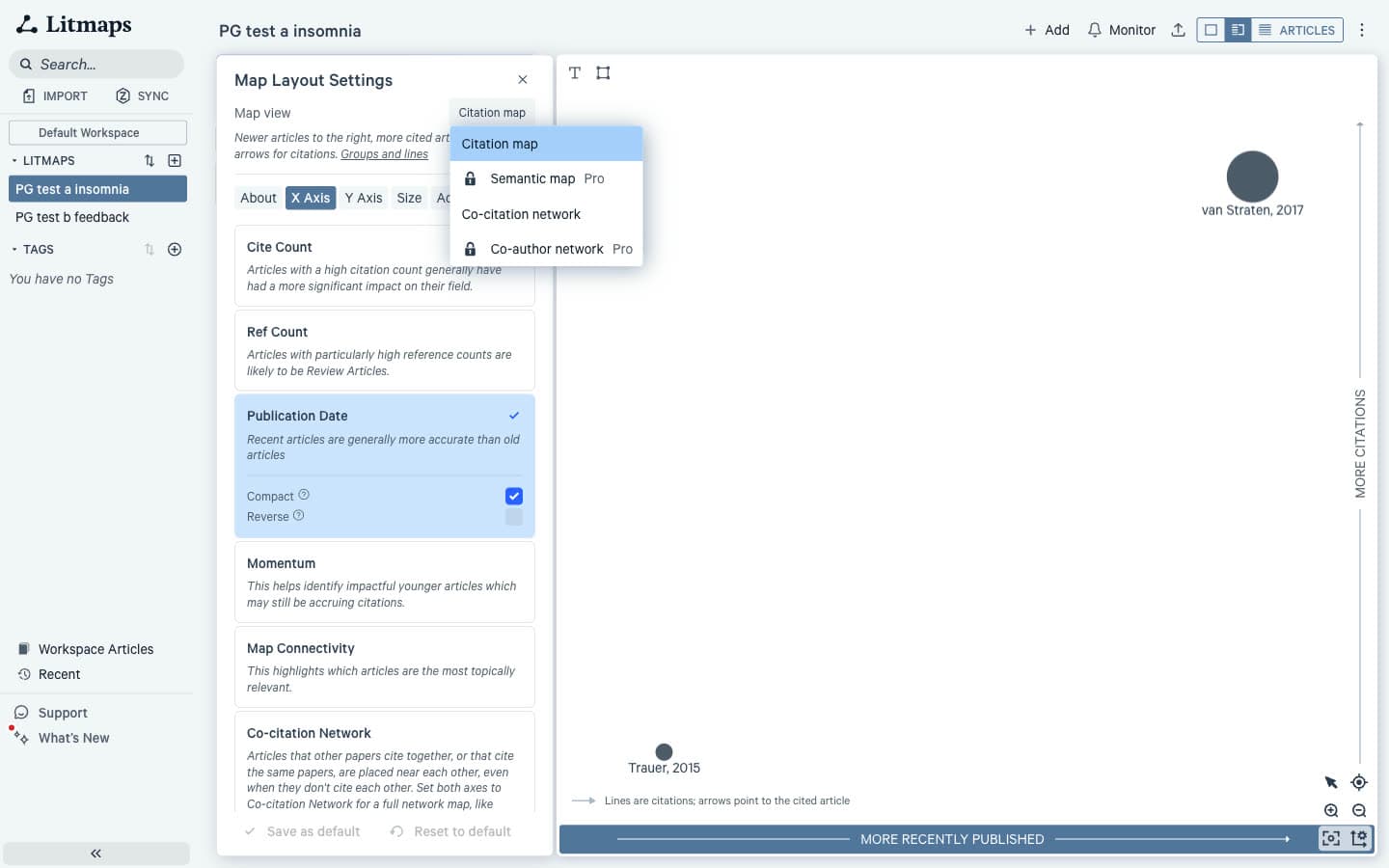
The two maps look alike at first: both run from older papers on the left to newer on the right and draw more cited papers higher or larger. Litmaps goes much further on customisation, with eight axis options and four map views. In contrast, Paperguide keeps one fixed timeline beside a ranked, explained list.
Litmaps describes its default Citation map as "Newer articles to the right, more cited articles higher, and arrows for citations." For example, either axis can switch to Cite Count, Ref Count, Publication Date, Momentum, Map Connectivity or Content Similarity (Beta), among others. The free Co-citation network groups "articles that are cited together or share references". The Semantic map and Co-author network are Pro.
Paperguide's legend reads "Size = citations" and "Higher = more cited", with lines for "Cites". It is simpler. In practice, the ranked list beside it does most of the work.
Verdict: Litmaps, for anyone who wants to reshape the map. New to these tools? Start with what a citation map actually shows.
How Does Relevance of Recommendations Compare?
This is the biggest gap in our whole test. Paperguide averaged 1.75 out of 2 and Litmaps 0.87; in the top 10 alone, Paperguide averaged 1.80 and Litmaps 0.50. In other words, three in four Paperguide papers were on the seed's core topic, against fewer than one in five for Litmaps.
Blind relevance scores, top 20 per seed (0 to 2)
| Tool | Insomnia | Feedback | Transformer | Average | Scored 2 | Scored 0 | Top 10 average |
|---|---|---|---|---|---|---|---|
| Paperguide | 1.90 | 1.75 | 1.60 | 1.75 | 75% | 0% | 1.80 |
| Litmaps | 1.05 | 0.90 | 0.65 | 0.87 | 18% | 32% | 0.50 |
Why Litmaps scored low
Litmaps' default mode surfaced low-cited papers that cite the seed, whatever their topic. For example, for "The Power of Feedback", its top three were a 2020 paper on school environments that help children delay gratification, a 2026 study of maths games in bilingual classrooms, and a 2018 study of veterinary students' clinical decision-making.
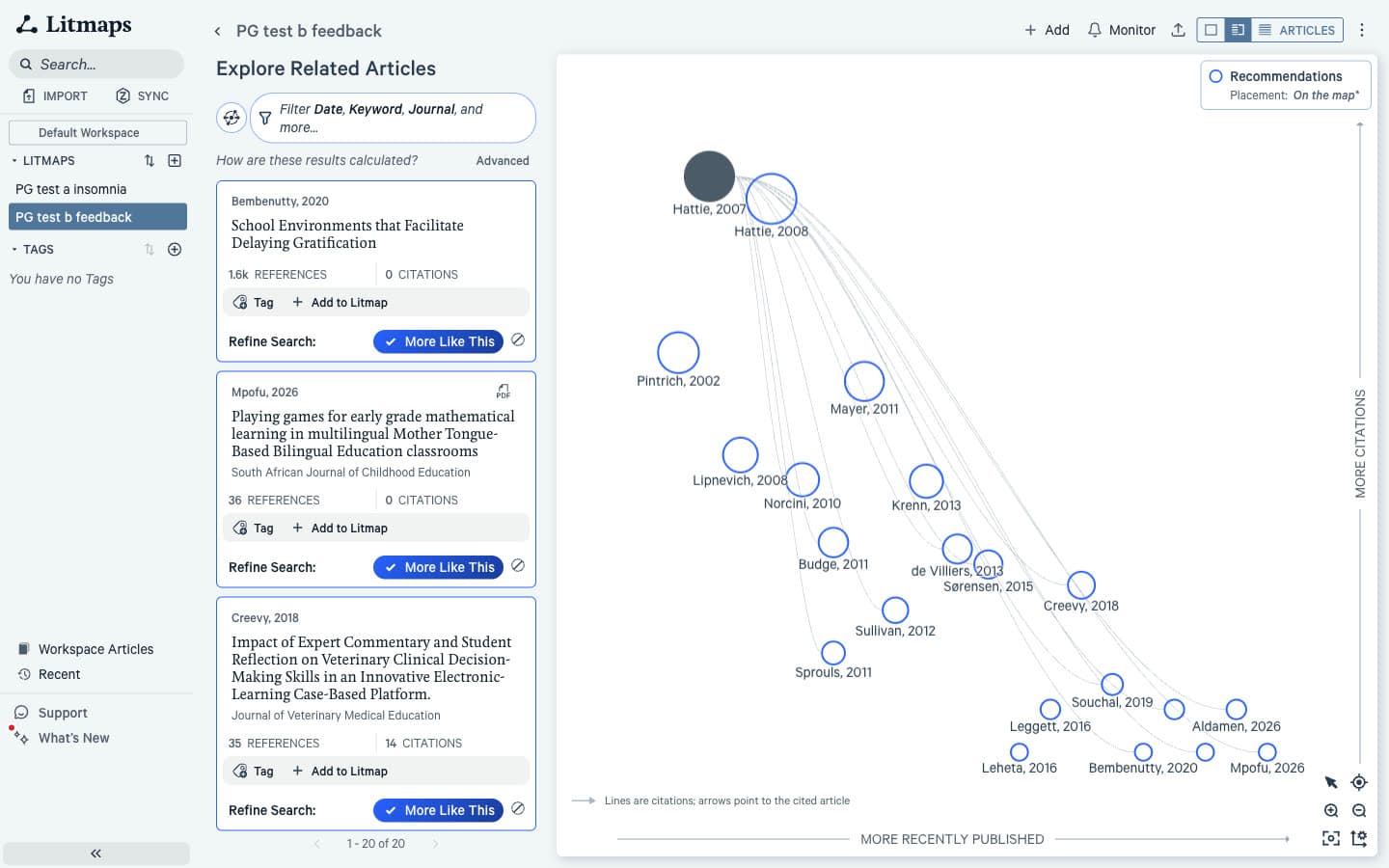
The ranking explains it. Litmaps shows no score, but its own data gave all ten top results for each seed the same internal score, so the order among them carried no signal. As a result, the insomnia top 10 included a cooling mattress pad, low back pain care-seeking and an aquanaut health curriculum, and just below sat two duplicate records of the seed itself. Stability is the second issue. With one seed, reruns returned the same list. With two insomnia seeds, however, all 100 results shared one score, and reloading the same map changed 9 of the top 10. That said, Litmaps has other modes we did not score. Its LLM-based "Similar Text" mode returned a visibly more on-topic insomnia list, led by meta-analyses of CBT for insomnia.
By contrast, Paperguide's top papers for feedback were the ones a reviewer would expect: Kluger and DeNisi's 1996 meta-analysis, "The Power of Feedback Revisited", and Boud's 2012 paper on rethinking feedback models. For the transformer seed it listed GPT-3, XLNet and the vision transformer; in contrast, Litmaps' top 20 had none of those landmark follow-ups. ResearchRabbit, scored in the same blind pool, averaged 1.25, so the gap between Litmaps and ResearchRabbit on relevance is smaller but still clear.
Verdict: Paperguide, clearly. If you use Litmaps, try "Similar Text" before trusting the default list.
How Do Recent Papers Compare?
Litmaps wins here. Its default top 20 held 5, 4 and 10 papers from 2024 or later across our seeds, against 1, 1 and 0 in Paperguide's Related papers. Paperguide keeps recent work in its Later work view instead, which listed 847 papers citing the insomnia seed.
Notably, the same ranking that hurt Litmaps on relevance helps it on recency: new papers that cite your seed rise to the top. If your goal is "what came out this year", that is useful, provided you filter out the off-topic ones.
Paperguide's Later work is ranked by connection rather than fresh-first. It ranks well-cited follow-ups such as the 2019 long-term effects meta-analysis and the 2017 European insomnia guideline near the top, so the newest papers are there but further down. However, adding a second seed lifted recent papers in Related from 1 to 3.
Verdict: Litmaps, for staying current. Paperguide, for a ranked, labelled forward list.
How Do Earlier and Later Work Compare?
Both tools give you long reference and citation lists for a seed. For the insomnia seed, Paperguide listed 104 earlier and 847 later papers; Litmaps listed 104 references and 753 citations. The difference is in ordering, labelling and data quality rather than coverage.
Paperguide labels each earlier paper by how often your seed and its references cite it, such as "Your seed and 32 of its references cite this", which pushes foundational trials and meta-analyses to the top. Every later paper reads "Cites your seed". That is the order you want when building a citation map step by step. In contrast, Litmaps sorts references by citation count, which lifts general tools such as a depression inventory and the Pittsburgh sleep quality index above insomnia trials. For the feedback and transformer seeds, its Citations tab was unsorted, with the sort control greyed out. Its reference lists also held duplicates, such as two copies of the ResNet and DSM-5 records.
Verdict: Paperguide, for ordering and labels that match how reviewers search.
How Do Explanations Compare?
Paperguide tells you why every paper is on the map. Litmaps does not: its cards show a "More Like This" toggle, Tag and Add to Litmap, and lines on the map show direct citations, but no recommendation carries a reason. As a result, nothing on a card tells you why the paper belongs, which matters when you have to justify why it entered your review.
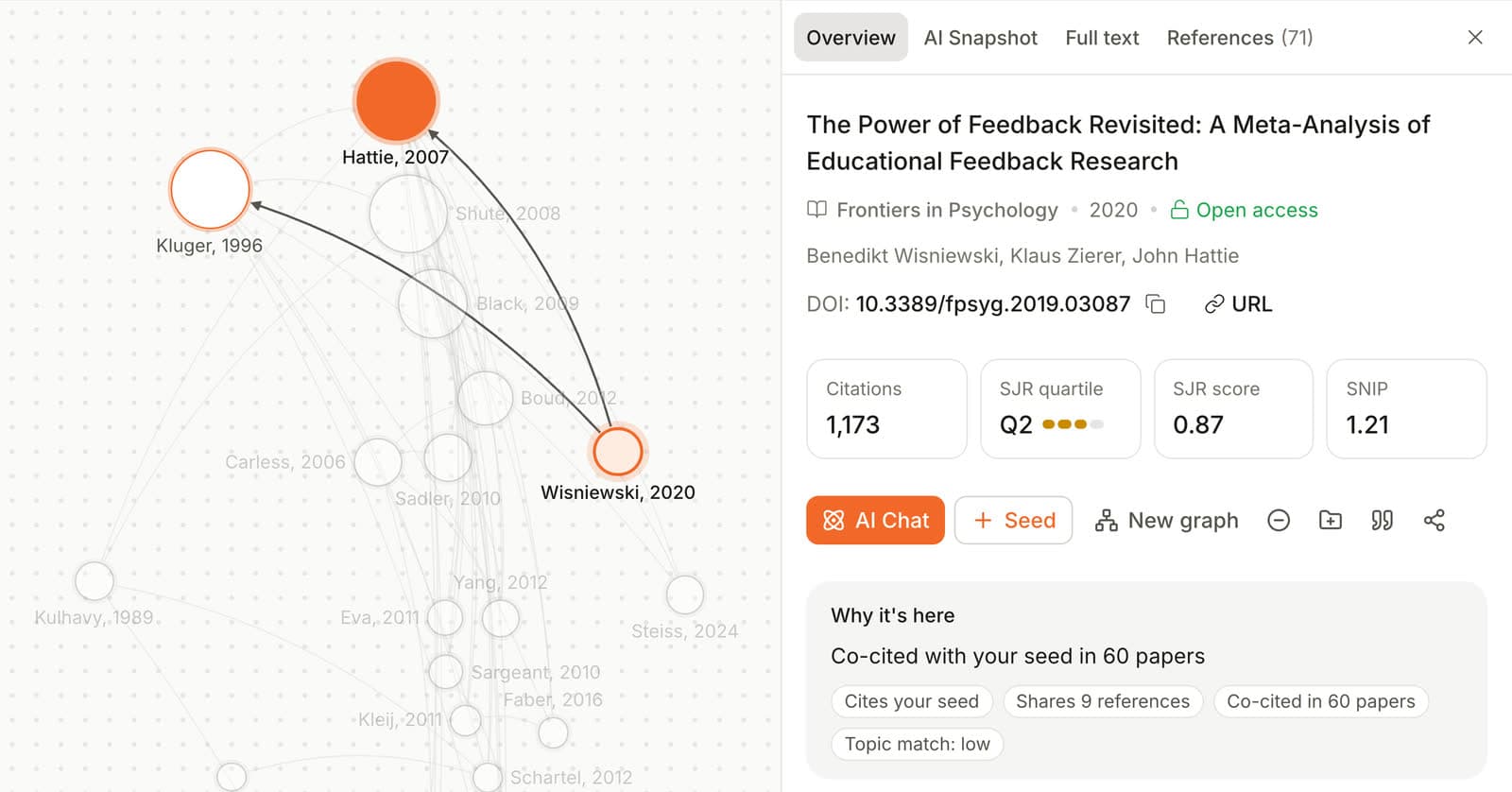
Paperguide's labels read "Co-cited with your seed in 60 papers", "Shares 25 references with your seed", "Cites your seed" or, on a two-seed map, "Matches the topic of 2 of your seeds". Co-citation means two papers are cited together by later work [4], and bibliographic coupling means two papers share references [5]. Both are long-established signals of related work, so each label is something you can check.
Verdict: Paperguide wins.
How Does Adding More Seeds Compare?
Litmaps accepts up to 20 inputs on the free plan and unlimited on Pro; Paperguide takes one to five. Paperguide labels which seeds each paper connects to, while Litmaps had no such label and gave all 100 two-seed results the same score.
We added the van Straten meta-analysis as a second insomnia seed in both. In Paperguide, Related papers grew from 1,252 to 1,933, and every top 20 paper carried a label such as "Co-cited with 2 of your seeds". In Litmaps, however, the list expanded from 20 to 100 results, and only one of the original 20 remained anywhere in it.
Verdict: Litmaps for many seeds, Paperguide for multi-seed maps you can read.
How Do Saving, Export and Zotero Compare?
Litmaps wins on export. It exports selected or all articles as BibTeX, CSV or RIS on the free plan, and its docs describe exporting the map as a PNG image, though we did not find that option. Pro adds two-way Zotero sync. In contrast, Paperguide has no graph export; papers go into its Reference Manager.
Litmaps saves each Explore as a named Litmap, within the free limits. However, its export preview showed blank author and year fields for the seed, so check the file.
In Paperguide, each graph saves to your account, named after the first seed. Every card has "Add to Reference Manager" and "Cite", and saved papers show "In 1 graph". The Reference Manager imports from Zotero and Mendeley. Dedicated tools are compared in the best reference management software for researchers.
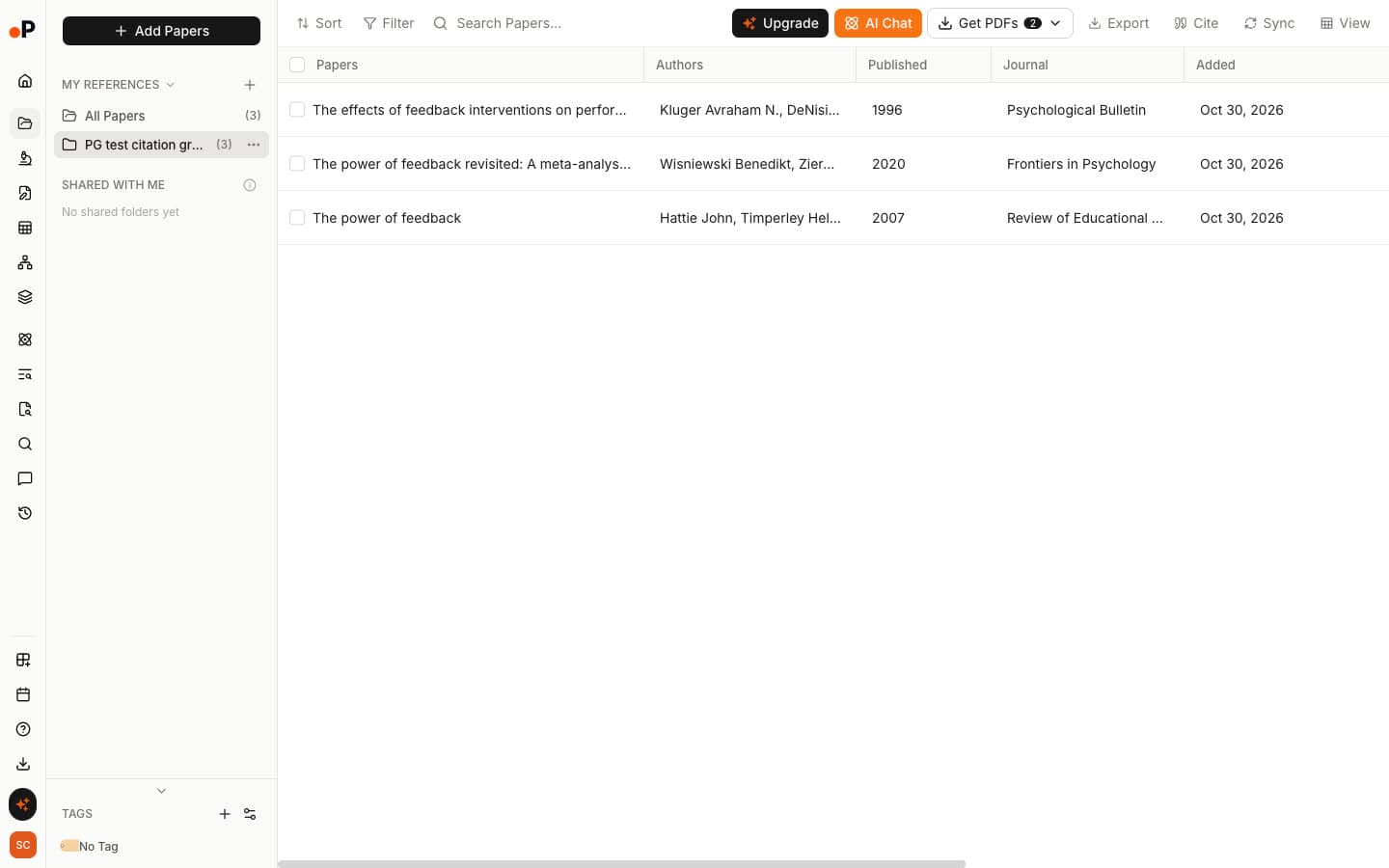
Verdict: Litmaps, for file export and Zotero sync. Paperguide, for a library tied to the graphs your papers came from.
How Do Sharing and Alerts Compare?
Litmaps wins on alerts. Its Monitor scans for "relevant newly-published articles" and emails you; its docs say free users can use it and Pro users customise weekly alerts. Paperguide, in contrast, has no alerts. Both share by link: Paperguide with "Can edit", "Can view" or "No access", Litmaps by link or email.
Litmaps' free plan allows one share per map, and its docs say viewers need no account. On the Paperguide side, "Can edit" was ticked by default on a new graph, so switch to "Can view" before sending a read-only link. In addition, Litmaps offers a Litmaps MCP in beta for assistants such as Claude and ChatGPT; Paperguide has its own Paperguide MCP.
Verdict: Litmaps, if new-paper alerts matter to you.
How Do Free Plan Limits Compare?
Paperguide's Citation Graph is free, states no graph limit, needs no signup to build or browse, and used no AI credits in our test. Litmaps' free plan allows two Litmaps of up to 100 articles each and 20 Explore results for a single seed. In fact, we hit the limit on our third seed.
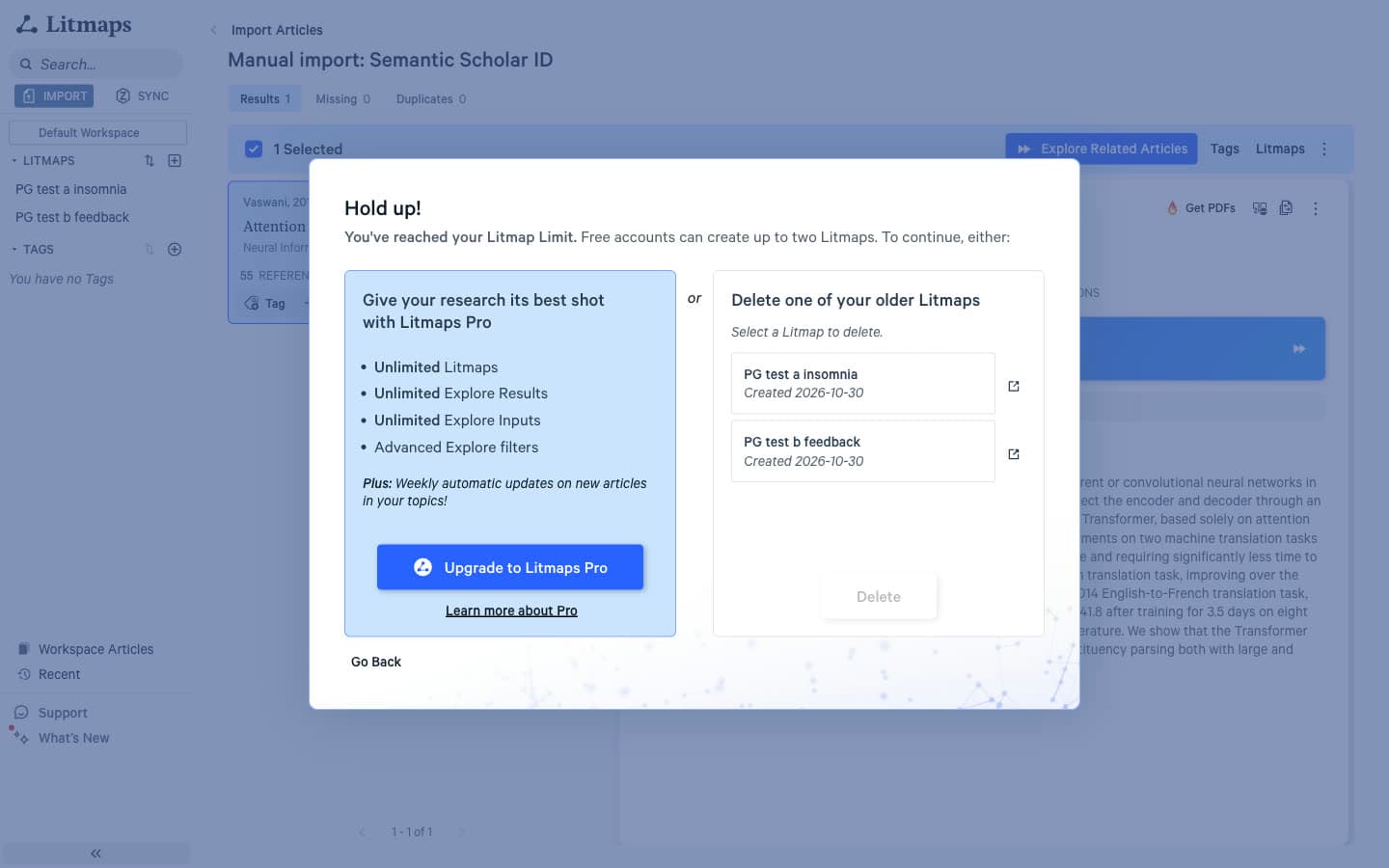
For example, Paperguide's single-seed Related list for insomnia held 1,252 papers. In contrast, Litmaps' held 20 ("1 - 20 of 20"), with "Unlimited Explore Results" sold on Pro.
Verdict: Paperguide, by a wide margin.
What Paperguide Adds Beyond the Map
A citation map tells you what to read; the rest of a review happens after. In Litmaps we found no AI chat or summaries and no in-app PDF reader. Instead, "Get PDFs" links out through your institution. In Paperguide, papers you pick from a graph go straight into tools for reading, extracting and writing.
AI Search
AI Search answers a research question with a cited summary. Every reference card has a "Graph" button, so a paper found by question can seed a new map.
Reference Manager
The Reference Manager holds papers added from any graph, marked "In 1 graph", ready to cite, export or open in the tools below.
Chat with PDF
Chat with PDF answers questions about one paper with page citations. Asked for the four levels of feedback in the 2020 meta-analysis, it listed task, process, self-regulation and self, each linked to its source sentence.
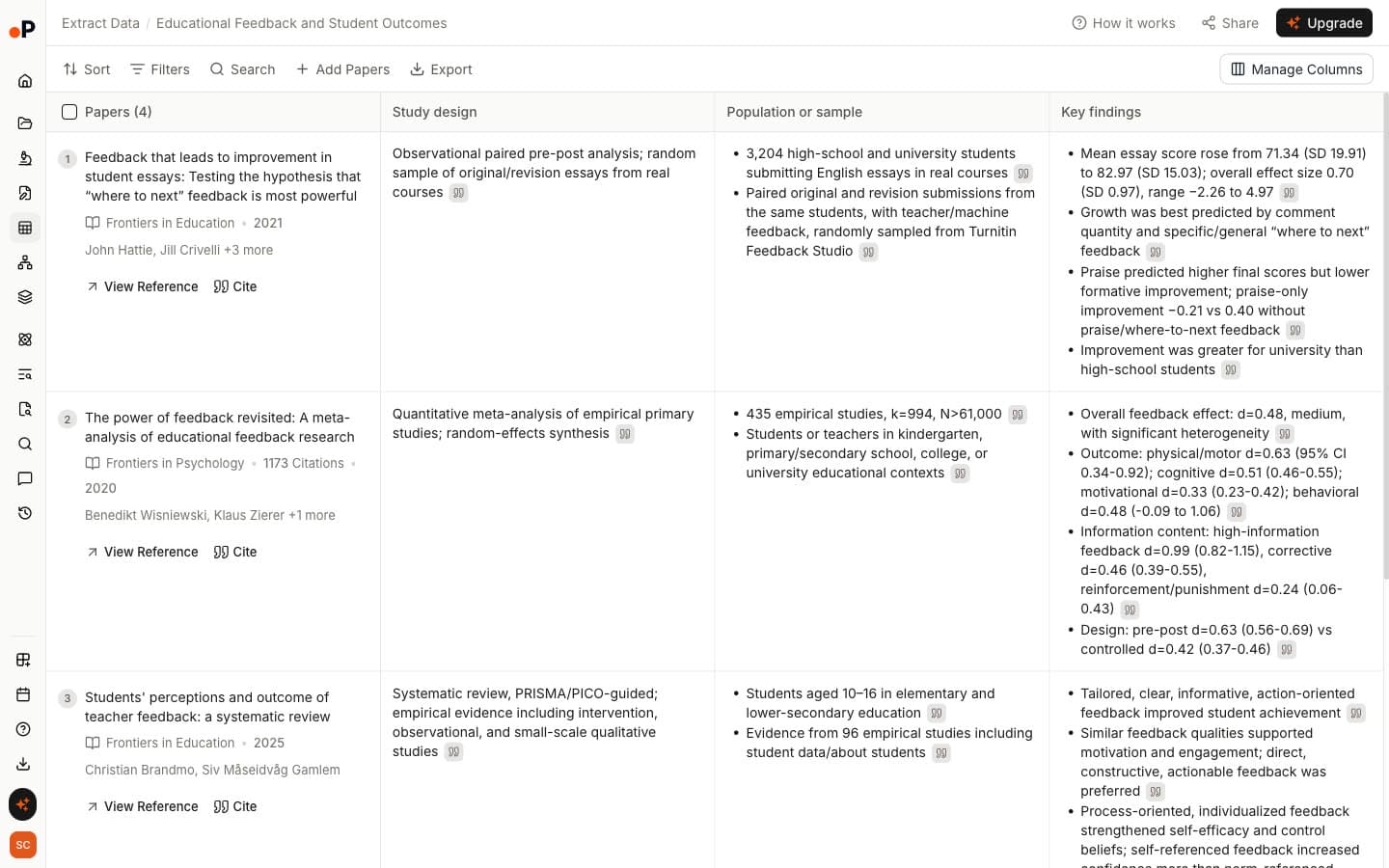
Extract Data
Extract Data builds a table across papers with columns you choose, such as study design, population and key findings. Every value has a quote icon that opens the supporting sentence. Note that only papers with a PDF can be added.
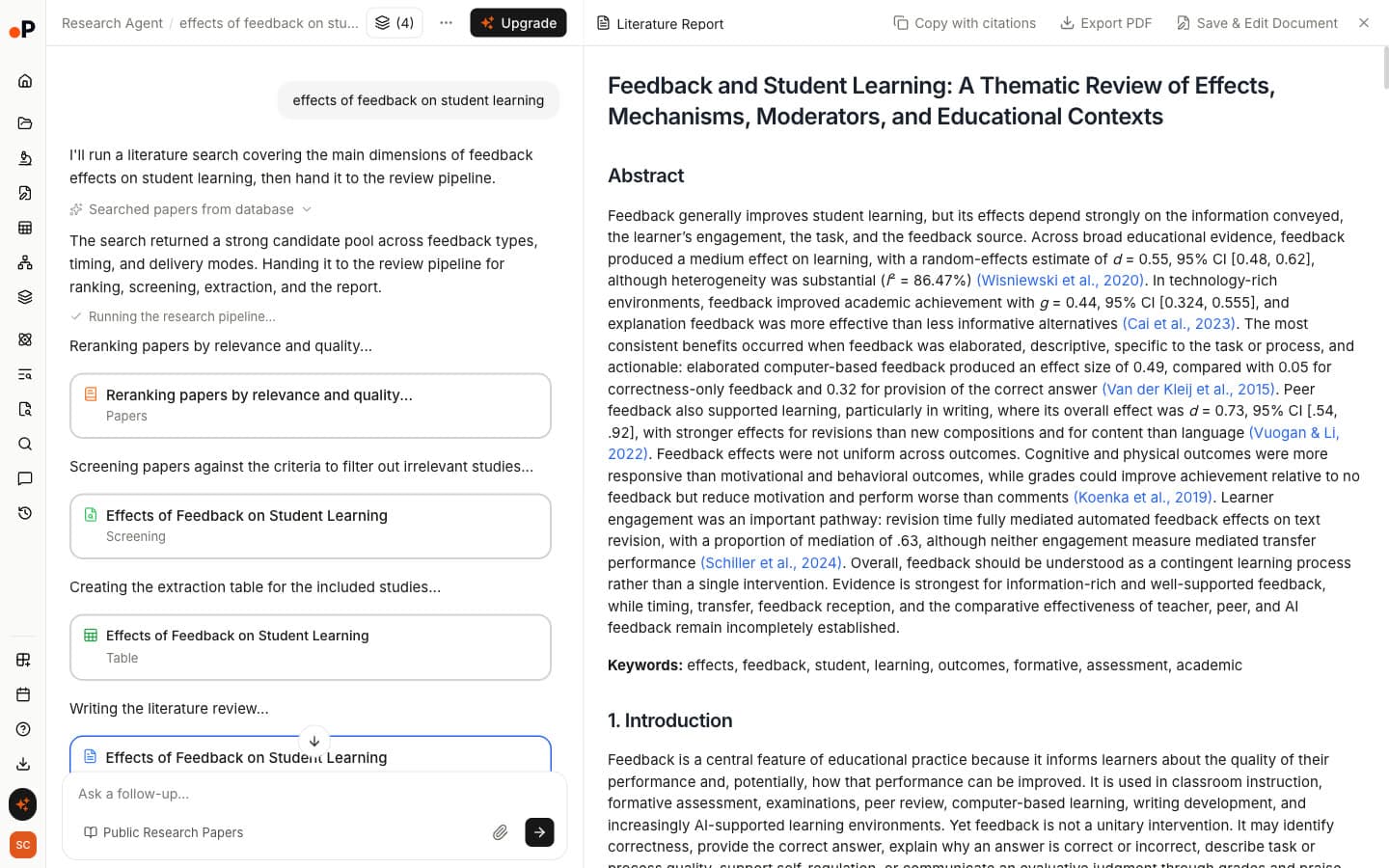
Literature Review AI
Literature Review AI reranks papers, screens them against criteria it shows you, builds an extraction table and writes a cited report. Ours, on feedback and student learning, took about 4.6 minutes. See how it compares with other AI tools for literature review.
AI Paper Writer
AI Paper Writer starts a draft or an outline from a prompt, citing public papers and your Reference Manager. We generated an outline only: a title, 7 sections and 17 subsections to review before inserting.
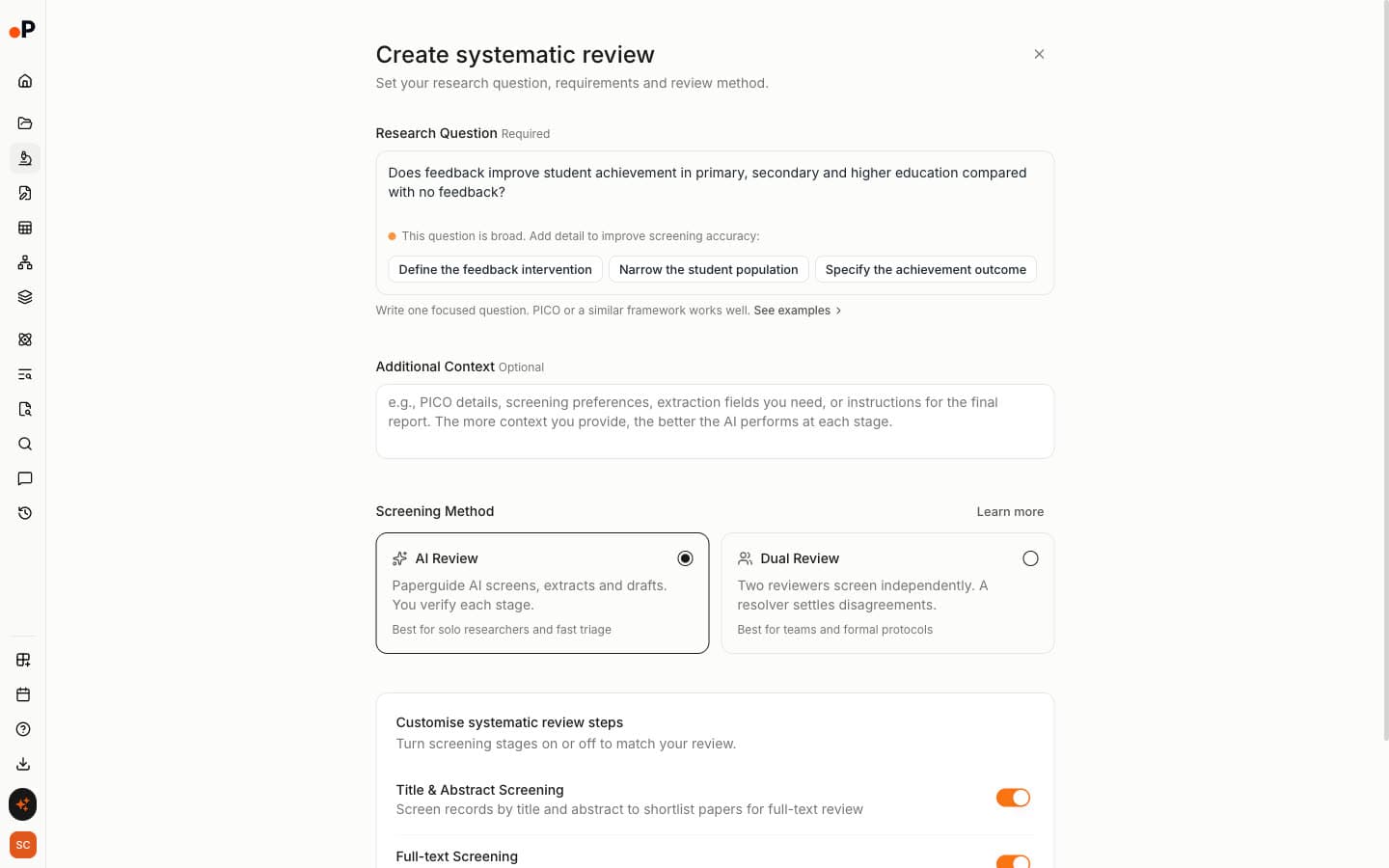
Systematic Review
Systematic Review runs title and abstract and full-text screening with "AI Review" or "Dual Review", where two reviewers screen independently and a resolver settles disagreements.
Research Agent
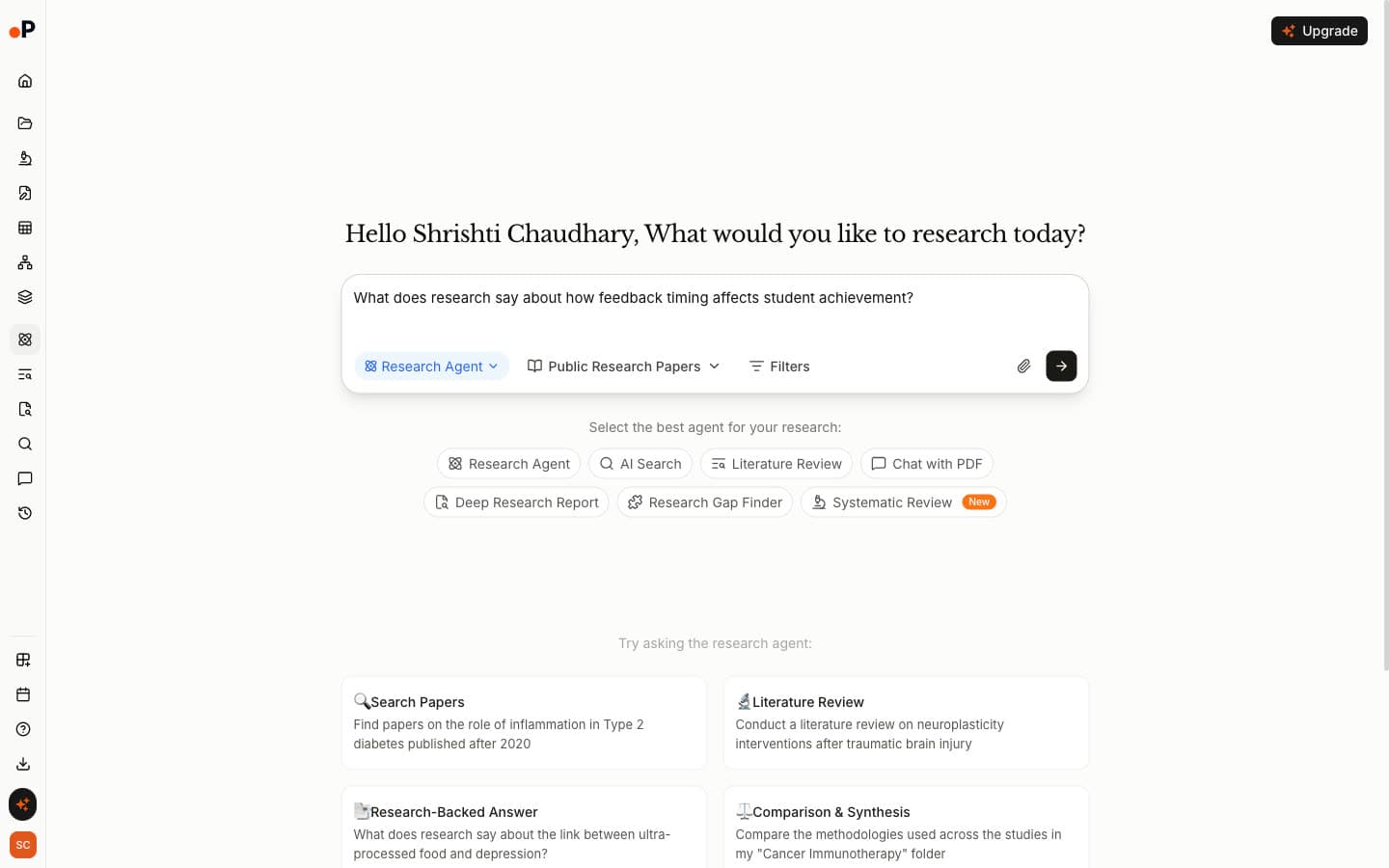
Research Agent lets you choose a workflow for an open question, including Deep Research Report and Research Gap Finder, a useful next step when finding research gaps in your field.
Paperguide vs Litmaps: Pricing Comparison
Paperguide's Citation Graph is free, and its page states no graph limit. Litmaps is free for two maps, then Pro Education costs $10 a month billed annually ($120 a year, academic email required) or $12.50 monthly. Pro Commercial costs $40 a month billed annually or $50 monthly.
Plans and US prices
| Plan | Paperguide | Litmaps |
|---|---|---|
| Free | Citation Graph, no graph limit stated, no signup to build | 2 Litmaps, 100 articles each, 20 inputs |
| Entry paid plan | Plus, $12 per seat per month, billed annually | Pro Education, $10 a month billed annually, or $12.50 monthly |
| Next tier | Pro, $29 per seat per month, billed annually | Pro Commercial, $40 a month billed annually, or $50 monthly |
| What you pay for | The wider platform: search, extraction, writing, reviews | Unlimited maps, results and inputs, Semantic map, weekly Monitor, Zotero sync |
In other words, Litmaps' paid plans buy more of the map: unlimited maps, the Pro views, custom alerts and Zotero sync. Paperguide's paid plans leave the Citation Graph free and pay for the tools around it.
Is Litmaps worth it? For a researcher who needs alerts and Zotero sync, Pro Education at $120 a year is fair. For finding the right papers, however, we tested only the free plan, so check the default ranking carefully before you pay. Prices change, so check the Paperguide pricing page.
Where Litmaps Genuinely Wins
Litmaps is the better tool for keeping up. Its default lists held 19 papers from 2024 or later across our three seeds, against 2 in Paperguide's Related view. In addition, its map offers eight axis options and four views, Monitor emails you about new work, Pro syncs with Zotero both ways, and it exports BibTeX, RIS and CSV.
Where Paperguide Genuinely Wins
Paperguide finds the right papers. Specifically, it scored 1.75 against 0.87 in our blind test, with no off-topic results. It also explains every recommendation, orders earlier and later work the way reviewers search, labels multi-seed maps, has no two-map cap, and moves papers straight into a library, extraction table and draft.
Final Verdict: Should You Choose Paperguide or Litmaps?
For finding what to read, Paperguide is the stronger Litmaps alternative: twice the relevance score, a reason on every paper, and no two-map limit. In contrast, Litmaps is the better choice for monitoring a field you already know, especially if you pay for Pro alerts and Zotero sync.
Choose Litmaps if:
- You want the newest papers on a topic and email alerts when more appear.
- You like reshaping a map with different axes and views.
- You live in Zotero and will pay for two-way sync.
Choose Paperguide if:
- You need relevant papers you can justify, with a reason for each.
- You are doing backward and forward citation searching for a review.
- You map more than two topics without paying.
- You want papers to move into a library, extraction table and draft.
Frequently Asked Questions
Is Litmaps free?
Yes, with tight limits. The free plan allows two Litmaps, up to 100 articles per map and 20 inputs, and showed 20 Explore results for a single seed. For example, a third map triggered "Hold up! You've reached your Litmap Limit." Pro removes those limits and adds the Semantic map, weekly alerts and Zotero sync.
How much does Litmaps cost?
Litmaps Pro Education costs $10 a month billed annually, $120 a year, and needs an academic email address, or $12.50 billed monthly. Pro Commercial costs $40 a month billed annually or $50 monthly. Team and enterprise plans are priced on request. These are US list prices at the time of writing.
Is Litmaps worth it?
It depends on the job. Pro is worth it if you need weekly alerts on new papers, two-way Zotero sync and unlimited maps. For finding relevant papers, however, its default ranking scored 0.87 out of 2 in our blind test, with 32% off-topic, so check its suggestions carefully whichever plan you use.
Is Litmaps AI?
Partly. Its default "Shared Citations & References" mode states that it "does not use an AI Large Language Model", and the same is true of "Common Authors". In contrast, the "Similar Text" mode and the beta Semantic map use an AI model on titles and abstracts. Litmaps also offers an MCP connection in beta.
What is the best Litmaps alternative?
For relevance, Paperguide's Citation Graph is a strong free alternative. In our blind test it scored 1.75 out of 2 against Litmaps' 0.87, with no off-topic papers. It explains why every paper is linked, lists far more earlier and later work, and has no two-map limit. However, it has no alerts or graph export.
Why does Litmaps show irrelevant papers?
In our test its default mode ranked low-cited papers that cite the seed, and the top ten for each seed shared one internal score, so their order carried no signal. As a result, it surfaced papers on delaying gratification and veterinary education for a feedback review. Its "Similar Text" mode returned a more on-topic list.
Does Litmaps show recent papers?
Yes, more than most mapping tools. Its default top 20 held 5, 4 and 10 papers from 2024 or later for our three seeds. In contrast, Paperguide's Related papers held 1, 1 and 0, with recent work listed in its separate Later work view, which showed 847 papers citing our insomnia seed.
Is Paperguide's Citation Graph free?
Yes. Building and browsing citation graphs is free, needs no signup and used no AI credits in our test. Signing in saves graphs to your account, adds link sharing with edit or view rights, and lets you add papers to Reference Manager. Paid plans cover Paperguide's other research tools.
References
- Trauer, J. M., Qian, M. Y., Doyle, J. S., Rajaratnam, S. M. W., & Cunnington, D. (2015). Cognitive behavioral therapy for chronic insomnia: A systematic review and meta-analysis. Annals of Internal Medicine, 163(3), 191-204. https://doi.org/10.7326/M14-2841
- Hattie, J., & Timperley, H. (2007). The power of feedback. Review of Educational Research, 77(1), 81-112. https://doi.org/10.3102/003465430298487
- Vaswani, A., Shazeer, N., Parmar, N., Uszkoreit, J., Jones, L., Gomez, A. N., Kaiser, Ł., & Polosukhin, I. (2017). Attention is all you need. Advances in Neural Information Processing Systems, 30. https://doi.org/10.48550/arXiv.1706.03762
- Small, H. (1973). Co-citation in the scientific literature: A new measure of the relationship between two documents. Journal of the American Society for Information Science, 24(4), 265-269. https://doi.org/10.1002/asi.4630240406
- Kessler, M. M. (1963). Bibliographic coupling between scientific papers. American Documentation, 14(1), 10-25. https://doi.org/10.1002/asi.5090140103
Mapping citations?
See how any paper connects
Start from up to five papers and explore earlier, later and related work in one free citation graph. No signup.
Try Citation GraphNo credit card required