7 Best Litmaps Alternatives in 2026 (Free + Paid)

The best Litmaps alternative in 2026 is Paperguide's free Citation Graph. In our blind test on three seed papers, its recommendations scored 1.75 of 2 for relevance against 0.87 for Litmaps, with none off-topic, no signup and no graph limit stated. Inciteful and Semantic Scholar follow as free picks.
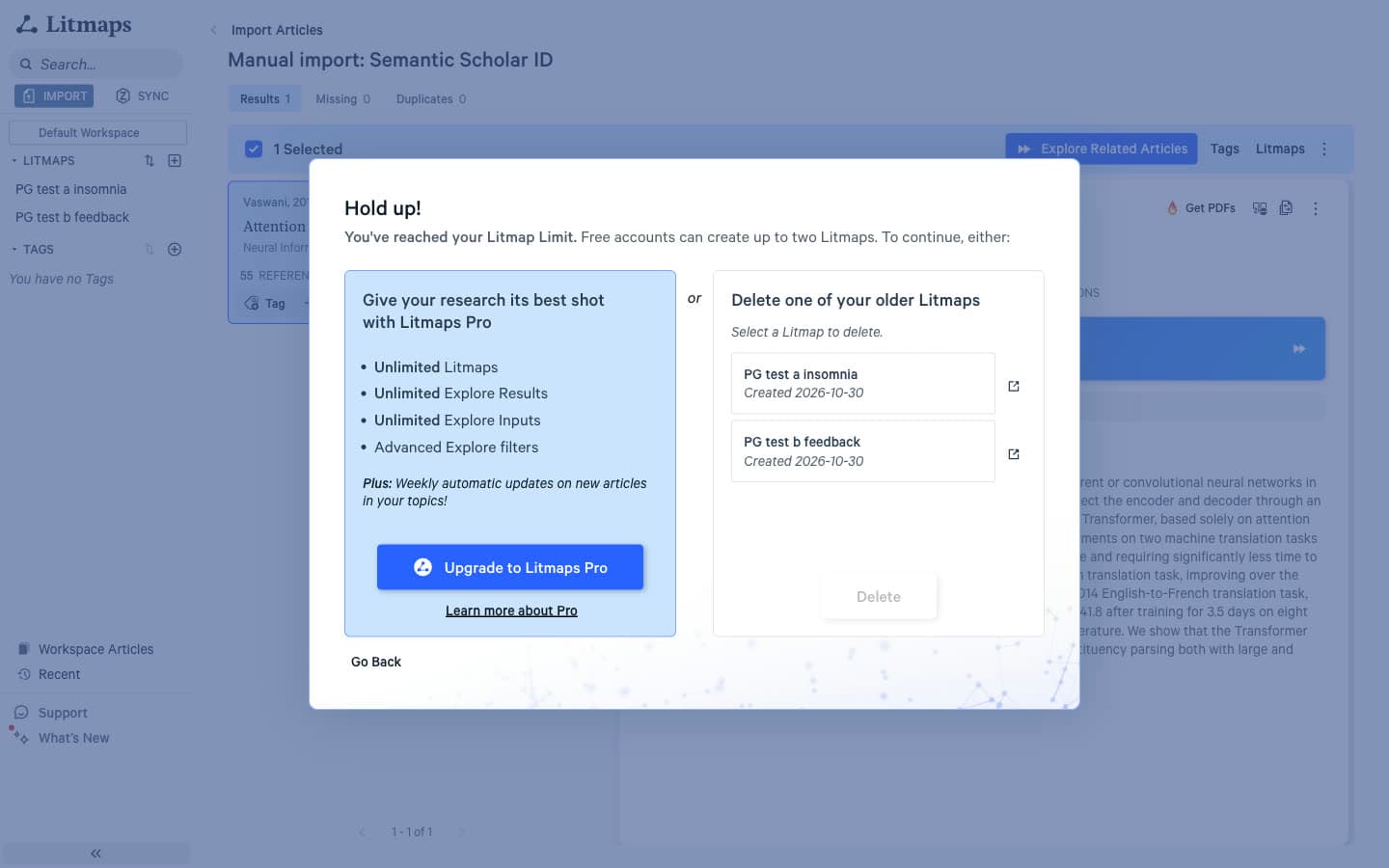
Most people go looking for a Litmaps alternative after one of three moments. The first is a message on the third map: "Hold up! You've reached your Litmap Limit. Free accounts can create up to two Litmaps." The second is an Explore list where a cooling mattress pad study sits beside a meta-analysis of insomnia therapy. The third is wanting new-paper alerts and Zotero sync without paying for Pro.
We ran Litmaps and seven alternatives on free plans with the same three seed papers: a meta-analysis of cognitive behavioral therapy for insomnia [1], Hattie and Timperley's review of feedback [2] and "Attention Is All You Need" [3]. We then pooled each tool's top 20 recommendations per seed (10 for Semantic Scholar), shuffled them and had every paper scored 0 to 2 by judges who could not see which tool suggested it. A 2 means core to the seed's topic; a 0 means off-topic. This guide is built on those results, with extra weight on what Litmaps genuinely does best: recent papers and monitoring.
TL;DR
Paperguide Citation Graph is the best Litmaps alternative in 2026: 1.75 of 2 for blind relevance against Litmaps' 0.87, a reason on every paper and no graph limit stated. Connected Papers ties on relevance but allows five free graphs a month. Inciteful is the best no-account pick, Semantic Scholar the free alert source. Litmaps still leads on recent papers.
Key Takeaways
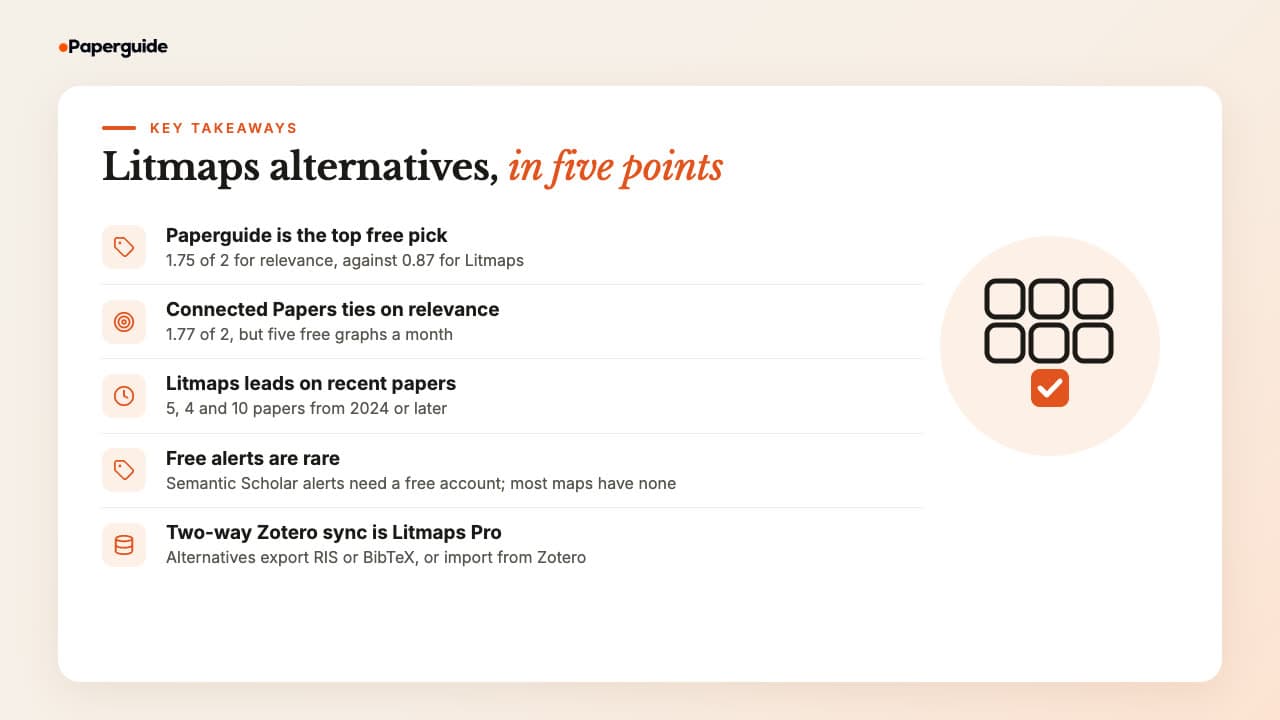
- Paperguide's Citation Graph is the best Litmaps alternative in 2026: 1.75 of 2 for relevance in our blind test, 0% off-topic, free with no signup.
- Connected Papers tied with Paperguide on relevance (1.77) but allows five free graphs a month and explains nothing per paper.
- Litmaps surfaced far more recent work: 5, 4 and 10 papers from 2024 or later in its top 20, where most alternatives surfaced zero to two.
- Free new-paper alerts are rare. Semantic Scholar offers paper, author and topic alerts with a free account; most mapping tools have none.
- Two-way Zotero sync is a Litmaps Pro feature. Inciteful sends papers to Zotero, ResearchRabbit imports from it, and Paperguide's Reference Manager imports from Zotero and Mendeley.
What Are the Best Litmaps Alternatives in 2026?
The best Litmaps alternatives in 2026 are Paperguide Citation Graph, Inciteful, Local Citation Network, Semantic Scholar, Consensus Citation Graph, ResearchRabbit and Connected Papers. Paperguide is best overall: relevant, explained recommendations at no cost. Inciteful and Local Citation Network are free with no account, Semantic Scholar has free alerts, ResearchRabbit allows 50 free seeds and Connected Papers ties on relevance.
How to Choose a Litmaps Alternative
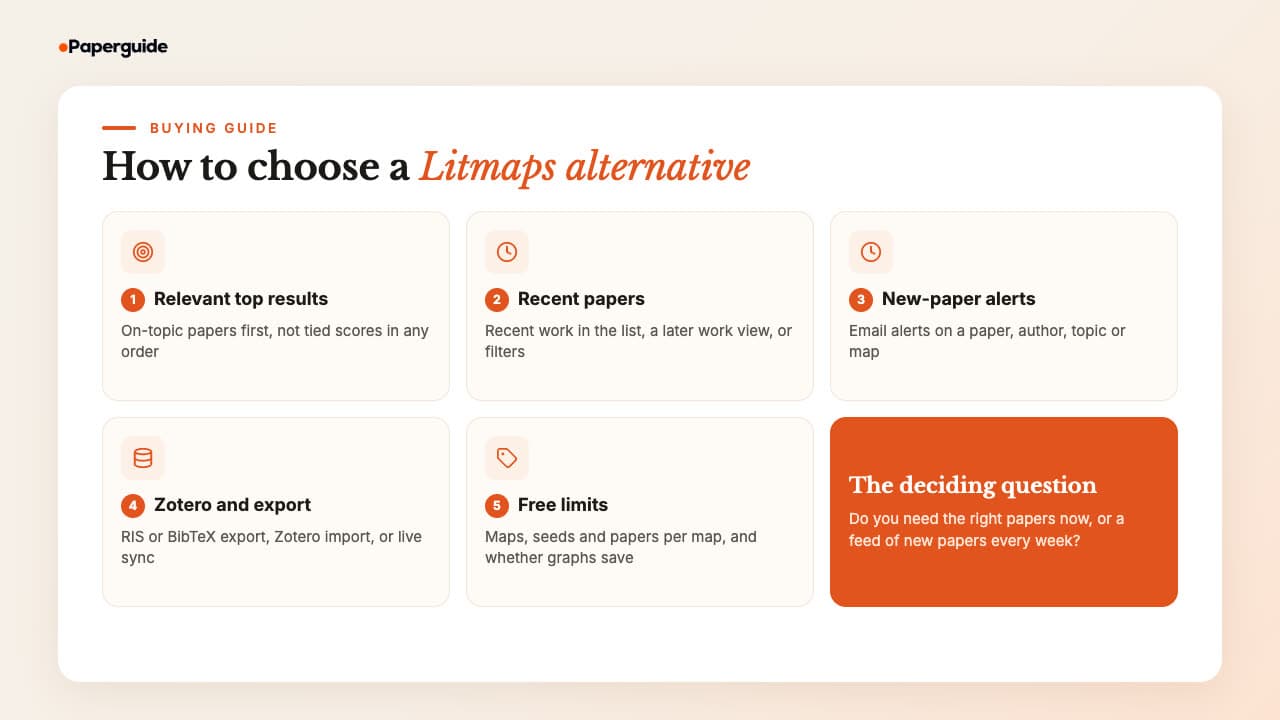
Choose a Litmaps alternative by the job Litmaps was failing to do. If its recommendations were off-topic, judge relevance first. If you relied on its timeline and Monitor, judge recent papers and alerts first. Then check Zotero support and free limits, because the tools here differ more on those than on how their maps look.
A citation map shows how papers connect through references and shared citations, so every tool below answers the same question in a different way. Weigh these five things.
1. Relevance of the top results. The first ten papers are the ones you will actually read. In our blind test, Litmaps' default top 10 averaged 0.50 of 2, because the first ten results for each seed shared one identical internal score and so carried no ranking. Look for a tool whose first page is on-topic and ordered.
2. Recent papers. Similarity and co-citation favor papers with years of citations behind them, so most maps lean old. Check whether a tool puts recent work in its main list, in a separate later work view, or behind a year filter.
3. New-paper alerts. If you are tracking a topic through a thesis, ask whether the tool will email you when something new appears, and whether that needs an account or a paid plan.
4. Zotero and export. Decide whether you need live two-way sync, a one-click send to Zotero, or simply a RIS or BibTeX file. The answer rules several tools in or out.
5. Free limits and saving. Count maps per month, seeds per map and papers per map, and check whether a graph survives a page refresh. Some free tools forget your work the moment you close the tab.
Mapping tools start from a paper you already trust. If you are still at the stage of searching by question, the AI tools for finding research papers are the better first step.
What Litmaps Still Does Best
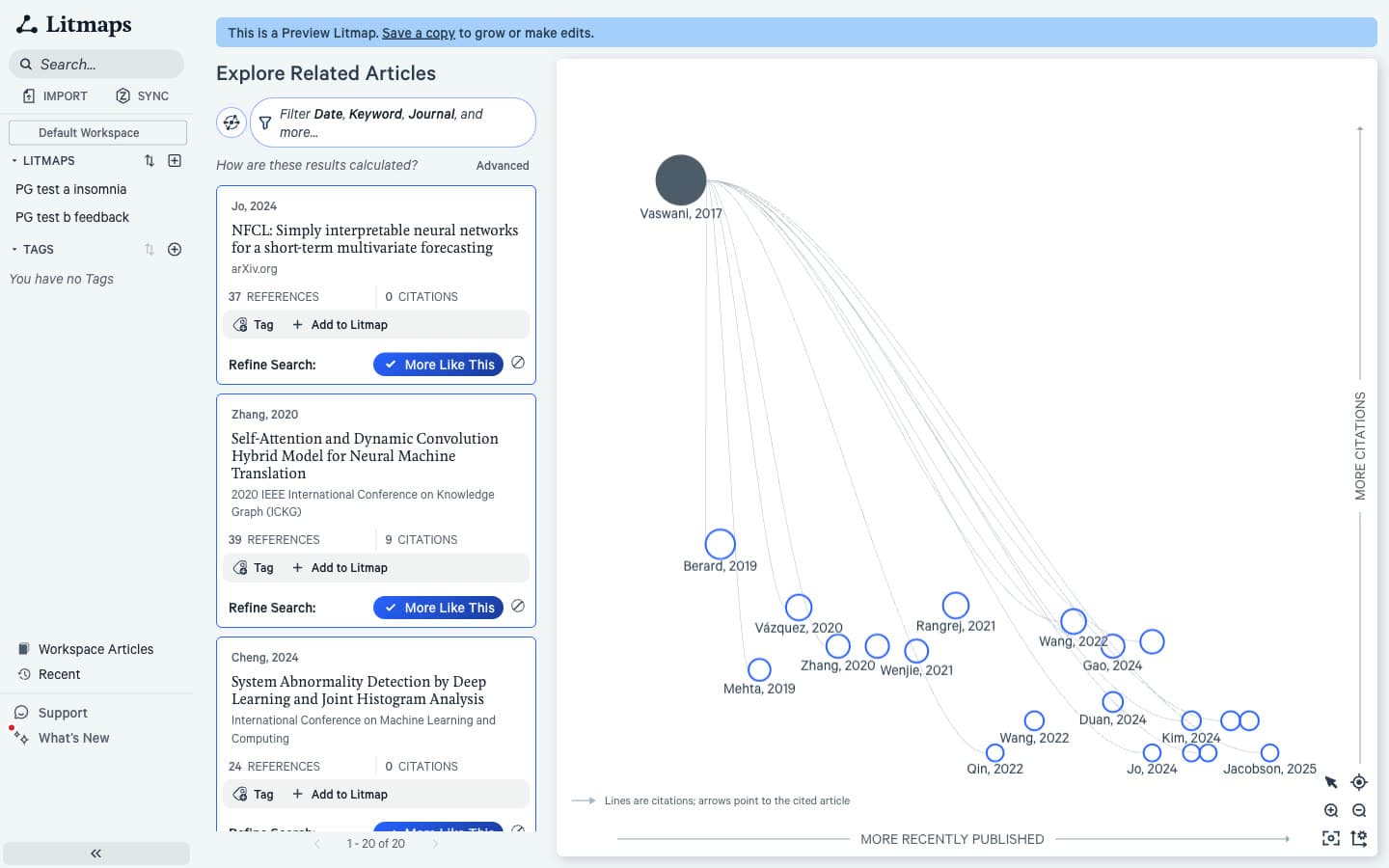
Litmaps is not weak everywhere, and a fair switch replaces its strengths, not only its gaps. It surfaced the most recent papers of any tool we tested and is the only one here that monitors a whole map: weekly emails on Pro, while our free account's settings showed a 30-day cycle with two results per email. Pro also syncs with Zotero, and its axes can show momentum, connectivity or content similarity.
| Litmaps strength | Who covers it |
|---|---|
| Recent papers in the top 20 (5, 4 and 10 from 2024 or later) | Inciteful's "The Most Important Recent Papers" table, Paperguide's Later work, Semantic Scholar's recency sort, Connected Papers' Derivative works |
| Monitor emails about new papers | Semantic Scholar alerts (free account); nothing else here sends new-paper alerts |
| Two-way Zotero sync (Pro) | Inciteful sends papers to Zotero, ResearchRabbit imports from Zotero (two-way sync in development), Paperguide's Reference Manager imports from Zotero and Mendeley |
| Eight axis options and four map views | None as flexible. Local Citation Network adds a co-authorship view; Consensus colors papers by seed |
| BibTeX, RIS and CSV export | Inciteful, Local Citation Network and ResearchRabbit export RIS; Connected Papers exports BibTeX |
Quick Comparison: Best Litmaps Alternatives in 2026
The quickest way to compare Litmaps alternatives is on the four things that drive a switch: relevance, recent papers, alerts and free limits. Paperguide and Connected Papers lead on relevance, Litmaps leads on recent papers, Semantic Scholar is the only free alert source, and the free limits range from five graphs a month to none at all.
| Tool | Best for | Blind relevance (of 2) | 2024+ papers in top 20 (three seeds) | New-paper alerts | Zotero | Free plan | Paid from (US) |
|---|---|---|---|---|---|---|---|
| Paperguide Citation Graph | Best overall, explained results | 1.75 | 1, 1, 0 (more in Later work) | No | Reference Manager imports from Zotero | Free, no signup, no graph limit stated | Platform plans from $12 a month, billed annually |
| Inciteful | No-account network analysis | 1.42 | 1, 0, 2 | No | Export to Zotero, Zotero plugin | Free, no account | Free |
| Local Citation Network | Auditing a reference list | 1.15 | 1, 0, 0 | No | Reads RIS or BibTeX files; RIS export | Free, no account | Free |
| Semantic Scholar | Free new-paper alerts | 1.30 (10 per seed) | 0, 0, 0 | Yes, free account | BibTeX and EndNote export | Free | Free |
| Consensus Citation Graph | Quick multi-seed view | 1.54 | 0, 0, 0 | No | None in the graph | 20 papers per graph, not saved | Pro $12 a month, billed annually |
| ResearchRabbit | Like-for-like switch | 1.25 | 0, 0, 0 | No (risk alerts on RR+) | One-way import | 50 seeds, free forever | $10 a month, billed annually |
| Connected Papers | One paper's neighborhood | 1.77 | 0, 0, 0 | No | BibTeX export | 5 graphs a month | $6 a month, billed annually |
| Litmaps (for reference) | Recent papers, monitoring | 0.87 | 5, 4, 10 | Monitor (weekly on Pro) | Two-way sync on Pro | 2 Litmaps, 100 articles each | $10 a month, billed annually (education) |
Prices are US list prices at the time of writing.
Best Litmaps Alternatives in 2026
The seven best Litmaps alternatives in 2026 are Paperguide Citation Graph, Inciteful, Local Citation Network, Semantic Scholar, Consensus Citation Graph, ResearchRabbit and Connected Papers. Each section gives the tool's blind relevance score, its most telling result and a one-line verdict. Every tool ran on a free plan with the same three seed papers, so the numbers compare like with like.
1. Paperguide Citation Graph
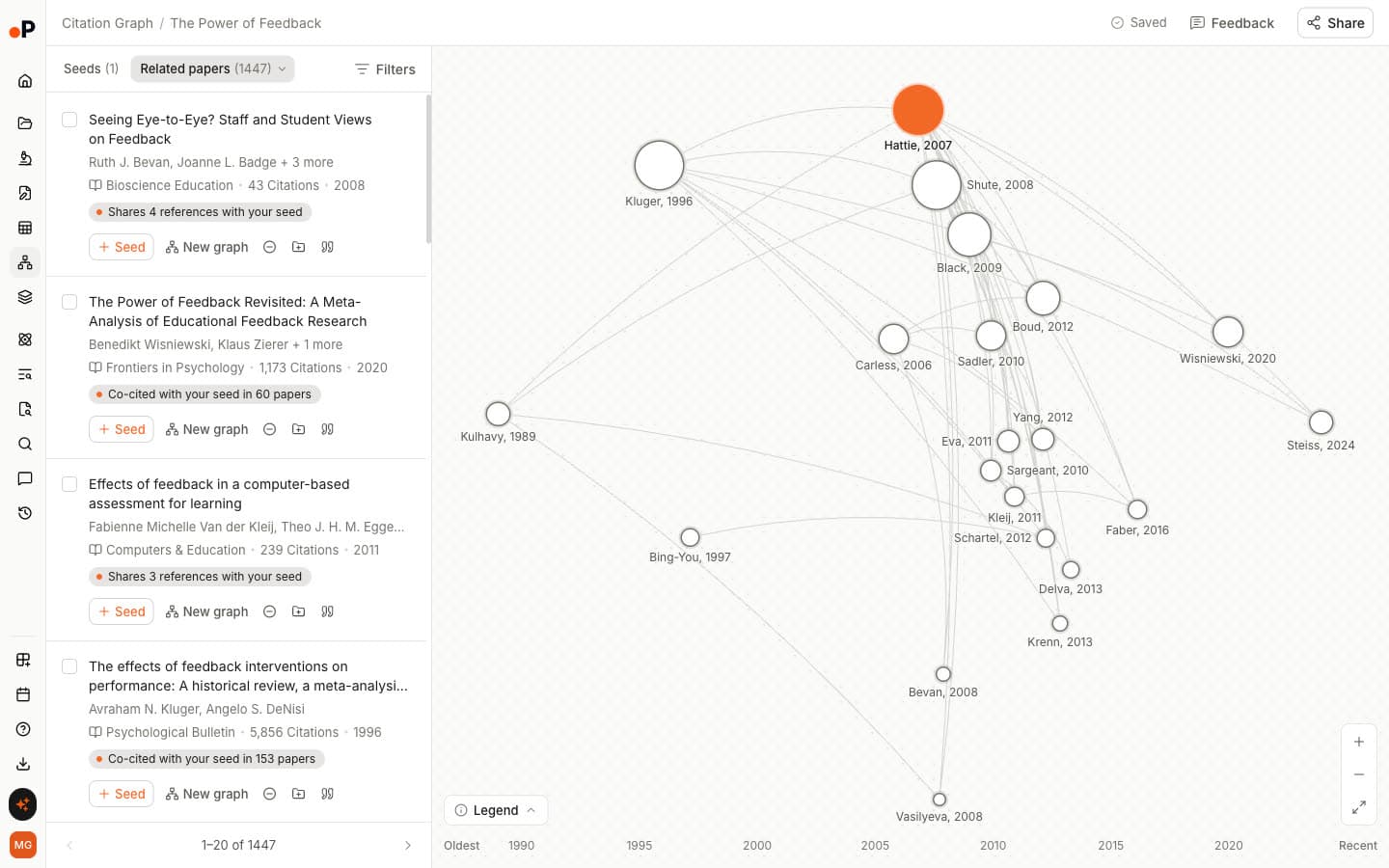
Paperguide's Citation Graph is a free citation mapping tool inside Paperguide, the AI-native platform for scientific research workflows and systematic reviews, that ranks related, earlier and later papers around one to five seeds and labels why each paper is shown. You can build and browse a graph without signing up.
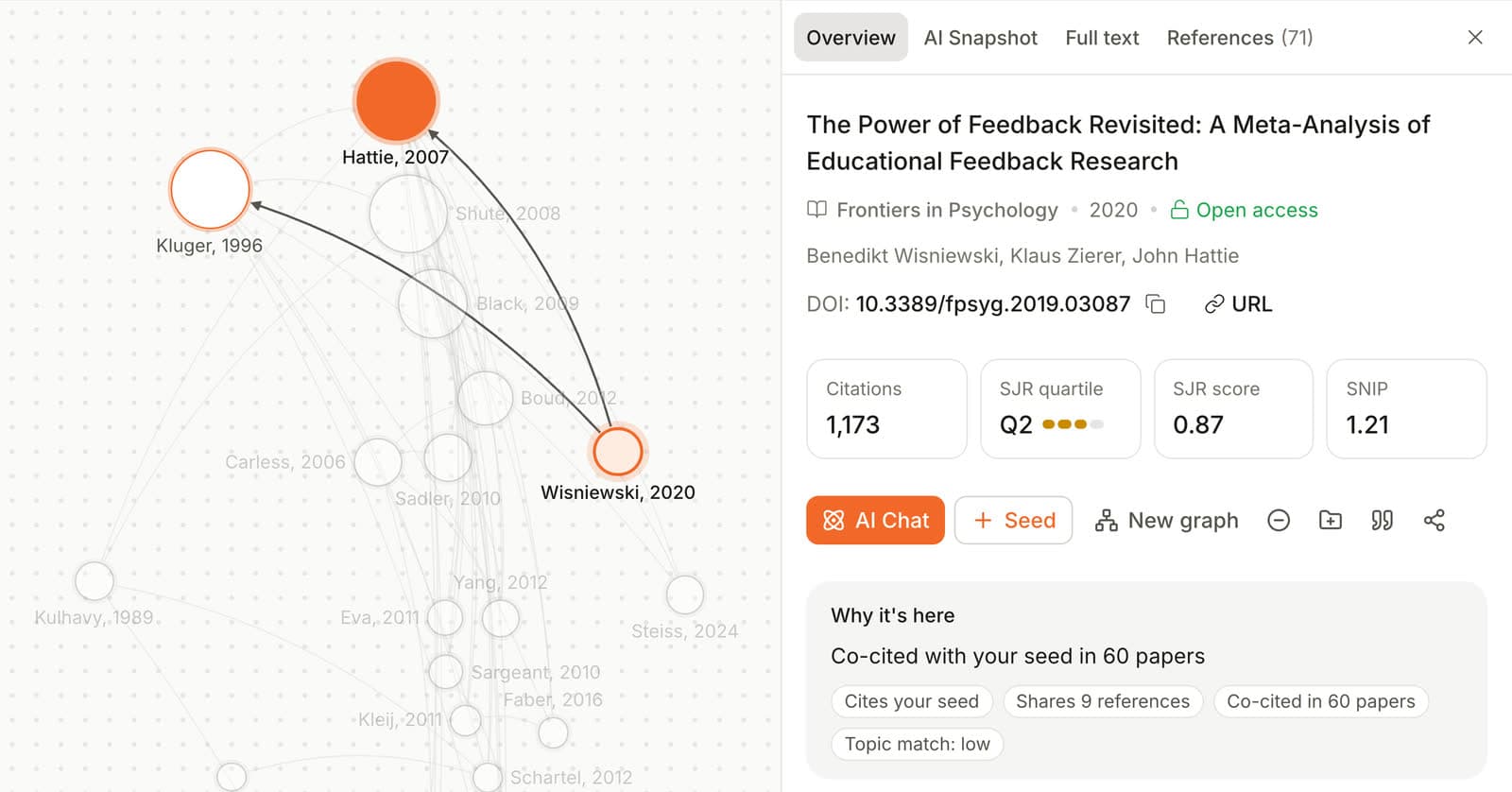
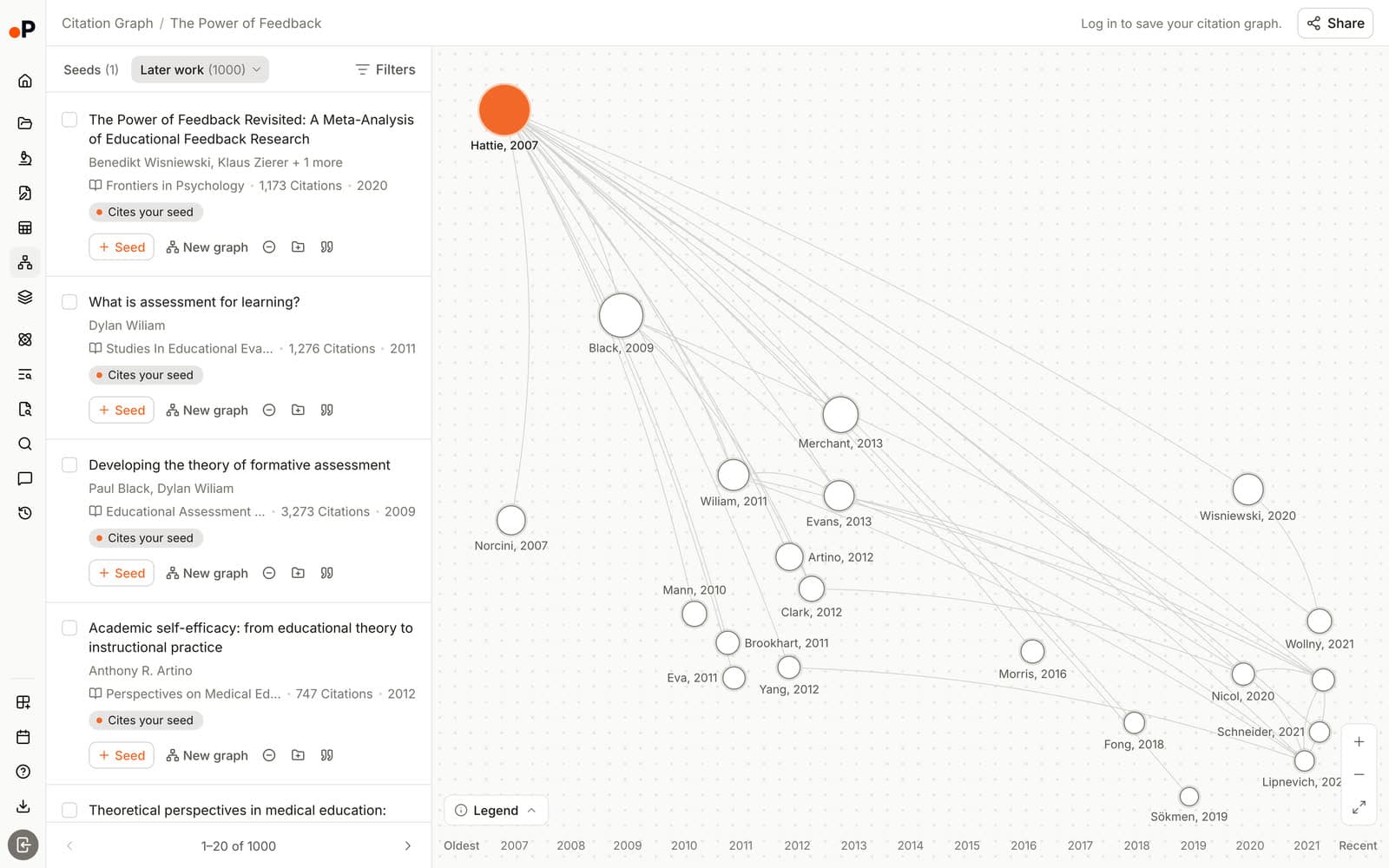
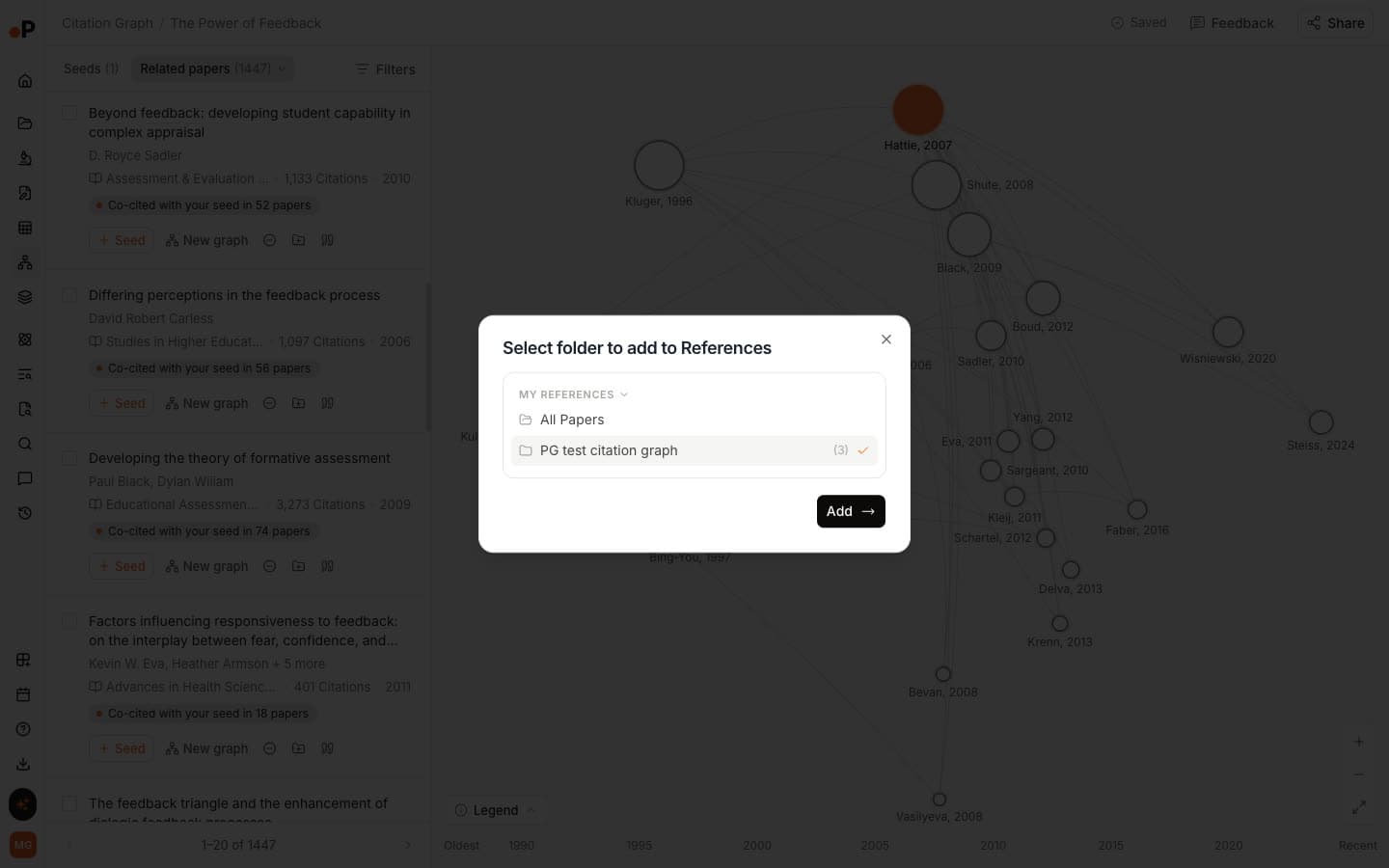
You search for a seed by title or DOI, and the graph lays papers out on a timeline from "Oldest" to "Recent", sized by citations and placed higher when more cited. Beside it, Related papers lists the closest work, each card with a "Why it's here" label such as "Co-cited with your seed in 135 papers" or "Shares 25 references with your seed". Those labels draw on direct citation, co-citation [5] and shared references, also called bibliographic coupling [6], plus topic similarity. Earlier work shows what your seed builds on, and Later work shows what built on it.
In our test: Paperguide scored 1.75 of 2, with 75% of papers rated core and none rated off-topic. On the same seeds it tied with Connected Papers on relevance (1.77), and it scored about twice Litmaps' relevance average. When we added a second insomnia seed, all 20 top papers carried a label linking them to both seeds, such as "Co-cited with 2 of your seeds".
On recency, Litmaps does better at the top of the list. Paperguide's Related top 20 held 1, 1 and 0 papers from 2024 or later, because co-citation rewards established work. Recent papers sit one click away in Later work, which gave long lists of citing papers: 847 for the insomnia meta-analysis, and the list stopped at 1,000 for the feedback review. There are no email alerts.
Key Features
- Citation Graph: Related papers, Earlier work and Later work from 1 to 5 seeds, with a "Why it's here" label on every paper and no graph limit stated.
- Seed from anywhere: Search by title or DOI, add any related paper as a new seed with "Seed", or open it as a "New graph". Signed in, you can seed from your Reference Manager.
- Saved and shared graphs: Graphs save automatically, named after the first seed. Share by link with "Can edit", "Can view" or "No access".
- Exclude, Cite and save: Remove off-topic papers, copy a citation, or send any paper to the AI Reference Manager, which marks it "In 1 graph" and imports from Zotero and Mendeley.
- AI Search: Cited answers across 200M+ papers, with a "Graph" button on every reference to start a citation graph from it.
- Chat with PDF: Questions answered from a saved paper, with each answer linked to the sentence it came from.
- Extract Data: Comparison tables across papers, with every value backed by a supporting quote.
- Literature Review AI: Reranks, screens and extracts papers, then writes a cited literature report.
- AI Paper Writer: Outlines and drafts with citations from public papers and your Reference Manager.
- Systematic Review: Protocol-driven reviews with AI Review or Dual Review screening.
- Research Agent: Multi-step research across papers and your library in one session.
Pros
- Relevance tied for first in our blind test, with no off-topic papers.
- A reason on every recommendation, including which seeds a paper links to.
- Free with no signup, no graph limit stated, and the graph used no AI credits.
- Graphs save to your account and share with view or edit access.
- Papers move straight into reading, extraction, review and writing.
Cons
- No new-paper alerts.
- No export of the graph itself.
- Recent papers sit in Later work rather than the Related list.
- One fixed timeline layout, with none of Litmaps' axis options.
- Its DOI search missed the arXiv transformer paper; title search matched a duplicate record dated 2025.
Pricing
| Plan | Price | What it covers |
|---|---|---|
| Citation Graph | Free | No signup to build or browse; signed-in graphs save to your account |
| Free | $0 | 1,500 AI credits a month for the wider platform |
| Plus | $12 per seat per month, billed annually ($144 a year) | 12,500 AI credits a month |
| Pro | $29 per seat per month, billed annually ($348 a year) | 50,000 AI credits a month |
| Evidence Teams | $89 per seat per month, billed annually ($1,068 a year) | 150,000 AI credits a month, dual reviewer screening |
Best For: PhD students, systematic review teams and HEOR groups who need the right papers first, a reason to include each one, and a direct path into reading and writing.
Verdict: Paperguide's Citation Graph is the best Litmaps alternative in 2026: it scored 1.75 of 2 for relevance against Litmaps' 0.87, rated no paper off-topic and is free with no signup. Add a separate alert source if you need monitoring.
2. Inciteful
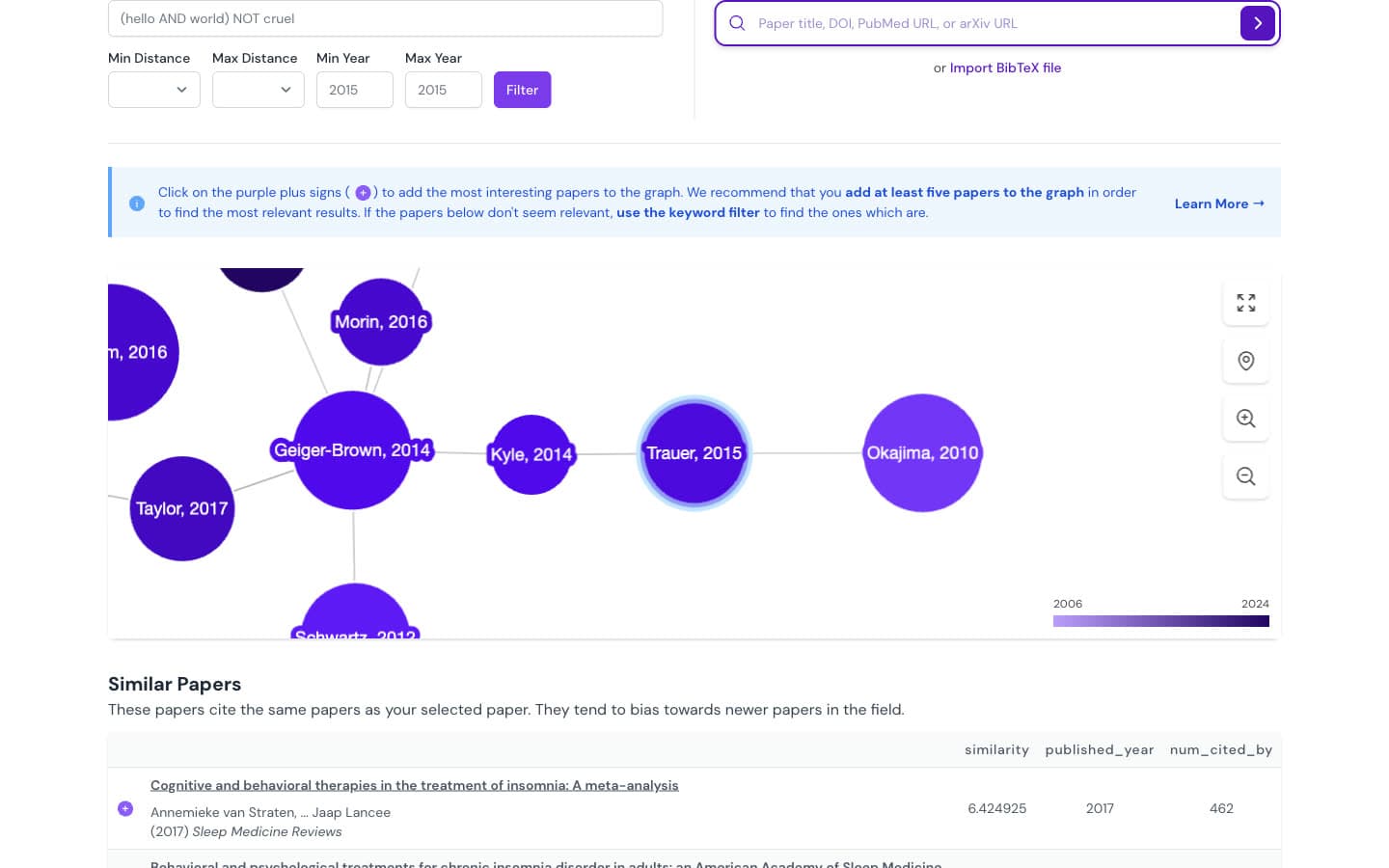
Inciteful is a free, open-source citation network tool that builds a graph two steps out from your seed papers using OpenAlex data, then ranks papers with network algorithms. It needs no account and describes itself as "100% Free to use".
One seed produces a long page of tables: "Similar Papers", "Most Important Papers" (ranked by PageRank), "Review Papers", "Recent Papers by the Top 100 Authors" and "The Most Important Recent Papers", plus top authors, institutions and journals. That recent-papers table is the closest free stand-in for Litmaps' lean towards new work. A separate Literature Connector finds the shortest citation path between two papers, up to six hops.
In our test: Inciteful scored 1.42 of 2, with 3% off-topic, and built each page in about 5 to 10 seconds. Its "Cited By" header showed far fewer citations than OpenAlex records (98 against 1,053 for the insomnia seed), which suggests it works from part of a large citation network.
Key Features
- Paper Discovery: Ten tables of papers, authors and journals per seed, each with "View SQL" showing the exact query.
- Recent work tables: "The Most Important Recent Papers" and "Recent Papers by the Top 100 Authors".
- Filters: Boolean keywords plus "Min Year" and "Max Year".
- Multi-seed: Add papers with the purple plus; it recommends "at least five papers".
- Export: "BibTex", "RIS", "Mendeley" and "Zotero" from every table, plus a Zotero plugin.
Pros
- Completely free with no account.
- Dedicated tables for recent and important papers.
- Direct export to Zotero and Mendeley.
- Fast, and transparent about its ranking queries.
Cons
- No alerts, saved library or share links beyond the page URL.
- No per-paper explanation, only a numeric similarity score.
- With two seeds, all 20 top scores were identical, so their order was a tie-break.
- The transformer seed resolved to a record dated 2025 with the wrong DOI.
Pricing: Free. "Our core tools are free to use and always will be."
Best For: Researchers who want a free, no-account network analysis with recent-paper tables and a quick path into Zotero.
Verdict: Inciteful is the best no-account Litmaps alternative: free, 1.42 of 2 for relevance, a dedicated recent-papers table and one-click Zotero export, though it explains less and saves nothing between visits.
3. Local Citation Network
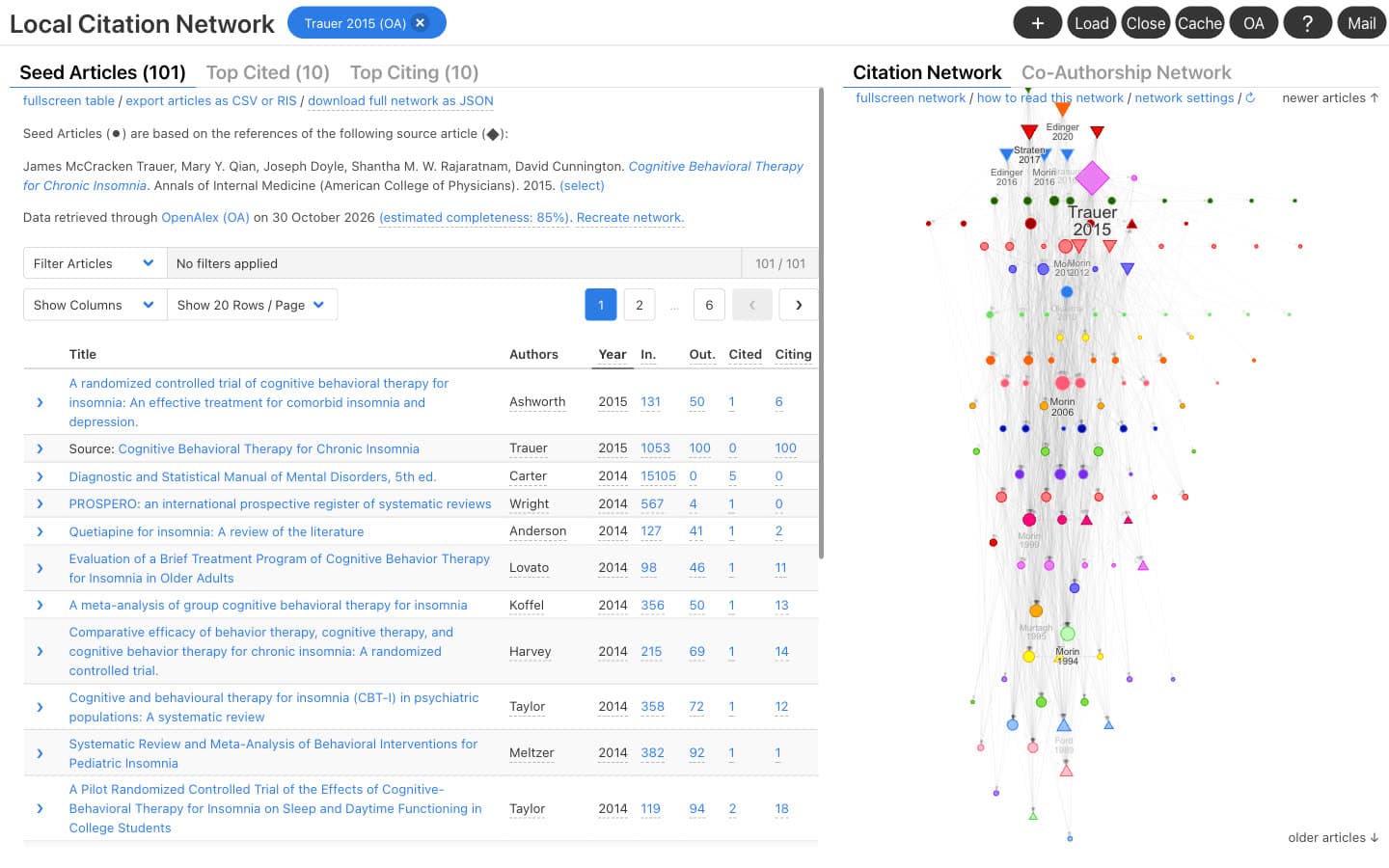
Local Citation Network is a free, open-source web app that turns a paper's reference list, or a list of DOIs, into a citation network and two short lists of papers you may be missing. It runs in the browser with no account and no cookies.
You enter a source DOI and it uses that paper's references as seeds, or you paste your own list of IDs or load a RIS or BibTeX file. It then shows "Top Cited", the 10 papers most cited by your seeds that are still missing from your set, and "Top Citing", the 10 papers that cite the most seeds. The views are "Citation Network" and "Co-Authorship Network". Data comes from OpenAlex by default, with Semantic Scholar and Crossref as options.
In our test: Local Citation Network scored 1.15 of 2, with 20% off-topic. It was the slowest tool: about 165 seconds for the insomnia seed and over three minutes for the feedback review, with an "estimated completeness" of 85% and 67%.
Key Features
- Top Cited and Top Citing: Backward and forward suggestions, 10 each.
- Flexible input: Source DOI, custom ID list, a reference file or a bookmarklet on journal pages.
- Systematic review support: "All Cited" and "All Citing" lists for direct citation searching.
- Export: Articles as CSV or RIS, and the full network as JSON.
Pros
- Free, open source and private, with no account.
- Built for checking a reference list for gaps.
- Top Citing surfaces papers that cite many of your seeds.
- RIS export works with any reference manager.
Cons
- Slow on long reference lists, with incomplete data on large ones.
- No alerts, no accounts and no share links; networks live in browser storage.
- Only 10 suggestions in each direction.
- No per-paper explanation beyond citation counts.
Pricing: Free and open source.
Best For: Systematic reviewers and students who want to check a reference list against what its seeds cite and what cites them.
Verdict: Local Citation Network is the best free Litmaps alternative for auditing a reference list: 1.15 of 2 for relevance and 10 suggestions in each direction, if you can wait a few minutes per network.
4. Semantic Scholar
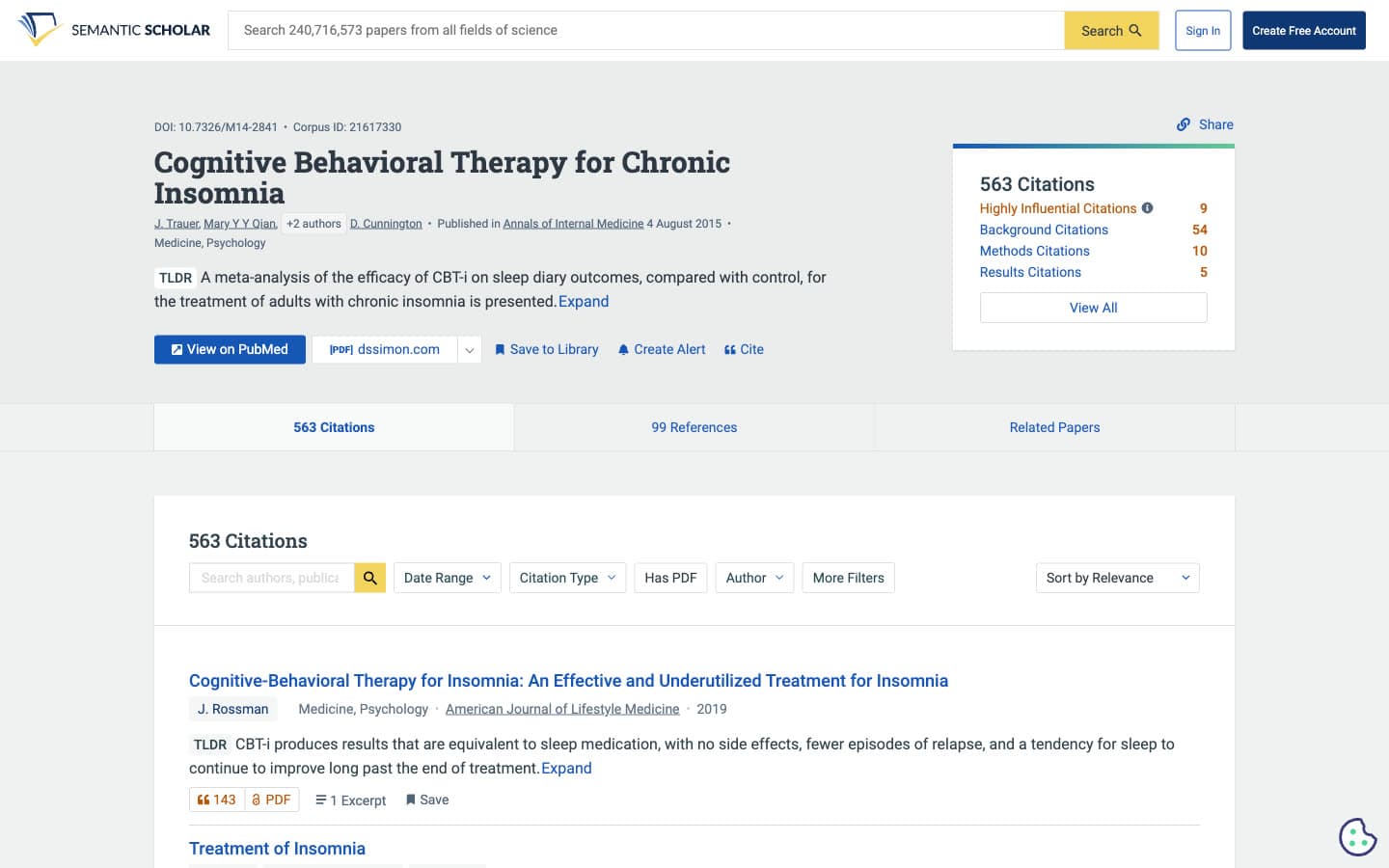
Semantic Scholar is a free academic search engine from Ai2 that indexes about 240 million papers and adds AI summaries, citation context and alerts. It has no citation map, but it covers the part of Litmaps that most alternatives skip: being told when new work appears.
Every paper page shows its citations and references with "Sort by Recency", a "Highly Influential Citations" count, citation excerpts and a one-line "TLDR" written by AI. "Create Alert" on a paper, and "Alert" on related papers, opens a sign-in prompt to "create author and topic alerts", so alerts need a free account. We did not test them signed in.
In our test: Semantic Scholar's Related Papers scored 1.30 of 2 across 10 papers per seed, with 7% off-topic and nothing from 2024 or later. Its search box did not resolve any of our three DOIs, and the insomnia paper's shortened title sent title search to a yearbook commentary instead.
Key Features
- Alerts: Paper, author and topic alerts with a free account.
- Citation lists: Sorts by relevance, influence, citation count or recency, with "Has PDF" and date filters.
- TLDR: An AI one-sentence summary on most papers.
- Related Papers: 10 suggestions per paper.
- Export: BibTeX and EndNote, plus APA, MLA and Chicago citations.
Pros
- Free alerts, the closest free match for Litmaps Monitor.
- "Sort by Recency" shows the newest citing work first.
- Citation context shows how later papers use your seed.
- No paid tier.
Cons
- No map or graph view and no multi-seed set.
- Only 10 related papers, with no reason given for each.
- DOIs do not resolve in the search box.
- Related Papers changed between page loads.
Pricing: Free. Alerts and a library need a free account.
Best For: Researchers who want free alerts on a key paper, author or topic, alongside a separate mapping tool.
Verdict: Semantic Scholar is the best free Litmaps alternative for monitoring: free paper, author and topic alerts and 1.30 of 2 for relevance, but no map, so pair it with a citation graph for discovery.
5. Consensus Citation Graph
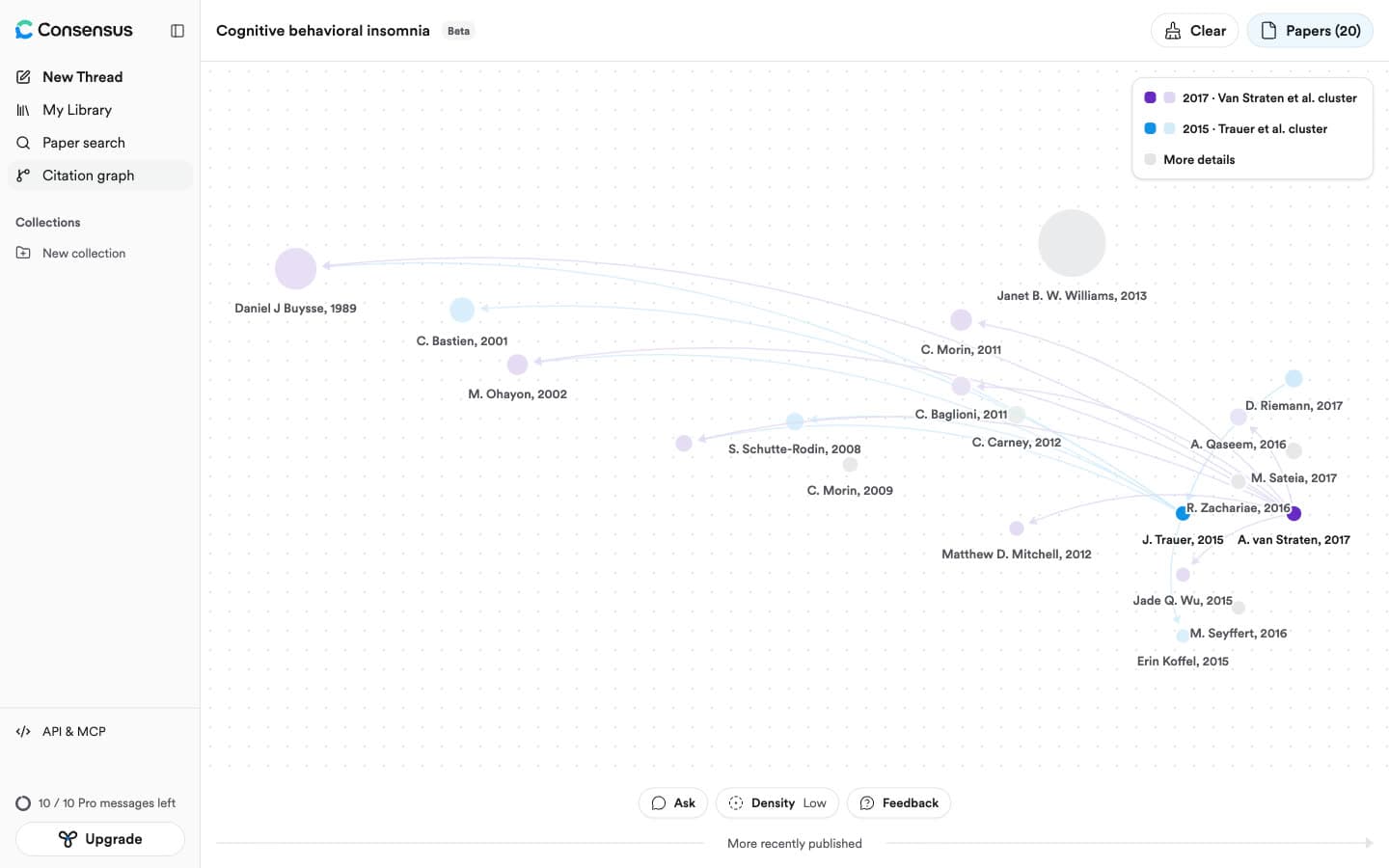
Consensus Citation Graph is a beta feature of the Consensus AI search engine that maps up to five seed papers using direct citation, co-citation and bibliographic coupling. It runs on a free account at "Low" density, which means up to 20 papers per graph.
Papers sit on a "More recently published" axis, sized by citations and colored by the seed they connect to, with gray "bridges" linking clusters. You can exclude papers, add seeds, open a paper's abstract and journal rank, and "Ask" questions about the graph through Consensus' metered chat.
In our test: Consensus scored 1.54 of 2, with a strong top 10 at 1.77 and 9% off-topic. It drew each graph in about 2 seconds. None of the papers shown was from 2024 or later (the newest were 2017, 2020 and 2021), and graphs vanished on page reload.
Key Features
- Five seeds: Each seed gets its own color cluster.
- Three signals: Direct citation, co-citation and bibliographic coupling.
- Density: 20 papers free; 40 and 60 on Pro.
- Paper panel: Abstract, journal rank, citations and a metered AI "Snapshot".
Pros
- Fast, clear graphs with seed-colored clusters.
- Good relevance in the top 10.
- Sits next to Consensus' AI search.
Cons
- Graphs are not saved: "Closing or refreshing the page will clear the graph."
- No alerts, no graph export and no Zotero option in the graph.
- No per-paper reason shown, and no recent papers at the free density.
Pricing
| Plan | Price |
|---|---|
| Free | $0, citation graph at Low density, 10 Pro messages a month |
| Pro | $12 a month, billed annually ($144 a year) |
| Deep | $45 a month, billed annually ($540 a year) |
Best For: Consensus users who want a quick multi-seed view next to their AI search.
Verdict: Consensus Citation Graph scored 1.54 of 2 and draws a five-seed graph in about 2 seconds, but free graphs hold 20 papers, clear on refresh and offer nothing for tracking a topic.
6. ResearchRabbit
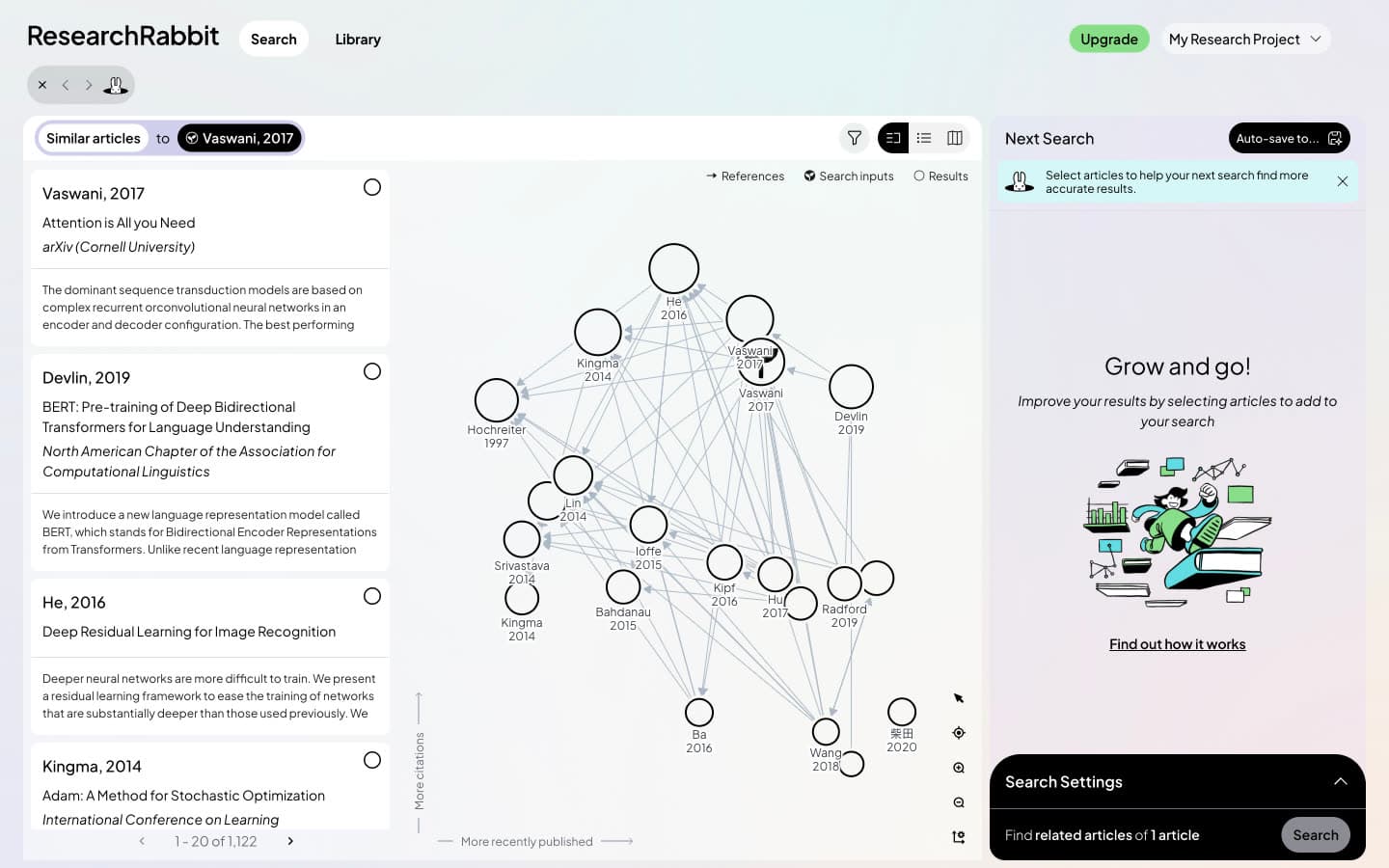
ResearchRabbit is a free citation discovery app owned by Litmap Limited, the company behind Litmaps. It relaunched on 20 October 2025 "thanks to our partnership with Litmaps", and its map uses the same layout: newer to the right, more cited higher.
You start from seed papers, then follow "Similar", "References" or "Citations" and save what you find into collections. The free plan allows up to 50 inputs and 10, 20 or 40 results per map. ResearchRabbit states that it "does not use large language models to power its core recommendation algorithms".
In our test: ResearchRabbit scored 1.25 of 2, with 22% off-topic. Its Similar top 20 held nothing from 2024 or later for any seed, but its "Cited By" list sorted newest first, opening with 2026 papers for the feedback review. Its DOI search opened a 2016 letter instead of the insomnia meta-analysis. Because the two tools share an owner, Litmaps and ResearchRabbit differ mainly on limits rather than on how the map works.
Key Features
- Similar, References and Citations: Three ways to expand from any paper.
- Collections and reading list: Save papers with statuses such as "To Read" and "Read Fully".
- Export: BibTeX, RIS and CSV.
- Zotero Importer: One-way import from a linked Zotero account.
- RR+ Signals: "Article Risk Indicators" that flag fraudulent or AI-generated articles.
Pros
- Free forever, with 50 inputs and unlimited searches.
- Newest-first citing papers in the "Cited By" view.
- Clear statement that core recommendations use no LLM.
Cons
- No new-paper alerts; RR+ Signals flag risky articles instead.
- Zotero is import only, with two-way sync still in development.
- Advanced filters, such as publication date and journal quartile, are locked on Free.
- No per-paper explanation.
Pricing
| Plan | Price |
|---|---|
| Free | $0 forever, up to 50 inputs, one project |
| RR+ | $10 a month billed annually ($120 a year), or $12.50 monthly; 300 inputs, advanced settings, Signals |
Best For: Students who liked the Litmaps layout and want more seeds and maps for free.
Verdict: ResearchRabbit is the most familiar switch from Litmaps, from the same owner with 50 free seeds, but it scored 1.25 of 2 for relevance and adds no new-paper alerts.
7. Connected Papers
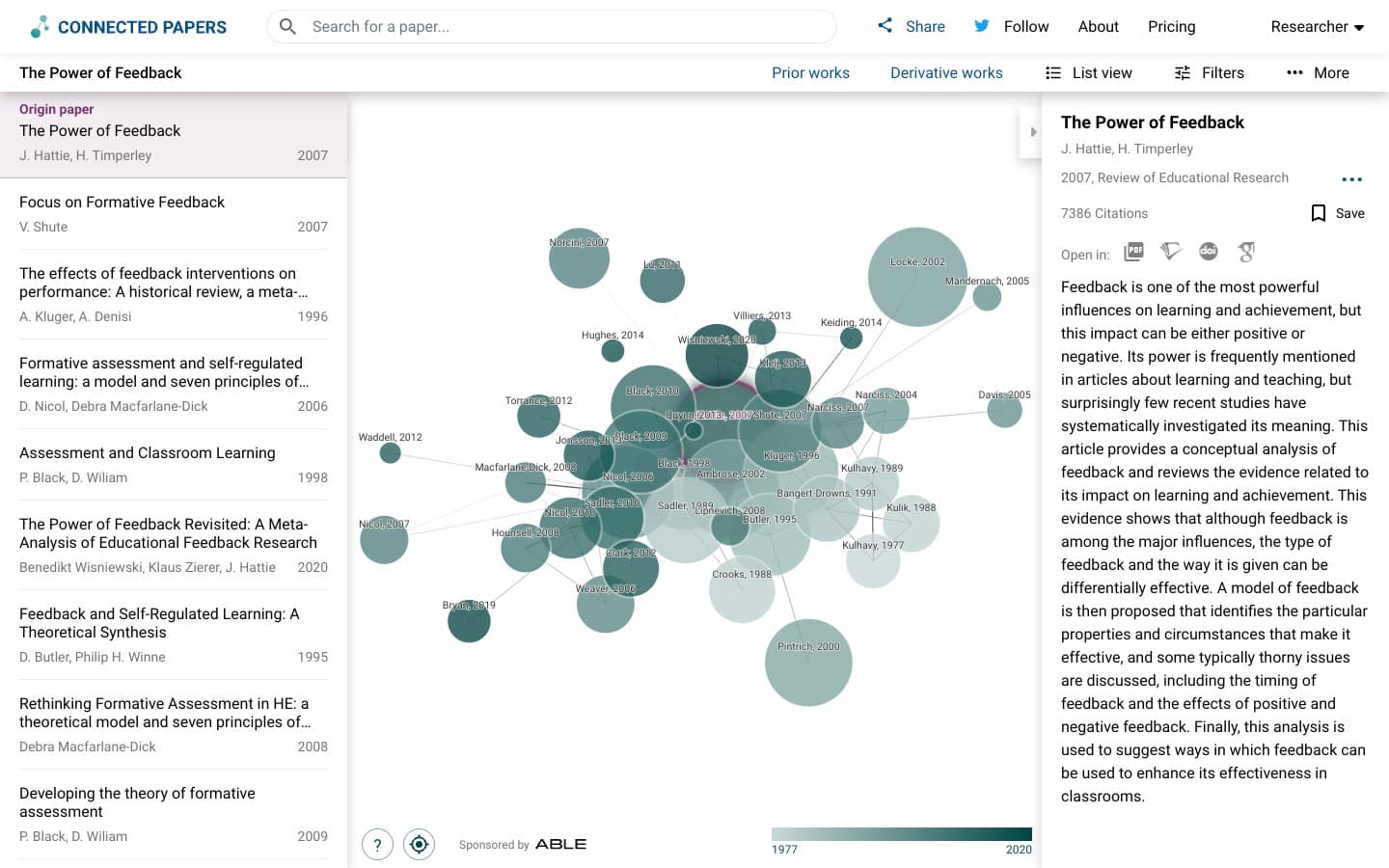
Connected Papers is a visual tool that builds a similarity graph of 40 papers around one origin paper from Semantic Scholar data, using co-citation and bibliographic coupling. Its help panel is explicit: "this is not a citation tree".
Nodes are sized by citations and colored by year, with similar papers clustered together. "Prior works" lists the 10 papers most cited across the graph and "Derivative works" the 10 that cite many of them, which is where recent papers appear. Several origins can be combined into one multi-origin graph.
In our test: Connected Papers scored 1.77 of 2, the highest of any tool and level with Paperguide, with 78% core and 2% off-topic. Its weakness was recency: no paper from 2024 or later in any top 20, and one across all three graphs. On the same seeds Connected Papers scored double Litmaps' relevance, while Litmaps won every recency measure.
Key Features
- Similarity graph: 40 papers plus the origin, with a "Similarity to origin" score in List view.
- Prior and Derivative works: Ten older foundations and ten newer citing papers.
- Multi-origin graphs: Combine seeds with "Add origin".
- Export: A BibTeX file of every graph paper, with DOIs and abstracts.
Pros
- Top relevance in our blind test.
- Fast to read for one paper's neighborhood.
- Cheap paid plans that only remove the monthly cap.
Cons
- Five graphs a month on a free account, two as a guest.
- No alerts, no Zotero integration and no RIS or CSV export.
- Recent work only in Derivative works.
- No per-paper explanation.
Pricing
| Plan | Price |
|---|---|
| Free | 5 graphs a month, all features |
| Academic | $6 a month billed annually ($72 a year), or $30 a quarter |
| Business | $20 a month billed annually ($240 a year), or $90 a quarter |
Best For: Researchers who want the tightest reading list around one trusted paper and need only a few graphs a month.
Verdict: Connected Papers scored 1.77 of 2, level with Paperguide and double Litmaps' 0.87, but allows five free graphs a month and explains no paper.
How the Paperguide Citation Graph Workflow Works
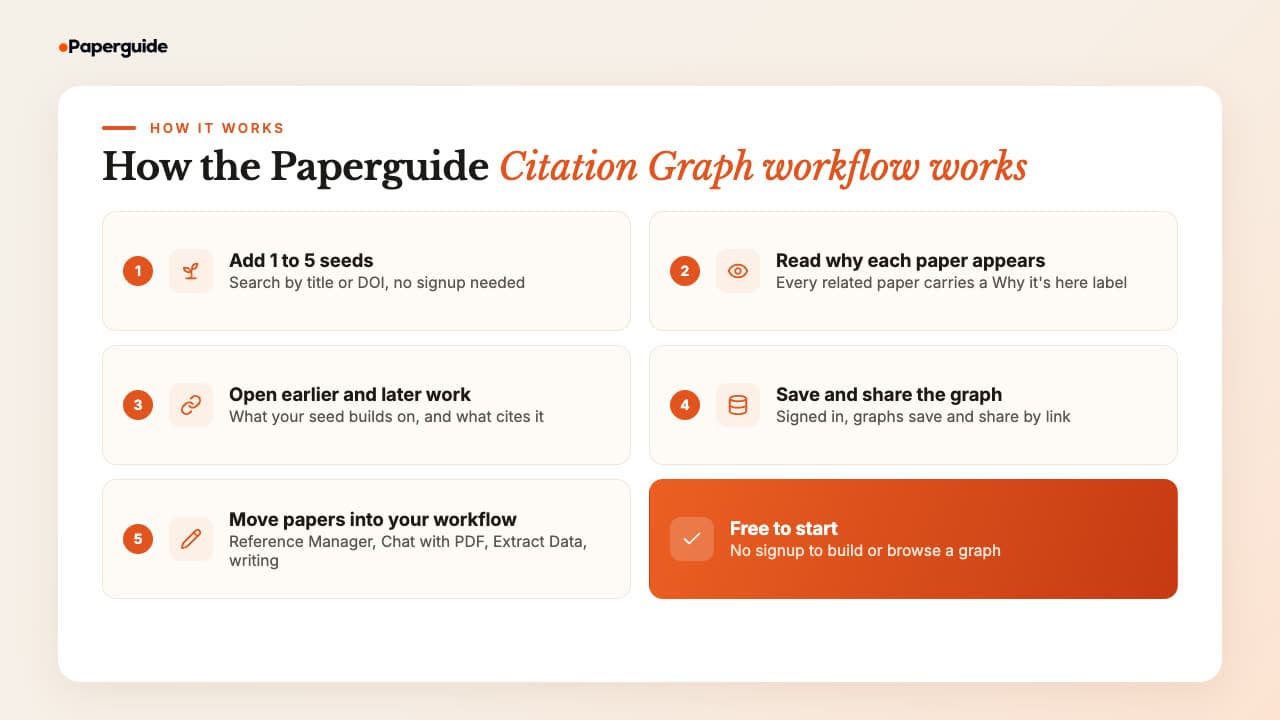
The Paperguide Citation Graph workflow runs from a seed paper to a saved, explained reading list in five steps, and then hands chosen papers to the rest of Paperguide. Building and browsing the graph is free and needs no signup; saving graphs to an account, sharing and the Reference Manager need you to sign in.
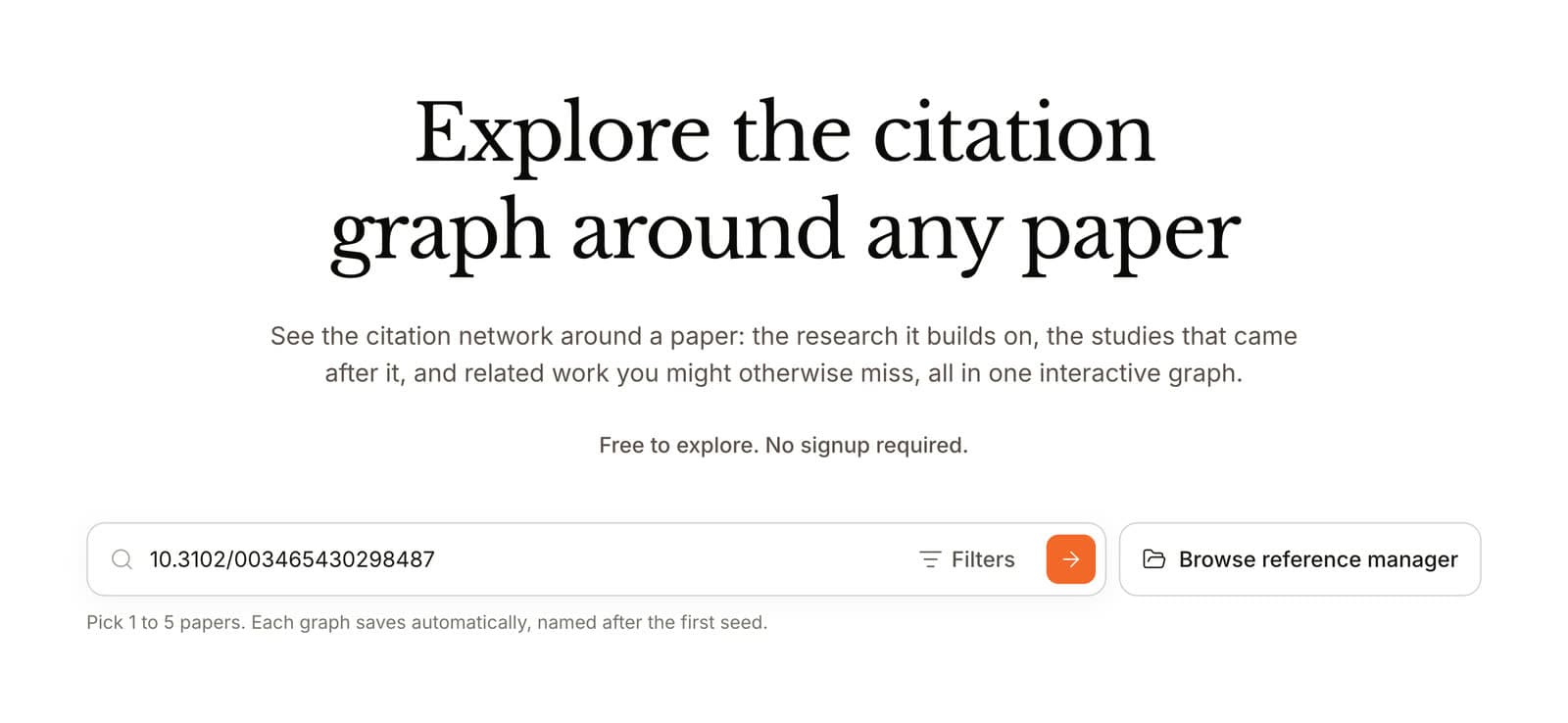
Step 1: Add 1 to 5 seeds. Open the Paperguide Citation Graph and search by title or DOI. A DOI is the safest match. Add more seeds later with "Seed" on any related paper; the graph rebuilds in about 30 seconds.
Step 2: Read why each paper appears. Every card in Related papers says how it connects: co-citation, shared references, direct citation or topic similarity. With several seeds, the label says how many seeds a paper links to. Exclude anything off-topic.
Step 3: Open earlier and later work. Earlier work lists what your seed builds on, and Later work lists the papers that cite it. Later work is where recent papers sit, so open it whenever you return to a topic, the same backward and forward steps as citation searching for a systematic review.
Step 4: Save and share the graph. Signed in, each graph saves to "Your graphs", named after its first seed. "Share" offers "Can edit", "Can view" or "No access", so a supervisor or co-reviewer can open the same graph.
Step 5: Move papers into your workflow. "Add to Reference Manager" saves a paper to a folder and marks it "In 1 graph". From there, Chat with PDF answers questions from the paper, Extract Data builds a comparison table, and Literature Review AI or the AI Paper Writer turns the set into a cited draft.
Choosing good seeds matters more than any setting, and the steps for picking them and reading the result are set out in how to create a citation map.
Best Litmaps Alternative by Use Case
The best Litmaps alternative depends on what you used Litmaps for. Paperguide's Citation Graph is the best overall and the best free pick for finding relevant papers, Semantic Scholar is best for alerts, Inciteful for recent papers and Zotero export, and Local Citation Network for checking a reference list.
| Use case | Recommended tool | Why |
|---|---|---|
| Best Litmaps alternative overall | Paperguide Citation Graph | Top-tier relevance, a reason on every paper, free with no graph limit stated |
| Best free Litmaps alternative | Paperguide Citation Graph | No signup, up to five seeds, saved and shared graphs |
| Best for systematic review and HEOR teams | Paperguide Citation Graph | Earlier and later work feed citation searching, then screening and extraction |
| Best for recent papers without Litmaps | Inciteful | "The Most Important Recent Papers" table, free |
| Best for new-paper alerts | Semantic Scholar | Paper, author and topic alerts with a free account |
| Best for auditing a reference list | Local Citation Network | Top Cited and Top Citing from your own seed list |
| Best for Zotero export without paying | Inciteful | Send any table to Zotero, or use its Zotero plugin |
| Best inside an AI search tool | Consensus Citation Graph | Five-seed graph next to Consensus search |
| Best like-for-like switch | ResearchRabbit | Same owner and layout, 50 free seeds |
| Best for one paper's neighborhood | Connected Papers | Highest relevance score, BibTeX export |
Best Litmaps Alternatives: Final Comparison
The final comparison comes down to what happens after the map. Only Paperguide explains each paper, only Semantic Scholar sends free alerts, and only Paperguide, ResearchRabbit and Litmaps keep your work in a saved graph or collection. Litmaps remains the one tool with recent papers in its main list.
| Tool | Explains each paper | Seeds | Saves graphs | Recent work | Alerts |
|---|---|---|---|---|---|
| Paperguide Citation Graph | Yes, "Why it's here" | 1 to 5 | Yes, account or browser | Later work view | No |
| Inciteful | No, score only | Several (five or more advised) | No, URL only | Recent papers tables | No |
| Local Citation Network | No, counts only | Any DOI list | Browser storage | Top Citing | No |
| Semantic Scholar | No | One paper | Library with account | Sort by Recency | Yes, free account |
| Consensus Citation Graph | No | 1 to 5 | No | Not at free density | No |
| ResearchRabbit | No | 50 free, 300 on RR+ | Yes, collections | Cited By, newest first | No |
| Connected Papers | No, score only | One or more origins | Graph history | Derivative works | No |
| Litmaps | No | 20 free, unlimited on Pro | Yes, 2 free | In the main list | Monitor |
Common Mistakes When Switching from Litmaps
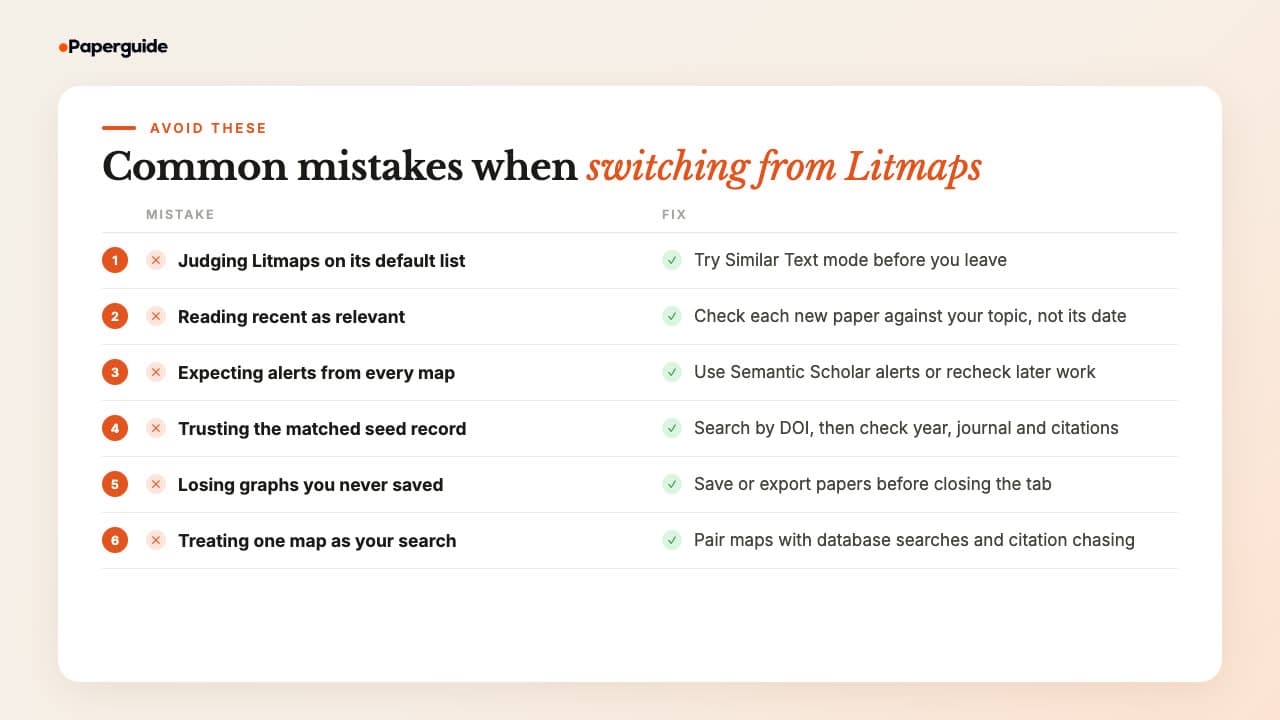
The most common mistakes when switching from Litmaps come from comparing the wrong things: a default list instead of the best mode, recent papers instead of relevant ones, or a map instead of a full search. Avoid these six and the tool you pick will hold up for the length of a thesis or review.
Judging Litmaps on its default list. Its "Similar Text" mode, which uses an AI language model, returned an insomnia top 20 that by title was nearly all on topic. It sat outside our blind test, so try it before you leave.
Reading recent as relevant. Litmaps' recent results for the transformer seed included forecasting, aviation safety reports and video synthesis. Check each new paper against your question, not its year.
Expecting alerts from every map. Of the seven alternatives here, only Semantic Scholar sends new-paper alerts. Set an alert there, or reopen your saved graph's later work at set points in your project.
Trusting the matched seed record. Several tools opened a 2016 letter or a record dated 2025 instead of the paper we asked for. Search by DOI, then check the year, journal and citation count before reading the map.
Losing graphs you never saved. Consensus clears a graph on refresh, Inciteful keeps nothing but the URL, and Local Citation Network keeps networks in browser storage. Save or export papers before closing the tab.
Treating one map as your whole search. Citation tracking finds studies that database searches miss: in one audit of a complex systematic review, 51% of sources were found by snowballing [4]. A map works best as a check on a database search, not a replacement for it. Co-citation and direct citation also capture a research front differently [7], which is one more reason to check a second tool on important searches.
Final Verdict
Paperguide's Citation Graph is the best Litmaps alternative in 2026. In our blind test it tied for the most relevant recommendations, with none off-topic, and was the only tool to say why each paper appears. It is free with no graph limit stated, saves and shares graphs, and moves papers into reading, extraction and writing.
What it does not replace is Litmaps' monitoring. If weekly emails about new papers matter, keep Litmaps Pro or add free Semantic Scholar alerts, and use Paperguide's Later work when you revisit a topic. Inciteful is the best no-account option for recent-paper tables and Zotero export, and Connected Papers matches Paperguide's relevance for a few graphs a month.
Frequently Asked Questions (FAQs)
What is the best Litmaps alternative in 2026?
Paperguide's Citation Graph is the best Litmaps alternative in 2026. In our blind test on three seed papers, its recommendations scored 1.75 of 2 for relevance against 0.87 for Litmaps, with none rated off-topic. It is free with no signup, takes up to five seeds, labels why each paper appears and states no graph limit.
Is there a free alternative to Litmaps?
Yes. Paperguide's Citation Graph is free with no signup and no graph limit stated. Inciteful and Local Citation Network are free and open source with no account, Semantic Scholar is free with free alerts, ResearchRabbit is free with 50 seeds, and Connected Papers gives five free graphs a month on a free account.
Is Litmaps free?
Litmaps has a free plan, but it is small. A free account can create 2 Litmaps in total, with up to 100 articles per map, 20 inputs, and 20 Explore results for a single seed. Pro Education costs $10 a month billed annually ($120 a year) or $12.50 monthly, and Pro Commercial $40 a month billed annually, at US list prices.
Is Litmaps AI?
Partly. Litmaps' default recommendation mode, "Shared Citations & References", states that it "does not use an AI Large Language Model". The optional "Similar Text" mode does use one to compare titles and abstracts, and the Semantic map, a Pro beta view, also uses AI. We found no AI chat or AI summaries inside Litmaps.
Does Litmaps work with Zotero?
Yes, on Pro. Zotero Sync is a Litmaps Pro feature that creates tags in Litmaps which stay up to date with your Zotero collections, so papers you add or remove in Zotero are reflected in Litmaps. On the free plan, you can export BibTeX, RIS or CSV files and import them into Zotero instead.
Which Litmaps alternative sends alerts about new papers?
Semantic Scholar is the only alternative we tested that sends new-paper alerts. With a free account, it offers alerts on a paper, an author or a topic. ResearchRabbit's RR+ Signals flag risky or fraudulent articles rather than new ones, and the other mapping tools in this guide send no alerts at all.
Why are Litmaps recommendations off-topic?
In Litmaps' default "Shared Citations & References" mode, the first ten results for each of our seeds shared one identical internal score, so their order carried no ranking. That block included papers on a cooling mattress pad and an aquanaut health curriculum. Its top 10 averaged 0.50 of 2 in our blind test, against 1.75 overall for Paperguide.
Which tool shows the most recent papers?
Litmaps did. It put 5, 4 and 10 papers from 2024 or later in its top 20 for our three seeds, more than any alternative. Among the alternatives, Inciteful has dedicated recent-paper tables, ResearchRabbit sorts citing papers newest first, and Paperguide and Connected Papers place recent work in their Later work and Derivative works views.
Is ResearchRabbit owned by Litmaps?
Yes. ResearchRabbit's site lists Litmap Limited as its copyright holder, and it relaunched on 20 October 2025 "thanks to our partnership with Litmaps". The two now share a similar map layout. ResearchRabbit has the looser free plan, with 50 seeds, while Litmaps adds Monitor alerts and two-way Zotero sync on Pro.
Is Litmaps worth paying for?
Litmaps Pro is worth it if you track one topic for months and will use weekly alerts, unlimited maps and two-way Zotero sync. It is harder to justify for finding relevant papers alone: its default recommendations averaged 0.87 of 2 in our blind test, while free tools such as Paperguide and Connected Papers scored above 1.7.
References
- Trauer, J. M., Qian, M. Y., Doyle, J. S., Rajaratnam, S. M. W., & Cunnington, D. (2015). Cognitive behavioral therapy for chronic insomnia: A systematic review and meta-analysis. Annals of Internal Medicine, 163(3), 191-204. https://doi.org/10.7326/M14-2841
- Hattie, J., & Timperley, H. (2007). The power of feedback. Review of Educational Research, 77(1), 81-112. https://doi.org/10.3102/003465430298487
- Vaswani, A., Shazeer, N., Parmar, N., Uszkoreit, J., Jones, L., Gomez, A. N., Kaiser, Ł., & Polosukhin, I. (2017). Attention is all you need. Advances in Neural Information Processing Systems, 30. https://doi.org/10.48550/arXiv.1706.03762
- Greenhalgh, T., & Peacock, R. (2005). Effectiveness and efficiency of search methods in systematic reviews of complex evidence: Audit of primary sources. BMJ, 331(7524), 1064-1065. https://doi.org/10.1136/bmj.38636.593461.68
- Small, H. (1973). Co-citation in the scientific literature: A new measure of the relationship between two documents. Journal of the American Society for Information Science, 24(4), 265-269. https://doi.org/10.1002/asi.4630240406
- Kessler, M. M. (1963). Bibliographic coupling between scientific papers. American Documentation, 14(1), 10-25. https://doi.org/10.1002/asi.5090140103
- Boyack, K. W., & Klavans, R. (2010). Co-citation analysis, bibliographic coupling, and direct citation: Which citation approach represents the research front most accurately? Journal of the American Society for Information Science and Technology, 61(12), 2389-2404. https://doi.org/10.1002/asi.21419
Mapping citations?
See how any paper connects
Start from up to five papers and explore earlier, later and related work in one free citation graph. No signup.
Try Citation GraphNo credit card required